cPanel is the control panel that comes with Domain India's cPanel hosting plans: the web page where you manage your website's files, email, databases, domains and SSL yourself. This page is a map for both everyday users and developers. It lists what you can do in cPanel on our servers, the limits that matter, and the step-by-step guide for each task.
Our main guide, What is cPanel, explains every section of cPanel, how it differs from WHM, how it compares with DirectAdmin, Webuzo and Plesk, and which plan to choose. This page does not repeat it; it points you to the right guide for each job.
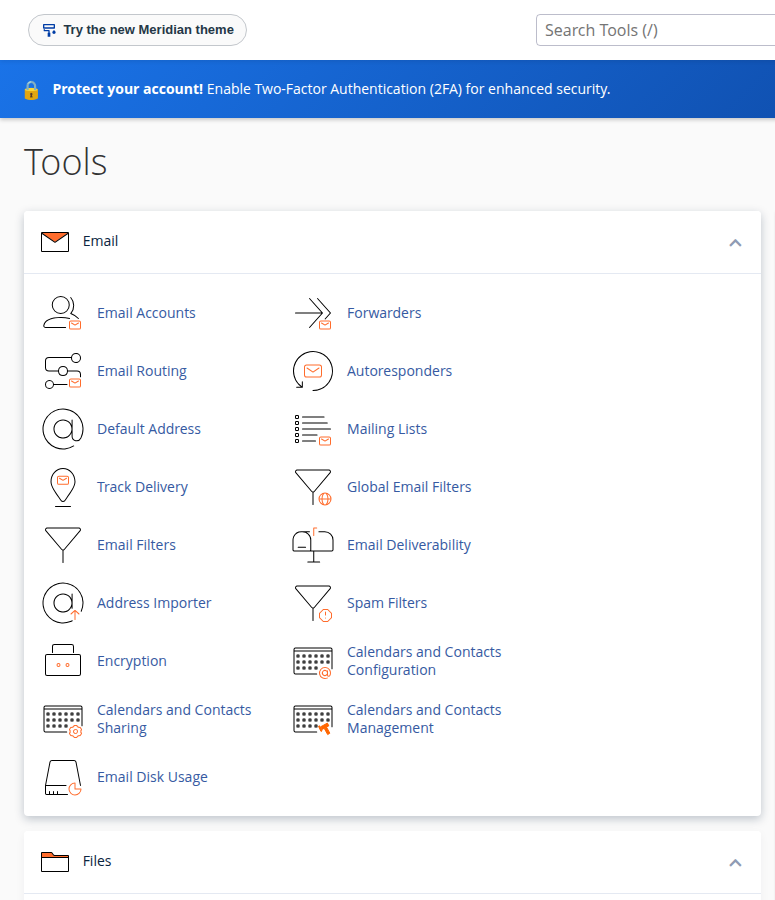
Open cPanel from the cPanel button on your hosting row in the client area, or at https://yourdomain.com:2083. Everyday tasks (files, email, databases, DNS, SSL, WordPress) are all in the panel. Developer features are available too, with shared-hosting limits: jailed SSH on request with key login, Git, Node.js and Python app tools, and Composer if you download composer.phar, but no direct MySQL connection from outside.
1. Getting in
Sign in to the client area, open your hosting list and click cPanel on your domain's row. It signs you in without a cPanel password. To log in directly, go to https://yourdomain.com:2083 with the username and password under Manage › Access. Your client-area password and your cPanel password are separate.
- Full login guide and troubleshooting: How to log in to cPanel
- Forgotten password: Reset your cPanel password
- Protect both logins: Enable two-factor authentication
2. Everyday tasks and where to find them
| Task | Where in cPanel | Guide |
|---|---|---|
| Upload and edit files | Files › File Manager | How do I use the File Manager |
| Create email addresses and read mail | Email › Email Accounts, then webmail | How to log into webmail |
| Add a website or subdomain | Domains › Domains | Parked, addon and subdomains |
| Change DNS records | Domains › Zone Editor | How to make DNS changes in cPanel |
| Install WordPress | Software › Softaculous or WP Toolkit | What is cPanel (Software section) |
| Check free SSL | Security › SSL/TLS Certificates (Status tab) | What is cPanel (Security section) |
| Restore or download a backup | JetBackup | Backup and restore with JetBackup |
| See why the site is slow or erroring | Metrics › Resource Usage and Errors | Check hosting resource usage |
The guides: File Manager, webmail, parked, addon and subdomains, DNS changes in cPanel, JetBackup, resource usage and error logs.
Zone Editor records only take effect if your domain uses our hosting nameservers; see How do I change my nameservers.
3. Facts about our cPanel servers
These are measured on our cPanel servers, and they correct several claims in older cPanel guides:
- Backups are taken weekly by JetBackup 5, on Sunday, keeping 5 copies. cPanel's own Backup and Backup Wizard tools are switched off, so restore and download through JetBackup.
- Web server: Apache, with nginx in front.
.htaccessrules work. For WordPress caching, use WP Super Cache or W3 Total Cache. - Uploads: PHP accepts uploads up to 256 MB; phpMyAdmin imports are limited to 50 MB.
- Outgoing email: 200 messages per hour per account.
- Security is server-wide: CloudLinux account isolation, Imunify360 and free Let's Encrypt SSL through AutoSSL. The firewall is managed by us, not from your panel.
4. Developer features, with shared-hosting limits
| Feature | On our cPanel servers | Guide |
|---|---|---|
| SSH | Jailed shell, off by default; ask support to enable it; key login only | Enabling and accessing jailed SSH |
| Git | Git Version Control in cPanel, and git inside the jailed shell | Deploy with Git |
| Node.js apps | Setup Node.js App (Node.js 20, 22 and 24) | Deploy a Node.js app on shared hosting |
| Python apps | Setup Python App (Python 3.9, 3.11 and 3.12) | Deploy a Python app on shared hosting |
| PHP version | Chosen per site in cPanel | Change PHP versions with MultiPHP Manager |
| Scheduled tasks | Cron Jobs | How to set up a cron job |
| Remote Database Access | Port 3306 is closed from outside; use an SSH tunnel | How to connect to the MySQL database |
Guides: jailed SSH, Git, Node.js, Python, PHP versions, cron jobs and MySQL connections.
Functions that start programs or open raw sockets, such as exec, proc_open and fsockopen, are disabled on shared hosting, for the web and the command line. So Composer scripts stop on the server (re-run with --no-scripts, or build locally and upload vendor/), and SMTP mail libraries fail (use mail() with -f). Details: PHP disabled functions on shared hosting.
If your project needs root access, Docker or long-running workers, it has outgrown shared hosting: look at the App Platform or a VPS.
5. cPanel plans
- 25 GB NVMe SSD Storage
- 50 GB Monthly Bandwidth
- 1 Website
- 10 Email Accounts
- 50 GB NVMe SSD Storage
- 100 GB Monthly Bandwidth
- 5 Websites
- 50 Email Accounts
Prices on the cards are live Domain India list prices and exclude 18% GST. Compare all plans on cPanel hosting.
Frequently asked questions
How do I log in to cPanel on Domain India hosting?
Sign in to the client area, open your hosting list and click the cPanel button on your domain's row; it signs you in without a password. You can also go to https://yourdomain.com:2083 and use the username and password shown under Manage › Access.
How do I back up my website in cPanel?
Our cPanel servers take weekly backups with JetBackup 5, on Sunday, keeping 5 copies. Open JetBackup in cPanel to restore or download them. cPanel's own Backup and Backup Wizard are switched off.
Does Domain India cPanel hosting include SSH?
Jailed SSH access is available on every shared hosting plan. It is off by default, so ask support to enable it for your account. Login is by SSH key only.
Can I run Composer or connect to MySQL remotely?
Composer isn't pre-installed, but over jailed SSH you can download composer.phar and run php composer.phar install, adding --no-scripts if it stops with a proc_open message; or run it on your computer or in CI and upload the vendor folder. MySQL port 3306 is closed from outside, so connect through an SSH tunnel.
How many emails can I send per hour from cPanel?
Our cPanel accounts can send 200 messages per hour per account. For newsletters to large lists, use a dedicated sending service.
Ready to get started? Open your hosting list and click cPanel, or read What is cPanel for the full tour. If something in the panel does not work as described, open a support ticket: support is on 24/7 live chat, and tickets get a first response within 15 minutes.
Weekly JetBackup backups, free SSL, Softaculous and WP Toolkit, and developer tools on every plan.
See cPanel plans