You can run a small Node.js app on Domain India shared hosting without a server of your own: the cPanel and DirectAdmin servers have a Node.js application tool that starts your app and connects it to your domain. This guide shows how it works, what it can and cannot do, and when the App Platform or a VPS is the better home.
On our cPanel and DirectAdmin servers you create a Node.js app from the control panel, choose a Node.js version, upload your code and click Run NPM Install and Start; you do not need SSH for that. Webuzo has no such tool that we could confirm, so ask support. Shared hosting suits small apps and APIs; for a production app with builds, background jobs or steady traffic, use the App Platform or a VPS.
1. What we measured on our servers
We checked the shared servers on 23 September 2026:
| Server | Node.js app tool | Node.js versions offered |
|---|---|---|
| cPanel | Setup Node.js App, enabled on the standard plans | 20, 22 and 24 |
| DirectAdmin | Node.js selector plugin installed | 14, 16, 18, 19, 20, 22 and 24 |
| Webuzo | Not found | Ask support |
| Windows (Plesk) | Not covered here | Ask support |
Node.js 20 and older have reached end of life, so pick 22 or 24 if your app supports them. Version lists change over time; the panel shows the current one. The tool runs your app behind the Apache web server using Phusion Passenger, so your app does not open its own public port.
2. Is shared hosting right for your app?
- Small Express or Fastify APIs and websites
- Apps that sit next to a PHP or WordPress site on the same account
- Learning and low-traffic projects
- Your app shares the account's CPU and memory limits
- No root access, no Docker, no background services you manage yourself
- Build steps that need a lot of memory can fail
- No SSH unless support enables it for you
Your app counts against the same resource limits as the rest of your account. If it hits them, visitors see errors such as 503 or 508. See Understanding hosting resource limits.
3. Prepare your app
Before you upload, make three small changes:
- Listen on the port you are given. Use
process.env.PORT, never a fixed port. Passenger routes traffic to your app. - Have a single startup file, such as
app.jsorserver.js, that starts the server. - Build locally. If you use TypeScript, a bundler or a front-end framework, run the build on your own computer and upload the output, not the source.
A minimal Express start file:
const express = require('express');
const app = express();

app.get('/', (req, res) => res.send('Hello from Domain India'));

const port = process.env.PORT || 3000;
app.listen(port, () => console.log(`Listening on ${port}`));
4. Create the app in cPanel
- Open the tool.Log in to cPanel and open Setup Node.js App in the Software section. Click Create Application.
- Fill in the form.Choose the Node.js version, set Application mode to Production, set Application root to a folder such as
myapp(outsidepublic_html), choose the domain and path in Application URL, and enter your Application startup file. - Upload your code.Put your files, including
package.json, into the application root with File Manager or FTP. Leave outnode_modules. - Install dependencies.Back in Setup Node.js App, click Run NPM Install.
- Start.Click Start App (or Restart after changes) and open your application URL.
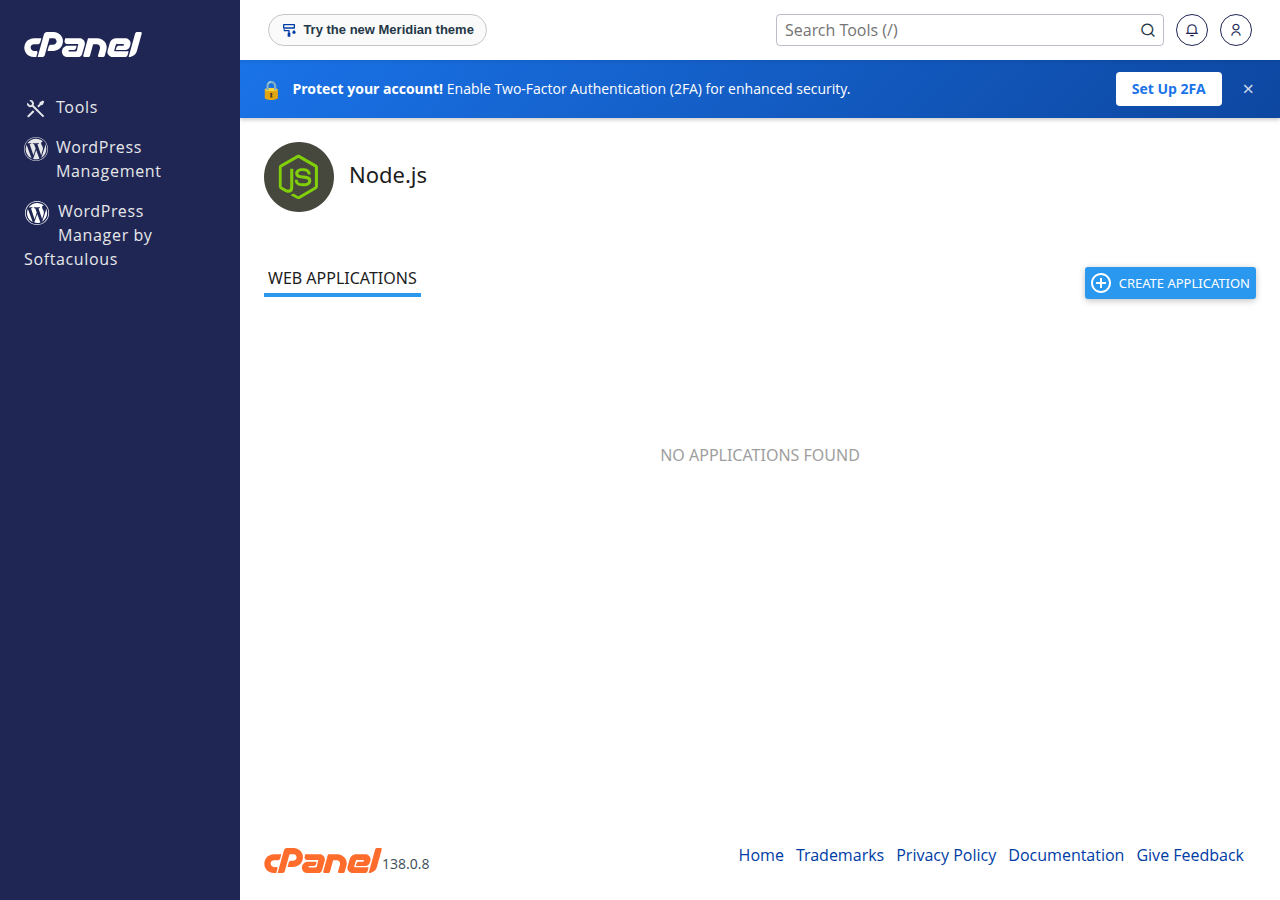
Environment variables such as NODE_ENV=production or an API key go in the Environment variables section of the same form. Save, then restart the app. Keep secrets out of files inside public_html.
5. DirectAdmin
DirectAdmin has the same CloudLinux Node.js selector, installed as a plugin. The fields are the same: version, application root, application URL and startup file. Menu names in DirectAdmin can differ between skins; if you cannot find the Node.js option, ask support to point you to it.
6. Using SSH (optional)
Jailed SSH access is available on every shared hosting plan (cPanel, DirectAdmin, Webuzo). It is off by default; ask support to enable it for your account. See Enabling and accessing jailed SSH.
Once SSH is on, the app page shows a command that enters your app's environment, for example:
source /home/USERNAME/nodevenv/myapp/22/bin/activate && cd /home/USERNAME/myapp
npm install --omit=dev
Tools available inside the jailed shell vary by server, so check with support before you rely on a specific tool. Restart the app from the panel after any change.
7. Troubleshooting
- The app page shows an error or 503: check the startup file name and path, then read the log file named on the app's page. Restart after every fix.
- "Cannot find module": run Run NPM Install again, and check that
package.jsonis in the application root. - Changes do not show: restart the app. cPanel can also serve a cached copy of a page for up to 120 minutes, so add
?t=1to the URL to check. - The install or build runs out of memory: build on your own computer and upload the result, or move the app to the App Platform or a VPS.
- Background jobs stop: shared hosting runs your app to answer web requests. It is not a place for long-running workers or queues.
8. Where Node.js apps run best at Domain India
For anything beyond a small app, the App Platform is the dependable route. It detects and builds Node.js apps automatically, deploys from GitHub or with a deploy token, keeps the old version running if a build fails, and includes a PostgreSQL database and SSL. It has no SSH or root access. See Getting started with the App Platform.
- 512 MB RAM per app
- 1 vCPU
- 5 GB NVMe SSD
- PostgreSQL Database
- 512 MB RAM per app
- 1.5 GB RAM total
- 2 vCPU
- 10 GB NVMe SSD
If you need root access, your own process manager, Docker or several services, choose a VPS.
Can I run Node.js on Domain India shared hosting?
Yes, on our cPanel and DirectAdmin servers. Both have a Node.js application tool in the control panel. On Webuzo we could not confirm one, so ask support.
Which Node.js versions are available?
When we checked on 23 September 2026, cPanel offered Node.js 20, 22 and 24, and DirectAdmin offered 14 to 24. The panel shows the current list when you create an app.
Do I need SSH to deploy a Node.js app?
No. You can create the app, upload files and run npm install from the control panel. Jailed SSH is available on request if you want a command line; it is off by default.
Which port should my app listen on?
Use process.env.PORT. The server routes traffic to your app through Passenger, so a fixed port will not work.
Can I run background workers or cron-style Node processes?
Shared hosting runs your app to answer web requests, within your account's limits. For long-running workers, use a VPS.
Why does my app show a 503 error?
Usually the app failed to start or the account hit a resource limit. Check the startup file and the log named on the app's page, then restart the app.
What is the best Domain India product for a production Node.js app?
The App Platform, which builds and deploys Node.js apps from GitHub or a deploy token and includes PostgreSQL and SSL. For root access, choose a VPS.
Ready to deploy? Set up your app on cPanel hosting, move it to the App Platform, or ask us in a support ticket which option fits your app.
Deploy from GitHub or with a deploy token. We build, run and secure your app with a free SSL certificate.
See App Platform plans