Lost the password for your cPanel, DirectAdmin, Webuzo or Plesk control panel? You cannot look up the old one: Domain India's client area never displays a control panel password, and support will not read one out to you. What you can do, usually within a minute, is log in without it or set a new one yourself. This guide shows both, plus what to do if you have also lost your client-area password or been blocked by the server firewall.
You do not retrieve a lost control panel password; you replace it. Sign in to the client area, open Hosting › My hosting, click Manage on your domain, open the Access tab and use Reset password. You confirm with your client-area password and choose a new panel password. If you only need to get in, the panel button on your domain's row logs you in to cPanel, DirectAdmin or Plesk with no panel password at all. Forgotten your client-area password too? Reset it first at domainindia.com/client/forgot; the link is valid for 1 hour.
1. Why nobody can "retrieve" your old password
The hosting server keeps your control panel password only in a scrambled form that cannot be turned back into the original text. That is deliberate: a leaked server file does not hand anyone your password. The client area does not display it either, and if the password was changed after your account was set up, the only up-to-date copy is the one in your head or your password manager.
That is good news for you, because the fix does not depend on anyone finding it. You have two routes, and neither needs the old password:
Your client-area password signs you in to your Domain India account at domainindia.com. Your control panel password signs you in to cPanel, DirectAdmin, Webuzo or Plesk. They are separate, and changing one never changes the other. For the full picture of every password on your account, see How can I change my hosting account password.
2. Fastest: log in with one click, no password
If you just need to get into your panel today, you may not need a password at all.
- Sign in to the client area.Open the client area sign-in page with the email address and password of your Domain India account.
- Open your hosting list.Choose Hosting › My hosting, or go to /client/services/hosting.
- Click the panel button.On your domain's row, click the button labelled after your control panel: cPanel, DirectAdmin, Plesk, Webuzo, or WHM on a reseller account. It appears only while the account is Active.
- Allow the new tab.The panel opens in a new browser tab. If nothing happens, allow pop-ups for domainindia.com and click again.
On cPanel, WHM and DirectAdmin the button signs you straight in; if it shows an error instead, reset the password (section 3). On Plesk it usually does too, but if a Plesk login form appears instead, the one-click session could not be created, so reset the password (section 3). On Webuzo, log in at https://yourdomain.com:2003 with your Webuzo password (see section 4); if the button doesn't open the panel, use this address.
Every route into cPanel, including direct logins by port, is in How to log in to cPanel.
3. Reset your control panel password from the client area
This is the method we recommend. No ticket, and no old password.
- Open the account.In the client area go to Hosting › My hosting and click Manage on the row for your domain.
- Open the Access tab.The Login details card shows your username, server IP and panel URL, and has a Reset password button. The same action is in the buttons at the top of the page.
- Confirm it is you.Enter your current client-area password first, then the new control panel password. Aim for a password the strength meter rates Strong.
- Log in with it.Use the username on the same card, at your panel address or through the panel button.
The new password has to meet a few rules, or the form will refuse it:
- at least 8 characters, with an uppercase letter, a lowercase letter, a number and a special character;
- it must not contain your panel username or your domain name.
A few more things to know:
- Only Active accounts. The reset is available only while the hosting account is Active. If it shows Pay now or Suspended, the cause is usually an unpaid invoice: pay it first, or open a ticket if the suspension is for another reason.
- A limited number of attempts. For security, you can make only a few reset attempts in an hour. If you are blocked, wait an hour and try again.
- An email confirms it. We email the address on your account when a panel password is changed. If you get that email and did not make the change, contact support straight away.
- FTP and SSH change too on cPanel. The cPanel account password also opens the main FTP account and SSH password logins, so update any FTP program that has the old one saved.
A shorter, cPanel-only version of these steps is in Reset cPanel password.
4. Webuzo, and when Reset password shows an error
The Reset password button appears on every active hosting account, but the client area cannot change the password on every type of panel. At the time of writing, a reset on a Webuzo account is expected to fail with the message "Failed to reset password. Please try again or contact support."
If you see that message, on Webuzo or any other panel:
- Check the account is Active.A suspended or unpaid account cannot be reset.
- Try once more after a few minutes.A brief connection problem with the server can cause a one-off failure.
- Ask support.Open a ticket at /support/ticket with the domain name and the panel you use, and say you need a new control panel password. Do not put any password in the ticket.
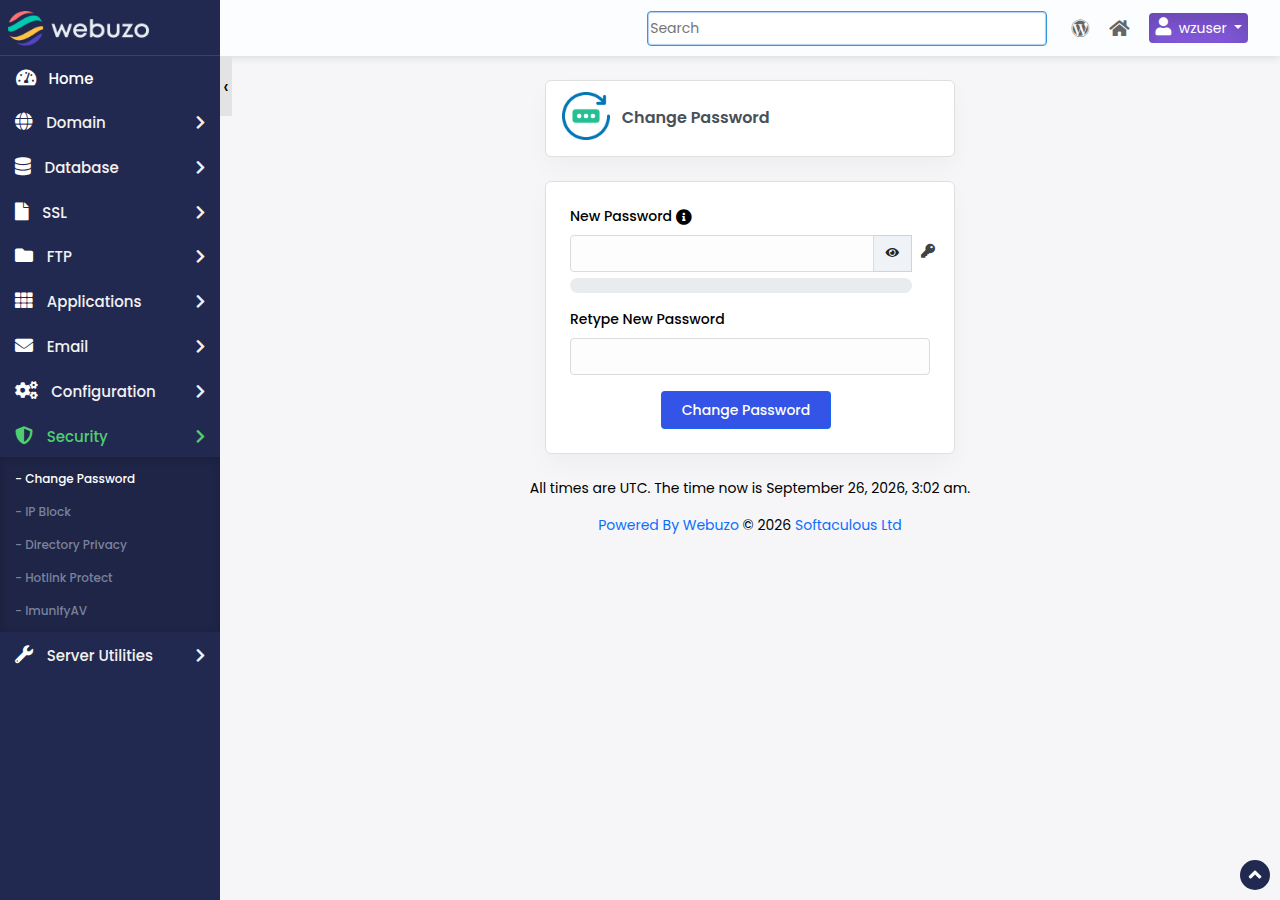
If you are still signed in to your panel in another tab, you can also change the password from inside the panel; in Webuzo it is Security › Change Password. For Webuzo logins in general, see How to log in to Webuzo.
5. Forgot your client-area password as well?
Every route above starts in the client area, so if you cannot sign in there, reset that password first.
- Open the reset pageat /client/forgot.
- Enter the email addresson your Domain India account and click Send Reset Link.
- Open the email and follow the link.Check spam and the Promotions tab if it is not in your inbox. The link is valid for 1 hour, so request a new one if it has expired.
- Set a new client-area password,sign in, and carry on with section 2 or 3.
The reset page may also offer a one-time code by WhatsApp or SMS. If you see those options, the code goes to your registered mobile number.
If the email address on your account is one you can no longer read, the reset link cannot reach you. Open a ticket at /support/ticket from the address you want to use, with your name and your domain, and support will help you verify the account.
If a web designer placed the order for you, the hosting may sit under their Domain India account, and every email, including reset links, went to them. If your domain is not in your client area at all, ask them first.
6. The login page will not load at all
If you tried the old password several times and now the panel login page does not load, the problem may no longer be the password. Our shared servers automatically block an IP address after repeated failed logins.
Two signs point to a firewall block rather than a wrong password:
- your website, webmail and control panel all stopped loading from your connection at the same moment;
- everything works from your phone on mobile data.
A mail app on your phone or laptop that still uses an old password can trigger the same block, because it keeps retrying in the background.
To get it cleared, find your IP address from any "what is my IP" website on the blocked connection, and send it to us in a ticket or live chat. The full checklist is in I can't reach my server: have I been blocked?. Once you are unblocked, reset the password (section 3) instead of guessing again.
7. When support can help, and what to expect
Most people never need support for this, but we are here when you do. Support is 24/7 live chat, and tickets get a first response within 15 minutes; how long a fix takes depends on the issue. There is no phone support.
| Your situation | What to do |
|---|---|
| You need to get into the panel now | Use the panel button in Hosting › My hosting |
| You need a new panel password | Manage › Access › Reset password |
| Reset password shows an error, or you are on Webuzo | Open a ticket with your domain name |
| You cannot sign in to the client area | Reset at /client/forgot, or open a ticket if you no longer have that email |
| Nothing loads from your connection | Send us your IP address to check for a firewall block |
| You want the welcome email again | Ask support to resend it |
Support can resend your "Your Hosting Account is Ready" email, but it contains the password we stored when the account was set up or last reset by support. If the password has been changed since, whether inside the panel or from the client area, the resent email will show a password that no longer works. To get in, reset the password yourself instead. More on this in I didn't get my welcome email.
When you contact us, include your domain name, which panel you use, the exact error you see, and whether it also fails on mobile data. Never send a password: Domain India support will never ask you for one.
8. Keep this from happening again
A few habits make a lost password a non-event next time:
- Use a password manager. The one built into your browser or phone is enough. It creates a strong random password and remembers it for you.
- Use the panel button day to day. It needs no panel password, so there is nothing to forget.
- Keep your account email current. Password reset links and security emails go to the email address on your Domain India account. Check it on your Profile page.
- Turn on two-factor authentication for the client area at /client/security/2fa, so a leaked client-area password is not enough to reset your panel password.
- Give developers their own access. Create a separate FTP account for a developer rather than sharing your main panel password, and remove it when the work is done.
9. Where Domain India fits
Every hosting plan Domain India sells, whether cPanel, DirectAdmin, Webuzo or Windows (Plesk), is managed from the same client area. Your hosting list, the panel button and the Access tab with your username and server details are in the same place whichever panel you have. If you are starting a first website, cPanel Starter gives you the one-click login and self-service password reset described above.
- 25 GB NVMe SSD Storage
- 50 GB Monthly Bandwidth
- 1 Website
- 10 Email Accounts
Prices on the card are live and shown before 18% GST.
Frequently asked questions
Do I need a separate username and password for my domain?
No. A domain registered with Domain India has no login of its own: you manage it in the client area with your account's email address and password. If you have forgotten that password, reset it at domainindia.com/client/forgot. The username and password in a hosting welcome email are for the control panel, not the domain.
Can Domain India tell me my current cPanel password?
No. The client area does not display control panel passwords and support will not read one out. Instead, set a new one yourself: in the client area open Hosting, My hosting, click Manage on your domain, open the Access tab and click Reset password.
How do I reset my control panel password?
Sign in to the client area, open Hosting, My hosting, click Manage on your domain and open the Access tab. Click Reset password, enter your client-area password to confirm it is you, then choose a new password of at least 8 characters with upper and lower case letters, a number and a special character.
Can I get into cPanel without any password?
Yes. The cPanel button on your domain's row in Hosting, My hosting opens cPanel in a new tab, already signed in. It works while the hosting account is Active. The same one-click login works for DirectAdmin, WHM and, in most cases, Plesk.
Reset password gives an error on my Webuzo account. What should I do?
At the time of writing, the client area cannot reset Webuzo panel passwords. Open a support ticket with your domain name and say you need a new Webuzo password. Do not include any password in the ticket.
I forgot my client-area password too. How do I get back in?
Go to domainindia.com/client/forgot, enter the email address on your Domain India account and click Send Reset Link. The link in the email is valid for 1 hour. If you can no longer read that email address, open a support ticket.
Is my client-area password the same as my control panel password?
No. The client-area password signs you in to your Domain India account; the control panel password signs you in to cPanel, DirectAdmin, Webuzo or Plesk. They are separate, and changing one never changes the other.
My control panel login page stopped loading after a few wrong passwords. Why?
Our shared servers automatically block an IP address after repeated failed logins. If your website, webmail and panel all work on mobile data but not on your usual connection, send us your IP address and we will check the block.
Will support's resent welcome email show my current password?
Not if the password has changed since the account was set up. The resent email carries the password we stored at setup or at the last support reset. Reset the password yourself from the Access tab instead.
Ready to get back in? Sign in to the client area, open My Hosting, and click your panel button or reset the password from the Access tab. Locked out of the client area too? Start at /client/forgot. If nothing loads, read have I been blocked?, then open a ticket.
Click Manage on your domain, open the Access tab and use Reset password. No old password and no ticket needed.
Open My Hosting