A cron job is a command your hosting server runs for you on a schedule: every 15 minutes, every night at 2 a.m., every Monday. Websites use cron for routine work nobody wants to do by hand, such as sending queued emails, clearing old records, running WordPress scheduled tasks or taking a database backup. This guide shows how to set one up in cPanel, what to type in the command box, and the mistakes that make a cron job silently do nothing.
In cPanel, open Cron Jobs (in the Advanced section), pick a schedule from Common Settings, type a command such as /usr/local/bin/ea-php83 /home/USERNAME/public_html/cron.php, and click Add New Cron Job. Use full paths for everything, and send output to a log file while you test. On our servers the shortest interval that actually runs is every 4 minutes: jobs set to run every 1, 2 or 3 minutes are changed to every 4 minutes automatically. You do not need SSH access to use cron jobs. On our servers the schedule runs in Indian Standard Time.
1. What a cron job is, and when to use one
The name comes from cron, the Linux scheduler. Each job is one line: five time fields and a command. When the time matches, the server runs the command as your hosting account user, inside your account, with your account's permissions and limits.
Typical uses: sending reminders or newsletters in batches, replacing WordPress's visitor-triggered scheduler (section 6), exporting your database (section 7) and deleting old logs or temporary files. A cron job is not the right tool for something that must run all the time, such as a queue worker; that belongs on a VPS or the App Platform.
2. Open Cron Jobs in cPanel
- Log in to cPanel.From the client area, open your hosting service and use the login button, or follow how to log in to cPanel.
- Find Cron Jobs.It is in the Advanced section. You can also type "cron" in the search box at the top.
- Set the Cron Email (optional).The box at the top of the page sets where cPanel emails any output a job prints. Useful while testing; noisy once a job runs every few minutes.
- Add a new job.Under Add New Cron Job, choose a schedule, type the command, and click Add New Cron Job.
- Check it is listed.The job appears under Current Cron Jobs, where you can edit or delete it later.
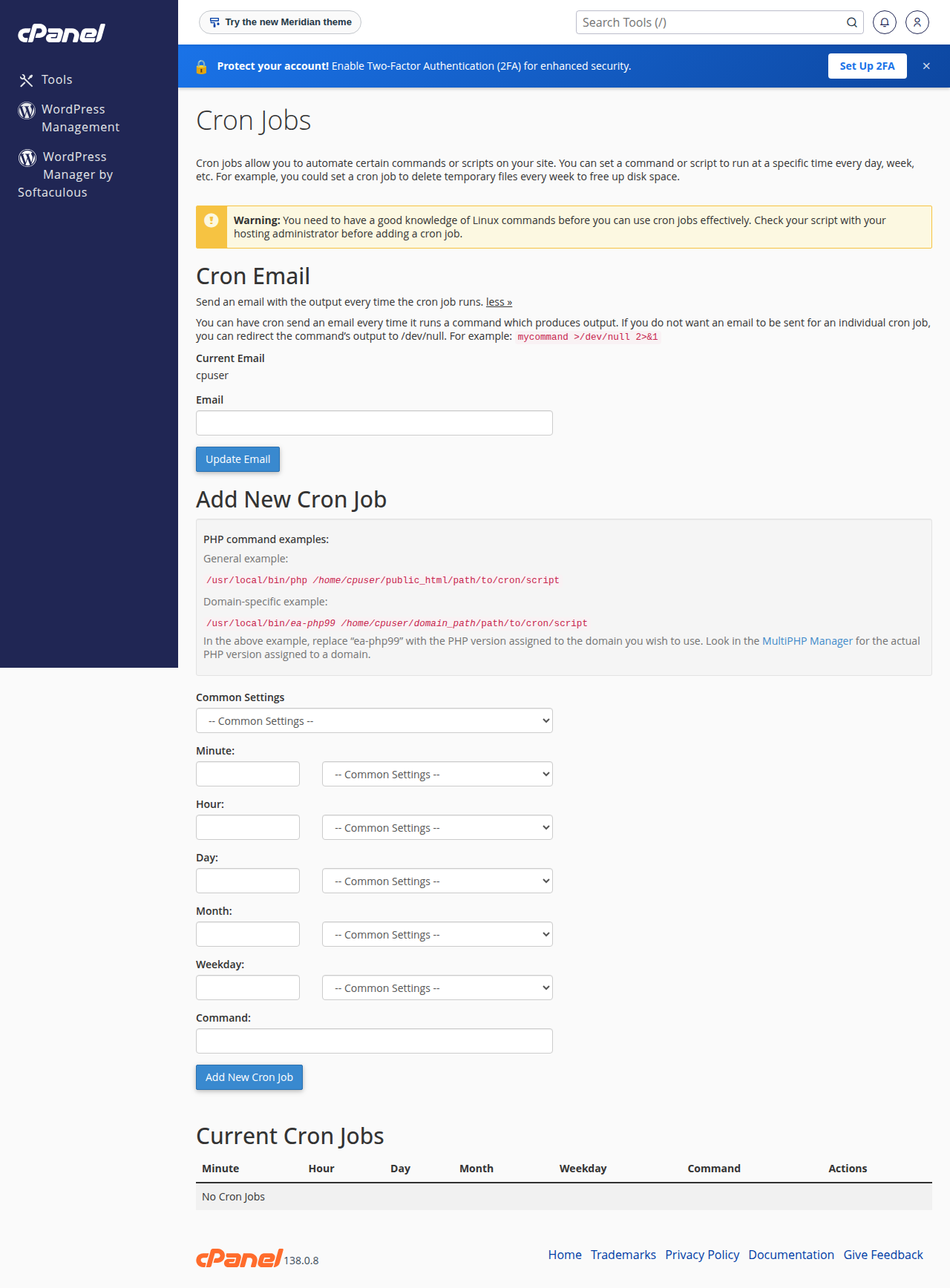
You do not need SSH to create or run cron jobs. On our cPanel server, most accounts whose cron jobs ran recently have no shell access at all (measured 23 September 2026). Create any script with the File Manager and schedule it from the panel.
3. The schedule: five fields
The Common Settings drop-down fills in the five fields for you ("Once Per Hour", "Once Per Day" and so on). To write your own, the fields are:
| Field | Allowed values | Example | Meaning of the example |
|---|---|---|---|
| Minute | 0-59 | */15 | Every 15 minutes |
| Hour | 0-23 | 2 | At 2 a.m. |
| Day of month | 1-31 | 1 | On the 1st of the month |
| Month | 1-12 | * | Every month |
| Weekday | 0-6 (0 = Sunday) | 1-5 | Monday to Friday |
Three complete schedules:
*/15 * * * *    every 15 minutes
30 2 * * *      every day at 2:30 a.m.
0 3 * * 0       every Sunday at 3 a.m.
Our cPanel and DirectAdmin servers run on Indian Standard Time (measured 23 September 2026), so 30 2 * * * means 2:30 a.m. IST. For more patterns, see the cron expression guide.
On our cPanel and DirectAdmin shared servers, an hourly check rewrites any cron job set to run every 1, 2 or 3 minutes to /4, every 4 minutes. A job you set to , or a Laravel scheduler or queue job set to "every minute", therefore runs every 4 minutes. Schedule */5 or longer if you want the timing to be exactly what you typed. If your application truly needs a job every minute, or a process that runs all the time, use a VPS.
4. Writing the command
Cron starts with an almost empty environment: no current folder, no shell shortcuts. Always use full paths.
Run a PHP script (cPanel). Name the PHP version explicitly:
/usr/local/bin/ea-php83 /home/USERNAME/public_html/cron.phpReplace USERNAME with your cPanel username (shown in the client area under your hosting service's Access tab) and 83 with the PHP version your site uses (MultiPHP Manager in cPanel shows it). On our cPanel server, ea-php80 to ea-php85 are all available at this path (measured 23 September 2026). If your script includes other files by relative path, change into its folder first:
cd /home/USERNAME/public_html && /usr/local/bin/ea-php83 cron.phpFor a shell script, use /bin/bash /home/USERNAME/scripts/cleanup.sh.
Call a URL instead of a file. Some applications give you a cron URL. curl and wget are available to cron jobs:
/usr/bin/curl -s "https://example.com/cron.php?key=YOUR_KEY&t=$(date +\%s)" >/dev/null 2>&1Two details matter in that line. The t= part adds the current time, so every request is unique; our cPanel servers cache ordinary web responses for up to two hours, and a cron URL without it can be answered from that cache without your script running at all. And every % in a cron command must be written as \%, because cron treats a bare % as a line break.
On our cPanel shared servers about fifty risky PHP functions, including proc_open, popen and fsockopen, are disabled for command-line PHP as well as for websites. A script that needs them, such as a Composer script or Laravel's scheduler running shell commands, fails in cron too. The full list is in PHP disabled functions on shared hosting.
5. Output, logs and cron emails
By default, anything a job prints is emailed to the Cron Email address. That is handy on day one and a flood by day three. Choose one of these endings:
# keep a log file (recommended while testing)
/usr/local/bin/ea-php83 /home/USERNAME/public_html/cron.php >> /home/USERNAME/logs/cron.log 2>&1

# discard all output once the job is proven
/usr/local/bin/ea-php83 /home/USERNAME/public_html/cron.php >/dev/null 2>&1
2>&1 sends errors to the same place. Create the logs folder first, outside public_html, and trim the log now and then.
6. Example: a real cron for WordPress
WordPress's own scheduler, WP-Cron, only fires when someone visits the site, so on a quiet site scheduled posts and plugin tasks run late. A real cron job fixes that.
- Turn off the visitor trigger.Add this line to
wp-config.php, above "That's all, stop editing":define( 'DISABLE_WP_CRON', true ); - Add the cron job.Schedule it every 15 minutes with this command:
cd /home/USERNAME/public_html && /usr/local/bin/ea-php83 wp-cron.php >/dev/null 2>&1 - Check it runs.Schedule a test post for 20 minutes ahead and confirm it publishes on time.
More on this in WordPress cron and scheduled tasks.
7. Example: a nightly database backup
This script keeps the password out of the command line, stores backups outside the web root and deletes copies older than a week. First, create /home/USERNAME/.my.cnf in the File Manager with your database user's details, then set its permissions to 600:
[mysqldump]
user=USERNAME_dbuser
password=your-database-password
Then create /home/USERNAME/scripts/db_backup.sh:
#!/bin/bash
BACKUP_DIR="/home/USERNAME/backups"
DB_NAME="USERNAME_dbname"
mkdir -p "$BACKUP_DIR"
mysqldump --single-transaction "$DB_NAME" | gzip > "$BACKUP_DIR/${DB_NAME}_$(date +%Y%m%d_%H%M).sql.gz"
find "$BACKUP_DIR" -name "*.sql.gz" -mtime +7 -delete
Schedule it daily (30 2 * * *) with the command /bin/bash /home/USERNAME/scripts/db_backup.sh. Inside a script file, % needs no escaping. Download a copy now and then: a backup kept only on the hosting account is lost with the account. Domain India shared hosting also includes weekly backups; see how to download a backup of your site.
8. DirectAdmin and Webuzo
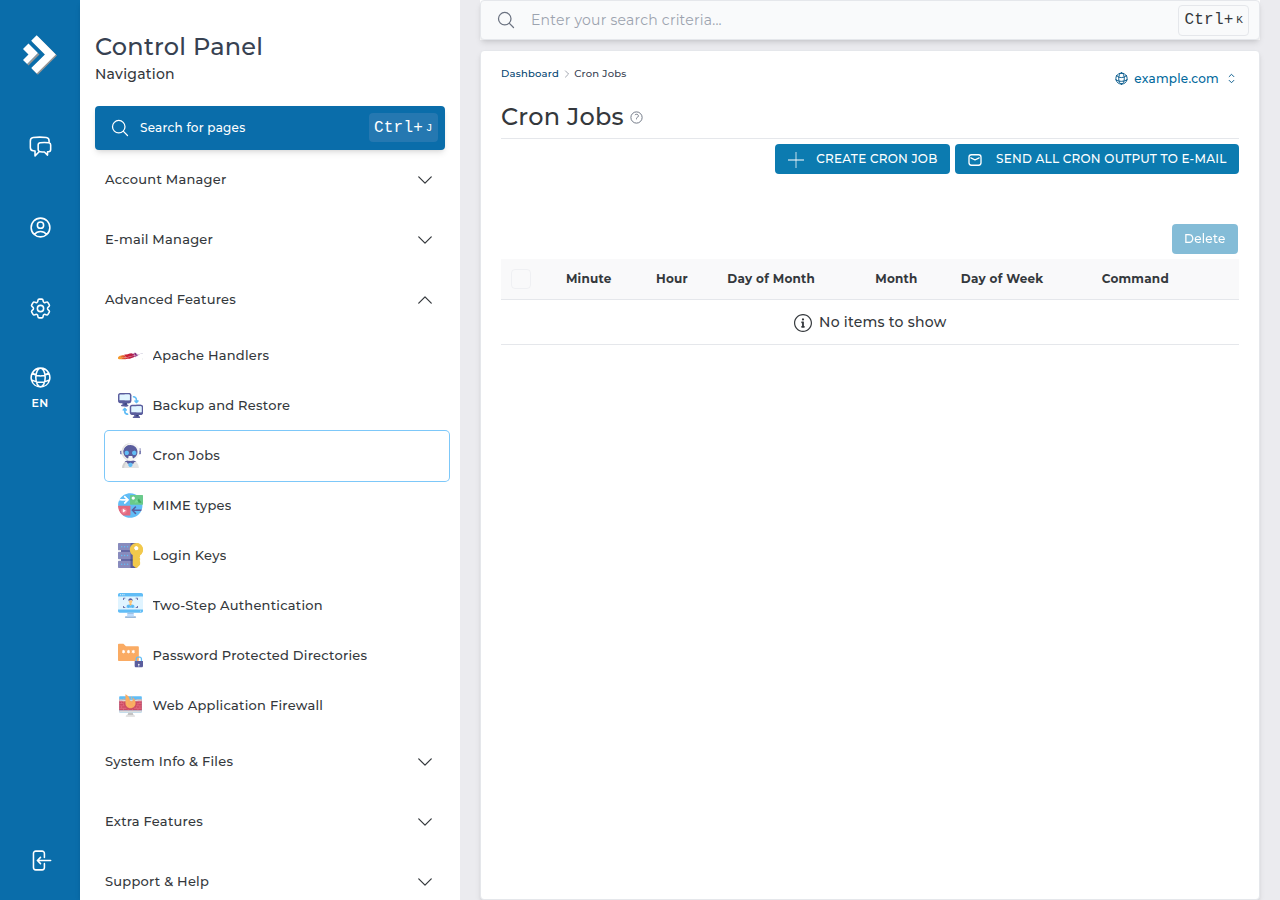
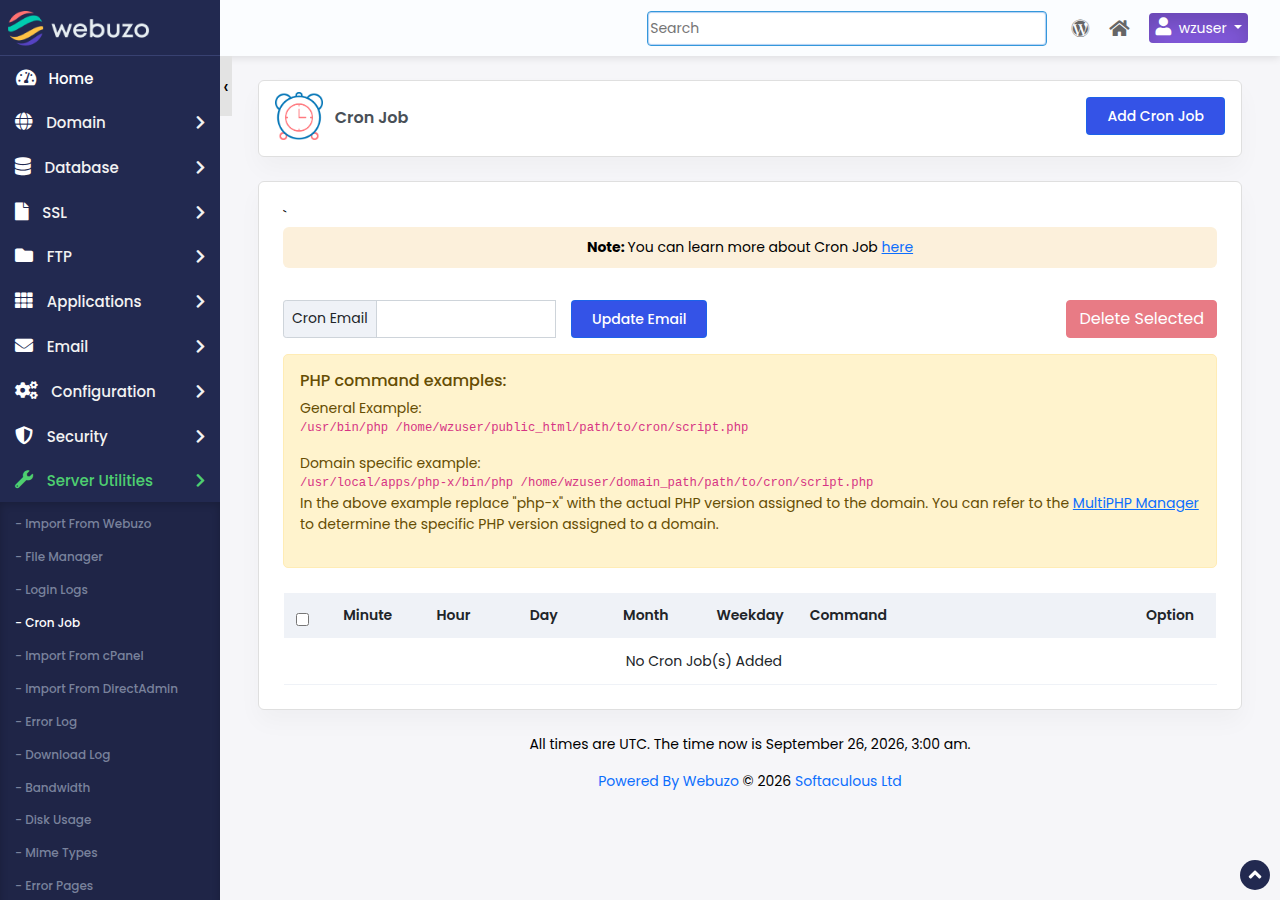
DirectAdmin and Webuzo also have a cron jobs page with the same five fields and a command box, and everything above applies. Only the PHP path differs: on our DirectAdmin server, the builds live at /usr/local/php83/bin/php (and php82, php81 and so on), measured 23 September 2026. For a DirectAdmin walk-through, see setting up cron jobs in DirectAdmin. On Webuzo the paths are different: open Server Utilities › Cron Job, and use /usr/bin/php for the default PHP, or a version's own binary such as /usr/local/apps/php81/bin/php (php80 also exists).
9. When a cron job does not run
| Symptom | Likely cause | Fix |
|---|---|---|
| Nothing happens, no email | Output discarded, or wrong path | Send output to a log file and read it |
| "No such file or directory" | Relative path, or wrong username in the path | Use the full /home/USERNAME/... path |
| "Permission denied" | Script not executable | Run it through /bin/bash or the PHP binary |
| Runs at the wrong hour | Time zone assumption | Server time is IST; adjust the hour field |
| Runs less often than you set | Interval shorter than 4 minutes | Jobs set to every 1-3 minutes run every 4 minutes; use a VPS for anything more frequent |
| Command stops at a date | Unescaped % in the command | Write \% |
Cron jobs use your plan's CPU and memory allowance, and a job that runs longer than its interval piles up copies of itself; see understanding hosting resource limits.
10. Where Domain India hosting fits
Cron jobs are available on every Domain India shared hosting plan and run without SSH. For WordPress sites and PHP applications with a few scheduled tasks, shared hosting is enough.
- 25 GB NVMe SSD Storage
- 50 GB Monthly Bandwidth
- 1 Website
- 10 Email Accounts
- 10 GB NVMe SSD Storage
- 50 GB Monthly Bandwidth
- 1 Website
- 5 Email Accounts
Plan cards show Domain India list prices on 19 September 2026, excluding 18% GST. If you need a process that runs all the time, or tools the shared servers block, look at a VPS instead.
Frequently asked questions
Where do I find Cron Jobs in cPanel?
In the Advanced section of cPanel, or type "cron" into the search box at the top. The page has a Cron Email setting, an Add New Cron Job form, and a Current Cron Jobs list where you edit or delete jobs.
Do I need SSH access to use cron jobs?
No. Cron jobs are created in the control panel and run for your account whether or not SSH is enabled. You can create the scripts they run with the File Manager.
What time zone do cron jobs use on Domain India servers?
Our cPanel and DirectAdmin shared servers run on Indian Standard Time, so a job scheduled for 2:30 runs at 2:30 a.m. IST.
What PHP path should I use in a cPanel cron job?
Use the versioned binary, for example /usr/local/bin/ea-php83 followed by the full path to your script. Change 83 to the PHP version your site uses, which MultiPHP Manager in cPanel shows.
What is the shortest cron interval on Domain India shared hosting?
Four minutes. An hourly check on our cPanel and DirectAdmin shared servers changes jobs set to run every 1, 2 or 3 minutes to every 4 minutes. For a job every minute, or a process that runs all the time, use a VPS.
How do I stop cron jobs sending me emails?
Add >/dev/null 2>&1 to the end of the command to discard all output, or redirect output to a log file instead. You can also clear the Cron Email address at the top of the Cron Jobs page.
Why does my cron job work in the browser but not from cron?
Cron has no current folder and a minimal environment. Use full paths for the PHP binary and the script, change into the script's folder first if it includes files by relative path, and send output to a log file to read the actual error.
Ready to automate? Check your schedule against the cron expression guide, set up the WordPress cron replacement, or compare cPanel hosting plans. If a job still will not run, open a support ticket with the exact command and the error from your log file.
Cron jobs, multiple PHP versions and weekly backups on every shared hosting plan, managed from your control panel.
See cPanel hosting plans