cPanel hosting from Domain India gives you one control panel for your website files, domains, email, databases, SSL and backups, on a CloudLinux server that is shared with other accounts but isolated from them. This overview lists what is actually on our cPanel servers, as measured in September 2026, so you know what you can use before you build on it.
Every cPanel plan runs on CloudLinux with account isolation, Imunify360 security with automatic malware cleanup, free AutoSSL certificates, weekly JetBackup 5 backups, Softaculous and WP Toolkit. You choose PHP up to 8.5 per domain (8.3 by default) and can run Node.js and Python apps from the panel. Email includes Roundcube webmail, DKIM, forwarders and autoresponders. Jailed SSH is available on request. Plans start at ₹125 a month for cPanel Starter, excluding 18% GST.
1. At a glance
| Area | What you get on our cPanel servers |
|---|---|
| Panel | cPanel, with one-click login from the client area |
| Isolation | CloudLinux 8.10 with CageFS; each account has its own CPU, memory and process limits |
| Security | Imunify360 web application firewall, proactive defence and automatic malware cleanup; CSF firewall |
| Web server | Apache with nginx in front; .htaccess rules work |
| PHP | Up to 8.5, chosen per domain; new accounts start on 8.3 |
| Apps | Softaculous and WP Toolkit |
| Roundcube webmail, forwarders, autoresponders, mailing lists, DKIM on by default | |
| SSL | Free AutoSSL certificates from Let's Encrypt, renewed automatically |
| Backups | JetBackup 5, weekly on Sunday, 5 copies kept |
| Storage | NVMe disks for customer accounts |
New to the panel itself? What is cPanel explains each section and how cPanel differs from WHM.
2. Security and isolation
Security runs server-wide, with the same protection for every account whichever plan it is on.
- CloudLinux and CageFS. Each account lives in its own virtual file system and cannot see other customers' files. Resource limits stop one busy site from slowing the rest; see understanding hosting resource limits.
- Imunify360. Its full ModSecurity ruleset filters attacks on your website, and proactive defence stops malicious PHP as it runs.
- Automatic malware cleanup. Imunify360 removes malicious code from infected files automatically and keeps the original for 14 days. You cannot start your own scan from the panel, and you are not emailed when something is cleaned.
- Your own tools. Two-factor authentication for the cPanel login works, and so do IP Blocker, Hotlink Protection and Directory Privacy (password-protected folders).
Automatic cleanup is protection, not a site-repair service. If your site has been hacked, follow the hacked website checklist.
3. Websites, files and domains
- File Manager. Upload, edit, compress and extract files, and change permissions in your browser. See how do I use the File Manager.
- Uploads. PHP accepts uploads up to 256 MB.
- Domains. Add a domain or subdomain on the Domains page, and switch on Force HTTPS there. How many websites you can host depends on your plan.
- .htaccess. Rewrite rules,
mod_expiresandmod_headerswork, and compression is applied for you.php_valuelines give a 500 error because PHP does not run as an Apache module; set PHP options in the panel instead. - Caching layer. nginx in front of Apache can keep a copy of a page for up to two hours. When you test a fix, add
?t=1to the URL to see the live version. - Error pages. The Error Pages tool lets you design your own 404 and other error pages.
4. PHP, apps and developer tools
- PHP versions. Choose per domain in MultiPHP Manager, up to PHP 8.5; new accounts start on 8.3. See changing PHP versions in cPanel.
- PHP limits. PHP's own limit is 120 seconds, but on most sites a web request is stopped after about 60 seconds, and the nginx layer ends any request at 90 seconds with a 504.
- Disabled functions. Functions such as
exec,shell_exec,proc_open,popen,fsockopenandphpinfoare disabled. Composer isn't pre-installed, but over jailed SSH you can runphp composer.phar install, adding--no-scriptsif it stops with a proc_open message, or build locally and upload thevendor/folder. See PHP disabled functions. - Node.js and Python. Setup Node.js App offers Node.js 22 and 24 (20 is also listed but has reached end of life), and Setup Python App offers Python 3.9, 3.11 and 3.12. See deploying a Node.js app.
- Git. Git Version Control clones a repository and deploys it from the panel; see deploying with Git.
- Installers. Softaculous installs WordPress and hundreds of other apps; WP Toolkit installs and manages WordPress, including updates. See WP Toolkit compared with Softaculous.
- Cron jobs. The shortest effective interval is every 4 minutes; jobs set to run every 1, 2 or 3 minutes are changed to every 4.
- Not available: Redis, Memcached and APCu.
5. SSH access
Jailed SSH access is available on every shared hosting plan (cPanel, DirectAdmin, Webuzo). It is off by default; ask support to enable it for your account. Login is by SSH key only, not by password. Inside the jail you have git, php, WP-CLI, scp, SFTP, tar, curl and mysqldump, but not rsync. See enabling and accessing jailed SSH.
6. Email
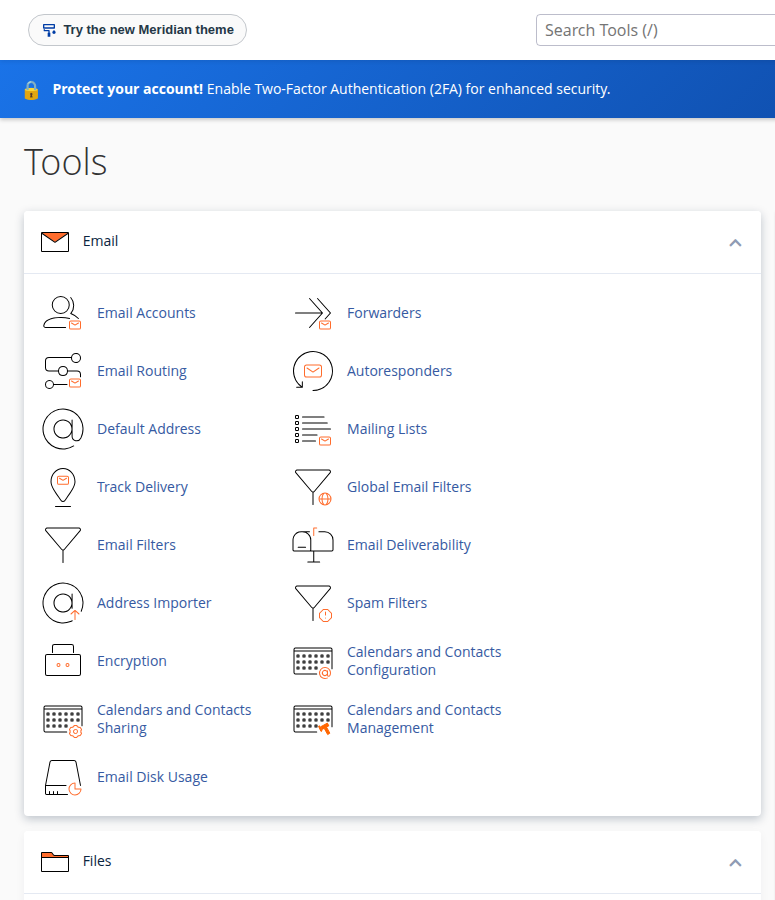
yourdomain.com/webmail, webmail.yourdomain.com or port 2096.Each account can send 200 messages per hour, and messages can be up to 50 MB. For newsletters to large lists, use a dedicated sending service. See how to log in to webmail and email forwarding setup.
7. SSL and backups
SSL. AutoSSL issues free Let's Encrypt certificates for every domain that points to your account and renews them automatically; it runs every few hours. You can check them on the Status tab of SSL/TLS Certificates. Domain India does not sell SSL certificates, but you can install one you bought from another certificate authority. See AutoSSL in cPanel.
Backups. JetBackup 5 backs up your account every Sunday and keeps five copies. You can restore a full account, files, databases, database users, email, cron jobs, DNS zones, SSL and FTP accounts, or download a backup, from JetBackup 5 in the Files section. cPanel's own Backup and Backup Wizard are switched off. Take your own copy before big changes. See backup and restore with JetBackup.
The facts on this page come from checks on our cPanel servers in September 2026. Versions change over time, so check your own cPanel for the current PHP, Node.js and Python versions.
8. cPanel plans and prices
| Plan | Price | Websites | Storage | Email accounts | Databases |
|---|---|---|---|---|---|
| cPanel Starter | ₹125/month | 1 | 25 GB NVMe | 10 | 5 |
| cPanel Growth | ₹200/month | 5 | 50 GB NVMe | 50 | 10 |
| cPanel Business | ₹350/month | 25 | 100 GB NVMe | 150 | 50 |
| cPanel Agency | ₹500/month | 100 | 250 GB NVMe | 300 | 100 |
These are Domain India list prices on 19 September 2026, excluding 18% GST. Every plan has the features above; the plans differ in websites, storage, mailboxes and databases. New shared hosting purchases can be refunded in full within 30 days; renewals cannot. For a detailed comparison, see cPanel hosting plans compared.
- 25 GB NVMe SSD Storage
- 50 GB Monthly Bandwidth
- 1 Website
- 10 Email Accounts
- 50 GB NVMe SSD Storage
- 100 GB Monthly Bandwidth
- 5 Websites
- 50 Email Accounts
Prices on the cards exclude 18% GST.
Frequently asked questions
What features are included with Domain India cPanel hosting?
Every plan includes CloudLinux isolation, Imunify360 security with automatic malware cleanup, free AutoSSL certificates, weekly JetBackup 5 backups, Softaculous and WP Toolkit, PHP up to 8.5 per domain, Node.js and Python app tools, Git Version Control, and email with Roundcube webmail and DKIM.
How much does cPanel hosting cost at Domain India?
cPanel Starter is ₹125 a month, Growth ₹200, Business ₹350 and Agency ₹500, excluding 18% GST, on Domain India's list prices of 19 September 2026.
Is SSH included with cPanel hosting?
Jailed SSH is available on every shared hosting plan but is off by default. Ask support to enable it, then log in with an SSH key; password login is not accepted.
How often is my cPanel account backed up?
JetBackup 5 backs up every account weekly on Sunday and keeps five copies. You can restore or download backups yourself from JetBackup 5 in cPanel.
Does cPanel hosting include SSL?
Yes. AutoSSL issues and renews free Let's Encrypt certificates for domains that point to your account. Domain India does not sell paid certificates, but you can install one bought elsewhere.
Can I use Composer or Redis on cPanel hosting?
Composer, yes: it isn't pre-installed, but over jailed SSH you can download composer.phar and run it with php, adding --no-scripts if it stops with a proc_open message, or build locally and upload the vendor folder. Redis is not available on shared plans; for Redis use a VPS or the App Platform.
Ready to start? Compare cPanel hosting plans, read what is cPanel if you are new to the panel, or chat with us 24/7 if you're not sure a feature fits your project.
CloudLinux isolation, Imunify360 security, free SSL and weekly JetBackup backups, from ₹125 a month plus GST.
See cPanel plans