DirectAdmin is the control panel behind Domain India's DirectAdmin hosting plans. There are two ways in: one click from the client area, which needs no DirectAdmin password, or a direct login on port 2222 with your DirectAdmin username and password. This guide covers both, where to find your login details, and what to do when the login page refuses you.
Fastest: sign in to the client area, open Hosting › My hosting, and click the DirectAdmin button on your domain's row. It signs you in with no DirectAdmin password. Direct: go to https://yourdomain.com:2222, or the panel URL shown under Manage › Access, and use your DirectAdmin username and password. Forgotten the password? Set a new one with Reset password on the same Access tab.
1. Route 1: one click from the client area
Use this when you have never seen your DirectAdmin password, or the one you have no longer works.
- Sign in.Open the client area sign-in page with the email address and password of your Domain India account. Forgotten it? Use the password reset page.
- Open your hosting list.In the left menu choose Hosting › My hosting, or go straight to /client/services/hosting. Each account is listed with its domain, plan and status.
- Click DirectAdmin.On your domain's row, click the button labelled DirectAdmin. A new tab opens with the DirectAdmin dashboard, already signed in. The button appears only while the status is Active.
- Or open the account first.Click Manage, then the DirectAdmin button at the top of the page. That page also shows your username and server details.
Behind the scenes the button opens DirectAdmin through the Domain India DirectAdmin portal on port 2280, which signs you in with a one-time session. You never type that address yourself; it only works from the button.
DirectAdmin opens in a new tab, so a pop-up blocker can stop it. Allow pop-ups for domainindia.com and click again. If the new tab cannot connect at all, your network may be blocking port 2280, which some office and public Wi-Fi networks do. Try mobile data, or log in directly as in section 2.
2. Route 2: log in directly on port 2222
Use this to bookmark DirectAdmin, give a developer access, or get in without the client area.
| Address | Use it when |
|---|---|
https://yourdomain.com:2222 | Your domain already points to your Domain India hosting |
https://server-hostname:2222 | Your domain is not pointing at us yet, or you are unsure |
Both addresses open the same DirectAdmin login page and take your DirectAdmin username and password. On our DirectAdmin server, https://yourdomain.com:2222 presents your own domain's SSL certificate once it has been issued, so the padlock shows normally (measured 23 September 2026).
The server hostname is part of the panel URL on the Access tab (section 3). Copy it from there rather than from an old email or article.
Older guides said you could open yourdomain.com/cpanel on any plan. On DirectAdmin hosting that address returns a 404 "not found" page, and so does /directadmin. Use port 2222, or the one-click button.
Port 2222 is the only DirectAdmin login port you need. The other ports on the server are for email, FTP and SSH; the full list is in Domain India web hosting port numbers.
3. Where your username and panel URL are
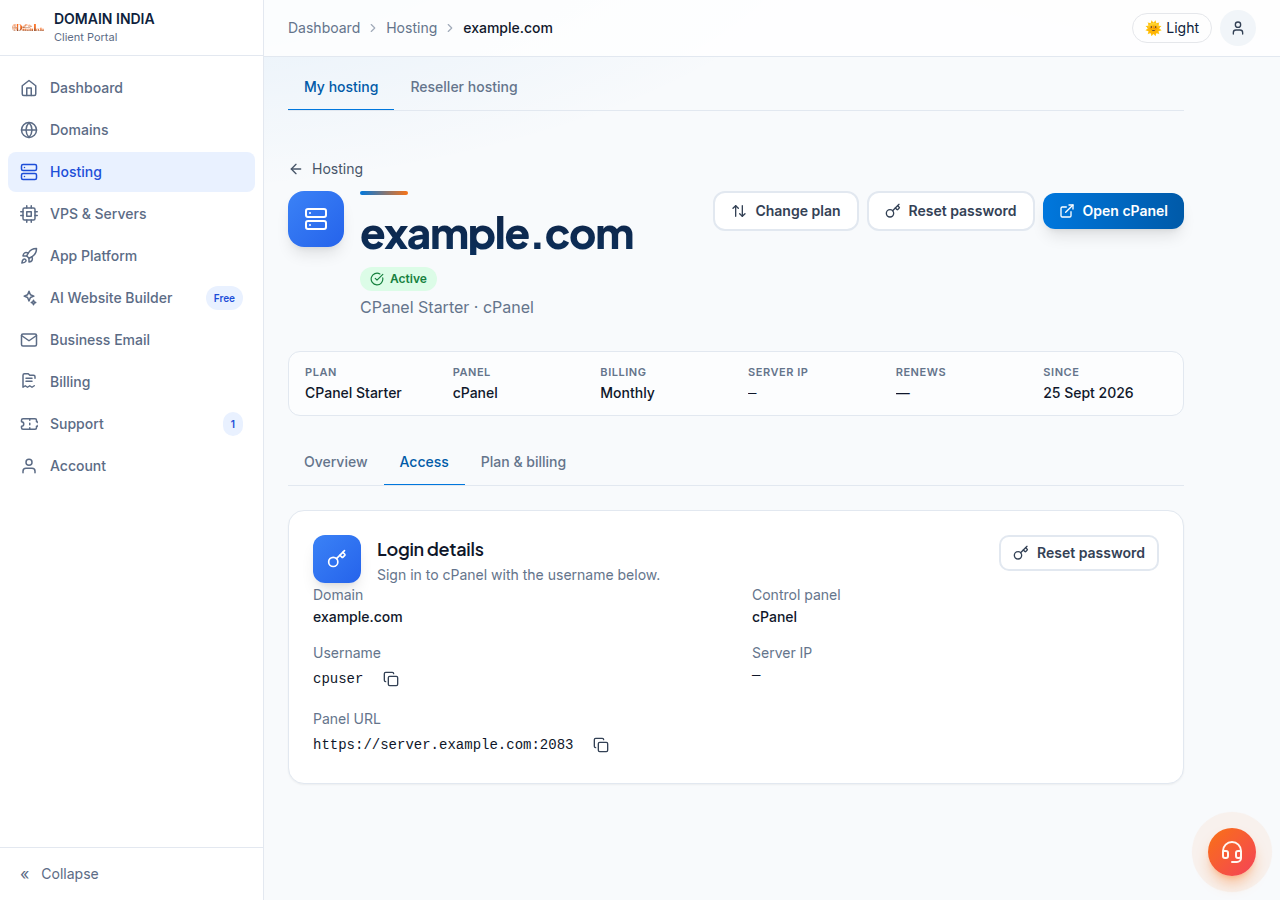
Open Hosting › My hosting, click Manage, then the Access tab. The Login details card shows:
- your DirectAdmin username;
- the server IP;
- the panel URL, the address of the DirectAdmin login page.
Each has a copy button. The same details were in the email titled "Your Hosting Account is Ready". Lost that email? You don't need it; see I didn't get my welcome email.
If the panel URL on your card ends in :2222:2222, the port has been written twice. Remove one :2222 so the address ends in a single :2222.
Your client-area password signs you in to Domain India. Your DirectAdmin password signs you in to DirectAdmin. They are separate, and changing one never changes the other.
4. Reset your DirectAdmin password
You can do this yourself; no ticket is needed.
- Open the account.In the client area, go to Hosting › My hosting and click Manage on the DirectAdmin account.
- Open the Access tab.The Login details card has a Reset password button, and the same action is in the buttons at the top of the page.
- Confirm it is you.Enter your current client-area password, then the new DirectAdmin password. Aim for a Strong rating on the strength meter.
- Log in.Go to
https://yourdomain.com:2222and sign in with the username on the same card and your new password.
A resent welcome email carries the password set when the account was created, not your current one, so reset the password instead of waiting for an old email. Changing the password inside DirectAdmin also works if you are already logged in.
5. Your first look around DirectAdmin
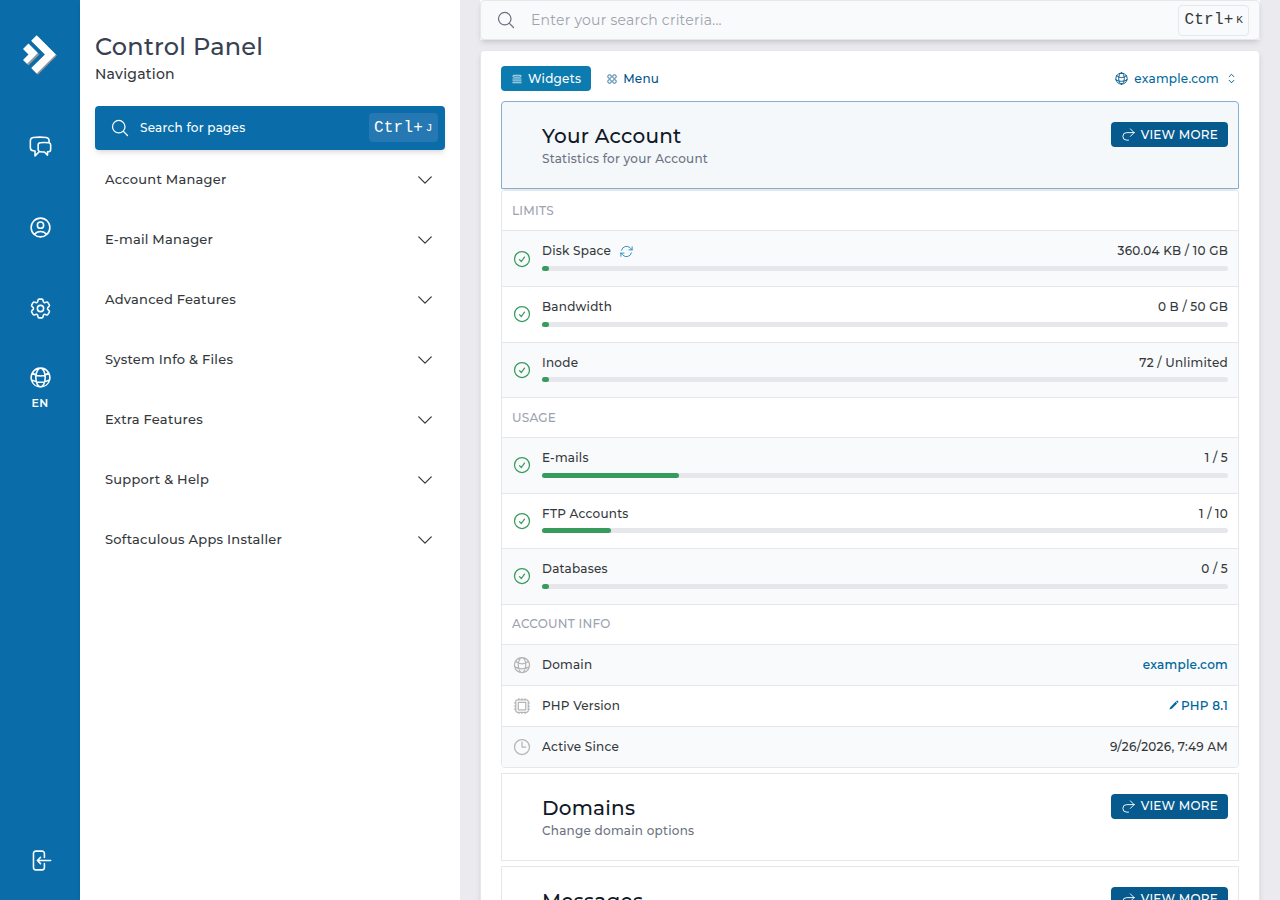
The dashboard groups tools by task. The ones most people need first:
- File Manager, for uploading your website. Each domain's web folder is
domains/yourdomain.com/public_html. DirectAdmin servesindex.htmlbeforeindex.php, so remove a leftoverindex.htmlif your PHP site shows a placeholder. See the DirectAdmin File Manager guide. - Softaculous, to install WordPress and other applications. See Install WordPress on DirectAdmin.
- E-mail Accounts (under E-mail Manager), for mailboxes at your domain. Webmail opens at
https://yourdomain.com/webmail; see How to log into webmail. - JetBackup, for your weekly backups, which you can download or restore yourself.
To find any tool quickly, type its name in the Search for pages box at the top of the menu (or press Ctrl+J). For a tour, see the DirectAdmin dashboard overview.
6. When the login fails
| What you see | Likely cause | What to do |
|---|---|---|
| "Invalid login" on the DirectAdmin form | The client-area password was typed in, or the password changed | Reset it from the Access tab (section 4) |
| No DirectAdmin button; the row shows Pay now | An unpaid invoice, so the account is not active | Pay it; the button appears once the status is Active |
| The row shows Setting up… or Pending | The order is still being created | Most accounts are created automatically within a couple of minutes of payment; a few need a manual check |
| The status is Suspended | Usually an overdue renewal | Pay the invoice; for any other reason, open a ticket |
yourdomain.com:2222 does not load | The domain does not point at us yet | Use the server hostname from the panel URL on the Access tab |
| The button's new tab cannot connect | Port 2280 blocked on your network | Try mobile data, or log in directly on 2222 |
| Site, webmail and panel all stop loading together | Your IP address is blocked after repeated failed logins | See below |
The firewall block is the one people miss. Our shared servers block an IP address automatically after repeated failed logins. The signs: your website, webmail and DirectAdmin all go dark from one connection at the same moment, while everything works on mobile data. Read have I been blocked?, then send us the blocked address from any "what is my IP" website. If your connection uses IPv6, include that address as well.
7. When to ask us, and what to send
Open a ticket at /support/ticket, or /client/support/new when you are signed in, if a freshly reset password is still rejected, if the Access tab shows no username, or if the domain is not in your client area at all. Support is 24/7 live chat, and tickets get a first response within 15 minutes; resolution can take longer depending on the issue. There is no phone support.
Include your domain, the address you tried, the exact error, whether it also fails on mobile data, and your IP address if you suspect a block. Never send a password: support will not ask for one.
8. DirectAdmin hosting at Domain India
DirectAdmin is our lowest-priced Linux panel: a lighter alternative to cPanel with the same essentials, including files, email, databases, free SSL, Softaculous and weekly JetBackup backups. The live plan card below shows the current price, excluding 18% GST.
- 10 GB NVMe SSD Storage
- 50 GB Monthly Bandwidth
- 1 Website
- 5 Email Accounts
Running more than one website? Growth hosts five. You can upgrade later without starting again.
Frequently asked questions
What is the DirectAdmin login URL for Domain India hosting?
Use https://yourdomain.com:2222 once your domain points to your Domain India hosting. Until then, use the panel URL shown under Hosting, My hosting, Manage, Access, which uses the server hostname on port 2222.
Do I need my DirectAdmin password to use the client area button?
No. The DirectAdmin button on your hosting row signs you in with a one-time session created by the client area. You only need the DirectAdmin username and password for direct logins on port 2222.
How do I reset my DirectAdmin password?
In the client area open Hosting, My hosting, click Manage, then Reset password on the Access tab. You confirm with your client-area password and choose a new DirectAdmin password.
Can I log in to DirectAdmin at yourdomain.com/cpanel?
No. That address belongs to cPanel hosting and returns a not found page on DirectAdmin hosting. Use port 2222 or the one-click button in the client area.
What is port 2280?
It is the Domain India DirectAdmin portal that the one-click button uses to sign you in. You do not type it yourself. If your network blocks it, log in directly on port 2222.
Why did the login page suddenly stop loading?
Usually because the server firewall blocked your IP address after repeated failed logins. If everything works on mobile data, send support the blocked IP address and it will be cleared.
Ready to get in? Start at your hosting list and click the DirectAdmin button, or reset the password from the Access tab. On cPanel instead? Read how to log in to cPanel. Choosing a plan? See DirectAdmin hosting.
Click the DirectAdmin button on your domain's row to go straight in, or open Manage, then the Access tab, to copy your username or reset the password.
Open My Hosting