Webuzo is the control panel on Domain India's Webuzo hosting plans: one place to manage your website files, email accounts, databases, domains and one-click apps. This guide covers how to log in, what the panel is for, the everyday tasks, and the few things on Webuzo hosting that work differently from cPanel or DirectAdmin, so you know when to do it yourself and when to ask support.
Log in to Webuzo at https://yourdomain.com:2003 with your Webuzo username and password. Install apps with Softaculous, manage email, files, databases and SSL from the panel, and read mail at https://yourdomain.com/webmail. Our Webuzo server offers only PHP 8.0 and 8.1, and Domain India backs up every Webuzo account every night, with restores through support. Jailed SSH is available on request. For a forgotten panel password or anything you can't find in the panel, ask support.
1. What Webuzo is
Webuzo is a web hosting control panel made by the company behind Softaculous. On shared hosting, it gives you your own account on the server with a graphical panel for your sites. The web server is Apache, so .htaccess files and mod_rewrite rules work as they do on other Apache hosting.
If you have used cPanel, the ideas are the same: domains, files, email, databases, SSL and apps. The menus are laid out differently, and names change between Webuzo versions, so this guide describes each task by what it does rather than by an exact menu path.
2. Log in to Webuzo
- Open your hosting list.Sign in to the client area and go to /client/services/hosting.
- Open the Webuzo login page.Go to
https://yourdomain.com:2003. If the Webuzo button on your domain's row doesn't open the panel, use this address. - Enter your username and password.Your username, server IP and panel URL are on the Access tab: click Manage on the hosting account and open Access. If your domain doesn't point to Domain India yet, use the server hostname with
:2003.
The Reset password button on the Access tab does not work for Webuzo accounts yet. Contact support by live chat or a ticket and we will reset it for you. Never send your password in a ticket.
Your client-area password and your Webuzo password are separate; changing one never changes the other. See How can I change my hosting account password.
3. What you manage in the panel
What each plan allows (websites, mailboxes, databases, storage) is on the plan card in section 8 and on the Webuzo hosting page.
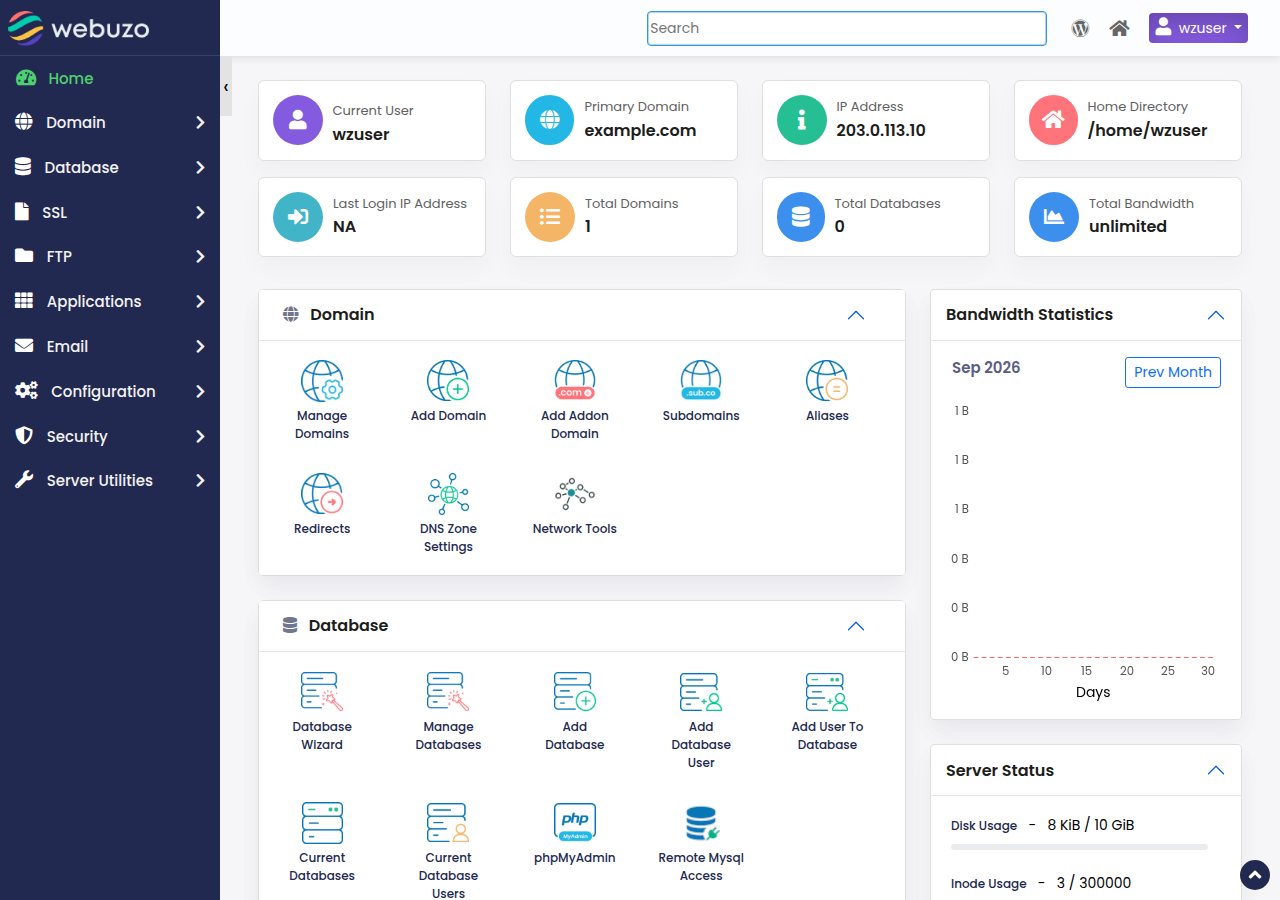
4. Everyday tasks
Install WordPress and other apps
Open Softaculous from the Webuzo panel, choose the app, select the domain and folder, and fill in the admin username, password and email. Softaculous creates the database for you. Our Webuzo server has only PHP 8.0 and 8.1, so an app that needs PHP 8.2 or newer fails to install; check the app's requirements first. Use a strong admin password, not "admin", and keep the app and its plugins updated from its own dashboard.
Upload your website
Use the File Manager for a few files, or FTP for a whole site. For the settings, see What settings do I need to upload my website. Your site's files go in the domain's web root, normally public_html for the main domain.
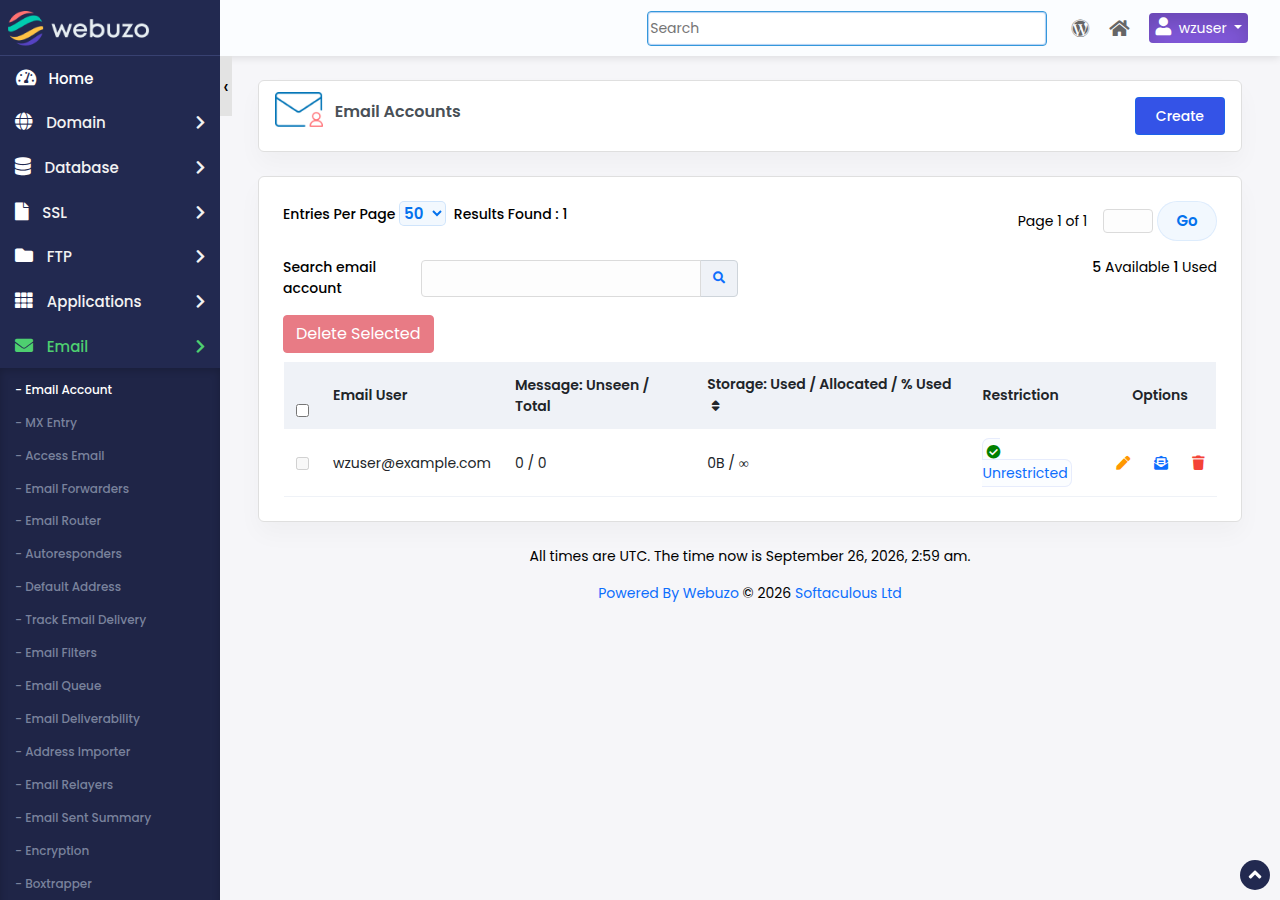
Create mailboxes in the panel's email section, then read mail in a browser at https://yourdomain.com/webmail, which opens Webuzo Email. There is no webmail.yourdomain.com address on Webuzo hosting. Log in with the full email address and that mailbox's password. For mail apps and phones, see How to log in to webmail and the port numbers guide.
Point your domain
Your site and email work under your domain once the domain points to your Webuzo hosting. Use the nameservers or the server IP from the Access tab; see How do I change my nameservers.
5. Backups
Domain India backs up your Webuzo account every night to a separate backup server. The backup covers website files, email, databases, Webuzo account settings and DNS zones, and several earlier copies are kept, so you can go back to an earlier date. To restore something, open a support ticket saying what to restore (a file, a folder, a database or the whole account) and from which date. The Backups section inside the Webuzo panel is not Domain India's backup system, so don't rely on it.
Domain India sells no separate backup add-on. It is still good practice to keep your own copies:
- download a copy of your files and databases before big changes, such as a WordPress core or theme update;
- export your databases from phpMyAdmin and download your site files regularly;
- keep your own copies off the server, for example on your computer or cloud storage.
If you want backups you can restore yourself from the panel, cPanel and DirectAdmin hosting include weekly JetBackup backups (Sunday, 5 copies kept). See Backup and restore with JetBackup.
6. PHP, SSH and developer tools
- PHP version and settings. Our Webuzo server offers only PHP 8.0 and 8.1, both past end of life. Apps and plugins that need PHP 8.2 or newer will not install or run there, so check an app's requirements before you install it. Switch between the two yourself in MultiPHP Manager. If you need newer PHP, cPanel hosting and DirectAdmin hosting offer it. For settings such as
memory_limit, a.user.inifile in your site's folder is the usual method. Don't putphp_valueorphp_flagin.htaccess: on our servers it causes a 500 error. See How to change your PHP version. - SSH. Jailed SSH access is available on every shared hosting plan (cPanel, DirectAdmin, Webuzo). It is off by default; ask support to enable it for your account. Log in with an SSH key. It is a jailed (restricted) shell, and the tools inside it vary, so ask support before you rely on a specific one. See Enabling and accessing jailed SSH.
- Node.js and Python apps. Our Webuzo server runs AlmaLinux, not CloudLinux, so it doesn't have the CloudLinux Node.js and Python app selector used on cPanel and DirectAdmin. Ask support before you plan an app there, or use the App Platform, which detects Node.js apps automatically and runs anything else from your own Dockerfile.
7. Keep your account secure
- Use a unique, strong Webuzo password, and turn on two-factor authentication for your Domain India client area.
- Update WordPress, plugins and themes promptly; most hacked sites run outdated software.
- Remove apps and FTP accounts you no longer use.
- If your site is hacked, follow the security checklist.
8. Where Webuzo hosting fits
Webuzo hosting suits simple sites that run on PHP 8.0 or 8.1 and want a panel with Softaculous apps, email and free SSL, where asking support for a restore suits you. Choose cPanel if you want the widest set of tools, such as newer PHP versions, JetBackup self-service restores and the Node.js and Python app selector. Prices exclude 18% GST.
Compare all Webuzo plans on the Webuzo hosting page, or see cPanel hosting and DirectAdmin hosting.
How do I log in to Webuzo at Domain India?
Log in at https://yourdomain.com:2003 with your Webuzo username and password. Your username, server IP and panel URL are on the Access tab of the hosting account; if the Webuzo button in the client area doesn't open the panel, use that address.
I forgot my Webuzo password. How do I reset it?
The Reset password button in the client area does not work for Webuzo accounts yet. Contact Domain India support by live chat or a ticket and we will reset it for you.
What is the webmail address on Webuzo hosting?
Use https://yourdomain.com/webmail, which opens Webuzo Email. There is no webmail.yourdomain.com address on Webuzo hosting. Log in with the full email address and the mailbox password.
Does Webuzo hosting include backups?
Yes. Domain India backs up every Webuzo account every night to a separate backup server, and support restores from those backups on request. cPanel and DirectAdmin hosting include weekly JetBackup backups you can restore yourself.
Can I install WordPress on Webuzo hosting?
Yes. Open Softaculous in the Webuzo panel, choose WordPress, select your domain and fill in the admin details; Softaculous creates the database for you. Our Webuzo server offers only PHP 8.0 and 8.1, so a plugin or theme that needs PHP 8.2 or newer will not work there.
Is SSH available on Webuzo hosting?
Jailed SSH access is available on every shared hosting plan, including Webuzo. It is off by default; ask support to enable it for your account, then log in with an SSH key.
How do I change the PHP version on Webuzo hosting?
Our Webuzo server offers PHP 8.0 and 8.1 only. Switch between them in MultiPHP Manager in the Webuzo panel. If you need PHP 8.2 or newer, choose cPanel or DirectAdmin hosting instead.
Ready to get started? Open your hosting services to reach Webuzo, or compare Webuzo hosting plans.
Tell us your domain and what you are trying to do, and we will guide you through it or make the change for you.
Contact support