On Domain India Webuzo hosting, WordPress installs in a couple of minutes with Softaculous, the one-click installer inside the Webuzo panel. This guide walks through the install, the settings worth changing on the install screen, the first things to do afterwards, and the fixes for the problems people hit most often.
Point your domain to your Webuzo hosting, log in to Webuzo at https://yourdomain.com:2003, then open Softaculous, choose WordPress and click Install. Pick https://, your domain, leave the directory empty, and set a unique admin username and a strong password. Afterwards set permalinks, add a caching plugin such as WP Super Cache, and keep your own backups: download a copy of your site before every big change.
1. Before you start
- An active Webuzo hosting plan. The panel details are on the hosting account's Manage › Access tab in the client area.
- Your domain pointing to your Webuzo hosting, using the nameservers or the server IP shown on the Access tab. WordPress installs either way, but the site and its free SSL certificate only work once the domain points to us. See how do I change my nameservers.
- Your Webuzo password. It is separate from your client-area password.
2. Log in to Webuzo
- Open your hosting list.Sign in and go to /client/services/hosting.
- Open the Webuzo login page.Go to
https://yourdomain.com:2003. If the Webuzo button on the account's row doesn't open the panel, use this address. - Enter your Webuzo username and password.The username is on the Manage › Access tab.
The Reset password button in the client area does not work for Webuzo accounts yet. Contact support by live chat or a ticket and we will reset it for you. Never paste a password into a ticket.
More on logging in is in a complete guide to Webuzo.
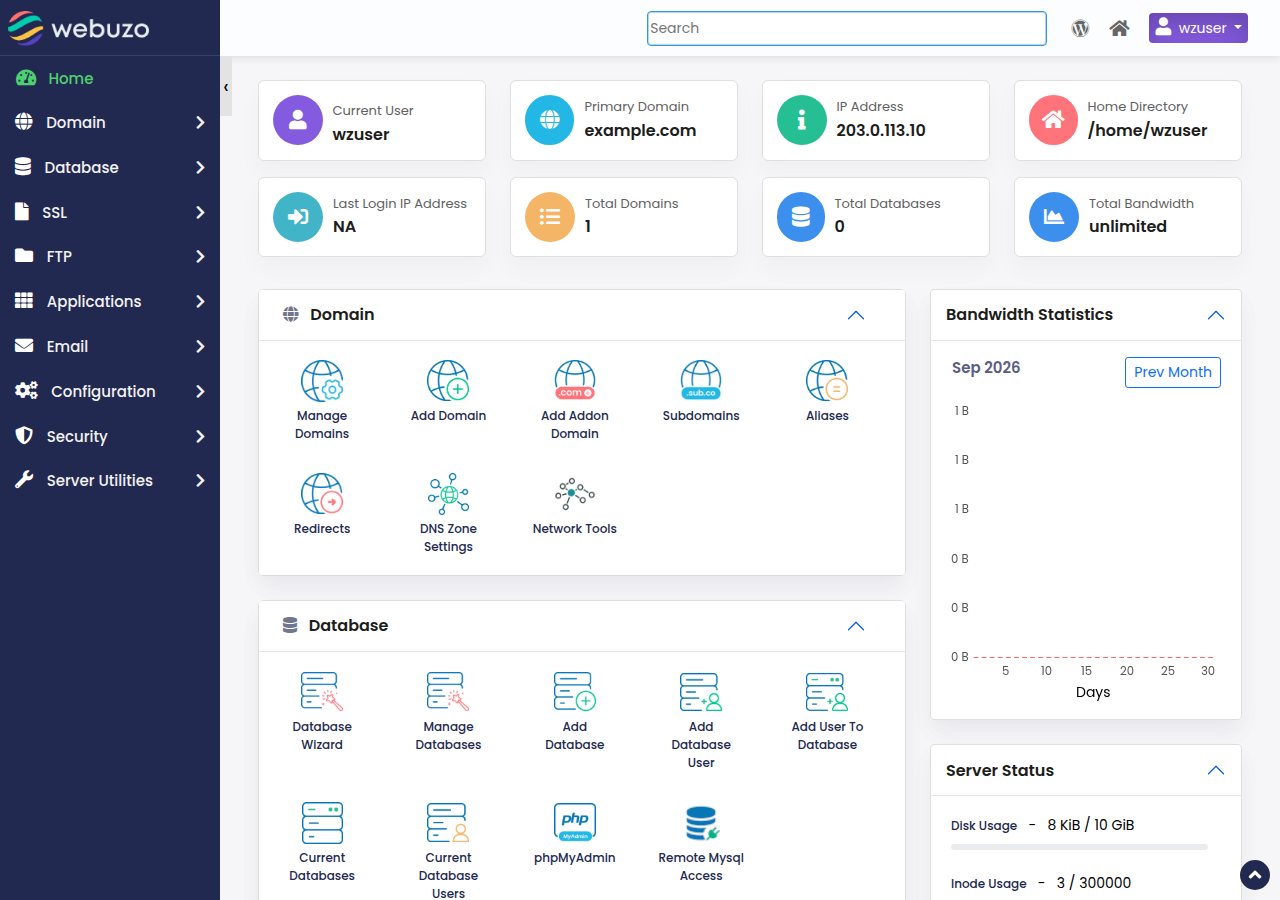
3. Install WordPress with Softaculous
- Open Softaculousfrom the Webuzo panel and choose WordPress.
- Click Install.If you are offered a quick and a custom install, choose the custom one so you can see every setting.
- Choose the address.Protocol
https://, your domain, and leave In Directory empty to install atyourdomain.com. Type a folder name such asblogonly if you want the site atyourdomain.com/blog. - Name the site.The site name and description can be changed later in WordPress.
- Create the admin account.Use a username other than
admin, a long unique password and an email address you read. This is your WordPress login, not your Webuzo login. - Pick the language and options.Leave extra plugins unticked unless you know you need them.
- Click Install.Softaculous creates the database and user for you and shows the admin link when it finishes.
| Install field | What to enter | Why |
|---|---|---|
| Protocol | https:// | Visitors and Google expect a secure site |
| Domain | Your domain | The site the install belongs to |
| In Directory | Leave empty | Installs at the domain root |
| Admin username | Anything but admin | "admin" is the first name attackers try |
| Admin password | 16+ characters, unique | Protects the whole site |
| Admin email | An address you read | Password resets and security notices go here |
If Softaculous warns that the folder is not empty, an old site or a default page is already there. Remove what you don't need with the File Manager, or install into a different folder.
4. Log in to WordPress
- Dashboard:
https://yourdomain.com/wp-admin - Your site:
https://yourdomain.com
If the domain doesn't point to us yet, the address won't load; finish the DNS step first. A new certificate can take a little while after the domain starts pointing to your hosting. If the padlock still doesn't appear, check that the domain and www both point to us and aren't behind a proxy such as Cloudflare, and see common Webuzo errors.
5. First things to do after installing
- Permalinks. In Settings › Permalinks, choose Post name and save. This gives clean addresses such as
/about-us/. - Theme. In Appearance › Themes, add a lightweight, well-maintained theme and delete the ones you don't use.
- Caching. Install WP Super Cache or W3 Total Cache. Our shared hosting runs the Apache web server, so LiteSpeed Cache is not the right plugin here.
- Security. Keep WordPress, plugins and themes updated, remove unused plugins, and follow the WordPress hardening guide.
- Backups. Use a backup plugin that stores copies off the server, or download your files and database yourself, and do it before every big update.
- Essential pages. Home, About, Contact and a Privacy Policy page (WordPress creates a draft for you).
Domain India backs up your Webuzo account every night, including your WordPress files and database. To restore from those backups, open a support ticket saying what to restore and from which date. Keeping your own copy off the server, especially before big updates, is good practice too.
6. Troubleshooting
define( 'WP_DEBUG', true ); in wp-config.php to see the error, or rename the wp-content/plugins folder to switch all plugins off. See fixing a WordPress blank page.php_value or php_flag lines. PHP settings in .htaccess cause a 500 error on our servers.wp-config.php no longer match. See fixing the database connection error.7. Webuzo, cPanel or DirectAdmin for WordPress?
Webuzo hosting suits a single WordPress site or a small portfolio that wants a simple panel with Softaculous and free SSL. On Domain India list prices on 19 September 2026, excluding 18% GST, Webuzo plans run from ₹100 a month (Webuzo Starter, 1 website) to ₹350 a month (Webuzo Agency, 50 websites).
If you want WP Toolkit (one-screen updates, cloning to a staging site) and JetBackup restores from the panel, choose cPanel hosting. DirectAdmin hosting is the lower-cost panel with Softaculous and JetBackup. The three panels are compared in cPanel, DirectAdmin and Webuzo compared.
Frequently asked questions
How do I install WordPress on Webuzo hosting?
Log in to Webuzo at https://yourdomain.com:2003, open Softaculous, choose WordPress and click Install. Pick https://, your domain, leave the directory empty, set an admin username and strong password, and click Install.
Do I need to create a database first?
No. Softaculous creates the database and database user for WordPress automatically during the install.
Why does my WordPress site not load after installing?
Usually the domain does not point to your Webuzo hosting yet. Set the nameservers or an A record to the details on the Access tab of your hosting account, then wait for DNS to update.
Which caching plugin should I use on Webuzo hosting?
Use WP Super Cache or W3 Total Cache. Domain India shared hosting runs the Apache web server, so LiteSpeed Cache is not the right choice.
I forgot my Webuzo password. What do I do?
The Reset password button in the client area does not work for Webuzo accounts yet. Contact Domain India support by live chat or ticket and they will reset it.
Does Webuzo hosting back up my WordPress site?
Yes. Domain India backs up your Webuzo account every night, including your WordPress files and database, and support restores them on request. Take your own copy before every major update as well.
Ready to build your site? Open your hosting services to reach Webuzo, read installing WordPress yourself for the manual route, or compare Webuzo hosting plans.
Webuzo hosting includes Softaculous for one-click WordPress installs, free SSL and email on your own domain.
See Webuzo hosting