If mail sent to your domain isn't reaching your inbox, first open webmail. If the message is there, your mail app is the problem; if it isn't, the cause is the mailbox, the domain's MX record or a filter. This page covers the incoming-mail checks for mailboxes on Domain India cPanel hosting, and links to the full guides.
Open webmail at yourdomain.com/webmail and check the Inbox and Spam folders. If mail is there, fix your app: mail.yourdomain.com, IMAP on port 993 or POP3 on 995 with SSL/TLS, your full email address as the username. If mail isn't there, check the mailbox quota, the MX record, forwarders and filters, and whether the hosting account is suspended. Still stuck? Send support the addresses, the time and any bounce.
This is a short checklist for incoming mail. For every email symptom, with settings for each panel, see Email troubleshooting. The detailed incoming-mail checks are in Troubleshooting email not receiving.
1. Check webmail first
Webmail shows what is really on the server, so it splits the problem in two.
| Hosting | Webmail address |
|---|---|
| cPanel | yourdomain.com/webmail, webmail.yourdomain.com or yourdomain.com:2096 |
| DirectAdmin | yourdomain.com/webmail or yourdomain.com/roundcube |
| Webuzo | yourdomain.com/webmail |
Sign in with the full email address and the mailbox password, then check the Inbox and the Spam folder. Full steps: How to log in to webmail.
- The mail is in webmail but not in your app: go to section 2.
- The mail isn't in webmail either: go to section 3.
2. Mail is in webmail but not in your app
Compare your app's incoming settings with these:
| Setting | Value |
|---|---|
| Incoming server | mail.yourdomain.com |
| IMAP (recommended) | Port 993 with SSL/TLS |
| POP3 | Port 995 with SSL/TLS |
| Username | Your full email address |
| Password | The mailbox password, not your control panel password |
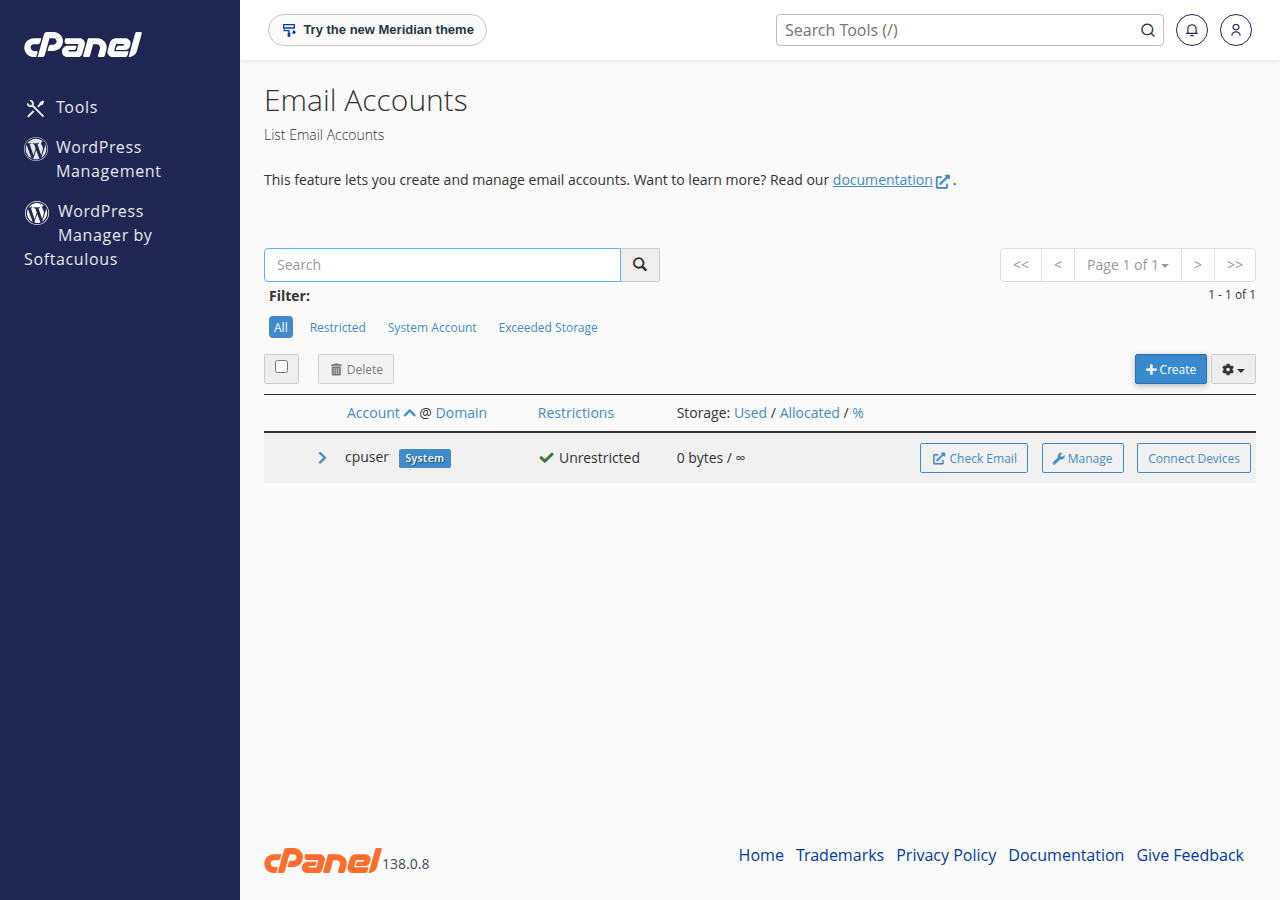
In cPanel, Email › Email Accounts › Connect Devices shows the exact server name for your mailbox. Use IMAP if you read mail on more than one device: POP3 usually downloads messages to one device and removes them from the server, so they seem to vanish from the others. If an app keeps failing with an old password, update it on every device, or the server firewall may block your IP after repeated failed logins.
3. Mail isn't reaching the server
Work through these in order:
- Check the mailbox quota.A full mailbox refuses new mail and the sender gets a bounce. In cPanel, Email Accounts shows usage; delete old mail, empty Trash and Spam, or raise the quota. See Managing your email accounts.
- Check the MX record.It must point to the server that holds your mailbox. Run
dig MX yourdomain.com +shortor use an online MX checker. If you moved your DNS or your website recently, the MX may now point elsewhere; see Setting up MX records. - Check forwarders and filters.A forwarder or a mail filter can move messages to another address or folder without you noticing.
- Check the spam settings.If spam filtering sends suspected spam to a separate folder, look there too. See The SpamAssassin spam box.
- Check the hosting account.
- Ask the sender for the bounce.If they received a "delivery failed" message, its error code and reason usually name the cause. See Understanding email bouncebacks.
If your DNS is managed elsewhere, fix the MX record there; see How to change your domain's DNS settings.
4. What support can check for you
On shared hosting the mail server is managed for the whole server, so you can't read its logs or restart it, and you don't need to: we check the logs for your address. Live chat runs 24/7, and tickets get a first response within 15 minutes; a fix can take longer. There is no phone support. Include:
- your email address and the sender's address;
- roughly when the missing message was sent;
- any bounce message, in full;
- what you have already checked.
Why am I not receiving emails on my cPanel email account?
The usual causes are a full mailbox, an MX record pointing to a different server, a forwarder or filter moving the mail, mail filed as spam, or a suspended hosting account. Check webmail first: if the mail is there, the problem is your mail app's settings.
What are the incoming mail settings for Domain India hosting email?
Use mail.yourdomain.com as the incoming server, IMAP on port 993 or POP3 on port 995 with SSL/TLS, your full email address as the username and the mailbox password.
Why do emails show in webmail but not in Outlook or my phone?
The mail is on the server, so the app is the problem. Check the server name, port, SSL/TLS setting and password. If one device uses POP3, it may be downloading and removing messages before your other devices see them; use IMAP everywhere.
Can a full mailbox stop incoming mail?
Yes. When a mailbox reaches its quota the server refuses new messages and the sender receives a bounce. Delete old mail, empty Trash and Spam, or raise the quota in your control panel.
Ready to fix it? Start with the full Email troubleshooting guide. If mail still isn't arriving, open a ticket in the client area or use the public ticket form.
Tell us your email address, the sender's address, when the message was sent and any bounce you received, and we will check the mail logs.
Open a support ticket