A bounce message (also called a bounceback, NDR or "Mail Delivery Subsystem" email) is the receiving side telling you, in a coded way, why your email was not delivered. Most bounces look alarming but take a minute to decode once you know where to look. This guide shows you how to read one, what the common 2026 messages mean, and what to fix.
Look for the three-part code in the bounce, such as 550 5.1.1. A code starting with 4 is temporary and the sending server will retry on its own; a code starting with 5 is permanent and you must change something before sending again. Most permanent rejections today come from a wrong address, a full mailbox, a blocklisted sending IP, or missing SPF, DKIM and DMARC records, which Gmail, Yahoo and Outlook now require.
1. How to read a bounce message
A bounce has three parts. Skip the friendly text at the top and go to the technical part.
- The summary."Your message wasn't delivered to [email protected] because…" It names the failed address, which is often the whole answer (a typo).
- The diagnostic line.Look for lines labelled
Diagnostic-Code,Remote server returned, or text starting with a three-digit number. This is the receiving server's own words, and the part that matters. - The reporting server.
Reporting-MTAorRemote-MTAtells you which server refused the mail: yours (the message never left) or the recipient's (it left and was refused).
A typical diagnostic line looks like this:
Diagnostic-Code: smtp; 550-5.1.1 The email account that you tried to reach does not exist.
Please try double-checking the recipient's email address for typos or unnecessary spaces.
It has three pieces of information:
550: the basic SMTP reply code. The first digit is the class.5.1.1: the enhanced status code, which is more precise.- The text: the human explanation. Large providers such as Gmail and Microsoft include a help link or a code of their own (for example
S3150) that you can search for.
2. Temporary (4xx) or permanent (5xx)?
The first digit decides what happens next.
| First digit | Meaning | What the sending server does | What you do |
|---|---|---|---|
| 2 | Success (for example 250 OK) | Nothing, the message was accepted | Nothing. You will not see a bounce for a 2xx reply |
| 4 | Temporary failure (a "deferral") | Keeps the message in its queue and retries for hours or days | Usually wait. Act only if you get a "delayed" warning or a final failure |
| 5 | Permanent failure (a "hard bounce") | Gives up and sends you the bounce | Fix the cause first. Resending the same message unchanged will fail again |
If a 4xx problem is never resolved, the sending server eventually gives up. You then get a final bounce, often with the code 4.4.7 ("message expired" or "delivery time expired"). How long a server keeps retrying is set by whoever runs it; a few days is common.
3. Enhanced status codes: the x.y.z number
The enhanced code (defined in RFC 3463) is the most useful part of a bounce. It reads class.subject.detail:
- Class: 2 = success, 4 = temporary, 5 = permanent (same as above).
- Subject: which area failed.
- Detail: the exact reason inside that area.
| Subject (middle digit) | Area | Typical examples |
|---|---|---|
| x.1.x | The address | 5.1.1 user unknown, 5.1.2 domain not found |
| x.2.x | The recipient's mailbox | 5.2.2 mailbox full, 5.2.1 mailbox disabled |
| x.3.x | The receiving mail system | 5.3.4 message too big for the system |
| x.4.x | Network and routing | 4.4.1 no answer from host, 4.4.7 delivery time expired, 5.4.4 unable to route |
| x.5.x | The SMTP conversation | 5.5.1 invalid command, 5.5.2 syntax error |
| x.6.x | Message content | 5.6.1 media type not supported |
| x.7.x | Security and policy | 5.7.1 not authorised or relaying denied, 5.7.26 authentication failed |
Rule of thumb: x.1 and x.2 are about the recipient, so check the address or contact the person another way. x.7 is about you: your authentication, your IP's reputation, or your permission to send.
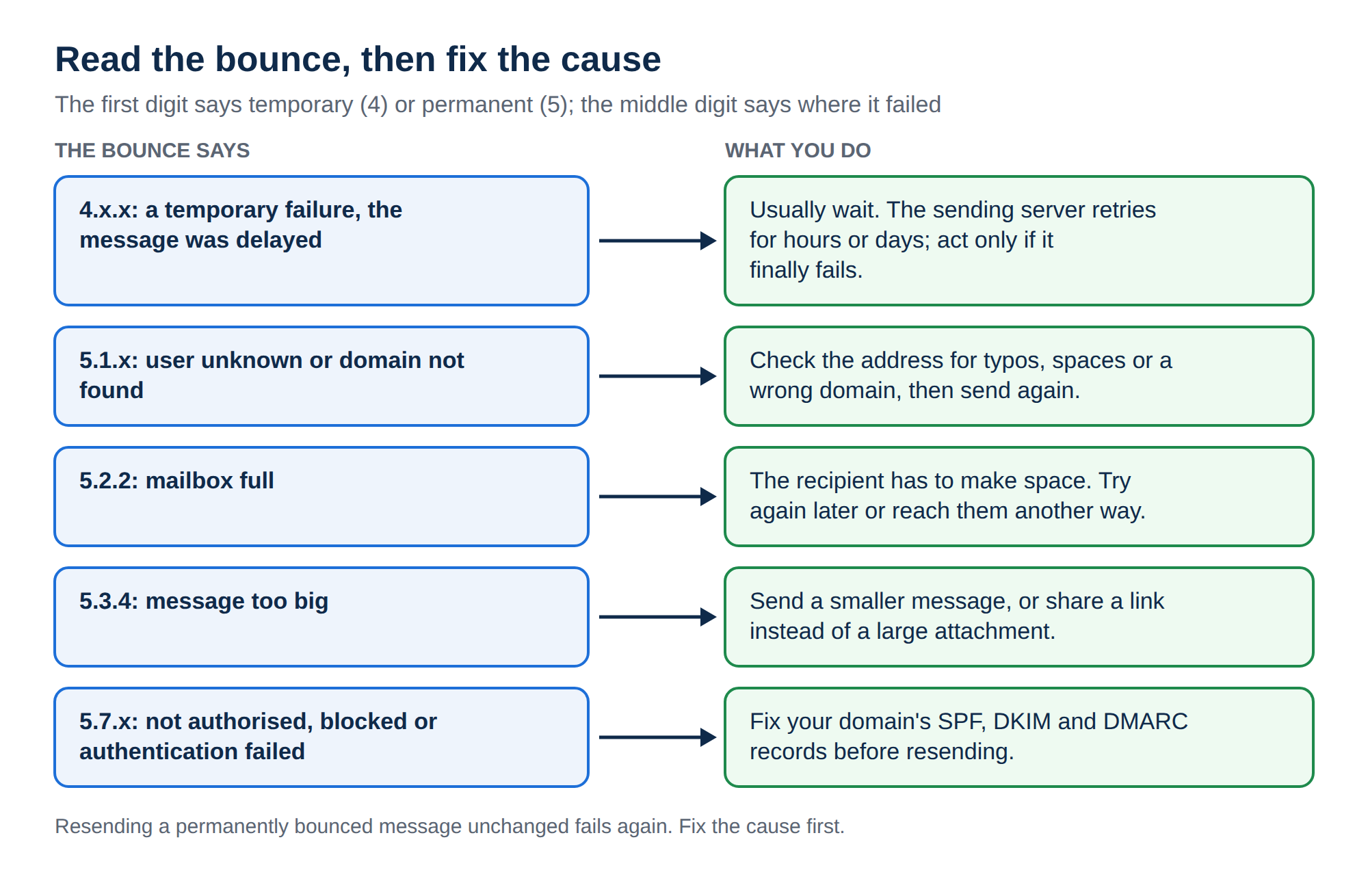
4. The bounce decoder: common messages and fixes
These are the bounces you are most likely to see in 2026. The wording varies between providers, so match on the code and the key words.
| Bounce (code and key words) | What it means | What to do |
|---|---|---|
| 550 5.1.1 User unknown / does not exist / Recipient address rejected | The mailbox does not exist at that domain | Check the spelling. If it is correct, the person has left or closed the account. Ask them for their current address |
| 550 5.1.2 / Host or domain name not found | The recipient's domain has no working mail (MX) records, or the domain is misspelled or expired | Check the domain spelling (gmial.com, yaho.in). If it is right, the recipient's own DNS is broken and only they can fix it |
| 550 5.1.10 RecipientNotFound (Microsoft) | The address does not exist in that Microsoft 365 organisation | Same as user unknown: confirm the address with the recipient |
| 552 5.2.2 / 452 4.2.2 Mailbox full / over quota | The recipient's mailbox has no space left | Wait and try later, or reach them another way. Only the recipient can free space |
| 550 5.2.1 Mailbox disabled / inactive | The account exists but is switched off | Contact the person another way |
| 552 5.3.4 / 5.2.3 Message size exceeds limit | The email plus attachments is bigger than the receiving server allows | Send a download link instead of the file. Attachments grow by about a third when encoded, so a 20 MB file can become more than 25 MB |
| 550 5.7.1 Relaying denied / Unable to relay | The server was asked to send to an outside domain without logging in | In your mail app, turn on SMTP authentication with the full email address and password, and use the correct outgoing server. For a website on our cPanel hosting, send with PHP mail() and -f instead (see section 7) |
| 535 5.7.8 Authentication failed / 530 5.7.0 Authentication required | Wrong username or password, or the app never logged in | Re-enter the password. Use the full email address as the username. If the mailbox uses two-factor login, create an app password |
| 550 5.7.23 SPF validation failed / SPF fail | Your domain's SPF record does not list the server that sent the mail | Add the sending service to your one SPF record (see section 5) |
| 550 5.7.26 Unauthenticated email / blocked due to DMARC policy (Gmail) | The message failed DMARC: neither SPF nor DKIM passed for your From domain | Set up DKIM signing and fix SPF so that at least one passes and matches your From domain |
| 550 5.7.515 Access denied, sending domain does not meet the required authentication level (Outlook.com) | Microsoft's high-volume sender rules: SPF, DKIM and DMARC are required | Publish all three records (see section 6) |
| 550 5.7.25 No PTR record / reverse DNS | The sending IP has no reverse DNS name | On your own VPS, ask the IP owner to set a PTR record that matches the server's hostname |
| 550 5.7.1 Likely unsolicited mail / Message rejected as spam | The receiver's filters judged the message or the sender to be spam | Check authentication, remove spammy wording and link shorteners, and send only to people who asked for your mail |
| 554 5.7.1 Client host blocked using Spamhaus / Listed on a blocklist / S3150 | The sending server's IP is on a DNS blocklist or the provider's own block list | Check the IP on a public blocklist checker. On shared hosting, send the bounce to your host. On your own server, stop the cause and then request delisting |
| 421 4.7.0 / 4.7.28 Unusual rate of unsolicited mail / Try again later | You are being rate-limited, usually for volume or complaints | Slow down, send in smaller batches, and clean your list. The server retries on its own |
| 451 4.7.1 Greylisted, please try again later | The receiver deliberately delays mail from unfamiliar senders | Nothing. A properly configured server retries and gets through, usually within minutes |
| 421 Too many connections / Service not available | The receiving (or your own) server is busy or limiting connections | Temporary. Retries usually succeed. If it keeps happening, see our Exim 421 guide linked below |
| 4.4.1 / 4.4.2 Connection timed out / No answer from host | Your server could not reach the recipient's mail server | Usually temporary. If it lasts days, the recipient's mail server is down or their MX records are wrong |
| 550 5.4.6 / Routing loop detected | Mail is bouncing between servers that each think the other one is responsible | Usually MX records or forwarding that point back at each other. Check the domain's MX records and any forwarders |
If you suddenly receive many bounces for messages you did not send, a spammer is usually forging your address as the sender ("backscatter"). Your mailbox has not necessarily been hacked. A DMARC record with a quarantine or reject policy tells receivers to refuse forged mail from your domain. If the bounces show your messages really did leave your own account, change the password at once, because the account may have been compromised.
5. SPF, DKIM and DMARC: the root of most modern rejections
A few years ago most permanent bounces were typos and full mailboxes. Today a large share of rejections come from authentication: the receiver cannot confirm that your domain allowed the message to be sent.
The mistakes behind most authentication bounces:
- Two SPF records. A domain may have only one TXT record starting with
v=spf1. Two records make SPF fail. Merge them into one. - A service missing from SPF. You added a newsletter tool, a CRM or a website contact form that sends mail through a third party, but never added it to SPF.
- Too many lookups. SPF allows at most 10 DNS lookups (
include:,a,mxand similar). Past that, SPF returns an error and fails. - No DKIM. Without DKIM, forwarded mail loses SPF and has nothing left to pass DMARC with.
- From address mismatch. A website sends as
[email protected]or[email protected]from your hosting server. That mail cannot pass DMARC for those domains, so it is filtered or rejected. Send from an address on your own domain instead.
A minimal, valid set of records looks like this (the values depend on your mail provider; copy the exact ones it gives you):
example.in.                     TXT  "v=spf1 include:_spf.yourprovider.example ~all"
selector._domainkey.example.in. TXT  "v=DKIM1; k=rsa; p=MIIBIjANBgkq..."
_dmarc.example.in.              TXT  "v=DMARC1; p=none; rua=mailto:[email protected]"
Start DMARC at p=none to collect reports without affecting delivery, then move to quarantine and reject once every service you use passes.
For step-by-step setup, read Understanding SPF, DKIM, and DMARC records and Email authentication: SPF, DKIM, DMARC.
6. Gmail, Yahoo and Outlook sender rules
Since February 2024, Gmail and Yahoo require authentication for mail sent to their users, and Microsoft brought in similar rules for Outlook.com, Hotmail and Live addresses in May 2025. Gmail has since stepped up enforcement, so mail that breaks the rules is now more likely to be rejected outright than just filtered.
| Requirement | Everyone sending to these providers | Bulk senders (around 5,000+ messages a day to one provider) |
|---|---|---|
| SPF or DKIM | Required (at least one) | Both SPF and DKIM required |
| DMARC | Strongly recommended | Required, at least p=none, and aligned with the From domain |
| Reverse DNS (PTR) on the sending IP | Required by Gmail | Required |
| TLS for the connection | Required by Gmail | Required |
| One-click unsubscribe | Not required | Required for marketing and promotional mail |
| Spam complaint rate | Keep it low | Keep it below 0.3% (Google recommends under 0.1%) |
Even if you send far less than 5,000 a day, setting up all three records is the simplest way to avoid 5.7.x bounces. Once you cross a provider's bulk threshold, even for one day, it can keep treating you as a bulk sender, and the rules have only tightened over time.
Sending a large mailing list through an ordinary mailbox or through shared web hosting is the fastest way to get your sending IP blocklisted. That blocks you and everyone else sending from the same server. Use a dedicated email marketing or transactional email service for bulk mail. See Transactional email: SMTP, SendGrid, AWS SES, Mailgun compared.
7. Mail from your website or app that bounces
Contact forms, WordPress notifications and order emails bounce for different reasons than mail you type yourself:
- The From address is not on your domain. A form that sends "from" the visitor's Gmail address fails DMARC at Gmail. Send from an address on your own domain, such as
[email protected], and put the visitor's address in Reply-To. - PHP
mail()without an envelope sender. On shared hosting,mail()is the reliable route, but pass your own address as the envelope sender with the fifth parameter ([email protected], with no space) so SPF lines up with your From domain. On our cPanel servers, sending by SMTP from PHP (including SMTP plugins and PHPMailer's SMTP mode) fails, because the socket functions it needs are disabled; on DirectAdmin, test SMTP on your plan first. With PHPMailer, let it compose the message and hand the send tomail()with-f. The details are in PHP mail() and sendmail settings and How to use PHPMailer for contact forms. - Bulk sending from the website. Order confirmations are fine; mass promotions are not. Move those to a dedicated sending service.
To test what a receiver sees, follow How to test email deliverability for your own website.
8. Diagnosing it yourself
Before contacting anyone, these checks solve most cases:
- Read the code.Match it in the decoder table above. If it is x.1 or x.2, the problem is on the recipient's side.
- Check the address.Copy it from the bounce and look for typos, spaces and wrong domains.
- Check your DNS.Look up your domain's MX, SPF, DKIM and DMARC records with a public DNS or email-authentication checker. In cPanel, Email > Email Deliverability shows problems with these records for each domain.
- Check blocklists.If the bounce mentions a blocklist, Spamhaus or "blocked", look up the sending IP (from the bounce) on a public blocklist checker.
- Send a test.Send a plain message, no attachments, to a Gmail or Outlook address you own. In Gmail, Show original tells you whether SPF, DKIM and DMARC passed.
- Check the logs (your own server only).On shared hosting you can't read the mail server's logs, so send the full bounce to support instead. On your own VPS running Exim, the main log (commonly
/var/log/exim_mainlog) shows the full SMTP conversation.
Going deeper on server-side problems: Fixing Exim 421 error, What to do if your email is blacklisted, and Diagnosing email delivery failures: a case study.
9. When to contact support, and what to send
Contact your email or hosting provider when:
- the bounce says your own server refused the message (the
Reporting-MTAis your provider's server and the code is 5.7.x); - the bounce mentions a blocklist and you send from shared hosting, where only the provider can deal with the IP;
- you get authentication failures even with the correct password;
- you are unsure how to set up SPF, DKIM or DMARC for your domain.
Attach or paste the complete bounce message, including the technical part and the original message headers, not a screenshot of the first two lines. Add the sender and recipient addresses, the date and time you sent it, and whether it happens to one recipient or to everyone. Never send your password.
In Gmail, open the bounce and choose Show original. In Outlook, open the message and view its Properties or View source. Copy everything.
10. Where Domain India fits
If your bounces come from missing or broken authentication, the fix is a mail service that sets it up properly for your domain.
Business Email is priced per mailbox, so you start with one and add more as you need them. Every message you send is DKIM-signed, and we provide the exact SPF and DMARC records for your domain. It includes webmail with calendar, contacts and tasks, IMAP and SMTP over TLS for Outlook, Apple Mail, Thunderbird and phone apps, two-factor authentication, and mail filters and rules.
- Priced per mailbox - start with one
- Email at your own domain ([email protected])
- Add and remove mailboxes yourself
- Webmail with calendar, contacts and tasks
Web hosting includes email accounts with your website: for example, cPanel Starter includes 10 email accounts and DirectAdmin Starter includes 5. It suits a business that wants its website and mail in one place and is happy to manage mail settings in the control panel.
- 25 GB NVMe SSD Storage
- 50 GB Monthly Bandwidth
- 1 Website
- 10 Email Accounts
Prices are Domain India list prices on 19 September 2026, excluding 18% GST. See business email and cPanel hosting.
What is the difference between a 4xx and a 5xx bounce?
A code starting with 4 is a temporary failure: the sending server keeps the message and retries automatically, often successfully. A code starting with 5 is a permanent failure: the server has given up, and the same message will fail again until you fix the cause, such as a wrong address or missing authentication.
What does 550 5.1.1 mean?
It means the recipient's mailbox does not exist on the receiving server. The address is usually misspelled, or the person has left the organisation or closed the account. Check the spelling and confirm the current address with the recipient.
What does 550 5.7.26 mean in a Gmail bounce?
Gmail rejected the message because it failed authentication: neither SPF nor DKIM passed for the domain in the From address, so the message failed DMARC. Publish a correct SPF record, enable DKIM signing with your mail provider, and add a DMARC record for your domain.
Do I need SPF, DKIM and DMARC if I only send a few emails a day?
Yes, in practice. Gmail requires every sender to pass SPF or DKIM, and Gmail, Yahoo and Outlook require all three from bulk senders. Setting up all three is the most reliable way to avoid authentication bounces and the spam folder at any volume.
What is greylisting and should I worry about a 451 error?
Greylisting is a spam defence in which a receiving server temporarily refuses mail from an unfamiliar sender with a 4xx code such as 451 4.7.1. A properly configured sending server retries automatically and the message is normally delivered within minutes, so no action is needed unless the message finally bounces.
Why do I get bounces for emails I never sent?
Usually a spammer is forging your address as the sender, and the rejections come back to you. This is called backscatter. A DMARC policy of quarantine or reject reduces it. If the bounces show messages that really left your account, change your password immediately.
How do I fix a "message too large" bounce?
Reduce the size of the email or share the file as a download link instead of an attachment. Attachments grow by about a third when they are encoded for email, so a file that looks under the limit can still be too large. Gmail's limit is 25 MB, and many servers allow less.
My IP is on a blocklist. What should I do?
First stop whatever caused the listing, such as a compromised account, an infected website or bulk mail sent from a mailbox. Then request delisting from the blocklist's website. On shared hosting the IP belongs to the server, so send the full bounce to your hosting provider.
Ready to stop fighting bounces? Get Business Email with DKIM signing and the SPF and DMARC records for your domain provided, or host your website and mail together on cPanel hosting. Still stuck with a bounce? Open a ticket from the support centre with the full bounce message attached.
Email at your own domain, priced per mailbox, with DKIM signing on every message and the SPF and DMARC records provided for your domain.
See Business Email