Yes. Every shared hosting account at Domain India has a limit on how much email it can send, because many customers share each mail server and its reputation. Everyday business mail stays well inside the limit. Newsletters, large mailing lists and hacked contact forms are what run into it. This guide gives the limits we measured on our servers, explains exactly what happens when you reach one, and shows what to do if you need to send more.
On cPanel hosting the limit is 200 messages per hour per account. On DirectAdmin hosting it is 1,000 messages per day per account (200 per mailbox by default). For Webuzo and Windows (Plesk) hosting, ask support for your account's limit. Each recipient counts as one message. On cPanel, mail over the limit is first held and retried, and then refused with a bounce once you go well past it. For newsletters or bulk mail, use a dedicated email delivery service.
1. The limits on each type of hosting
We read these limits from the live mail servers on 22 and 23 September 2026.
| Hosting | Outgoing mail limit |
|---|---|
| cPanel (all plans) | 200 messages per hour per account |
| DirectAdmin | 1,000 messages per day per account (200 per mailbox by default) |
| Webuzo | Ask support for your account's limit |
| Windows (Plesk) | Ask support for your account's limit |
The limit covers everything your hosting account sends, whichever way it is sent:
- mail you send from webmail;
- mail from Outlook, Thunderbird, Apple Mail or a phone using your hosting mailbox;
- mail sent by website scripts, such as PHP
mail(), contact forms and WordPress notifications; - mail from plugins, such as WooCommerce order emails.
Domain India Business Email is a separate product with its own limits. See Business Email sending limits.
2. What counts as one message
The limit counts deliveries, not clicks on Send. A single email addressed to 30 people counts as 30 messages, whether the addresses are in To, Cc or Bcc. That is why one newsletter can use up an hour's allowance on cPanel by itself.
On cPanel, the count applies to mail that leaves the server for other mail systems, such as Gmail or a client's company mail. Mail you receive does not count.
3. What happens when you reach the limit on cPanel
We checked how the cPanel mail server handles an account over its limit, both in its configuration and in its logs, on 23 September 2026. It works in three stages:
- Up to 200 in the hour.Mail goes out normally.
- From 200 up to 250 (125% of the limit).Each extra message is held in the server's queue and retried later. It is not lost, but it is delayed. The log records it as "Domain yourdomain.com has exceeded the max emails per hour (…) allowed. Message will be reattempted later."
- Beyond 250 in the hour.Further messages are refused. The sender gets a bounce saying "Domain yourdomain.com has exceeded the max emails per hour (…) allowed. Message discarded." Those messages are not sent and will not be retried; they must be sent again later.
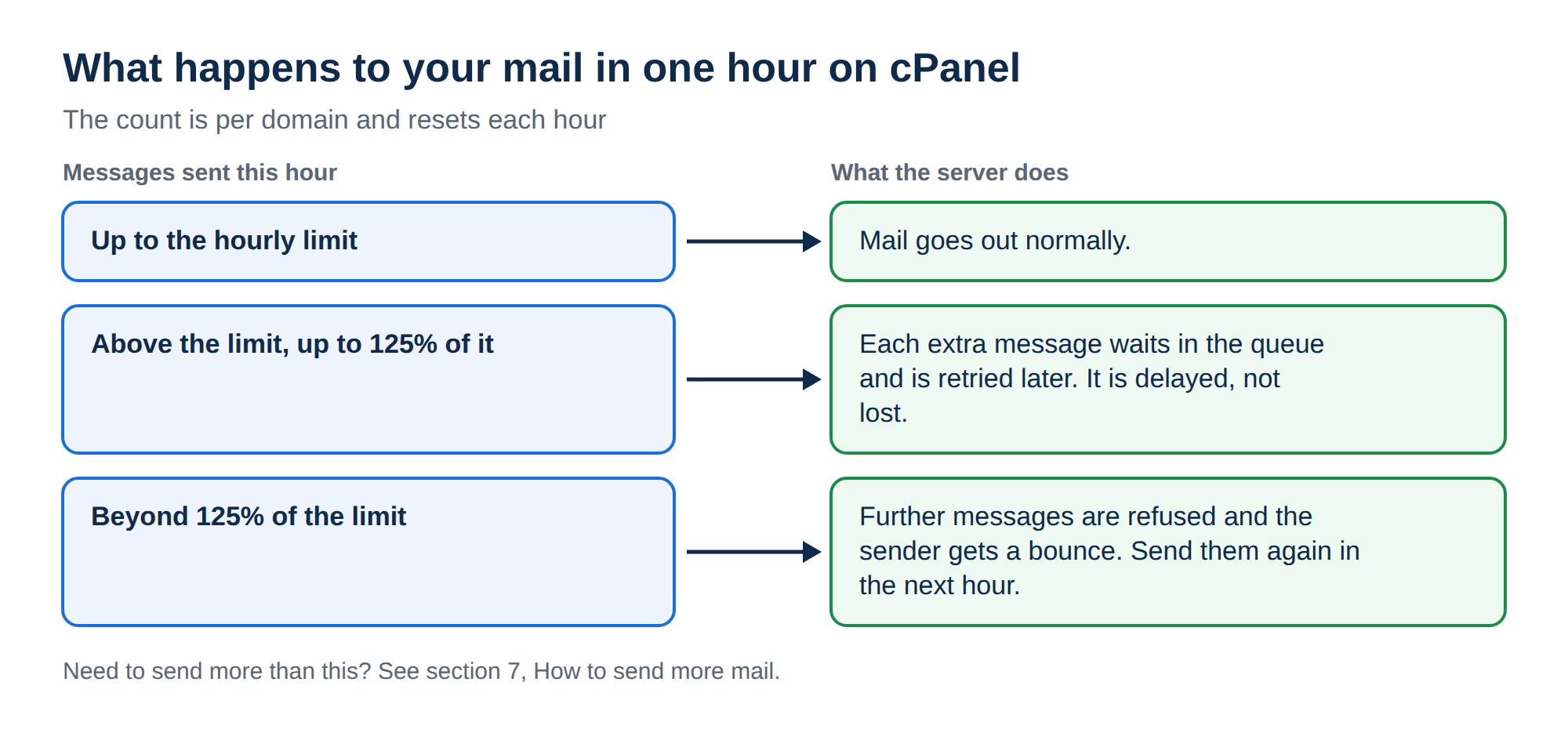
Only a small margin above the limit is queued and retried. Once an account goes well past it, the extra mail is discarded with a bounce, not saved for later. In one week of September 2026, most over-limit messages on our cPanel server were discarded rather than retried. If your mail is important, stay under the limit rather than relying on the queue.
Your website and your incoming mail keep working while this happens. Only outgoing mail is affected.
4. What happens on DirectAdmin, Webuzo and Windows
DirectAdmin: the account can send 1,000 messages per day. Once it reaches that number, the server stops sending mail for the account and records that the daily limit has been reached. Each mailbox also has its own daily limit, 200 messages by default, so one address can stop while others continue. When you create a mailbox under E-mail Manager › E-mail Accounts, you can set a higher Daily Send Limit, up to 1,000. If you hit the limit, or think a mailbox has its own limit, contact support.
Webuzo and Windows (Plesk): we have not published the limits for these servers. Ask support before you plan anything more than everyday business mail.
5. Why the limits exist
A shared mail server sends for hundreds of customers from the same IP addresses. When one account sends spam, whether on purpose or because its site was hacked, large mail providers such as Gmail and Outlook.com start treating mail from that server as suspicious. Everyone on it then sees their mail delayed or put in spam. The limit caps the damage one account can do, and it gives us time to notice a compromised form before the server lands on a blocklist.
6. Hitting the limit without sending bulk mail
If you have not sent a newsletter and still see bounces about the hourly limit, treat it as a warning sign:
- A contact form abused by bots. An unprotected form can send hundreds of messages an hour. Add a captcha or a honeypot field.
- A hacked script or WordPress plugin. Malicious code often sends spam through PHP mail. See the security checklist for a hacked website.
- A stolen mailbox password. Spammers who have a mailbox password send through it directly. Change the password and update every device that uses it.
- A plugin that emails every event. Some security and form plugins send an email for every login attempt or submission. Turn off the notifications you do not read.
The mail logs belong to the whole server, and cPanel's Track Delivery tool is not available on our servers. If you suspect mail you did not send, open a support ticket straight away: support can search the logs and tell you whether it came from a logged-in mailbox (and which one) or from a script on your website (and which folder it ran from).
7. How to send more mail
Everyday correspondence rarely comes near the limit. For anything bigger, send the mail through a service built for volume:
Compare the current prices and free tiers on the providers' own websites. When you connect one, add it to your domain's single SPF record and publish the DKIM records it gives you: see SPF, DKIM and DMARC and email services compared.
On WordPress, an SMTP plugin such as WP Mail SMTP can send your site's mail through one of these services instead of the hosting server. Because of the PHP functions disabled on shared hosting, some SMTP connections from scripts do not work, so choose a plugin that can send through the provider's API as well. The details are in PHP sendmail settings.
8. Mailing lists and the limit
A mailing list sends one copy per member through the same server as your mailboxes. Plan as if every copy counts towards your account's limit, and keep hosting mailing lists to the size of a team, a committee or a small club. Large lists belong on a newsletter service. See how to set up a mailing list.
9. Where Domain India products fit
Every Domain India shared hosting plan includes email on your domain, with the limits above, which suit normal business correspondence.
- 25 GB NVMe SSD Storage
- 50 GB Monthly Bandwidth
- 1 Website
- 10 Email Accounts
- 10 GB NVMe SSD Storage
- 50 GB Monthly Bandwidth
- 1 Website
- 5 Email Accounts
If you want mail that runs separately from your website, Business Email is priced per mailbox and has its own sending limits.
- Priced per mailbox - start with one
- Email at your own domain ([email protected])
- Add and remove mailboxes yourself
- Webmail with calendar, contacts and tasks
Plan cards show Domain India list prices on 19 September 2026, excluding 18% GST.
Frequently asked questions
How many emails can I send per hour from Domain India cPanel hosting?
200 messages per hour per account. Each recipient counts as one message, so an email sent to 20 people uses 20 of the allowance. The limit covers webmail, mail apps and website scripts together.
What is the email sending limit on DirectAdmin hosting?
1,000 messages per day per account. Individual mailboxes can also have their own lower daily limit. Contact support if you reach it.
What happens if I go over the limit on cPanel?
Messages slightly over the limit, up to 125% of it, are held and retried later. Beyond that, further messages are refused with a bounce that says the domain has exceeded the max emails per hour and the message was discarded. Those messages must be sent again later.
Are emails over the limit sent automatically in the next hour?
Only a small number. On cPanel, messages up to 125% of the hourly limit are queued and retried. Anything beyond that is discarded with a bounce, not saved for the next hour.
Does the limit apply to my website's contact form and WordPress emails?
Yes. Mail sent by scripts, forms and plugins counts towards the same account limit as mail you send from webmail or a mail app.
I am hitting the limit but I do not send bulk mail. Why?
Usually a contact form abused by bots, a hacked script or plugin, or a stolen mailbox password is sending mail. Change mailbox passwords and contact support, who can search the server's mail logs and tell you which mailbox or script is sending.
Can the limit be raised for newsletters?
Shared hosting is not built for bulk mail. For newsletters and marketing, use a dedicated newsletter or transactional email service and connect it to your domain with SPF and DKIM.
Ready to check what your account is sending? Log in to your control panel from your hosting services, read I can receive mail but cannot send it if mail is failing for another reason, or open a ticket in the client area to ask about your account's limit.
Tell us your domain and the bounce message you received, and we will check your account's outgoing mail.
Open a support ticket