Your emails show the wrong time: a message that arrived at 10:00 in the morning says 4:30, or new mail appears below older mail. The email itself is almost never at fault. The time you see depends on a time zone setting in your webmail or mail app, and on the clock of the device you read it on. This guide shows how to find the cause and fix it in each place.
You cannot change the time stamped on an email, but you can change how it is displayed. In most cases the fix is to set your time zone to Asia/Kolkata (IST, UTC+5:30): in Roundcube webmail under Settings → Preferences → User Interface → Time zone, and on your computer or phone under the date and time settings with automatic time switched on. If only one sender's emails show the wrong time, their clock is wrong, not yours.
1. How an email gets its time
Every email carries two kinds of time information in its headers:
- The Date header is written by the sender's computer or mail app when they press Send. It includes a time zone offset, for example
Fri, 19 Sep 2026 10:00:00 +0530. - The Received headers are added by each mail server the message passes through, with that server's time and offset.
Your webmail or mail app converts these times into the time zone it is set to use. That is why the same email can show 10:00 on your phone and 04:30 in webmail. So a wrong time has one of four causes:
- the time zone setting in your webmail or mail app;
- the clock or time zone on your computer or phone;
- the clock on the sender's device;
- how the app sorts your mail (by sent date or by arrival date).
2. Find the cause from the symptom
| What you see | Likely cause | Fix |
|---|---|---|
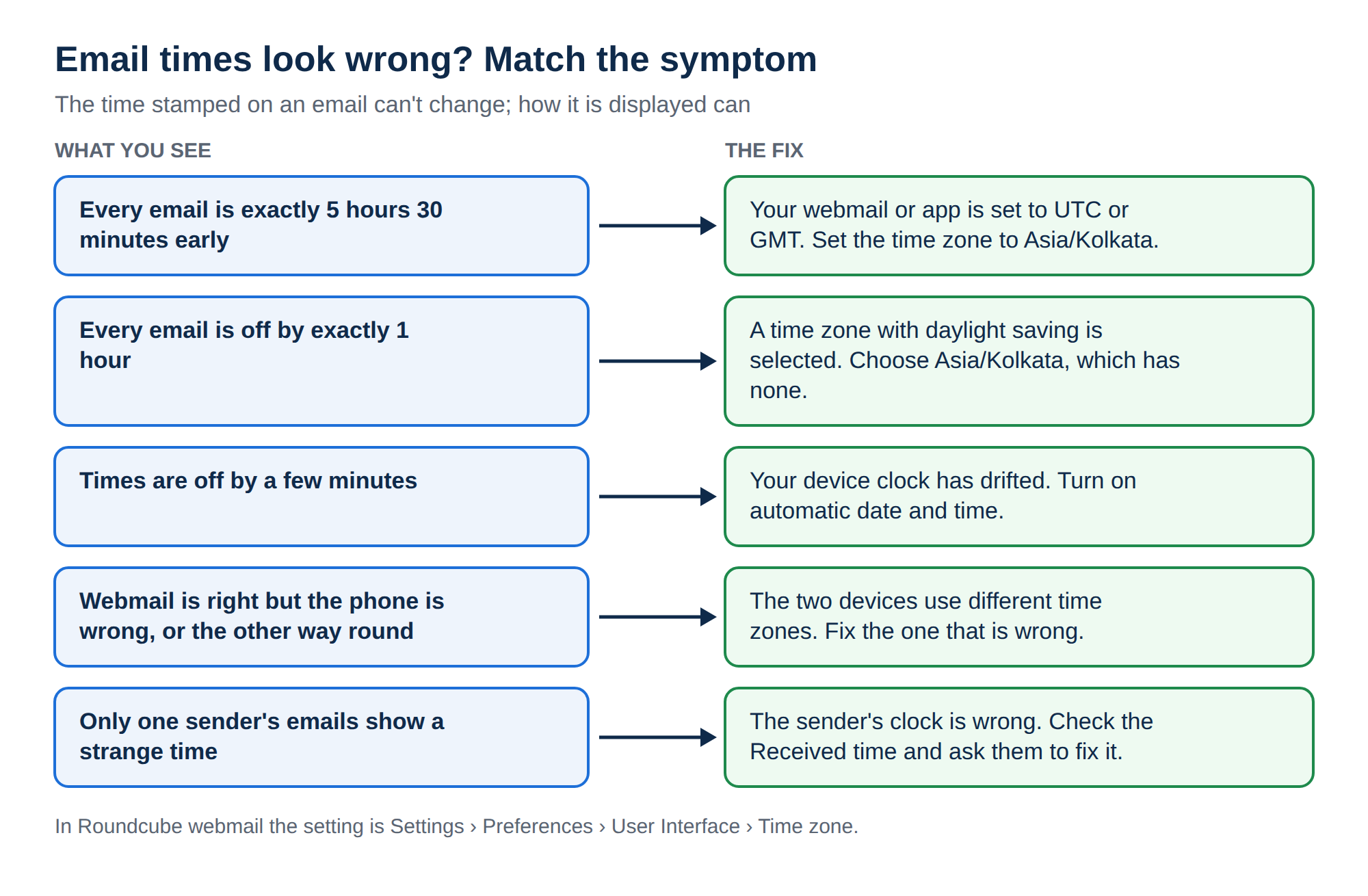
| Every email is exactly 5 hours 30 minutes early | Webmail or app set to UTC or GMT | Set the time zone to Asia/Kolkata |
| Every email is off by exactly 1 hour | A time zone with daylight saving is selected | Choose Asia/Kolkata, which has no daylight saving |
| Times are off by a few minutes | Your device clock has drifted | Turn on automatic date and time |
| Webmail is right but the phone is wrong, or the other way round | The two devices use different time zones | Fix the time zone on the device that is wrong |
| Only one sender's emails show a strange time | The sender's clock or time zone is wrong | Check the Received time; ask the sender to fix their clock |
| Times look right but new mail sits below older mail | The list is sorted by sent date | Sort by arrival date |
India Standard Time (IST) is UTC+5:30 all year. In time zone lists it usually appears as Asia/Kolkata, or on Windows as (UTC+05:30) Chennai, Kolkata, Mumbai, New Delhi. Any other choice, including zones near India, will show the wrong time for at least part of the year.
3. Fix the time zone in Roundcube webmail (cPanel and DirectAdmin)
On cPanel and DirectAdmin hosting, webmail opens in Roundcube. If you are not sure how to get there, see How to log in to webmail.
- Log in to webmail.Open
https://yourdomain.com/webmailand sign in with your full email address and its password. - Open Settings.Click Settings in the left menu.
- Go to Preferences.Click Preferences, then User Interface.
- Set the time zone.In the Time zone list, choose Asia/Kolkata. The Auto option follows your browser's time zone, which works only if your computer's time zone is correct.
- Check the time format.Choose a 12-hour or 24-hour Time format if you want to.
- Save.Click Save. The times in your message list update straight away.
The setting is per mailbox, so set it in each address you use.
For a tour of other Roundcube settings, see Roundcube webmail features.
4. Webuzo Email and Business Email webmail
On Webuzo hosting, https://yourdomain.com/webmail opens Webuzo Email. Business Email webmail is at https://mail.yourdomain.com:8443/.
In either app, look under Settings for a time zone or language-and-time option and set it to Asia/Kolkata. If there is none, fix your computer's time zone (section 5): browser mail apps usually follow it.
5. Fix the clock and time zone on your computer or phone
A wrong device clock affects every mail app on that device. Turn on automatic time so the device keeps itself correct.
Windows 11 Open Settings → Time & language → Date & time. Turn on Set time automatically and Set time zone automatically, or pick (UTC+05:30) Chennai, Kolkata, Mumbai, New Delhi by hand. Click Sync now if the clock is off.
macOS Open System Settings → General → Date & Time. Turn on Set time and date automatically, and either set the time zone automatically from your location or choose a nearby Indian city.
iPhone and iPad Open Settings → General → Date & Time and turn on Set Automatically.
Android Open Settings, then System → Date & time (the path varies between phone makers; search Settings for "date"). Turn on automatic time and automatic time zone.
If your clock is wrong, every email you send carries the wrong time too, and your replies may land in the wrong place in your customers' inboxes.
6. Fix the time in mail apps
Most mail apps have no time zone setting of their own. They follow the device, so fixing the device in section 5 fixes them too.
| App | Where the time zone comes from | What to do |
|---|---|---|
| Outlook on the web and new Outlook for Windows | Its own setting | Settings (gear icon) → General → Language and time (Time & language in newer versions) → set the time zone |
| Classic Outlook for Windows | Windows | Fix the Windows time zone; File → Options → Calendar → Time zones affects calendar times only |
| Gmail app and Gmail on the web | Your phone or computer | Fix the device time zone |
| Apple Mail (Mac, iPhone, iPad) | macOS or iOS | Fix the device date and time settings |
| Thunderbird | Your computer | Fix the operating system time zone |
After a change, close the app completely and reopen it.
If you haven't set up your domain email in an app yet, see configure email in Microsoft Outlook, configure email on iPhone or iPad, configure email on Android or configure email in Thunderbird. For Business Email, see Setting up Outlook, Apple Mail and your phone for Business Email.
7. When the sender's clock is wrong
If emails from one person look odd, for example dated tomorrow or last year, their device clock is wrong. Their mail app wrote that time into the Date header, and you cannot change it from your side.
To see when the email actually reached you:
- Open the message and view its source or headers. In Roundcube, open the message and choose More → View source.
- Find the Received lines near the top. The first one listed is the latest: the time your mail server accepted the message.
- Compare it with the Date line. A large gap means the sender's clock is wrong, or the message was delayed on the way.
Tell the sender politely that their computer clock or time zone needs fixing, and point them to section 5.
8. Server time versus display time
The mail server's own time zone does not change what you see. Servers record times with an offset, such as +0000 for UTC or +0530 for IST, and your mail app converts every time into its own time zone. A message received at 04:30:00 +0000 and one received at 10:00:00 +0530 arrived at the same moment, and both show as 10:00 AM in a mail app set to IST.
This is also why you cannot "change the timestamp" on an email that has already been sent or received: the times in the headers are a record of what happened. What you can change is how your mail app displays them.
If your list looks out of order, check how it is sorted. Many apps can sort by the date the sender wrote (sent date) or the date the message reached your server (arrival date). In Roundcube, click the list options icon at the top of the message list and choose Arrival date to put mail in the order it actually arrived.
9. Email with Domain India
Every Domain India hosting plan with cPanel, DirectAdmin or Webuzo includes email accounts for your domain with webmail, so the steps in sections 3 and 4 apply. For mailboxes separate from your website hosting, Business Email is priced per mailbox and includes webmail with calendar, contacts and tasks, and works in Outlook, Apple Mail, Thunderbird and phone mail apps over IMAP and SMTP.
- Priced per mailbox - start with one
- Email at your own domain ([email protected])
- Add and remove mailboxes yourself
- Webmail with calendar, contacts and tasks
To choose between them, read Business Email vs the email included with your hosting.
Can I change the date and time on an email I have already received?
No. The date and time in an email's headers record when it was sent and received, and they cannot be edited. You can change how your webmail or mail app displays them by setting the correct time zone.
Why are all my emails 5 hours 30 minutes behind?
Your webmail or mail app is set to UTC or GMT instead of India Standard Time. Set the time zone to Asia/Kolkata. In Roundcube this is under Settings, Preferences, User Interface, Time zone.
Which time zone should I choose for India?
Choose Asia/Kolkata. On Windows it is listed as (UTC+05:30) Chennai, Kolkata, Mumbai, New Delhi. India Standard Time is UTC+5:30 throughout the year and India does not use daylight saving time.
Why is the time right in webmail but wrong on my phone?
Webmail and your phone's mail app each use their own time zone. Most phone mail apps follow the phone's settings, so turn on automatic date, time and time zone in your phone's settings, then restart the mail app.
Why does one sender's email show a wrong date?
The sender's computer or phone clock is wrong, so their mail app wrote the wrong time into the email. You cannot fix this on your side. Check the Received lines in the message headers for the real arrival time, and ask the sender to correct their clock.
Still seeing the wrong time after checking your webmail, device and app settings? Start with How to log in to webmail and the email troubleshooting guide, or open a support ticket and tell us the mailbox, one affected email and the time you expected.
Tell us which mailbox is affected and what time you expected to see. Our team will help you find the cause.
Open a support ticket