DNS records tell the internet where your website is, which server receives your email, and which services may act for your domain. Most domains need only a handful: A, CNAME, MX and TXT, plus the NS records that say who answers for the domain. This page explains each common record in brief and where you edit them.
An A record points a name to an IPv4 address and AAAA to an IPv6 address. A CNAME makes one name an alias of another, MX says which server receives email, TXT holds SPF, DKIM, DMARC and verification codes, and NS names the nameservers that answer for the domain. Records work only at the DNS provider your nameservers point to. For a domain on Domain India hosting nameservers, edit them in your control panel.
Every record type, including CAA, SRV, PTR and DS, is explained in Understanding and managing DNS records. For step-by-step adding and editing, read Managing DNS records (A, CNAME, MX, TXT).
1. The common record types
| Record | What it does | Example |
|---|---|---|
| A | Points a name to an IPv4 address | @ → 203.0.113.10 |
| AAAA | Points a name to an IPv6 address | @ → 2001:db8::10 |
| CNAME | Makes a name an alias of another hostname | www → yourbusiness.in |
| MX | Names the server that receives email, with a priority | @ → 10 mail.yourbusiness.in |
| TXT | Holds text other services read, such as SPF | @ → v=spf1 a mx ~all |
| NS | Names the nameservers that answer for the domain | Set on the domain's Nameservers tab |
Every record has a name (@ for the domain itself, or a label such as www), a type, a value and a TTL, the number of seconds other servers may cache the answer. MX records also have a priority: lower numbers are tried first.
2. Rules that catch people out
- A CNAME can't share a name with other records, and the root of the domain (
@) can't be a CNAME. Use an A record for@. - An MX record points to a hostname, never an IP address. That hostname needs its own A record.
- Only one SPF record per domain. If two services send mail for you, merge them into one record.
- NS records are not edited in the zone. Change them on the domain's Nameservers tab in the client area; see How do I change my nameservers.
3. Where to edit your records
First find out who answers for the domain: run dig NS yourbusiness.in +short on macOS or Linux, or nslookup -type=ns yourbusiness.in on Windows.
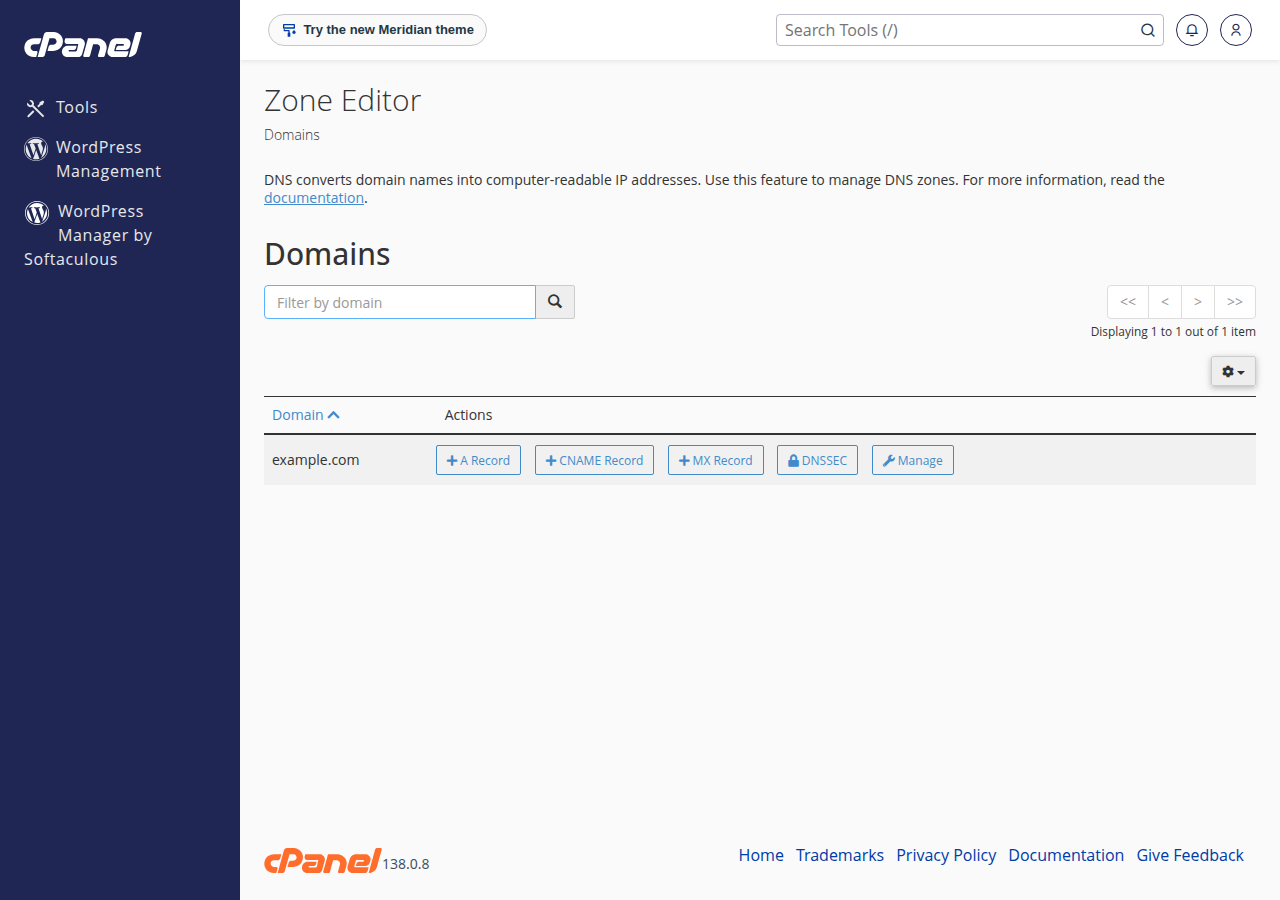
- Domain India hosting nameservers: edit records in your control panel, such as the Zone Editor in cPanel or DNS Management in DirectAdmin.
- Cloudflare or another DNS provider: edit them there. Records saved anywhere else are never read.
The domain's DNS tab in the client area may offer Activate Free DNS or Switch to Free DNS. It does not copy your records, so your site and email can stop working. Point the domain to your hosting nameservers, or edit records at the DNS provider your nameservers already use.
When a hosting account is created, the control panel adds the usual records for you. On cPanel the default MX points to the domain itself with priority 0; on DirectAdmin it points to mail.yourdomain with priority 10. Change them only if your email is hosted somewhere else.
4. How long changes take
A record change usually shows within minutes to a few hours. Until the old record's TTL runs out, some visitors may still get the old answer. Nameserver changes can take longer, up to a day or two. To make a planned change quicker, lower the TTL to 300 seconds a day before, make the change, check it with dig A yourbusiness.in +short, then raise the TTL again. More detail is in Understanding DNS propagation.
Frequently asked questions
What is the difference between an A record and a CNAME record?
An A record points a name directly to an IPv4 address. A CNAME makes a name an alias of another hostname, which then supplies the address. The root of a domain can't be a CNAME.
Where do I change DNS records for a domain hosted with Domain India?
If the domain uses your Domain India hosting nameservers, edit the records in your hosting control panel, such as the Zone Editor in cPanel or DNS Management in DirectAdmin. If the nameservers point to Cloudflare or another provider, edit the records there.
How long does a DNS record change take?
Usually minutes to a few hours, until the old record's TTL runs out. Nameserver changes can take longer. Lower the TTL to 300 seconds a day before a planned change.
Can an MX record point to an IP address?
No. An MX record must point to a hostname, and that hostname needs its own A record.
Ready to make a change? Follow Managing DNS records, or read How to change your domain DNS settings if the domain doesn't point to your hosting yet.
Tell us the domain, the record you are trying to add and what you see, and we will check it with you. Support is on 24/7 live chat, and tickets get a first response within 15 minutes.
Open a support ticket