You can move a website from cPanel hosting to DirectAdmin hosting yourself, without server-level tools: copy the files, copy the databases, recreate the mailboxes, then point the domain at the new server. This page covers what is specific to a cPanel-to-DirectAdmin move, including how to get your data out of cPanel on Domain India servers, where the usual Backup button is switched off.
Order the DirectAdmin plan first. From cPanel, take current copies of your site: download the files with the File Manager or FTP and export each database with phpMyAdmin. A JetBackup 5 download of your full account also works, but it holds the last weekly backup, so it may be up to a week old. Upload the files and import the databases in DirectAdmin, recreate the mailboxes and copy mail over IMAP, test with your hosts file, then change DNS. Keep the cPanel account until everything works.
Files, databases, testing and the DNS switch: How to migrate your website. Mailboxes and old messages: Migrating email accounts from cPanel to DirectAdmin.
1. Get your data out of cPanel
cPanel's own Backup and Backup Wizard are switched off on Domain India cPanel servers. Use one of these instead:
| Method | What you get | Watch out for |
|---|---|---|
| File Manager or FTP | Your current files, including hidden files such as .htaccess | Compress the folder first; it downloads far faster than thousands of small files |
| phpMyAdmin Export | A current .sql file for each database | Export every database the site uses |
| JetBackup 5 download | Files, database dumps and mail from the last weekly backup | Backups run weekly, so anything added since is missing |
For a live site, take the files and databases fresh on the day of the move. A JetBackup download is a good safety copy, but not a substitute for a fresh export. See How can I download a backup of my site and How to back up a MySQL database using phpMyAdmin.
Also note what is not in a file copy: your email accounts and forwarders, cron jobs, the PHP version and any redirects you set in the panel.
2. Set up the DirectAdmin account
Order DirectAdmin hosting with the same domain name. Most accounts are created automatically within a couple of minutes of payment. Then open your hosting services, click Manage and open the Access tab for the username, server IP and panel URL, and log in as described in How to log in to the DirectAdmin control panel.
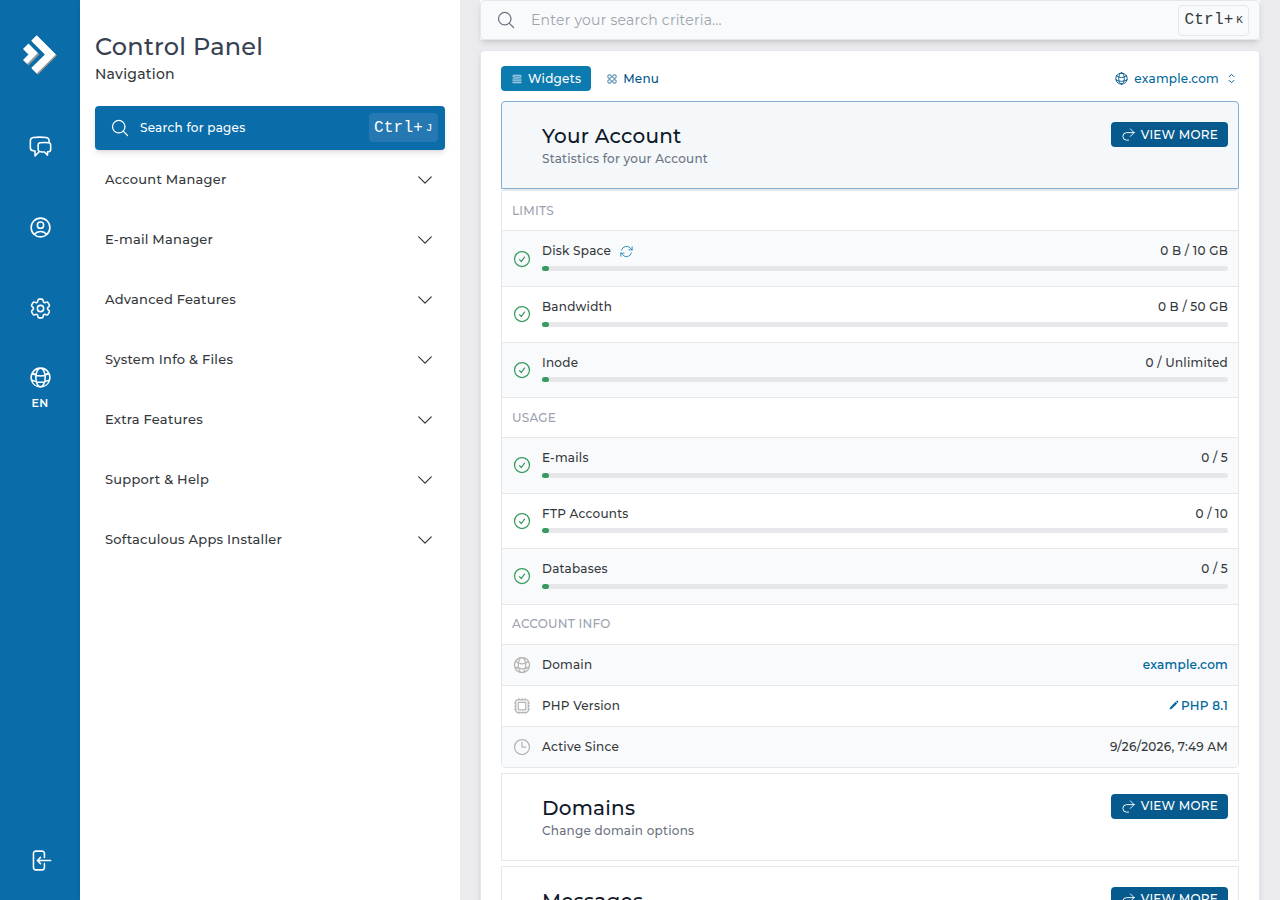
3. Move the files and databases
- Upload the files.For the main domain they go in
public_html. Upload the archive with the File Manager and extract it there; see the DirectAdmin File Manager guide. - Create each database and userin DirectAdmin and give the user all privileges. Names start with your account username and an underscore, as on cPanel, but your DirectAdmin username may differ, so the full names can change.
- Import each .sql filewith phpMyAdmin in DirectAdmin.
- Update your config file(for WordPress,
wp-config.php) with the new database name, user and password. The host is normallylocalhost.
On our DirectAdmin servers, PHP accepts uploads up to 64 MB, while the DirectAdmin File Manager accepts files up to 500 MB. If a large database export will not import through phpMyAdmin, compress it to .sql.gz, and ask support if it is still too large.
4. Move email
Create the same mailboxes in DirectAdmin, then add the old and new mailbox to an email program such as Thunderbird, both over IMAP, and drag the folders across. Recreate forwarders, autoresponders and filters by hand. The full method, including POP3 users, is in the email migration guide.
5. What works differently on DirectAdmin
| Item | cPanel (our servers) | DirectAdmin (our servers) |
|---|---|---|
| Webmail address | /webmail and webmail.yourdomain.com | /webmail and /roundcube only |
| Outgoing mail limit | 200 messages per hour per account | 1,000 messages per day |
| PHP upload limit | 256 MB | 64 MB |
If an old index.html sits next to your index.php in public_html, DirectAdmin shows the HTML page, so delete or rename it. Also check .htaccess: DirectAdmin allows only some Options values, and a php_value line gives a 500 error on every server. See Troubleshooting 500 Internal Server Error.
6. Test, switch DNS, then clean up
- Test through your hosts file.Point your domain at the new server IP on your own computer only, and check pages, forms, logins and checkout. The method is in the website migration guide.
- Point the domain at DirectAdmin.Set the hosting nameservers shown on your hosting service, or change the A and MX records where your DNS is managed. See How do I change my nameservers.
- Check SSL and mail.Once DNS has moved, open
https://yourdomain.comand send and receive a test email. Copy across any mail that reached the old mailbox during the switch. - Cancel the cPanel account last,after a few days of everything working from DirectAdmin.
Your new account is covered by the weekly JetBackup 5 backups on DirectAdmin hosting; keep your own copy of the migrated site as well.
7. DirectAdmin hosting at Domain India
DirectAdmin shared hosting includes email on your own domain, Roundcube webmail and weekly JetBackup 5 backups. The card shows the live price, excluding 18% GST.
- 10 GB NVMe SSD Storage
- 50 GB Monthly Bandwidth
- 1 Website
- 5 Email Accounts
If you already host with us on cPanel and want to move to DirectAdmin, ask support before you order; they can tell you what help is available for your move.
How do I back up my cPanel account if the Backup option is missing?
On Domain India cPanel servers the cPanel Backup and Backup Wizard are switched off. Download your files with the File Manager or FTP and export each database with phpMyAdmin, or download a full account backup from JetBackup 5, which holds the last weekly backup.
Is a JetBackup download enough for a migration?
It is a good safety copy, but it holds the last weekly backup, so recent changes may be missing. For a live site, export the databases and copy the files fresh on the day of the move.
Will my email move automatically?
No. Create the same mailboxes in DirectAdmin, copy the old messages over IMAP with an email program, and recreate forwarders and autoresponders by hand.
Why does my site show an old page after the move?
DirectAdmin serves index.html before index.php. If an old index.html is in public_html, delete or rename it.
What is the webmail address on DirectAdmin?
Use https://yourdomain.com/webmail or https://yourdomain.com/roundcube. The webmail.yourdomain.com address does not exist on DirectAdmin.
When should I cancel the old cPanel hosting?
Only after the site and email have worked from DirectAdmin for a few days. Until then the old account is your fallback and still holds any mail that arrived before DNS changed.
Ready to move? Compare DirectAdmin hosting, follow the website migration guide, or open a support ticket with your questions before you start.
Tell us your current panel, site size and number of mailboxes, and we will help you plan the migration.
Ask support