If your DirectAdmin-hosted site shows "Resource Limit Is Reached", your account has run out of its share of the server at that moment. The cause is almost always on the site: too many slow PHP requests at once, bot traffic, or heavy scheduled jobs. This guide covers the DirectAdmin side of finding and fixing it.
For the complete explanation, log-reading commands and every fix in detail, see Understanding and troubleshooting the "Resource Limit Is Reached" error. This page is the short DirectAdmin version.
Our DirectAdmin servers run CloudLinux, which gives each account fixed limits. A 508 "Resource Limit Is Reached" page means your account hit its entry-process limit (PHP requests running at the same time); memory and process limits show up as 500 or 503 errors instead. Find out when the faults happened, then fix the cause: cache pages, block abusive bots, move heavy jobs to quiet hours and put timeouts on outside calls. Upgrade only if faults continue after that.
1. What the error means on DirectAdmin
Domain India's DirectAdmin servers run CloudLinux (measured on our servers, 20 September 2026), the same as our cPanel servers. Each account gets its own share of CPU, memory, disk activity and simultaneous PHP requests, so one busy site cannot slow down its neighbours.
| What visitors see | Limit that was hit |
|---|---|
| "Resource Limit Is Reached" (508) | Entry processes: too many PHP requests at once |
| 500 or 503 errors, pages that stop half-way | Physical memory or number of processes |
| Slow pages that still load | CPU or disk I/O |
Entry processes are not visitors: a request waiting a minute on a slow payment or SMS service holds its slot the whole time, so a few visitors can fill every slot.
2. Find out when and which limit was hit
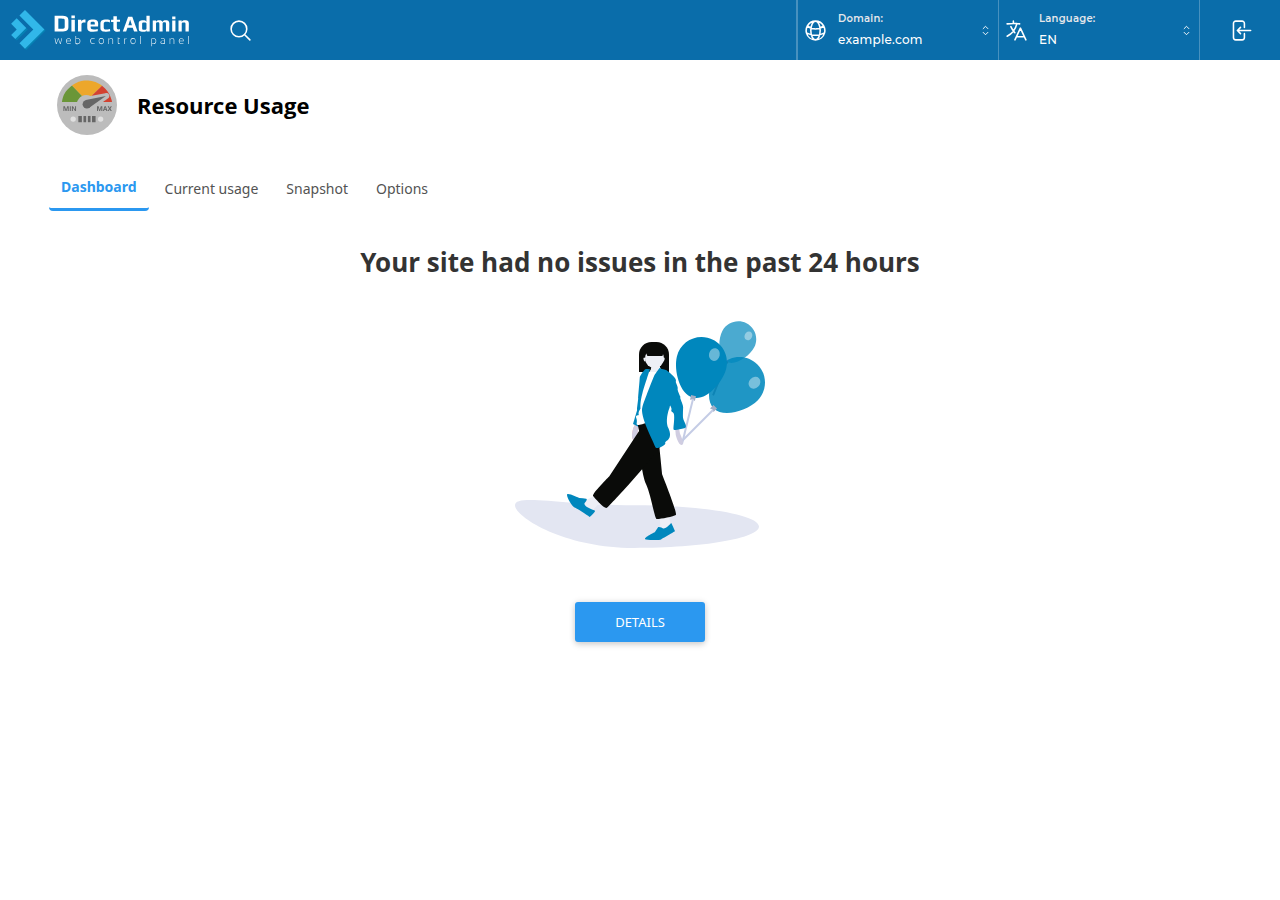
You need the time of the faults and the resource that faulted. Both are on the Resource Usage page in DirectAdmin: type it in the Search for pages box at the top of the DirectAdmin menu, or press Ctrl+J. If you would rather not read it yourself, open a ticket and we will read your account's usage and faults for you.
To get into DirectAdmin, use the DirectAdmin button on your hosting row in the client area; it signs you in with no password. Other routes are in How to log in to DirectAdmin.
3. The usual causes
- Bot and crawler floods: aggressive SEO crawlers and AI scrapers requesting hundreds of pages a minute.
- Login attacks on
wp-login.phpandxmlrpc.phpif you run WordPress. - Heavy plugins and scheduled jobs running while visitors arrive: backups, imports, broken-link checkers.
- PHP waiting on an outside service (payment gateway, SMS, shipping API) with no timeout set. If your CPU and memory stay low while faults pile up, suspect this first. A bigger plan does not fix it.
4. Fixes that work on DirectAdmin hosting
- Cache your pages.Our shared hosting runs the Apache web server, so on WordPress use WP Super Cache or W3 Total Cache, and keep only one page-caching plugin active. A cached page does not run PHP, so it never takes an entry-process slot.
- Block abusive bots in
.htaccess.mod_rewriteis loaded on our DirectAdmin servers and.htaccessrules work. The user-agent rule in the full guide works here as written. Never block Googlebot or Bingbot. - Move heavy jobs to quiet hours.Set WordPress's scheduled tasks to run from a real cron job instead of on page visits, and run imports and backups at night. See Setting up cron jobs in DirectAdmin and WordPress cron and scheduled tasks.
- Put a timeout on every outbound call.Set
CURLOPT_CONNECTTIMEOUTandCURLOPT_TIMEOUTto a few seconds in PHP cURL; a value of0means "wait forever". - Remove heavy or unused plugins,one at a time, and check whether the faults stop over the next busy period.
Our servers run PHP through PHP-FPM or CGI, not as an Apache module, so a php_value or php_flag line in .htaccess gives a 500 error. On DirectAdmin, an Options line may use only Indexes, IncludesNOEXEC, MultiViews, SymLinksIfOwnerMatch, FollowSymLinks or None; any other value also gives a 500. Copy .htaccess before editing and load your site straight after.
5. When an upgrade is the right answer
Upgrade when faults continue after you have added caching, blocked abusive traffic and fixed slow code, or when genuine traffic has grown. An active cPanel or DirectAdmin plan can be upgraded at any time: open Hosting › My hosting, select your hosting service and choose Change plan. You pay only the difference for the time left until your renewal date, plus 18% GST, and the new limits apply as soon as that invoice is paid.
- 30 GB NVMe SSD Storage
- Unmetered Bandwidth
- 5 Websites
- 50 Email Accounts
The price on the card is live and excludes 18% GST. If you need more than any shared plan offers, a VPS gives you dedicated CPU and memory.
6. Getting help
Support is available on 24/7 live chat, and tickets get a first response within 15 minutes; how long a fix takes depends on the issue. We do not offer phone support.
Does DirectAdmin hosting at Domain India use CloudLinux?
Yes. Our DirectAdmin shared servers run CloudLinux, measured on 20 September 2026. Each account has its own limits for CPU, memory, disk activity and simultaneous PHP requests, and hitting the entry-process limit shows visitors a 508 "Resource Limit Is Reached" page.
Where do I see resource usage in DirectAdmin?
On the Resource Usage page. Type Resource Usage in the Search for pages box at the top of the DirectAdmin menu, or press Ctrl+J. If you need help reading it, open a support ticket and we will read your account's usage and faults for you.
Can I raise my PHP limits with php_value in .htaccess on DirectAdmin?
No. Our servers run PHP through PHP-FPM or CGI, not as an Apache module, so php_value and php_flag lines in .htaccess cause a 500 error. They also do not change your account's CloudLinux limits.
Will upgrading my DirectAdmin plan fix "Resource Limit Is Reached"?
Only if your site genuinely needs more resources after caching, bot blocking and slow-code fixes. If requests are waiting on a slow outside service, a bigger plan only lets more requests wait. When an upgrade is right, choose Change plan on your hosting service under Hosting › My hosting.
Ready to fix it? Work through the full guide, or open a ticket with the page and the time of the error and we will check your account's usage and logs with you.
Tell us the page, the error you saw and when it happened, and we will read your DirectAdmin account's usage and faults with you.
Open a support ticket