DirectAdmin turns your website's access logs into traffic reports, so you can see how many visits your site gets, which pages people read and where they come from. On Domain India's DirectAdmin server the statistics tool is Webalizer; AWStats is switched off. This page shows how to open it and how to read the numbers.
Our main guide, How can I access my website statistics, covers cPanel, DirectAdmin and Webuzo, explains hits, visits and unique visitors in detail, and shows how to use the numbers to fix real problems. This page is the short version for DirectAdmin.
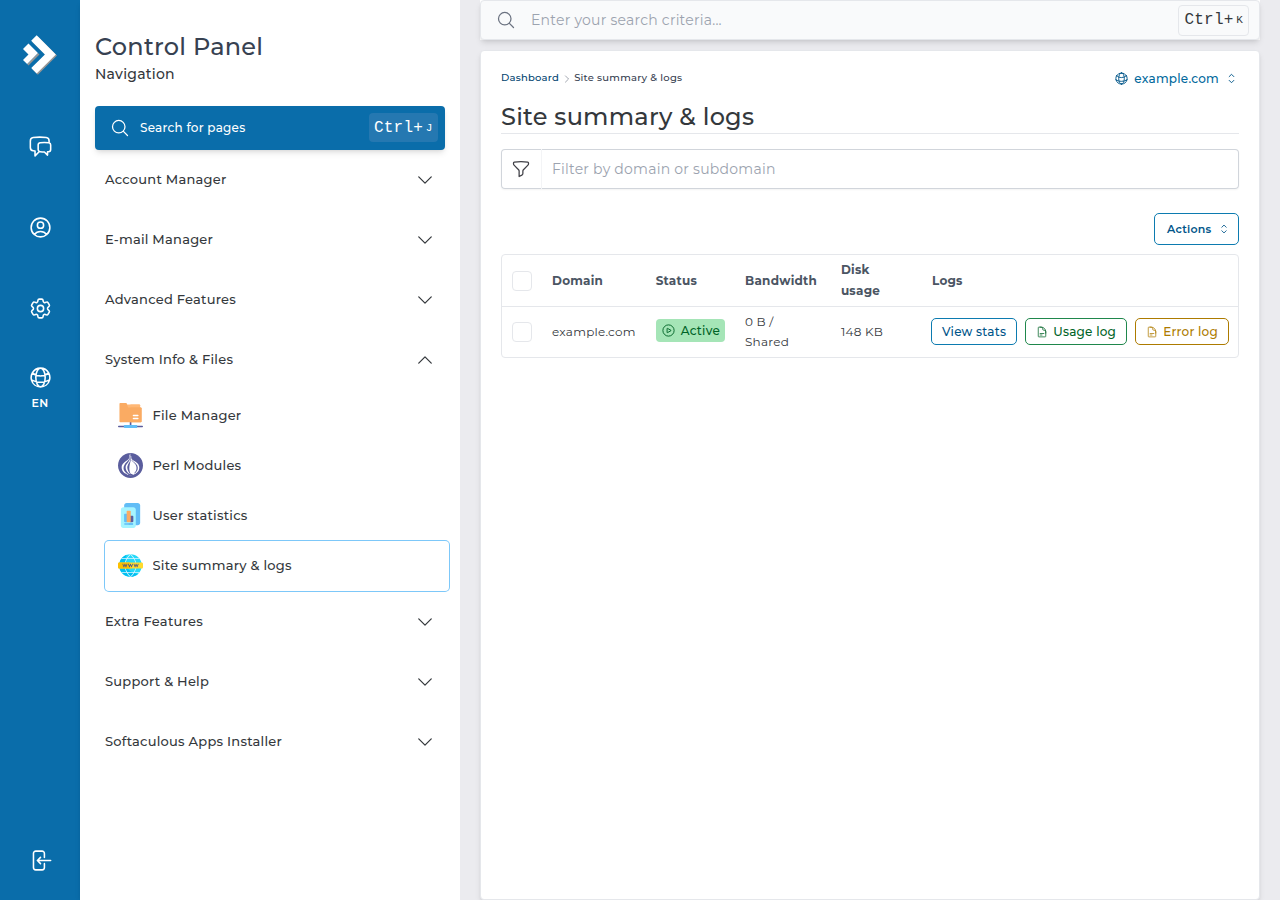
Sign in to DirectAdmin from your client area, open System Info & Files › Site summary & logs and click View stats next to your domain. On Domain India's DirectAdmin server Webalizer is enabled and AWStats is switched off, so an AWStats link is not something to look for. Log-based statistics count bots as well as people, so they will be higher than Google Analytics.
1. Open Webalizer in DirectAdmin
- Sign in to DirectAdmin.The easiest route is from your client area: open My Hosting, choose your DirectAdmin plan and use the login button there. See how to log in to your control panel for every option.
- Open Site summary & logs.It is under System Info & Files in the menu; you can also type "summary" in the search box at the top of DirectAdmin.
- Click View statson your domain's row. If your account hosts more than one domain, pick the right row; the same row has Usage log and Error log.
- Open Webalizer.The summary page shows each month. Click a month for daily and hourly tables, top pages, referrers and countries.
If you can't find the statistics page, or it is empty for a domain that gets traffic, ask support. Tell us the domain and what you see.
2. Read the numbers correctly
| Term | What it counts | What it tells you |
|---|---|---|
| Hits | Every file requested: the page plus each image, stylesheet and script | Always the biggest number; not a count of people |
| Pages | Requests for actual pages | Closer to what people read |
| Visits | A series of requests from one visitor, ended by a gap of inactivity | Roughly "sessions" |
| Sites or unique visitors | Different IP addresses seen | An estimate; people can share an IP address |
| Bandwidth (KBytes) | Data sent to visitors | Useful when you are near your plan's bandwidth |
Webalizer reads the server log, so it sees every request: search engine crawlers, uptime monitors and scanners as well as people. Google Analytics counts only browsers that run its tracking script. Both are right; they measure different things.
3. When the statistics look wrong
- Today is missing. Log statistics are processed periodically, not live, so recent traffic appears after the next processing run.
- Nothing at all for a new domain. The domain must point to our server; requests that never reach us can't be counted. See how to change your nameservers.
- A sudden jump with no new customers. One IP address or crawler making thousands of requests is a bot. Check the top sites and referrers.
- Many errors. For failing pages, read the error log rather than the statistics: see reviewing error logs in cPanel and DirectAdmin.
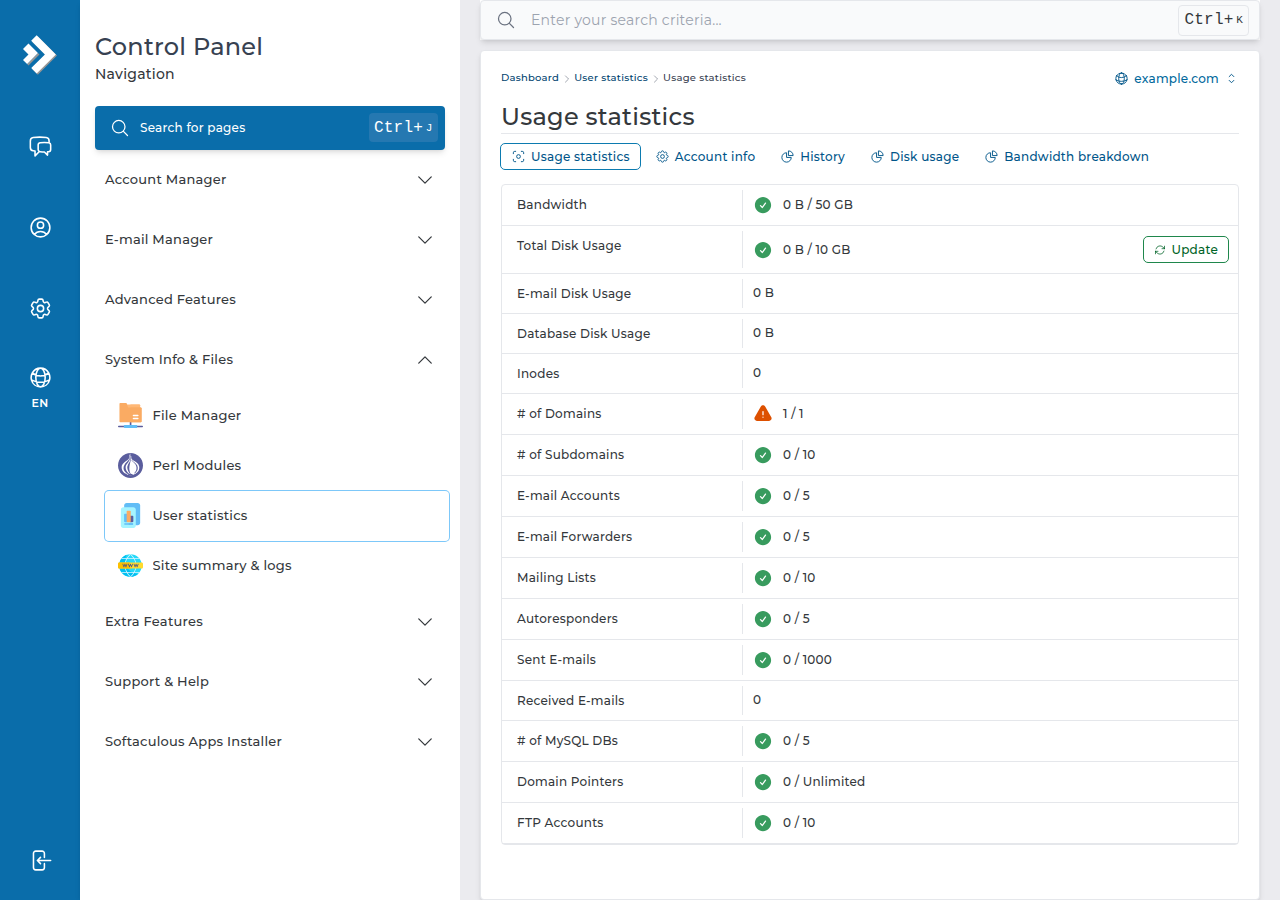
Visitor statistics are not the same as your account's CPU and memory usage. For resource limits, see check hosting resource usage.
4. On Domain India hosting
Every Domain India DirectAdmin plan includes the statistics described here at no extra cost. If you want the widest set of statistics tools (AWStats, Webalizer, Analog, Visitors and raw log downloads), cPanel hosting offers them; compare DirectAdmin hosting and cPanel hosting.
Where are website statistics in DirectAdmin?
Sign in to DirectAdmin, open System Info & Files, Site summary & logs, and click View stats on your domain's row.
Does Domain India's DirectAdmin hosting have AWStats?
No. On Domain India's DirectAdmin server Webalizer is enabled and AWStats is switched off. cPanel hosting includes AWStats as well as Webalizer.
Why are my Webalizer numbers higher than Google Analytics?
Webalizer counts every request that reaches the server, including search engine crawlers and other bots. Google Analytics counts only browsers that run its tracking script, so the two never match.
What is the difference between hits and visits?
A hit is any file requested, including every image and script on a page, so one page view can create many hits. A visit is a series of requests from one visitor within a period of activity, which is much closer to real reader numbers.
Why are today's visitors not shown?
Log statistics are processed periodically rather than live, so recent traffic appears after the next processing run. If a domain shows nothing for several days, check that it points to our server and then contact support.
Ready to check your numbers? Sign in from My Hosting, read the full statistics guide, or open a support ticket if a report is empty.
Tell us the domain and what the statistics page shows, and our support team will check the log processing for your account.
Open a support ticket