If your website and email have stopped working and your domain shows as suspended, your data has almost certainly not been deleted. In nearly every case your files, databases and mailboxes are untouched; what has changed is that the domain no longer resolves, or the hosting behind it has been switched off. This guide helps you find which of the common causes applies to you and what fixes it.
A domain stops working for one of a few reasons: it expired or its renewal invoice is unpaid, the registrant email was never verified, a .in domain is waiting for identity verification (eKYC), or the domain was suspended for abuse. Sometimes the domain is fine and the hosting is suspended, or the nameservers point nowhere. For a .in domain, renew within 36 days of expiry at the normal price; from day 37 it can only be restored, for ₹4,000 including GST and the renewal.
1. Start here: find out which problem you have
Sign in and open your domains, then click the domain. Its status, and any notice on its page, tells you which section below applies.
| What you see | What it usually means | Go to |
|---|---|---|
| Status Expired, or an expiry date in the past | The registration period ended | Section 2 |
| An unpaid renewal invoice for the domain | Renewal was raised but not paid | Section 2 |
| A notice asking you to verify the registrant email | The registrant email check is outstanding | Section 3 |
| Status Pending verification, or a notice about identity on a .in domain | .in identity verification (eKYC) is outstanding | Section 4 |
| Status Suspended with no unpaid invoice or pending check | A hold for abuse or a registry-level reason | Section 5 |
| Your website shows "Account Suspended" | The hosting is suspended, not the domain | Section 6 |
| Everything looks active but nothing loads | A nameserver or DNS problem | Section 7 |
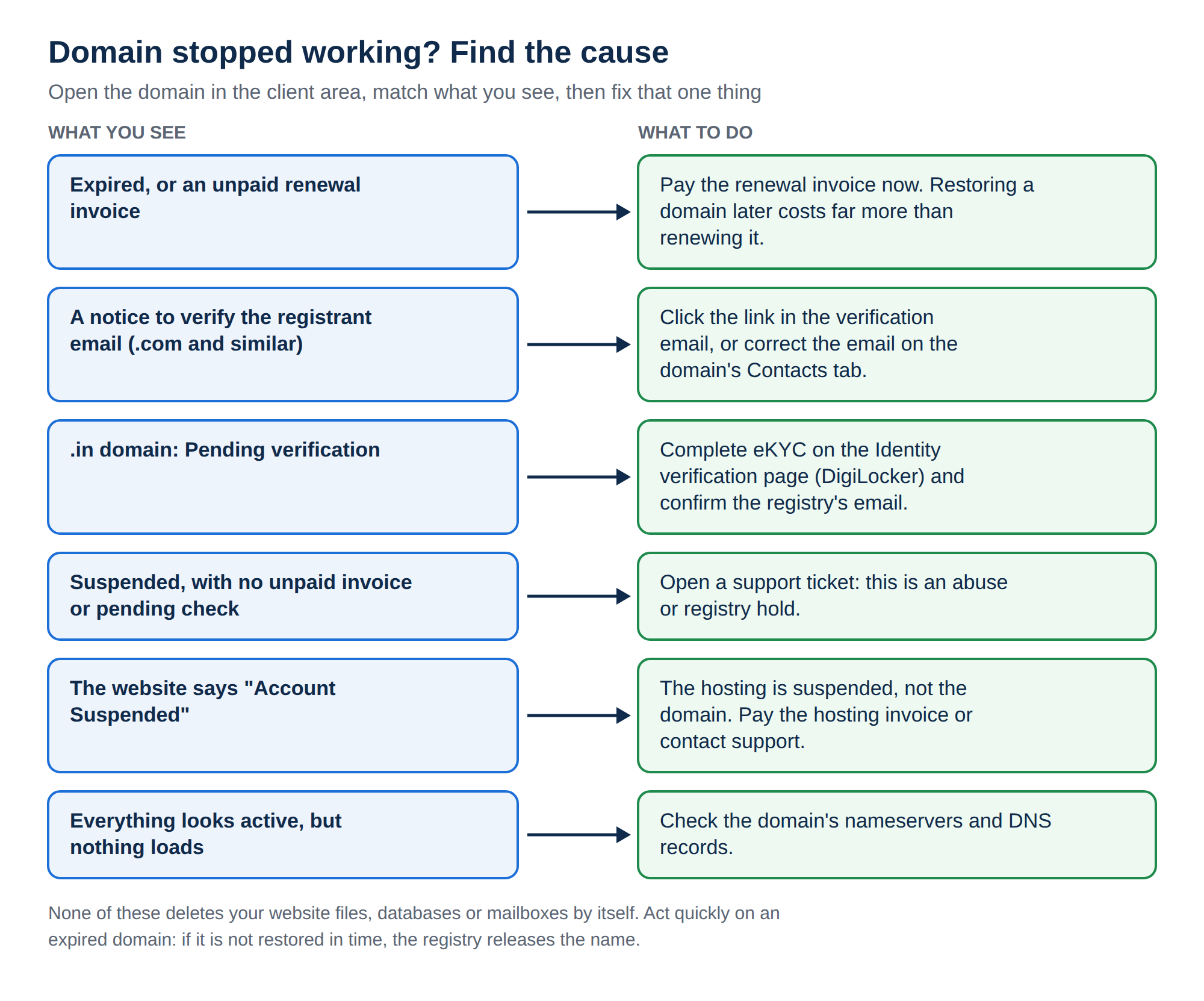
2. The domain expired or the renewal was not paid
This is the most common cause. When a domain expires, it stops resolving: your website goes offline and email to your domain stops arriving.
Domain India never charges a saved card automatically. Before a domain is due, a renewal invoice is generated (currently up to 30 days ahead) and emailed to you, and the domain renews only when that invoice is paid. If the email went to an old address or to spam, the domain simply expires.
How to fix it: open your invoices and pay the renewal. Once the payment is recorded and the renewal goes through, the domain resolves again; because DNS answers are cached around the internet, some visitors may see the old result for a few hours.
Act quickly, because the price changes with time:
| Extension | Time since expiry | What you pay |
|---|---|---|
| .in family (.in, .co.in and others) | Up to day 36 | The normal renewal price |
| .in family | From day 37 | Restoration, ₹4,000 (includes GST and the renewal) |
| .com and similar | During the grace period after expiry | The normal renewal price |
| .com and similar | After the grace period | Restoration, ₹8,000 (includes GST and one year) |
The grace period for .com and other generic extensions varies by extension, so ask support for your domain's exact date rather than relying on a general figure. Normal renewal prices are Domain India list prices on 19 September 2026, excluding 18% GST: ₹625 a year for .in and ₹1,150 a year for .com.
If a domain is not restored in time, it is deleted by the registry and released, and anyone can then register it. If your domain has recently expired, renewing today costs far less than restoring it later.
3. The registrant email was never verified (.com and other generic domains)
For .com, .net, .org and other generic extensions, ICANN requires the registrar to verify the registrant's email address after a new registration, a transfer in, or a change to the registrant's name, organisation or email. A verification email with a link is sent to the registrant email on the domain. If it is not confirmed within 15 days, the domain can be suspended until it is.
How to fix it: find the email (search your inbox and spam folder for the domain name) and click the link. If it went to an old address, correct the registrant email on the domain's Contacts tab, which sends a fresh verification to the new address. The client area has no resend button for this email, so if it never arrived, open a ticket with the domain name.
The full walkthrough is in Verification of WHOIS details.
4. A .in domain is waiting for identity verification
This applies only to .in and its family (.co.in, .net.in, .org.in and the rest). The .IN registry requires the registrant's identity to be verified (eKYC). Until it is, the domain can be held, so a brand-new .in domain you have just paid for may not work yet.
There are two separate checks, and both show in the client area:
- Identity verification. Completed on the Identity verification page, which uses DigiLocker. Each registrant is verified separately, so a domain registered in someone else's name has to be verified by that person.
- The registry's email check. The .IN registry separately confirms the registrant email. If it is still pending, the domain's page says the registry has not confirmed the registrant email, and the domain can stay suspended even when your identity is verified. The Identity verification page has a link to ask us to resend the registry's confirmation.
- Open the domain.Go to your domains, click the .in domain and read any notice about identity or the registrant email.
- Check the name first.The registrant name on the domain should match your identity document. If it does not, open a ticket before you verify, because changing the owner's name on a .in domain may need support's help.
- Complete what is outstanding.Verify your identity on the Identity verification page, and confirm the registry's email when it arrives at the registrant address.
- Check the domain again.If it still does not load a few hours after both checks show complete, open a ticket with the domain name. Some holds are lifted at the registry and need us to act for you.
A .in domain needs a genuine connection with India. If you are outside India, or cannot use DigiLocker, open a ticket and we will explain the route for your domain. See Who can register a .in domain.
5. The domain was suspended for abuse or at the registry's request
Registrars and registries can suspend a domain that is used for phishing, malware, spam or fraud, or that is subject to a legal order or a complaint the registry acts on.
How to fix it: open a ticket with the domain name. We will tell you what the hold is, who placed it and what is needed to lift it. If the cause is a compromised website, cleaning it is the first step; the security checklist covers what to do. A hold placed by the registry can only be lifted by the registry, once it has what it asked for; we file that for you, but we cannot lift it ourselves.
6. The domain is fine, but the hosting is suspended
Your domain and your hosting are separate services with separate invoices. If a hosting plan is suspended, your website shows an "Account Suspended" page even though the domain itself is healthy.
For resource problems, read Resource limit is reached. Shared hosting includes weekly backups; support can tell you which backup dates are available for your account.
7. Nothing is suspended, but the domain points nowhere
Sometimes the domain is active and paid, with no hold at all, but its nameservers point at a previous host or a service that no longer answers.
How to fix it: open the domain's Nameservers tab and compare the values with the ones on your hosting service's page in the client area. If your hosting is with Domain India, use the nameservers shown there; never type nameserver names copied from an old article or forum post. How do I change my nameservers walks through it.
8. Keeping your domain safe with Domain India
Domain India is a NIXI-accredited .IN registrar, so for .in domains we deal with the registry directly. Every domain you hold with us is managed from one client area: renewals, contacts, nameservers, the transfer lock and, for .in domains, identity verification are all on the domain's page. To stop this happening again, read How to avoid a domain name suspension.
Why is my domain suspended?
The usual reasons are an expired domain or unpaid renewal invoice, a registrant email that was never verified, a .in domain waiting for identity verification (eKYC), or a suspension for abuse. If your website shows "Account Suspended", the hosting is suspended rather than the domain.
Is my website data deleted when a domain is suspended?
No. A domain suspension stops the name from resolving; the files, databases and mailboxes on your hosting are not touched. Once the cause is fixed, the domain resolves again.
How long do I have to renew an expired .in domain?
A .in domain can be renewed at the normal price up to day 36 after expiry. From day 37 it can only be restored, for ₹4,000, which includes GST and the renewal. If it is not restored, it is deleted and anyone can register it.
How much does it cost to restore an expired .com domain?
After the grace period, restoring a .com costs ₹8,000, which includes GST and one year. The grace period varies by extension, so ask support for your domain's exact date.
I completed eKYC but my .in domain still does not work. What now?
Check whether the registry's email check is still pending on the domain's page and on the Identity verification page. If both show complete and the domain still does not load after a few hours, open a ticket; some holds are lifted at the registry and need us to act for you.
Does Domain India renew my domain automatically from my card?
No. Domain India never charges a saved card. A renewal invoice is emailed up to 30 days before the due date, and the domain renews only when that invoice is paid.
Ready to fix it? Open your domains to see the status, pay any renewal in your invoices, or open a ticket with the domain name and what you see. Support is on 24/7 live chat, and tickets get a first response within 15 minutes, though resolution can take longer.
Tell us the domain name and what you see. We will identify the cause and tell you exactly what is needed to get it working again.
Open a ticket