PHP extensions add features to PHP itself: image processing, caching, database drivers, debuggers. On shared hosting, one PHP build serves every website on the server, so the host decides which extensions are loaded, and some popular ones are left out on purpose. This guide explains which extensions you can expect on Domain India cPanel and DirectAdmin hosting, which ones are not available and why, and what to do when your application needs more.
Domain India cPanel and DirectAdmin servers load the extensions most PHP applications need, such as mysqli, PDO, curl, gd, intl, mbstring, zip and OPcache. Developer and server-level extensions such as Xdebug, APCu, Redis, Memcached, MongoDB, Swoole and Phalcon are not available, and you can't add an extension for a single account. Imagick is loaded only on some PHP versions, so check yours. If your application needs an extension or more resources than a shared account allows, use a VPS or the App Platform.
1. Why shared hosting limits PHP extensions
An extension is compiled code that runs inside every PHP request on the server. On shared hosting, hundreds of accounts share the same PHP builds, so an extension affects all of them:
- Stability. A buggy or memory-hungry extension can crash PHP processes for everyone using that PHP version.
- Security. Debuggers and some low-level extensions expose internals or open network ports that must never be reachable on a shared server.
- Fairness. Extensions built for long-running servers, such as Swoole, expect to keep processes alive and hold memory, which shared accounts are not allowed to do.
That is why the extension set is chosen per server and PHP version, not per customer.
2. What is loaded on our servers
We checked the PHP builds on our cPanel and DirectAdmin shared servers on 24 September 2026. Every build we checked loads the common extensions: bcmath, curl, dom, exif, fileinfo, gd, gettext, iconv, intl, mbstring, mysqli, pdo_mysql, pdo_sqlite, soap, sockets, xml, xsl and zip. The differences are in a few specialised ones:
| Extension | cPanel | DirectAdmin |
|---|---|---|
| Imagick (ImageMagick) | PHP 8.2 and 8.3; not on 8.4 or 8.5 | PHP 8.1 and 8.2; not on 8.3 |
| OPcache | Loaded | Loaded, except on PHP 8.3 |
| ionCube Loader | Not loaded on PHP 8.2 to 8.5 | Loaded on PHP 8.1 to 8.3 |
| sodium | Not loaded on PHP 8.2 to 8.5 | Loaded |
| PostgreSQL (pgsql, pdo_pgsql) | Loaded | Not loaded |
| LDAP | Loaded | Not loaded |
Server builds change over time, so treat this as a guide and check your own account. Create a file with <?php var_dump(extension_loaded('imagick')); (use the extension you need), open it in the browser, then delete it. phpinfo() is disabled on our cPanel servers, so use extension_loaded() or get_loaded_extensions() instead.
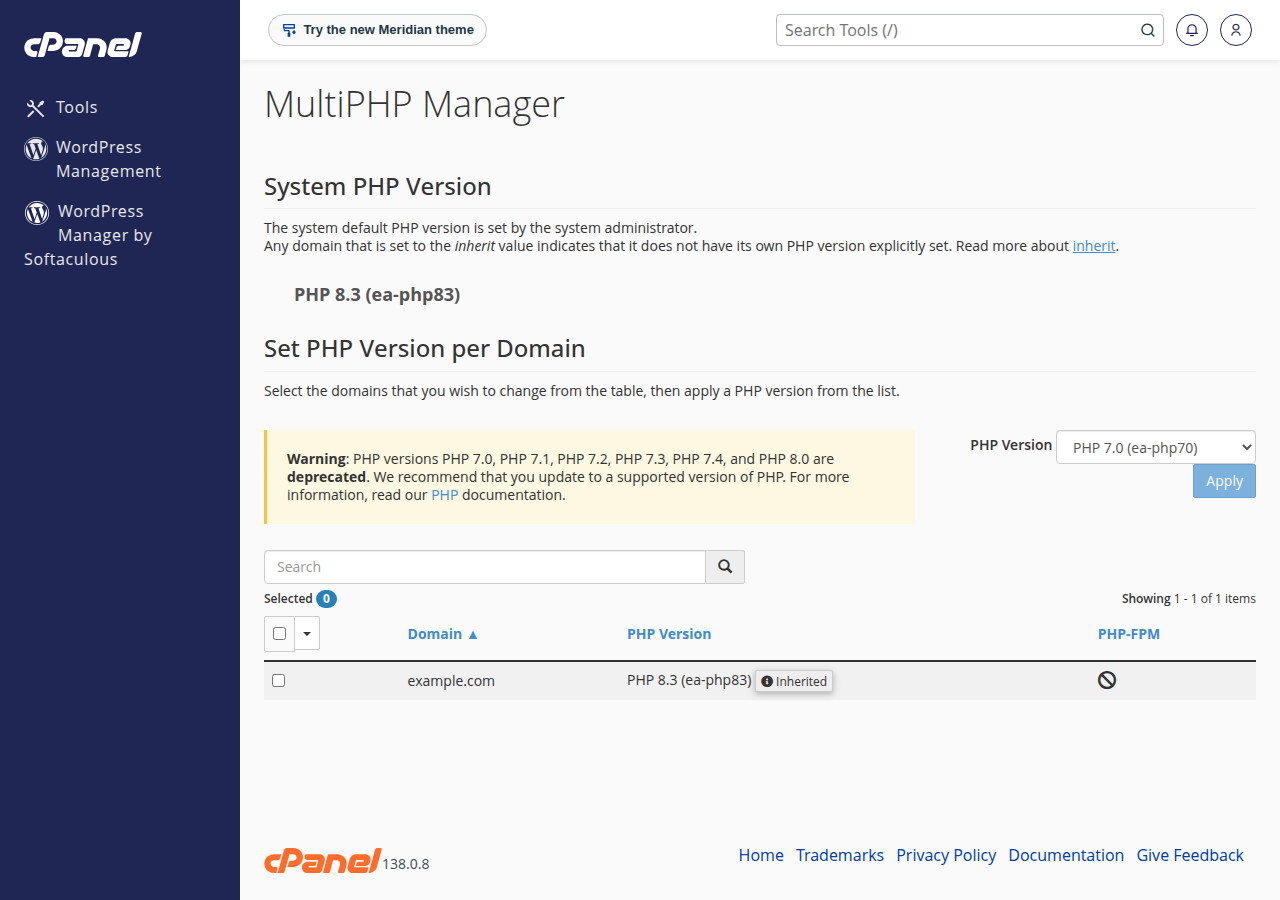
If your application needs Imagick and your site runs PHP 8.4 on cPanel, switching to PHP 8.3 gives you Imagick while keeping a supported PHP version. See how to change your PHP version. Test the site after any switch.
3. Extensions you won't find on shared hosting
| Extension | What it does | Why it is left out | Where to use it |
|---|---|---|---|
| Xdebug | Step debugging and profiling | Slows every request and exposes a debug connection | Your own computer, or a VPS |
| APCu | In-memory user cache | Shared memory can't be isolated between accounts | A VPS; use OPcache and page caching on shared hosting |
| Redis and Memcached | Clients for in-memory data stores | No Redis or Memcached server runs on shared plans | A VPS |
| MongoDB | Driver for MongoDB databases | Shared hosting can't reach MongoDB servers on their default port | App Platform, a VPS, or MySQL or PostgreSQL instead |
| Swoole and OpenSwoole | Long-running async PHP servers | Needs persistent processes and its own ports | A VPS, or the App Platform from a Dockerfile |
| Phalcon | A PHP framework compiled as an extension | Custom build per PHP version; very few sites use it | A VPS |
Two names from older guides no longer apply at all. APC was replaced years ago by OPcache (for compiled code) and APCu (for data). Suhosin was a hardening patch for old PHP versions and is not used with modern PHP; current servers get the same protection from disabled functions, account isolation and a web application firewall.
4. Can support add an extension for my account?
No. On shared hosting the extensions come from server-wide PHP builds, and there is no per-account extension selector. Support can tell you whether the extension you need is loaded on another PHP version on the same server, which is often the quickest fix. If it isn't, the application needs a VPS or the App Platform.
This is different from disabled functions. A "Call to undefined function" error usually means an extension is missing; "has been disabled for security reasons" means a specific function such as exec or proc_open is switched off. Disabled functions are covered in PHP disabled functions on shared hosting.
5. Resource overconsumption: what it looks like
Our cPanel and DirectAdmin servers run CloudLinux, which gives every account its own limits for CPU, memory, processes and concurrent connections. When a site reaches a limit, the server slows or stops that site rather than letting it affect its neighbours:
- 508 Resource Limit Is Reached usually means too many requests were being handled at the same time (entry processes).
- 500 or 503 errors under load often mean the account ran out of memory or processes.
Common causes are image processing on large uploads, heavy plugins or search features, aggressive bots and crawlers, and scheduled tasks that overlap. Cron jobs on shared hosting run at most every 4 minutes; a job set to every minute is rewritten to every 4 minutes. Check your usage in the panel and read understanding the resource limit is reached error and how to check hosting resource usage.
- Find the busy script.Check your access and error logs for the URLs and times when errors started.
- Cache what you can.OPcache is on for most PHP versions; add page caching in your CMS. See the OPcache guide.
- Resize images before upload.Large photos processed by Imagick or GD use a lot of memory per request.
- Block bad bots.Limit crawlers you don't need in
robots.txtor with.htaccessrules. - Upgrade when growth is real.If normal traffic keeps hitting limits, move to a larger plan or a VPS.
6. When to move to a VPS or the App Platform
Move when your application needs an extension from section 3, a long-running process, or more memory than a shared plan can give.
- Root access: install any extension with your package manager or PECL
- Your own php.ini, PHP-FPM pools, Redis and background workers
- Your own allocation of CPU, memory and disk, with no per-account process limits
- Self-managed: you install, secure, update and back up the server yourself
- No cPanel on our VPS plans; you choose a different panel or none
The App Platform runs your application in its own container. Only Node.js is detected automatically, so a PHP application deploys from your own Dockerfile, where you install exactly the extensions you need. See getting started with the App Platform. For installing extensions on a server you control, see how to enable essential PHP extensions on a VPS.
7. Where Domain India fits
For WordPress, Laravel sites built locally, and most PHP applications, shared hosting has the extensions you need. For custom extensions, Redis or persistent processes, choose a VPS.
- 25 GB NVMe SSD Storage
- 50 GB Monthly Bandwidth
- 1 Website
- 10 Email Accounts
- 1 vCPU
- 2 GB DDR4 RAM
- 64 GB NVMe SSD Storage
- 2 TB Monthly Bandwidth
The cards show live Domain India list prices, excluding 18% GST. Check the hosting compatible technologies list before you build.
Frequently asked questions
Is Imagick available on Domain India shared hosting?
On some PHP versions. When checked in September 2026, Imagick was loaded on PHP 8.2 and 8.3 on the cPanel servers, and on PHP 8.1 and 8.2 on the DirectAdmin servers. GD is loaded on every version, and most applications can use it instead.
Can I install Redis or Memcached on shared hosting?
No. Domain India shared plans don't run a Redis or Memcached server, and you can't install system software on shared hosting. Use OPcache and page caching, or move to a VPS where you can install Redis yourself.
Can I enable Xdebug for debugging?
No. Xdebug slows every request and opens a debug connection, so it is not loaded on shared servers. Debug on your own computer with a local PHP setup, then upload the working code.
Can support enable a PHP extension just for my account?
No. Extensions come from server-wide PHP builds. Support can check whether the extension is loaded on another PHP version on your server; if not, you need a VPS or the App Platform.
How do I check which extensions my site has?
Upload a small PHP file that calls get_loaded_extensions() or extension_loaded() for the extension you need, open it in your browser, note the result and delete the file. phpinfo() is disabled on the cPanel servers.
What does a 508 error mean on shared hosting?
It means your account reached its limit of simultaneous requests. Caching, blocking unwanted bots and fixing slow scripts usually solve it; if normal traffic keeps reaching the limit, upgrade your plan.
Ready to find the right home for your PHP application? Compare cPanel hosting and DirectAdmin hosting, look at VPS plans or the App Platform, or open a support ticket to ask whether an extension is available on your server.
Tell us which PHP extensions and versions your application needs, and we will tell you where it fits.
Ask support