A 404 Not Found error means the web server was reached, but it has nothing at the address that was requested. The fix is almost always in your own files, links or rewrite rules, so you can solve it from your control panel without server access. This guide walks through the causes in the order to check them, for cPanel and DirectAdmin hosting.
First check the exact URL: spelling, letter case and the file extension. Then confirm the file is in the right folder (the domain's document root, usually public_html). If every page except the home page gives 404 on WordPress or another CMS, the rewrite rules in .htaccess are missing: re-save the permalinks. For pages you moved or deleted, add 301 redirects and fix the links that point to them. Your panel's access and error logs show which addresses fail and why.
1. What a 404 tells you
The browser reached your server, and the server answered, but no file or route matches the address. That rules out several other problems:
| Error | What it means | Where to look |
|---|---|---|
| 404 Not Found | The server has nothing at that address | File location, URL spelling, rewrite rules, links |
| 403 Forbidden | The file exists but access is refused | Permissions, missing index file, deny rules |
| 500 Internal Server Error | The server or your code failed | .htaccess syntax, PHP errors |
| Site can't be reached | The browser never reached the server | DNS, domain expiry, nameservers |
If you see a 403 or 500 instead, see HTTP error 403 Forbidden or troubleshooting 500 Internal Server Error.
2. Check the URL exactly
- Spelling and letter case. Our Linux servers treat
About.htmlandabout.htmlas different files. A link to/Images/logo.pngwon't find/images/logo.png. - The file extension.
.htmis not.html, and.jpegis not.jpg. - Trailing parts. Extra slashes, spaces (shown as
%20) or a query string copied wrongly can all miss the page.
Open the URL in a private window to rule out an old bookmark or browser cache.
3. Check the file is in the right folder
Every domain on your account has a document root: the folder the server reads for that domain.
- The main domain's document root is usually
public_html. - Addon domains and subdomains have their own folders. On cPanel, the Domains page shows each one's document root; on DirectAdmin, each domain has its own
public_htmlunderdomains/yourdomain.com/.
Open the File Manager and check the file is really there, with the exact name. A common mistake is uploading the whole site folder, so the files end up in public_html/mysite/ and the home page is only at yourdomain.com/mysite/. Move the files up one level. See how to use the File Manager.
4. Fix rewrite rules for WordPress and other CMSs
If the home page works but every other page gives 404, the rewrite rules are missing or broken. Content-managed sites such as WordPress, Laravel and most PHP frameworks use .htaccess rules to send "pretty" URLs to one index file.
- WordPress: re-save the permalinks.In the WordPress dashboard, open Settings › Permalinks and click Save Changes without changing anything. WordPress rewrites its block in
.htaccess. - Check
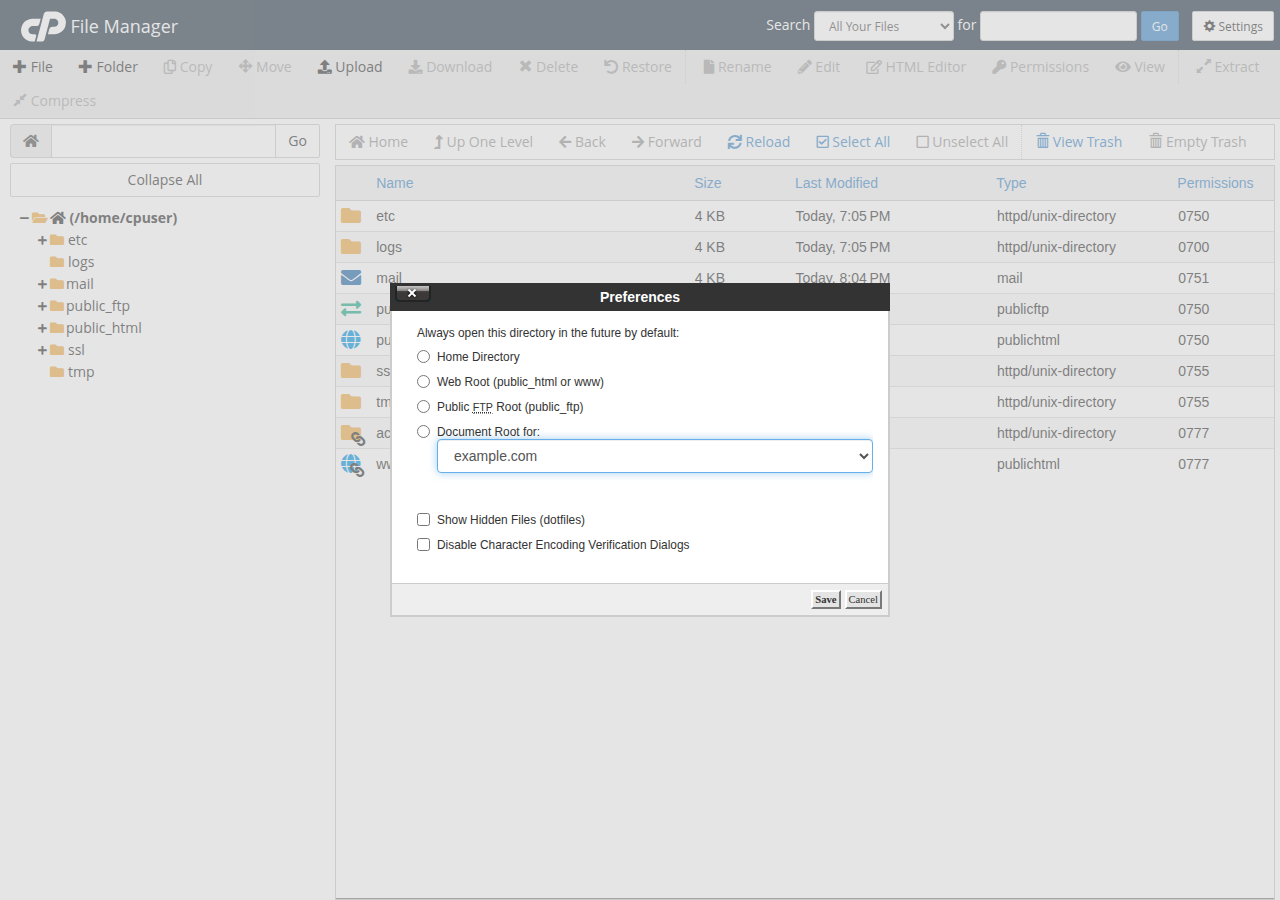
.htaccessexists.In the File Manager, turn on Show hidden files (the name starts with a dot) and look in the document root. - Check the standard WordPress block is present.It should contain the lines shown below.
- Test after each change.Change one thing at a time, so you know what fixed it.
# BEGIN WordPress
RewriteEngine On
RewriteBase /
RewriteRule ^index\.php$ - [L]
RewriteCond %{REQUEST_FILENAME} !-f
RewriteCond %{REQUEST_FILENAME} !-d
RewriteRule . /index.php [L]
# END WordPress
If WordPress is installed in a subfolder, RewriteBase and the last rule must include that folder, for example /blog/. mod_rewrite is enabled on our cPanel, DirectAdmin and Webuzo servers, so you don't need to switch it on; see enabling the mod_rewrite module.
Download a copy before you edit it. A typing mistake in .htaccess gives a 500 error for the whole site. Our servers don't run PHP as an Apache module, so php_value and php_flag lines in .htaccess also cause a 500; set PHP options in the control panel instead.
5. Redirect pages you moved or deleted
When you rename, move or remove a page, old links and search results still point to the old address. Send them to the best new page with a permanent (301) redirect in .htaccess:
Redirect 301 /old-page.html https://yourdomain.com/new-page/
Redirect 301 /services/web-design https://yourdomain.com/web-design/
For WordPress, a redirect plugin does the same from the dashboard. If a page is gone for good with no replacement, a 404 (or 410 Gone) is the correct answer; don't redirect everything to the home page.
On our cPanel servers, a caching layer can keep a copy of successful pages and redirects for up to two hours. If a fixed redirect or restored page still looks wrong, add ?t=1 (or any value) to the end of the URL to see the current version.
6. Find and fix broken links
A 404 often comes from a link, not from a missing page.
- Google Search Console lists pages Google found as "Not found (404)" under the Pages report, and shows where the link came from.
- A link checker such as the W3C Link Checker scans your pages and lists every broken link.
- Inside WordPress, search your posts for the old address and update the links.
Fix links on your own site first; you control those. For links from other sites, use a 301 redirect.
7. Read the logs
Your control panel keeps two logs that help:
- The access log records requests with their status codes. Search it for
404to see which addresses fail, how often, and which page sent the visitor (the referrer). - The error log records
.htaccessmistakes, PHP errors and rewrite problems that can sit behind a 404 on a CMS page.
On cPanel, the error log is under Metrics › Errors and the access logs under Metrics › Raw Access. On DirectAdmin, each domain has its own access and error logs. See reviewing error logs in cPanel and DirectAdmin.
8. Show a helpful 404 page
Visitors will still hit a wrong address sometimes. A custom 404 page with a search box and links to your main pages keeps them on your site. WordPress themes include one. For a static site, create 404.html and add this line to .htaccess:
ErrorDocument 404 /404.htmlMake sure the custom page still returns the 404 status code, so search engines don't index it as a real page.
9. When to contact support
If the file is in the right place, the URL is correct and the log doesn't explain it, open a ticket with the full URL, the time you saw the error and what you already checked. Our support team is on 24/7 live chat, and tickets get a first response within 15 minutes, though resolution can take longer depending on the issue.
If you're moving to new hosting, our plans include cPanel with the File Manager, error logs and .htaccess support described here.
- 25 GB NVMe SSD Storage
- 50 GB Monthly Bandwidth
- 1 Website
- 10 Email Accounts
The price on the card is a Domain India list price and excludes 18% GST.
Frequently asked questions
What does a 404 Not Found error mean?
It means the browser reached the web server, but the server has no file or page at the requested address. The usual causes are a wrong URL, a file in the wrong folder, missing rewrite rules or a link to a page that was moved or deleted.
Why do all my WordPress pages show 404 except the home page?
The rewrite rules in the .htaccess file are missing or broken. In the WordPress dashboard, open Settings, then Permalinks, and click Save Changes. WordPress rewrites the rules and the pages normally return.
Are file names case-sensitive on Linux hosting?
Yes. On Linux servers, About.html and about.html are different files, so a link must match the file name's letter case exactly.
Can wrong file permissions cause a 404 error?
Usually not. Wrong permissions normally cause a 403 Forbidden or a 500 error. The standard settings are 644 for files and 755 for folders.
How do I redirect an old page to a new one?
Add a permanent redirect to the .htaccess file in your document root, for example Redirect 301 /old-page.html https://yourdomain.com/new-page/, or use a redirect plugin in WordPress.
Where do I find the logs on Domain India hosting?
On cPanel, the error log is under Metrics, then Errors, and the access logs under Metrics, then Raw Access. On DirectAdmin, each domain has its own access and error logs. The access log shows every address that returned 404 and the page that linked to it.
Do 404 errors hurt my SEO?
A few 404s for pages that genuinely no longer exist are normal. Broken internal links and moved pages without redirects waste visitors and search traffic, so fix those with updated links or 301 redirects.
Ready to fix it? Open My Hosting to reach your control panel and File Manager, or open a ticket if the 404 won't go away.
Send us the full URL, the time you saw the error and what you have already checked, and our team will look at the server logs with you.
Open a support ticket