On Domain India shared hosting you manage PHP yourself from the control panel: you can see which PHP version each domain uses, switch it, and adjust settings such as memory_limit or upload_max_filesize. On cPanel, the two tools are MultiPHP Manager for versions and MultiPHP INI Editor for settings.
Step-by-step instructions for cPanel, DirectAdmin and Webuzo, plus what to do if your site breaks after a switch, are in How to change your PHP version.
In cPanel, open MultiPHP Manager, tick your domain, choose a version and click Apply. Our cPanel servers offer PHP 5.1 to 8.5 (new accounts use 8.3); the DirectAdmin server offers 5.6, 7.2, 7.3, 7.4, 8.1, 8.2 and 8.3. Change settings in MultiPHP INI Editor or a .user.ini file, never with php_value in .htaccess.
1. Check and change the version in cPanel
- Open cPanelfrom your hosting services. See How to log in to cPanel for other routes.
- Open MultiPHP Managerin the Software section. It lists every domain with its current PHP version; inherit means it follows the account default.
- Tick the domain, choose a version from the PHP Version dropdown and click Apply.
- Check your sitestraight away. If it breaks, switch back first, then investigate.
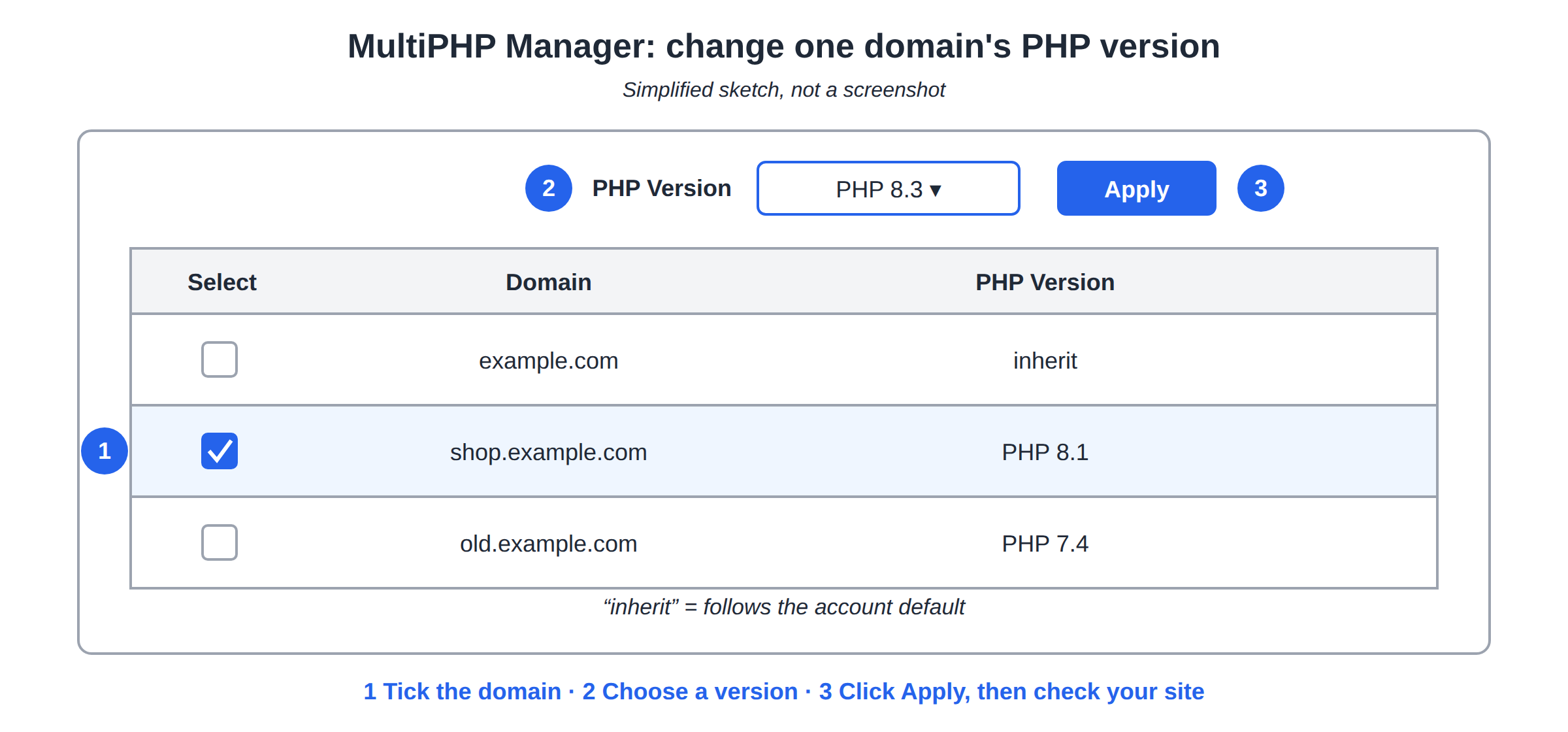
Each domain can use a different version, so an old script can stay on an older version while your main site runs a current one. On DirectAdmin, the version is set in each domain's settings; for Webuzo, ask support.
2. Which versions are available
| Hosting | PHP versions (measured September 2026) | Where you change it |
|---|---|---|
| cPanel | 5.1 to 8.5, new accounts on 8.3 | MultiPHP Manager |
| DirectAdmin | 5.6, 7.2, 7.3, 7.4, 8.1, 8.2, 8.3 | Account Manager › PHP Settings, per domain |
| Webuzo | Not measured | Ask support |
In September 2026, PHP 8.4 and 8.5 get full support, 8.2 and 8.3 get security fixes only, and every version older than 8.2 gets no fixes at all. Older versions are kept only so legacy sites keep running. For anything new, use PHP 8.3 or newer. See Understanding PHP version compatibility before a big jump.
3. Change PHP settings
Open MultiPHP INI Editor in cPanel's Software section, choose Basic Mode and your domain, and change the values you need:
memory_limit: memory for one PHP request. See PHP memory limit.upload_max_filesizeandpost_max_size: the largest upload. See PHP upload file size limit.max_execution_time: how long a script may run.
On any panel, a .user.ini file in your site's folder, with one setting per line, also works; changes can take up to 5 minutes. Settings belong to each PHP version, so check them again after you switch.
Our servers run PHP through PHP-FPM or CGI, so a php_value or php_flag line in .htaccess makes the site return a 500 error.
4. Confirm which version your site uses
Upload a file with a hard-to-guess name containing <?php echo PHP_VERSION;, open it in your browser, then delete it. In WordPress, Tools › Site Health › Info › Server also shows it. phpinfo() is disabled on our cPanel servers, so don't rely on a phpinfo page.
5. Common problems
- 500 error or blank page after a switch: set the previous version again, then read the error log. See Troubleshooting 500 Internal Server Error.
- Composer scripts or a similar tool fail: some PHP functions are switched off on shared hosting whatever the version. See PHP disabled functions on shared hosting.
- The version you need isn't listed: open a ticket with the domain and the version.
How do I change the PHP version in cPanel?
Open MultiPHP Manager in the Software section, tick the domain, choose a version from the PHP Version dropdown and click Apply. The change applies to that domain only.
Which PHP versions does Domain India offer?
Measured in September 2026, the cPanel servers offer PHP 5.1 to 8.5 with 8.3 as the default for new accounts, and the DirectAdmin server offers 5.6, 7.2, 7.3, 7.4, 8.1, 8.2 and 8.3. The Webuzo server offers PHP 8.0 and 8.1, with 8.1 as the default.
Which PHP version should I use?
The newest version your application supports. For new sites in 2026, PHP 8.3 or newer is the safe choice; versions older than 8.2 no longer receive security fixes.
Where do I change memory_limit or the upload size?
In cPanel's MultiPHP INI Editor, or in a .user.ini file in your site's folder. Do not use php_value in .htaccess, which causes a 500 error on our servers.
Can each domain use a different PHP version?
Yes. On cPanel and DirectAdmin the version is set per domain, so each website in your account can use a different one.
Ready to switch? Open your hosting services to reach your control panel, or read the full PHP version guide first.
Tell us the domain, the application and the PHP version it needs, and we will confirm what your server offers and help you switch.
Ask our support team