Which database you get at Domain India depends on the kind of hosting you choose. Shared Linux hosting gives you MySQL-compatible databases with phpMyAdmin, Windows hosting gives you Microsoft SQL Server, the App Platform gives you a managed PostgreSQL database, and a VPS runs whatever database you install. This page sets out what each product includes, how many databases each plan allows, and how you can reach them.
cPanel, DirectAdmin and Webuzo shared hosting use MariaDB/MySQL, managed with phpMyAdmin: 5 databases on Starter plans, 10 on the middle plans and 50 or more on the higher plans. Windows (Plesk) plans use MSSQL. Every App Platform plan includes a managed PostgreSQL database, and on a VPS you install any database you like. The MySQL port 3306 is closed to outside connections on shared servers, so remote tools connect through an SSH tunnel once jailed SSH is enabled on your account.
1. The short answer, by product
| Product | Database | How you manage it |
|---|---|---|
| cPanel, DirectAdmin, Webuzo shared hosting | MariaDB/MySQL | phpMyAdmin and the panel's database page |
| Windows hosting (Plesk) | Microsoft SQL Server (MSSQL) | Plesk |
| App Platform (PaaS) | Managed PostgreSQL | The app's dashboard; your app gets DATABASE_URL |
| VPS | Anything you install: MySQL, MariaDB, PostgreSQL and others | You, with full root access |
If you are not sure which product your application needs, the hosting compatibility list matches languages, frameworks and databases to products.
2. MySQL and MariaDB on shared hosting
Every cPanel, DirectAdmin and Webuzo plan includes MySQL-compatible databases. The server may run MySQL or MariaDB, a drop-in replacement for MySQL; the same PHP code, WordPress settings and SQL work with both.
We don't print a version number here, because it depends on the server and changes with updates. To see yours:
- Open phpMyAdminfrom your control panel's database section.
- Look at the Database server panelon the phpMyAdmin home page.
- Read the Server version line.It shows the exact MariaDB or MySQL version.
Check it before you import a database from another host. A dump made on MySQL 8 can contain settings, such as the utf8mb4_0900_ai_ci collation, that MariaDB rejects; database troubleshooting explains the fix.
No. On shared hosting the database server is shared by every account on it, so the version is set for the whole server and updated by us. If your application needs a specific version, run it on a VPS, where you install and control the database yourself.
3. How many databases each plan includes
These are the database counts in the Domain India catalogue on 19 September 2026:
| Plan family | Starter | Middle plan | Higher plan |
|---|---|---|---|
| cPanel | 5 MySQL (Starter) | 10 MySQL (Growth) | 50 MySQL (Business) |
| DirectAdmin | 5 MySQL (DA Starter) | 10 MySQL (DA Growth) | 50 MySQL (DA Business) |
| Webuzo | 5 MySQL (Webuzo Starter) | 10 MySQL (Webuzo Developer) | 50 MySQL (Webuzo Agency) |
| Windows (Plesk) | 1 MSSQL (ASP Starter) | 5 MSSQL (ASP Business) | 50 MSSQL (ASP Enterprise) |
The count is for the whole account, not per website. On a plan with several websites, all the sites share the same pool of databases. A WordPress site needs one database; most small business sites need no more than that.
4. How to create and manage a MySQL database
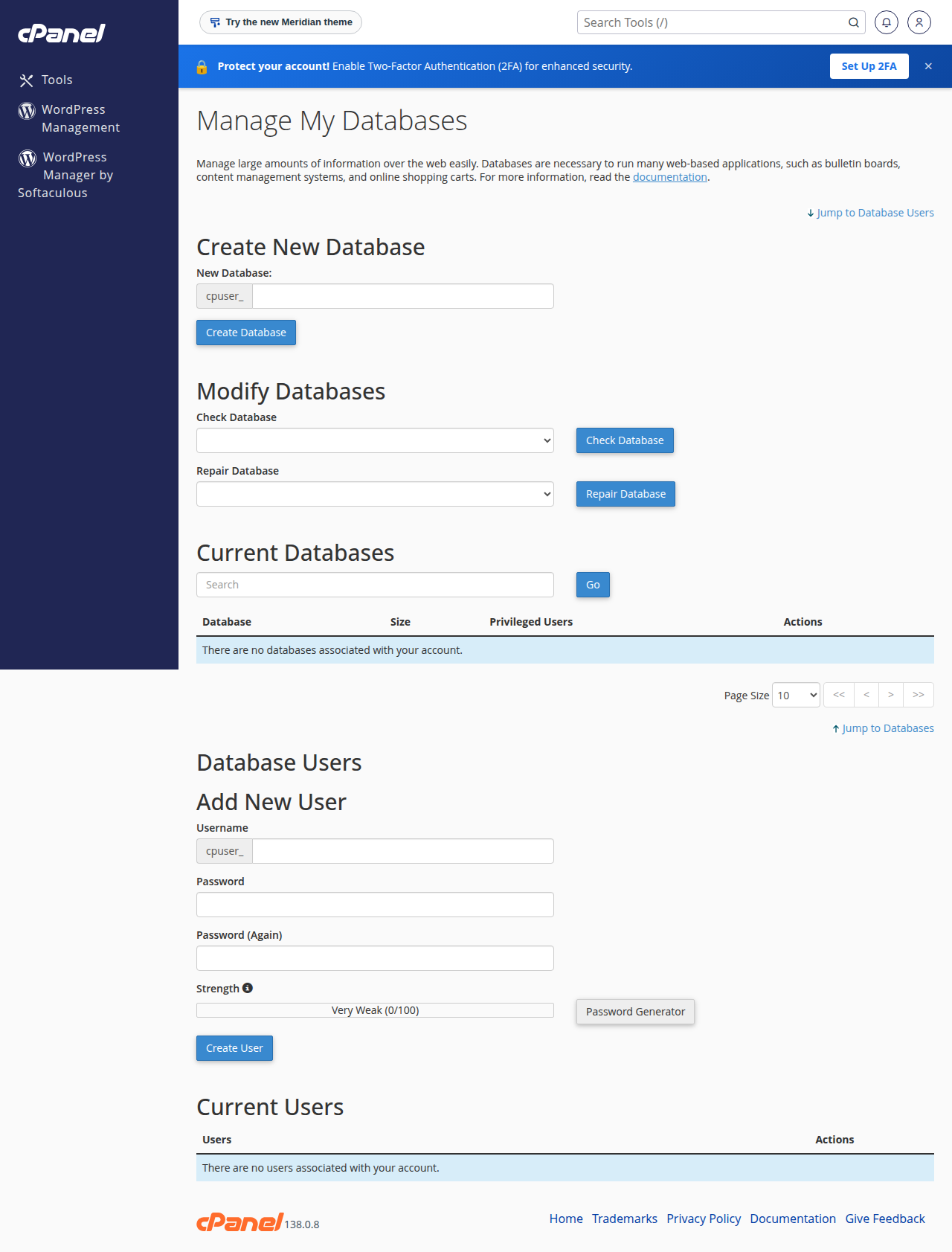
Create the database and a database user in your control panel, then add the user to the database with privileges. In cPanel the Database Wizard does all three steps in one flow. Your website connects with host localhost, the full prefixed names (for example acme_shop) and the database user's password. Step-by-step instructions for all three panels, with PHP, WordPress and Laravel examples, are in how to connect to the MySQL database.
Day to day, you browse, edit, export and import through phpMyAdmin: see how to access and manage your MySQL database with phpMyAdmin.
5. Connecting from your own computer
Port 3306 is closed to outside connections on every shared server. A desktop tool such as MySQL Workbench, DBeaver or HeidiSQL pointed straight at the server will time out. Adding your IP address under Remote Database Access in the panel only tells the database who may log in; the firewall may still block the connection.
The dependable route is an SSH tunnel:
- Get jailed SSH enabled.Jailed SSH access is available on every shared hosting plan (cPanel, DirectAdmin, Webuzo). It is off by default; ask support to enable it for your account.
- Add your SSH key.Our servers accept key logins, not passwords. See enabling and accessing jailed SSH.
- Open the tunneland point your tool at
127.0.0.1, port3307.
ssh -N -L 3307:localhost:3306 [email protected]Use your usual database name, user and password in the tool. More options, including tunnels built into Workbench and DBeaver, are in securing MySQL access with SSH tunnels.
6. PostgreSQL on the App Platform
If your application is built for PostgreSQL, such as a Django, Rails, Prisma or FastAPI app, the App Platform is the natural home. Every plan includes a managed PostgreSQL database:
- It is created with your app, and the connection string is given to your app as the
DATABASE_URLenvironment variable. You don't configure a host or password yourself. - It is backed up automatically every night, you can take a backup yourself at any time, and the 7 most recent backups are kept, with one-click restore from the dashboard.
- There is one database per app, and it counts towards your plan's storage.
- You can't connect to it directly from your own computer; your app reaches it internally.
Details and code examples: PostgreSQL on the App Platform. New to the platform? Start with getting started with the App Platform.
On shared hosting, PostgreSQL is not part of the standard plans. If your application needs it, ask support before you order, or use the App Platform or a VPS.
7. Any database on a VPS
A VPS gives you full root access, so you choose and install the database yourself: a specific MySQL or MariaDB version, PostgreSQL with extensions, MongoDB, Redis or anything else your stack needs. You also control remote access and the firewall. In exchange, you look after updates, security and backups yourself.
- WordPress, Joomla, WooCommerce and other PHP applications
- Business websites that need MySQL and phpMyAdmin with no setup
- Owners who want us to run and update the database server
- Applications written for PostgreSQL
- A specific database version or a database other than MySQL
- Direct remote database connections without a tunnel (VPS only)
8. Where Domain India fits
Most websites need nothing more than the MySQL databases in a shared hosting plan. Pick the product by what you are building. Prices on the cards are live and exclude 18% GST.
- 25 GB NVMe SSD Storage
- 50 GB Monthly Bandwidth
- 1 Website
- 10 Email Accounts
- 512 MB RAM per app
- 1 vCPU
- 5 GB NVMe SSD
- PostgreSQL Database
- 1 vCPU
- 2 GB DDR4 RAM
- 64 GB NVMe SSD Storage
- 2 TB Monthly Bandwidth
Not sure which fits? Tell us your application and the database it needs; support is on 24/7 live chat, and tickets get a first response within 15 minutes. There is no phone support.
Frequently asked questions
Which database does Domain India shared hosting use?
cPanel, DirectAdmin and Webuzo shared hosting use MariaDB/MySQL, managed with phpMyAdmin. The exact version depends on the server; open phpMyAdmin and read the Server version line on its home page.
How many MySQL databases do I get?
Starter plans on cPanel, DirectAdmin and Webuzo include 5 MySQL databases, the middle plans (Growth, or Developer on Webuzo) include 10, and the higher plans include 50 or more (cPanel Agency has 100). The count is shared by all websites on the account.
Can I change the MySQL version on my shared hosting account?
No. The database server is shared by every account on it, so its version is set for the whole server. If you need a specific version, use a VPS, where you install and control the database yourself.
Does Domain India offer PostgreSQL?
Yes. Every App Platform plan includes a managed PostgreSQL database, connected to your app through the DATABASE_URL variable and backed up every night. On a VPS you can install PostgreSQL yourself. It is not part of the standard shared hosting plans; ask support if you need it there.
Can I connect to my shared hosting database remotely?
Not directly, because port 3306 is closed to outside connections. Use phpMyAdmin, or an SSH tunnel once jailed SSH is enabled on your account. Jailed SSH is available on every shared plan but is off by default, so ask support to enable it; you log in with an SSH key.
What database do Windows hosting plans use?
Domain India Windows (Plesk) plans use Microsoft SQL Server: 1 MSSQL database on ASP Starter, 5 on ASP Business and 50 on ASP Enterprise.
Ready to choose? Compare cPanel hosting, DirectAdmin hosting and Webuzo hosting for MySQL, the App Platform for PostgreSQL, or a VPS for any database you like.
Tell us your application and the database it was built for, and we will point you to the right plan before you order.
Ask our team