When you register a domain name, you don't buy it outright the way you buy a shop or a car. You hold the exclusive right to use it for the term you paid for, and you can keep renewing that right for as long as you like. Knowing what that right includes, what can take it away and how to prove it is yours protects your website, your email and your brand.
The registrant, meaning the person or organisation named as the domain's owner at the registry, is its legal holder. That gives you exclusive use, control of its DNS, and the right to renew it, transfer it or sell it, as long as you follow the registry's rules and renew on time. Keep the registrant in your own or your business's name, keep contact details accurate, and protect the account the domain sits in. For .in domains, personal registrant details are hidden in public WHOIS for free and automatically.
1. What "owning" a domain means
A domain registration is a right of use for a fixed term, from one to ten years, depending on the extension. During that term, nobody else can register the same name, and you decide what it does. When the term ends, you renew to keep it. There is no limit on how many times you can renew, so in practice a domain can stay yours indefinitely.
It isn't property in the ordinary sense: it exists under the rules of the registry that runs the extension, and those rules can limit or, in serious cases, remove your right.
2. The key roles
| Role | Who it is | What they do |
|---|---|---|
| Registrant | You, or your business | The legal holder of the domain for the registration term |
| Registrar | The company you register through, such as Domain India | Submits your registration to the registry and gives you the tools to manage it |
| Registry | The operator of the extension, such as NIXI for .in | Keeps the master database for the extension and sets its policies |
| WHOIS or RDAP record | The public registration record | Shows the registrar, dates, status and nameservers, and contact details where they aren't hidden |
Domain India is a NIXI-accredited .IN registrar.
3. Your rights as the registrant
In practice, control comes from two things: the registrant record, which is legal ownership, and the account the domain sits in, because whoever can sign in there can change nameservers, unlock the domain and get its transfer code. Protect that account with a strong password and two-factor authentication.
If a web designer, agency or former employee registered your domain in their own name or their own account, they control it until it is moved to you. Ask them to update the registrant to you and move the domain into your account, or to give you its EPP code so you can transfer it.
4. Your responsibilities
- Keep contact details accurate. Registries require correct registrant details. Wrong or fake details can lead to suspension, and an out-of-date email address means you miss renewal and verification messages. See change your domain's WHOIS information.
- Complete verification when asked. Generic domains such as .com need the registrant's email verified. For .in domains, the registrant's identity is verified on the Identity verification page in the client area.
- Renew on time. The domain is yours only while the registration is current. For a domain that matters, renew for several years at once.
- Use it lawfully. A domain used for phishing, malware or spam, or subject to a court order, can be suspended.
5. Privacy: what the public can see
For .in and its second-level extensions (.co.in, .net.in, .org.in and others), personal registrant details are not shown in public WHOIS. This is free and automatic; there is nothing to switch on. A company or organisation name may still appear, along with technical data such as the registrar, dates and nameservers.
For .com, .net, .org and most other extensions, privacy options differ by extension. On Domain India, an optional privacy add-on for these is on the Security card of the domain's Overview tab.
Hidden details don't weaken your ownership. The registry and registrar still hold the full record, and it is what counts in a transfer or a dispute.
6. When a domain expires
If you don't renew, the domain stops working, usually taking your website and email with it, and goes through recovery stages before it is deleted and anyone can register it. The length of each stage and the cost of recovery vary by extension.
For .in domains at Domain India, you can renew at the normal price up to day 36 after expiry. From day 37 it can only be restored, for ₹4,000, which includes GST and the renewal.
Domain India never charges a saved card automatically. A renewal invoice is generated up to 30 days before the due date and emailed to you, and the domain renews when you pay it. See how auto-renewal works.
7. Transferring ownership
Moving a domain can mean two different things:
| Change | What it involves |
|---|---|
| New registrar, same owner | Unlock the domain, get its EPP (authorisation) code and start the transfer at the new registrar |
| New owner | Update the registrant to the new person or business, and move the domain into their account |
At Domain India, a domain can move to another registrar once it is unlocked, at least 60 days old and has WHOIS privacy turned off. On generic domains, changing the registrant's name, organisation or email is a change of registrant: it triggers email verification and can start a 60-day lock on transfers to another registrar. The step-by-step guide is transferring a domain name to another registrar.
8. Disputes
If someone believes your domain infringes their trademark, they can file a complaint under a dispute policy:
- UDRP for generic domains such as .com, handled by approved providers such as WIPO;
- INDRP, the .IN Domain Name Dispute Resolution Policy, for .in domains, administered by NIXI.
An arbitrator can order the domain transferred or cancelled if it was registered and used in bad faith, for example to cybersquat on an established brand. Registering a name in good faith, for your own business, is the best protection. See domain dispute resolution for more.
9. Proving the domain is yours
The registrant record is the proof of ownership. To show it:
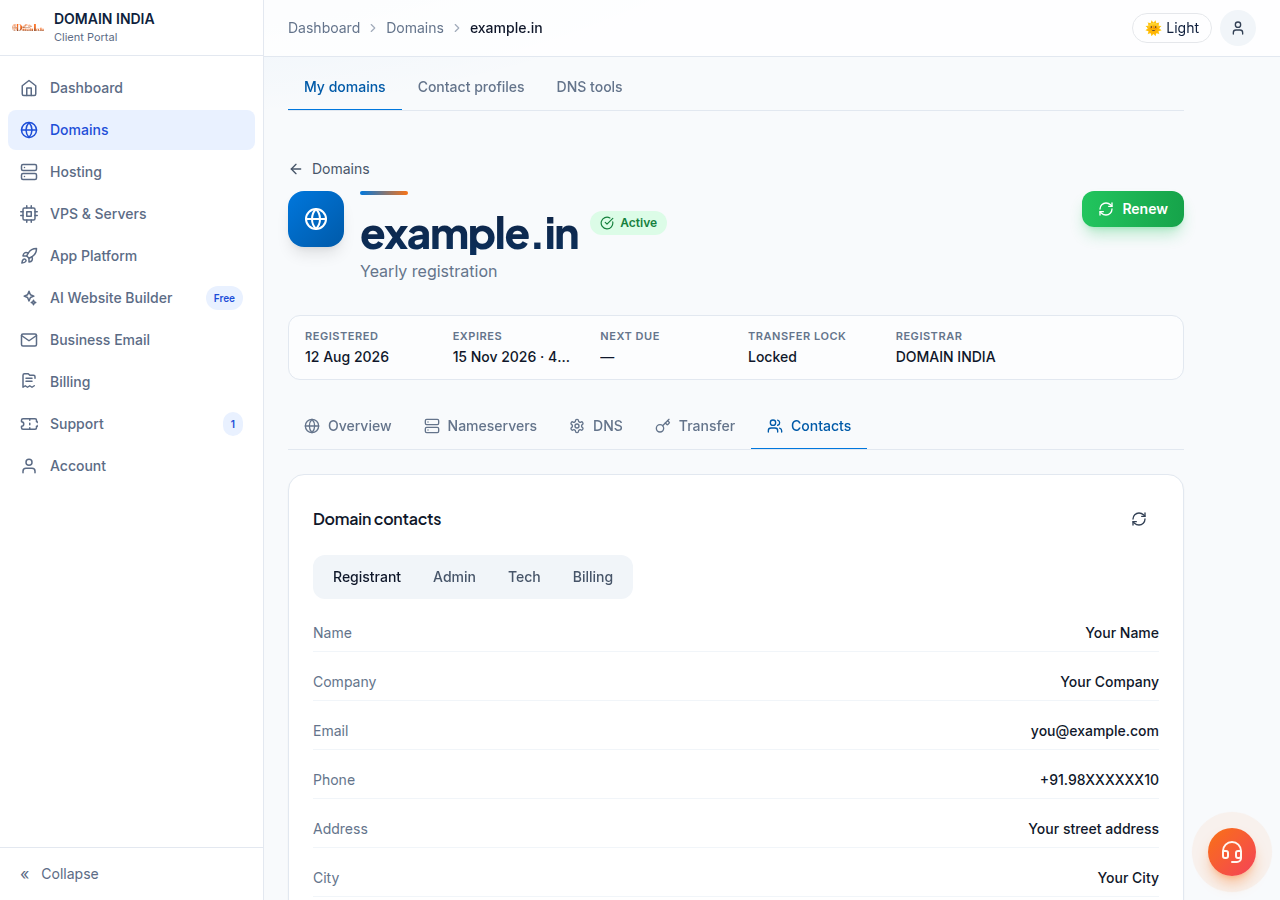
- open the domain in your client area and check its Contacts tab;
- keep your registration and renewal invoices, which show the domain and the term paid for;
- for a .in domain, keep the confirmation of your identity verification;
- to confirm the registration publicly, look the domain up in our WHOIS lookup, which shows the registrar, the registration and expiry dates and the status.
If a bank, marketplace or platform asks for evidence, these usually satisfy them. If they need something else, ask support what can be provided.
10. Domain India as your registrar
Domain India is a NIXI-accredited .IN registrar, and every domain you hold with us is managed from one client area. Domain India list prices on 19 September 2026, excluding 18% GST:
| Extension | Register (1 year) | Renew (per year) |
|---|---|---|
| .in | ₹575 | ₹625 |
| .co.in | ₹475 | ₹525 |
| .com | ₹1,150 | ₹1,150 |
For a full guide to what you control and where, see do I have complete control over my domain name?.
Do I legally own my domain name?
You hold it as the registrant for the term you paid for, under the registry's rules, and you can renew it indefinitely. The registrant contact on the domain is its legal holder, so keep it in your own or your business's name.
Is my personal information public for a .in domain?
No. For .in and its second-level extensions, personal registrant details are not shown in public WHOIS. This is free and automatic; there is nothing to switch on.
What happens if my .in domain expires?
It stops working. At Domain India you can renew it at the normal price up to day 36 after expiry. From day 37 it can only be restored, for ₹4,000, which includes GST and the renewal.
How do I transfer my domain to another person?
Update the registrant contact to the new owner and move the domain into their account. To move it to another registrar as well, unlock it and give them the EPP code.
Can someone take my domain through a dispute?
A trademark holder can file a complaint under the UDRP for generic domains or the INDRP for .in domains. An arbitrator can transfer the domain if it was registered and used in bad faith.
How do I prove I own my domain?
The registrant record is the proof. Check the domain's Contacts tab in the client area, and keep your registration and renewal invoices.
How do I get confirmation that my domain is registered?
Open Domains in the client area: a registered domain is listed there with its status and expiry date, and its invoice shows the domain and the term you paid for. Anyone can also confirm it in the WHOIS lookup at domainindia.com/domains/whois, which shows the registrar and the registration and expiry dates.
Ready to check your domains? Open your domains and review each one's Contacts, Nameservers and Transfer tabs, or register a new name at domain registration.
Register .in, .com and other extensions, and manage contacts, renewals and transfers from one client area.
Search for a domain