A custom error page is the page visitors see instead of the server's plain message when something goes wrong, such as a missing page (404) or a blocked folder (403). A good one keeps visitors on your site with a link home or a search box. This guide shows how to set up custom error pages on Domain India's DirectAdmin hosting, where it works through files and .htaccess rather than a panel editor.
The current DirectAdmin on our servers has no built-in error-page editor, so you create error pages as normal files in your website folder. For a 404 page, create a file called 404.shtml in domains/yourdomain.com/public_html: the server already uses that name for "page not found", so it works without any other change. For 403, 500 and other codes, create the pages and add ErrorDocument lines to your .htaccess file. WordPress and most other CMSs show their own 404 page, which you change in the theme instead.
1. Which error pages are worth customising
| Code | What it means | Worth a custom page? |
|---|---|---|
| 404 Not Found | The page doesn't exist, often an old or mistyped link | Yes, the most important one |
| 403 Forbidden | Access to a file or folder is blocked | Yes, if visitors can hit protected folders |
| 401 Unauthorized | A password-protected folder asked for a login and it failed | Optional |
| 500 Internal Server Error | A server-side fault, often a broken .htaccess or script | Useful, with limits (section 5) |
| 503 Service Unavailable | The site is temporarily unable to respond | Optional |
Start with the 404 page: real visitors see it most, from old bookmarks, typos and removed pages.
2. How error pages work on Domain India DirectAdmin
We checked our DirectAdmin servers on 23 September 2026:
- The DirectAdmin interface no longer has a Custom Error Pages tool, so older guides that tell you to open it describe a menu you won't find.
- The web server is Apache, and it is already set to use
/404.shtmlas the "not found" page for every site. If that file exists in your website's folder, visitors see it; if it doesn't, they see Apache's plain default message. .htaccessfiles may set their own error pages withErrorDocument, so you can add pages for any other code.- Many older accounts already have a
404.shtmlinpublic_htmlwith a plain "Not Found" message. If yours does, that is the file to edit.
Your website's folder is domains/yourdomain.com/public_html. For a subdomain it is the subdomain's own folder.
3. Create a custom 404 page
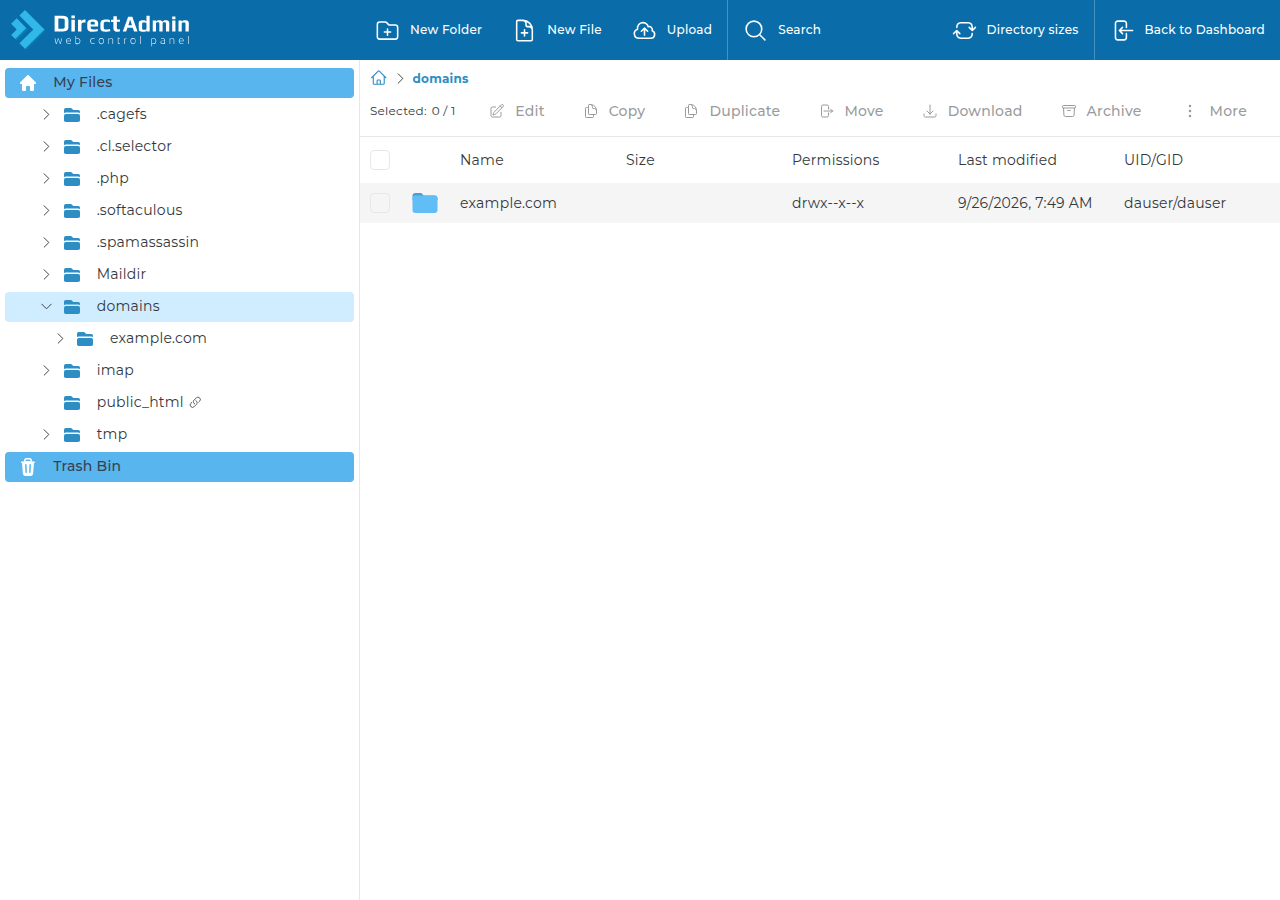
- Open the File Manager.Log in to DirectAdmin from the client area and open the File Manager. See the DirectAdmin File Manager guide.
- Go to your website folder,
domains/yourdomain.com/public_html. - Create or open
404.shtml.If the file already exists, edit it. The name must match exactly, in lower case. - Add your page.Paste the example below and change the text, colours and links to match your site.
- Save and test.Open an address that doesn't exist, such as
https://yourdomain.com/test-missing-page, and check your page appears.
A simple, self-contained 404 page:
<!doctype html>
<html lang="en">
<head>
  <meta charset="utf-8">
  <meta name="viewport" content="width=device-width, initial-scale=1">
  <title>Page not found | Your Business</title>
  <style>
    body { font-family: system-ui, sans-serif; max-width: 36rem; margin: 15vh auto; padding: 0 1rem; color: #222; }
    a { color: #0a58ca; }
  </style>
</head>
<body>
  <h1>Sorry, we can't find that page</h1>
  <p>We couldn't find <!--#echo var="REQUEST_URI" --> on this site. It may have moved, or the link may be mistyped.</p>
  <p><a href="/">Go to the home page</a></p>
</body>
</html>
Because the file ends in .shtml, the server fills in the <!--#echo var="REQUEST_URI" --> line with the address the visitor asked for; we tested this on our DirectAdmin servers. Remove that line if you don't want it. Keep styles inside the page, as in the example, and use links that start with /. The error page can be shown at any address on your site, so relative links to images or CSS files often break.
4. Add pages for other error codes with .htaccess
For other codes, create one file per error and point to each with an ErrorDocument line in the .htaccess file in public_html. A tidy way is a folder called errors:
ErrorDocument 403 /errors/403.html
ErrorDocument 404 /errors/404.html
ErrorDocument 500 /errors/500.html
ErrorDocument 503 /errors/503.html
A line in .htaccess overrides the server's default, so if you add ErrorDocument 404, the file you name there is used instead of 404.shtml.
Rules that avoid surprises:
- Use a path that starts with
/, not a fullhttps://address. With a full address, Apache redirects the visitor to that page and the real error code is lost, so search engines see a normal page instead of a 404. - Edit
.htaccesscarefully. One typo gives the whole site a 500 error. Keep a copy of the working file before you change it. - Don't add
php_valueorphp_flaglines. PHP on our servers doesn't run as an Apache module, so those lines cause a 500 error. Change PHP settings from the panel instead. - Only some
Optionsvalues are allowed on our DirectAdmin servers:Indexes,IncludesNOEXEC,MultiViews,SymLinksIfOwnerMatch,FollowSymLinksandNone. Any other value gives a 500 error.
For more on .htaccess rules, see How can I enable the mod_rewrite module.
5. When your custom page won't appear
index.php, so it shows the theme's 404 page, not yours. Change it in the theme (the 404 template or the site editor) or with a plugin.ErrorDocument 500 page usually isn't shown. Fix the error using your logs..htaccess itself has an error, Apache can't read your ErrorDocument lines either, so the default 500 page appears. Fix the file first..php file as the error page, set the status at the top with http_response_code(404); and check it with the command below, or the page may be sent as a normal 200.To check that your 404 page returns the right status code, not just the right look, run this on your computer:
curl -sI https://yourdomain.com/test-missing-page | head -1The first line should say 404. If it says 200, search engines will treat every missing address as a real page (a "soft 404"), which hurts how your site is indexed.
For finding the cause of the errors themselves, see Understanding and resolving HTTP status codes in cPanel and DirectAdmin, Troubleshooting 500 Internal Server Error and How to access and analyze logs in DirectAdmin.
6. What makes a good error page
- Say what happened in plain words. "We can't find that page" beats "Error 404".
- Offer a way forward: a link home, your main sections, a search box or a contact link.
- Keep it light. No large images or external scripts; an error page should load even when parts of the site are struggling.
- Show no technical details such as file paths, server names or database messages.
On a cPanel plan the idea is the same, but cPanel still has its own Error Pages tool for editing these pages in the panel.
7. Where Domain India DirectAdmin hosting fits
Everything above works on every Domain India DirectAdmin plan: Apache with .htaccess support, a File Manager, and free Let's Encrypt SSL so your error pages load over HTTPS like the rest of the site. Weekly JetBackup backups let you restore a file if an edit goes wrong.
- 10 GB NVMe SSD Storage
- 50 GB Monthly Bandwidth
- 1 Website
- 5 Email Accounts
Frequently asked questions
Where is Custom Error Pages in DirectAdmin?
The current DirectAdmin on Domain India's servers has no Custom Error Pages editor. Create the error pages as files in your website folder and, for codes other than 404, point to them with ErrorDocument lines in .htaccess.
How do I make a custom 404 page on DirectAdmin hosting?
Create a file named 404.shtml in domains/yourdomain.com/public_html with your page's HTML. Our servers already use that file for page-not-found errors, so no other change is needed.
Why does my WordPress site not show my custom 404 page?
WordPress handles unknown addresses itself and shows the theme's 404 template. Change the 404 page in your theme or site editor rather than with a 404.shtml file or .htaccess.
Should ErrorDocument use a full URL?
No. Use a path that starts with a slash, such as /errors/404.html. A full URL makes Apache redirect the visitor, and the real error code is lost.
Can I use PHP in my error page?
Yes, but set the status code at the top with http_response_code, such as http_response_code(404), and check the response with curl -I. A plain HTML page is the safest choice for 500 errors.
Why do I get a 500 error after editing .htaccess?
Usually a typo, a php_value or php_flag line, or an Options value the server doesn't allow. Restore your saved copy of the file, then add your changes back one line at a time.
Ready to set up your error pages? Open your hosting list, click the DirectAdmin button and start with 404.shtml. Looking for hosting? Compare DirectAdmin hosting plans.
Apache with .htaccess support, free SSL and weekly JetBackup backups on every DirectAdmin plan.
See DirectAdmin plans