FTP is the easiest way to upload a whole website, or many files at once, to Domain India DirectAdmin hosting. This guide gives the connection settings that work on our DirectAdmin server, shows how to upload with FileZilla into the right folder, explains when SFTP is an option, and fixes the errors people hit most often.
In FileZilla, connect to your server hostname (from your welcome email or the client area) on port 21, with "Require explicit FTP over TLS" and passive mode. Log in with your DirectAdmin username and password, or an extra FTP account such as [email protected]. Upload your site into domains/yourdomain.com/public_html. SFTP on port 22 works only after support enables jailed SSH for you, and it logs in with an SSH key, not a password.
1. The connection settings
| Setting | FTP over TLS (works on every account) | SFTP (only if jailed SSH is enabled) |
|---|---|---|
| Host | Your server hostname | Your server hostname or domain |
| Port | 21 | 22 |
| Protocol in FileZilla | FTP, with "Require explicit FTP over TLS" | SFTP - SSH File Transfer Protocol |
| Username | Your DirectAdmin username, or an extra FTP account such as [email protected] | Your DirectAdmin username only |
| Password | The password for that login | None: log in with your SSH key |
| Transfer mode | Passive | Not applicable |
Where to find the hostname and username: in your welcome email, or in the client area under your hosting service's Manage › Access tab, which shows the username, server IP and panel address. Lost the email? See getting your welcome email again.
Why the hostname? FTP over TLS works on our DirectAdmin server, and its certificate is issued for the server's hostname. If you connect to your domain name or IP address instead, the connection is still encrypted, but FileZilla warns that the certificate name does not match. The hostname also works before your domain points to us.
FTP without TLS sends your username and password across the internet unencrypted. Always choose explicit FTP over TLS. Your DirectAdmin password also opens your control panel, so never give it to anyone else: create an extra FTP account instead (section 5).
2. Connect with FileZilla
FileZilla is free for Windows, macOS and Linux. Download it only from the official site, filezilla-project.org, and decline any extra software the installer offers. WinSCP (Windows) and Cyberduck (macOS and Windows) work too with the same settings.
- Open the Site Manager.In FileZilla, go to File › Site Manager and click New site. The Site Manager lets you choose the encryption and saves your settings for next time.
- Set the protocol.Protocol: FTP - File Transfer Protocol. Encryption: Require explicit FTP over TLS.
- Enter the host and port.Your server hostname, port 21.
- Enter your login.Logon Type Normal (or Ask for password on a shared computer), then your username and password. Type extra FTP accounts in full, such as
[email protected]. - Check passive mode.On the Transfer Settings tab, set Transfer mode to Passive.
- Connect.The first time, FileZilla shows the server's certificate. Check that it names the server hostname you typed and is in date, then trust it.
For certificate warnings and other FTP programs, see using SSL/TLS encryption in FTP clients.
3. Upload to the right folder
FileZilla shows your computer on the left and the server on the right. When you log in with your DirectAdmin username, you start in your home folder. Your website lives here:
| Website | Folder on the server |
|---|---|
| Main domain | domains/yourdomain.com/public_html |
| Another domain on the same account | domains/otherdomain.com/public_html |
| Subdomain | Inside the domain's folder, as shown in DirectAdmin when you created it |
- Open the destination on the right.Double-click
domains, then your domain, thenpublic_html. - Open your site on the left.Go into the folder on your computer that holds
index.htmlorindex.php. - Drag the contents across.Select everything inside your site folder (not the folder itself) and drag it into
public_html. Progress shows at the bottom. - Check the result.Open your domain in a private browser window. If a placeholder page still shows, remove it: DirectAdmin serves
index.htmlbeforeindex.php.
Uploading thousands of small files, such as a WordPress site, is slow over FTP. It is usually quicker to zip the site, upload the single zip with the DirectAdmin File Manager (uploads up to 500 MB) and extract it there.
4. Permissions after uploading
Files should normally be 644 and folders 755. FileZilla usually keeps these, but if a page gives a 403 error, right-click the file or folder in the right pane, choose File permissions, and set the correct value. Never set anything to 777. See understanding and resolving the 403 Forbidden error.
5. Give someone else FTP access
Create an extra FTP account instead of sharing your DirectAdmin password. It logs in to FTP only, never to DirectAdmin, and is locked to the folder you choose.
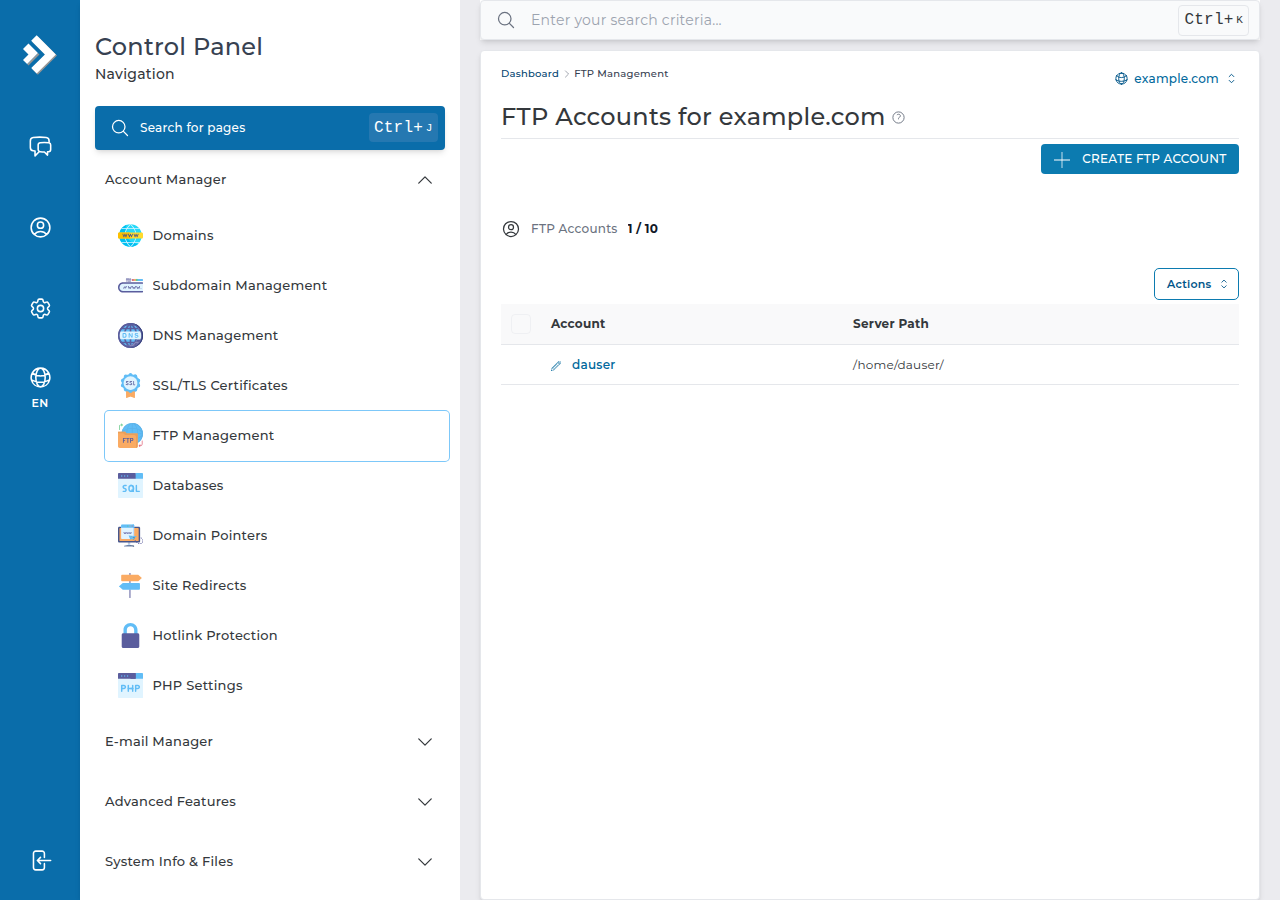
- In DirectAdmin, open FTP Management and click Create FTP Account.
- Enter a name (the login becomes
[email protected]) and a strong password. - Choose the account type: Domain, FTP, User or Custom (any folder you type in), and save.
Delete the account when the work is done. The full walkthrough, including which folder each type opens, is creating and managing FTP accounts in DirectAdmin.
6. SFTP and SSH on DirectAdmin
SFTP is file transfer over SSH, on port 22. Jailed SSH access is available on every shared hosting plan (cPanel, DirectAdmin, Webuzo). It is off by default; ask support to enable it for your account. SSH login is key-only: add your public key first, then choose SFTP in FileZilla with Logon Type: Key file. Extra FTP accounts cannot use SFTP.
Inside the jailed shell, scp, tar and unzip are available but rsync is not, so the quickest code deploy is to pack an archive, copy it with scp, and unpack it on the server. See SSH on DirectAdmin hosting.
7. Fixing common FTP problems
| Problem | Likely cause | Fix |
|---|---|---|
| "530 Login authentication failed" | Short username for an extra account, wrong password, or deleted account | Type the full [email protected]; reset the password in FTP Management |
| Connected, but "Failed to retrieve directory listing" or a timeout | Active mode, or a router or firewall blocking the data connection | Set Passive mode; try another network such as a mobile hotspot |
| Certificate name mismatch warning | Connected by domain name or IP | Use the server hostname |
| Connection refused or timed out from one network only | Your IP was blocked after failed logins | Stop retrying; contact support with your public IP address |
| Upload stops part-way | The account is out of disk space | Check usage in DirectAdmin; delete old backups or upgrade |
| Files uploaded but the site has not changed | Wrong folder, or a cached page | Upload into domains/yourdomain.com/public_html; test in a private window |
More error messages are explained in FileZilla error messages and solutions.
8. DirectAdmin hosting at Domain India
Every DirectAdmin plan includes FTP over TLS, extra FTP accounts, the File Manager, free SSL, jailed SSH on request and weekly JetBackup backups. DA Starter costs ₹100 a month for one website with 10 GB NVMe storage; DA Growth costs ₹150 a month for five websites with 30 GB. These are Domain India list prices on 19 September 2026, excluding 18% GST. Compare the plans on DirectAdmin hosting.
What are the FTP settings for Domain India DirectAdmin hosting?
Host: your server hostname from the welcome email or the client area. Port: 21. Protocol: FTP with Require explicit FTP over TLS. Transfer mode: passive. Username: your DirectAdmin username or an extra FTP account such as [email protected], with its password.
Which folder do I upload my website to in DirectAdmin?
Upload into domains/yourdomain.com/public_html, with your own domain name. Put the files themselves there, with index.html or index.php at the top, not a folder containing them.
Can I use SFTP on DirectAdmin hosting?
Yes, once support enables jailed SSH for your account; it is off by default. SFTP uses port 22 and logs in with an SSH key, not a password, using your DirectAdmin username.
Why does FileZilla show a certificate warning?
Usually because you connected to your domain name or IP address, while the certificate is issued for the server hostname. Connect to the hostname from your welcome email or the client area instead.
Why does FileZilla say Failed to retrieve directory listing?
The data connection is being blocked, usually because active mode is set or a router or firewall is in the way. Set the transfer mode to passive and try again, or test from another network.
Can I give a web designer FTP access without my DirectAdmin password?
Yes. Create an extra FTP account in DirectAdmin's FTP Management and lock it to the folder they need. It works for FTP only and cannot open DirectAdmin.
What permissions should uploaded files have?
Files 644 and folders 755. Never use 777. A 403 error after uploading usually means a permission is wrong.
Ready to upload? Find your hostname and username in your hosting services, then connect with FileZilla as above. If you still cannot connect, open a support ticket with your FTP username, the error FileZilla shows and the time you tried: support is on 24/7 live chat, and tickets get a first response within 15 minutes.
Send us the FTP username, the exact error and the time you tried. Never send your password.
Open a support ticket