On DirectAdmin hosting, your account has its own share of CPU, memory, disk activity and simultaneous PHP requests, plus disk space and bandwidth. This guide explains what to look for, how to read it, and how to get the numbers from us when you cannot find them in the panel.
The cPanel version, with every resource and fault explained, is How to check your hosting resource usage. The limits themselves are explained in Understanding hosting resource limits.
Our DirectAdmin servers run CloudLinux, so the same limits apply as on cPanel: CPU, physical memory, entry processes, number of processes, I/O and IOPS. The page is called Resource Usage: type it in the Search for pages box at the top of the DirectAdmin menu, or press Ctrl+J. If you would rather not read it yourself, open a ticket and we will read your account's usage and faults for you. When you read it yourself, look at the Faults for the day the problem happened.
1. Log in to DirectAdmin
The quickest route is the DirectAdmin button on your hosting row in the client area: it signs you in with no DirectAdmin password. You can also log in directly on port 2222, for example https://yourdomain.com:2222. The full walkthrough is in How to log in to DirectAdmin.
2. Find your resource usage
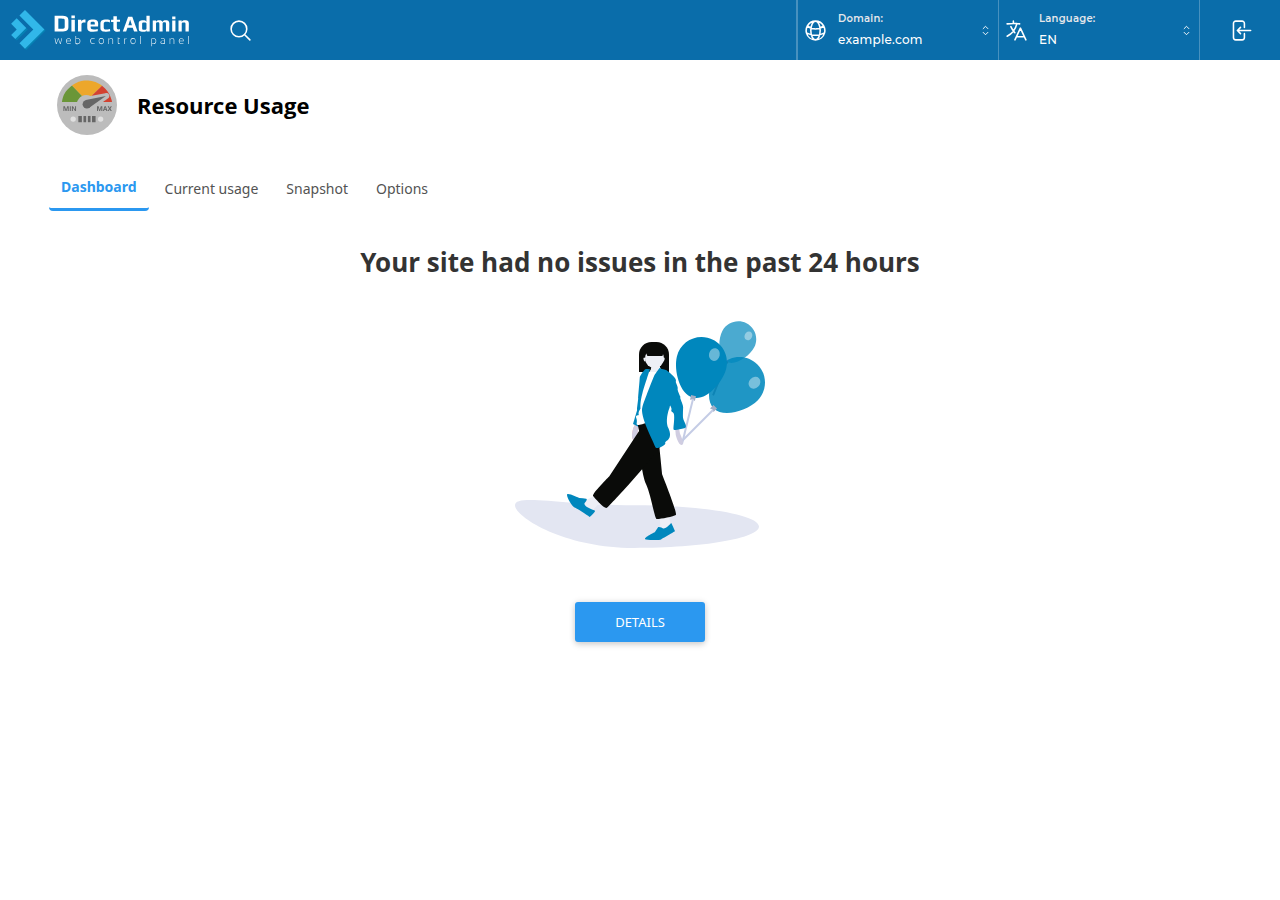
Domain India's DirectAdmin servers run CloudLinux (measured on our servers, 20 September 2026), which gives each account its own limits. The page that shows CloudLinux usage is Resource Usage, with the tabs Dashboard, Current usage, Snapshot and Options. To open it, type it in the Search for pages box at the top of the DirectAdmin menu, or press Ctrl+J.
Open a ticket at /support/ticket with your domain and the date and time of the problem. We will check which resource faulted and when, and tell you what it points to.
3. How to read the numbers
| Resource | What it measures | What a fault means |
|---|---|---|
| CPU | Processor time used by your scripts and cron jobs | The site slowed down but still loaded |
| Physical memory | RAM used by all your processes together | A process was stopped; visitors may have seen 500 or 503 |
| Entry processes | PHP requests running at the same moment | Visitors got "Resource Limit Is Reached" (508) |
| Number of processes | Everything running under your account, including cron | New processes could not start; 500 or 503 errors |
| I/O and IOPS | How fast, and how often, your account uses the disk | Disk work slowed; imports and backups dragged |
- Look at the day or week when visitors reported the problem, not only the current moment.
- A fault is one moment your account hit that limit. A few during a genuine traffic spike are normal; faults every day need fixing.
- Entry-process faults with low CPU and memory mean requests were waiting, usually on an outside service with no timeout. A bigger plan will not fix that.
4. Disk space and bandwidth
Disk space and bandwidth are separate from the CloudLinux limits. If disk space is full, uploads, new email and database writes fail. To find what is taking the space, browse your folders with the DirectAdmin File Manager; your website files are under domains/yourdomain.com/public_html. Old backups, unused installs, cache folders and old email are the usual culprits. If you cannot see your disk or bandwidth totals, ask us in a ticket.
5. What to do when you find faults
- Cache your pages.Our shared hosting runs Apache, so on WordPress use WP Super Cache or W3 Total Cache, with only one caching plugin active.
- Block abusive bots in
.htaccess.mod_rewriteis loaded on our DirectAdmin servers and.htaccessrules work. Never block Googlebot or Bingbot. - Move heavy jobs to quiet hours,using DirectAdmin cron jobs: see Setting up cron jobs in DirectAdmin.
- Put a timeout of a few seconds on every outside callyour site makes.
- Check again over the next busy periodto see whether the faults stop.
The DirectAdmin walkthrough for the error itself is in Addressing "Resource Limit Reached" issues with DirectAdmin hosting.
6. When to upgrade
Upgrade when faults continue after you have fixed the causes, or when genuine traffic has grown. An active cPanel or DirectAdmin plan can be upgraded at any time: open Hosting › My hosting, select your hosting service and choose Change plan. You pay only the difference for the time left until your renewal date, plus 18% GST, and the new limits apply as soon as that invoice is paid. Your files, email and login stay the same.
- 30 GB NVMe SSD Storage
- Unmetered Bandwidth
- 5 Websites
- 50 Email Accounts
The price on the card is live and excludes 18% GST. Support is on 24/7 live chat, and tickets get a first response within 15 minutes; resolution time depends on the issue. There is no phone support.
How do I check resource usage in DirectAdmin?
Our DirectAdmin servers run CloudLinux, which records your account's CPU, memory, entry processes, processes and I/O. Open the Resource Usage page by typing Resource Usage in the Search for pages box at the top of the DirectAdmin menu, or press Ctrl+J. If you need help reading it, open a support ticket and we will read your usage and faults for you.
What does a fault mean in DirectAdmin resource usage?
A fault is a moment when your account reached one of its CloudLinux limits. CPU and I/O faults slow the site down, entry-process faults show visitors a 508 "Resource Limit Is Reached" page, and memory or process faults can cause 500 or 503 errors.
How do I find what is using my disk space on DirectAdmin?
Browse your folders with the DirectAdmin File Manager and look for old backups, unused installs, cache folders and old email. Your website files are under domains/yourdomain.com/public_html.
Can I upgrade my DirectAdmin plan if I keep hitting limits?
Yes. An active DirectAdmin plan can be upgraded at any time from Hosting › My hosting by choosing Change plan on your hosting service. You pay only the difference for the time left until renewal, plus 18% GST, and your files, email and login stay the same.
Ready to check your account? Log in from your hosting list, or open a ticket and we will read your account's usage and faults with you.
Tell us your domain and when the problem happened, and we will check your DirectAdmin account's usage and faults with you.
Open a support ticket