To set up a cron job in DirectAdmin, open Cron Jobs, fill in the five time fields, type the full command, and save. The job then runs on that schedule under your hosting account. This page gives you the quick version; on Domain India servers, remember that the shortest interval that actually runs is every 4 minutes.
The complete walk-through, with PHP paths, logging and troubleshooting, is in Setting up cron jobs in DirectAdmin. For cron in general, see How to set up a cron job.
Open Cron Jobs in DirectAdmin, set minute, hour, day of month, month and day of week, and enter a command with full paths, for example /usr/local/php83/bin/php /home/USERNAME/domains/example.com/public_html/cron.php. Jobs set to run every 1, 2 or 3 minutes are changed to every 4 minutes automatically on our servers. Schedules run in Indian Standard Time.
1. Add a cron job
- Log in to DirectAdmin.From the client area, open your hosting service and use the login button.
- Open Cron Jobs.It is listed with the advanced tools. If you can't see it, type "cron" into the search box at the top of DirectAdmin.
- Set the schedule.Fill in the five fields.
*means "every". - Enter the command.Use full paths for the program and the script.
- Save and check.The job appears in the list of current cron jobs, where you can change or delete it later.
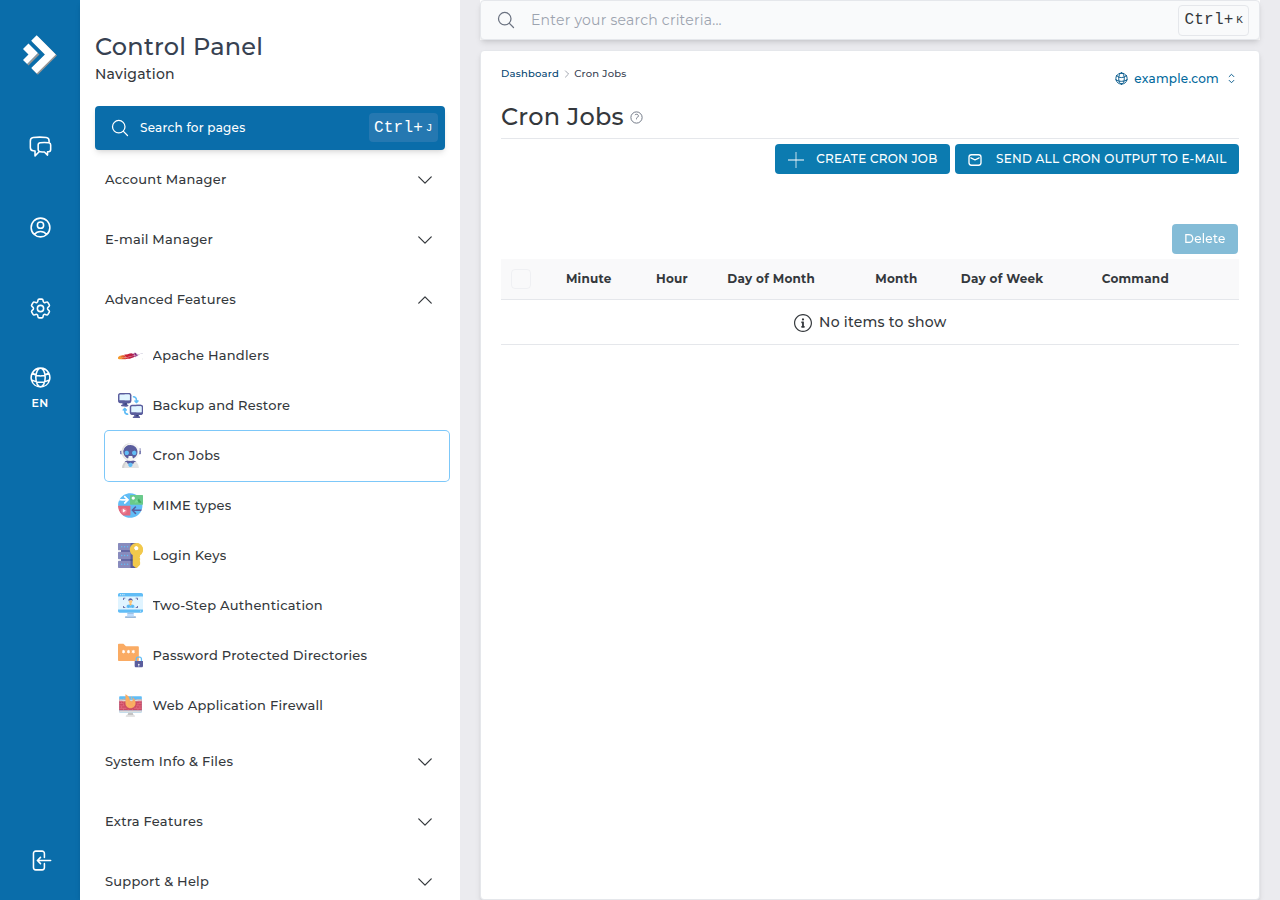
You don't need SSH to create or run cron jobs.
2. The schedule fields
| Field | Allowed values | Example | Meaning of the example |
|---|---|---|---|
| Minute | 0-59 | */15 | Every 15 minutes |
| Hour | 0-23 | 2 | At 2 a.m. IST |
| Day of month | 1-31 | 1 | On the 1st |
| Month | 1-12 | * | Every month |
| Day of week | 0-7 (0 and 7 = Sunday) | 1-5 | Monday to Friday |
On our cPanel and DirectAdmin shared servers, an hourly check rewrites any cron job set to run every 1, 2 or 3 minutes to */4, every 4 minutes. A Laravel scheduler set to "every minute" therefore runs every 4 minutes. If you need a job every minute, or a process that runs all the time, use a VPS.
3. The command
Each PHP version has its own binary on our DirectAdmin server, for example /usr/local/php83/bin/php. Use the version your site runs on, and the full path to the script:
/usr/local/php83/bin/php /home/USERNAME/domains/example.com/public_html/cron.phpTo keep the output while you test, add >> /home/USERNAME/cron.log 2>&1 to the end. Once the job works, use >/dev/null 2>&1 to discard it. In a cron command, write every % as \%.
Functions such as exec, proc_open and shell_exec are disabled for command-line PHP as well as websites, so scripts that need them fail from cron too. See PHP disabled functions on shared hosting.
Frequently asked questions
Where are cron jobs in DirectAdmin?
Open Cron Jobs from DirectAdmin's advanced tools, or type "cron" into the search box at the top of the panel. The page lets you add a job and lists your current jobs so you can change or delete them.
What is the shortest cron interval on Domain India DirectAdmin hosting?
Four minutes. An hourly check on our cPanel and DirectAdmin shared servers changes jobs set to every 1, 2 or 3 minutes to every 4 minutes. For a job every minute, use a VPS.
What PHP path should I use in a DirectAdmin cron job?
Use the versioned binary, for example /usr/local/php83/bin/php, followed by the full path to your script in /home/USERNAME/domains/DOMAIN/public_html. Change 83 to the PHP version your site uses.
Which time zone do DirectAdmin cron jobs use?
Our DirectAdmin server runs on Indian Standard Time, so a job set for hour 2 runs at 2 a.m. IST.
Ready to schedule a job? Follow the full DirectAdmin cron guide, check your timing with the cron expression guide, or compare DirectAdmin hosting plans. If a job still won't run, open a support ticket with the exact command and the error from your log.
Schedule scripts, backups and cleanups from your panel on every DirectAdmin plan.
See DirectAdmin plans