A 403 Forbidden error on DirectAdmin hosting means the web server found your request and refused to serve it. On DirectAdmin the cause is almost always one of four things: wrong permissions, a missing index file, a rule in .htaccess, or a security block. This page gives you the DirectAdmin-specific checks in the order that finds the cause fastest.
Check that your files are in domains/yourdomain.com/public_html, that an index.html or index.php is there, and that folders are 755 and files 644. Then rename .htaccess to test it. If the 403 remains, or only you see it, it is probably a security block: send support the time, the URL and your IP address.
Every cause of a 403, including firewall blocks, WordPress security plugins and Cloudflare rules, is covered in Understanding and resolving HTTP error 403 Forbidden. This page covers what is different on DirectAdmin.
1. Check you are in the right folder
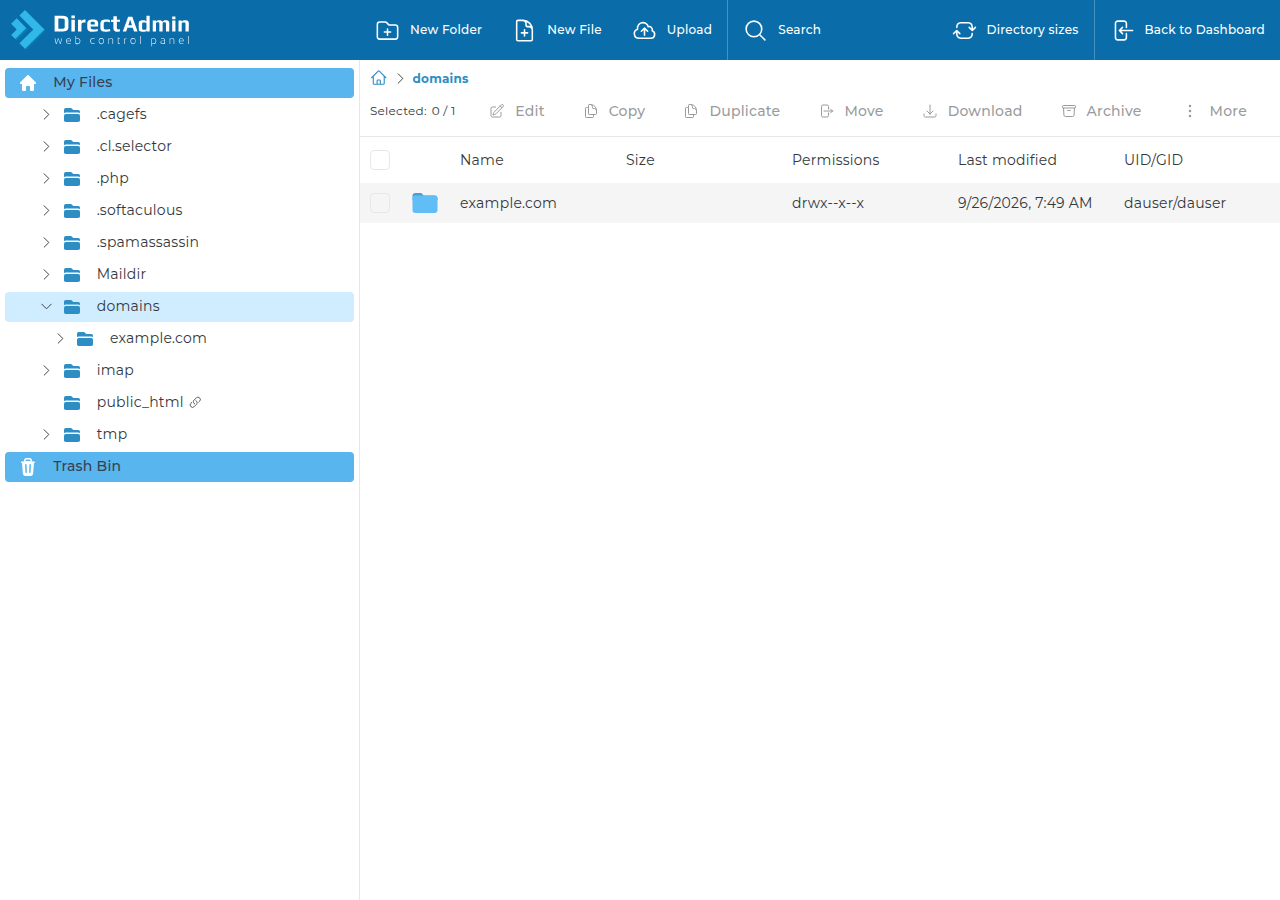
In DirectAdmin every domain has its own document root: domains/yourdomain.com/public_html inside your home folder. Files uploaded to another domain's folder, or one level too deep (for example public_html/mysite/index.html), leave the real document root without an index file, and the server answers 403. Open File Manager, go to the domain's public_html and confirm your site's files are directly inside it.
2. Make sure an index file exists
When a visitor opens a folder, the server looks for an index file. On our DirectAdmin servers index.html is served before index.php, so a leftover index.html placeholder hides a PHP site such as WordPress. Delete or rename the placeholder if your site is PHP.
With no index file and directory listing off, you get a 403. Add an index file rather than turning directory listing on, which would show visitors every file in the folder.
3. Fix permissions (755 and 644)
| Item | Permission | Why |
|---|---|---|
| Folders, including public_html | 755 | The web server must be able to enter and read them |
| Files (HTML, PHP, images, CSS) | 644 | The web server must be able to read them |
| Config files with passwords | 600 or 640 | Readable by your account only |
You can change permissions in DirectAdmin's File Manager (see the DirectAdmin File Manager guide and managing file permissions in DirectAdmin). If SSH is enabled for your account, you can fix a whole site at once from your document root:
cd ~/domains/yourdomain.com/public_html
find . -type d -exec chmod 755 {} \;
find . -type f -exec chmod 644 {} \;
Jailed SSH is available on every shared hosting plan, is off by default, and uses key login; see enabling and accessing jailed SSH.
777 lets anyone on the server write to the file or folder. It is a common way sites get infected, and on most modern shared servers it does not fix a 403 either: PHP is set to refuse world-writable files, so you can swap a 403 for a 500.
Ownership: files you upload through FTP or File Manager already belong to your account, and you cannot run chown on shared hosting. If files show another owner, for example after a restore or a migration, open a ticket and support will check them.
4. Test .htaccess
Rename .htaccess to .htaccess-off and reload the page. If the 403 disappears, the cause is a rule in that file: look for Deny from all, Require all denied, IP rules or hotlink protection, then restore the file and fix the one rule.
Two DirectAdmin rules to know, measured on our servers:
Optionsis limited. OnlyIndexes,IncludesNOEXEC,MultiViews,SymLinksIfOwnerMatch,FollowSymLinksandNoneare allowed. Any other value, such as+ExecCGI, gives a 500 error, not a 403.php_valueandphp_flagdo not work. PHP does not run as an Apache module, so those lines give a 500.
For more on .htaccess, see Mastering .htaccess.
5. Read the error log, then contact support
Open the domain's error log in DirectAdmin and find the line with the time of your test. client denied by server configuration points to a .htaccess rule, Permission denied to permissions, and a missing DirectoryIndex message to the index file. See reviewing error logs in cPanel and DirectAdmin.
If the site works on mobile data but not on your office connection, a firewall or web application firewall rule has probably blocked your IP address. You cannot clear that yourself. Open a ticket with the URL, the time you saw the error and your public IP address.
What permissions should files and folders have on DirectAdmin hosting?
Use 755 for folders, including public_html, and 644 for files. Files holding passwords, such as wp-config.php, can be 600 or 640. Never use 777.
Where do my website files go on DirectAdmin?
Each domain has its own folder: domains/yourdomain.com/public_html inside your home folder. The site's index file must be directly inside that public_html folder.
Why does my WordPress site show a placeholder page or a 403?
On our DirectAdmin servers index.html is served before index.php. Delete or rename any leftover index.html so WordPress's index.php loads. If there is no index file at all, the server returns 403.
Why does only my connection get the 403?
Your IP address has probably been blocked by the server firewall or a web application firewall rule. Open a support ticket with the URL, the time and your public IP address so support can check the logs.
Ready to fix it? Work through the checks above, read the full 403 guide, or compare DirectAdmin hosting plans.
Send the page address, the time of the error and your IP address, and our support team will check the logs for you.
Open a ticket