DNS records tell the internet where your website and email live. You add or change them at whichever provider your domain's nameservers point to: for a domain on Domain India hosting nameservers, that is your control panel's DNS editor, such as the Zone Editor in cPanel.
Where your records live, every record type and the common set-ups are covered step by step in how to manage DNS records. For Google Workspace, Microsoft 365 and other providers, see how to change your domain DNS settings.
First check your domain's nameservers on its Nameservers tab in the client area. On Domain India hosting nameservers, edit records in your control panel (the Zone Editor in cPanel, or the DNS management page in DirectAdmin); on Cloudflare or another provider, edit them there. Don't use the Activate/Switch to Free DNS button to fix a DNS problem. The client area's WHOIS & DNS Tools page is for looking records up and checking propagation.
1. Find where your DNS is managed
Sign in, open your domains, select the domain and look at the Nameservers tab.
| Your nameservers point to | Edit your records in |
|---|---|
| Your Domain India hosting server | Your hosting control panel: the Zone Editor in cPanel, or the DNS management page in DirectAdmin |
| Cloudflare, a website platform or another DNS provider | That provider's dashboard |
| Something you don't recognise | Nowhere yet: open a support ticket before you change anything |
A record added anywhere else is saved but never read. On Webuzo hosting, or if you cannot find the DNS editor in your panel, ask support.
2. The record types
- A points a name to an IPv4 address; AAAA to an IPv6 address. Use them for your website.
- CNAME makes a name an alias of another hostname, for example
www→yourbusiness.in. The root (@) cannot be a CNAME. - MX says which server receives your email. Lower priority numbers are tried first, and the value must be a hostname, not an IP address.
- TXT holds SPF (
v=spf1 …), DKIM, DMARC and verification codes. A domain may have only one SPF record. - SRV points a specific service to a server and port. Add one only when a provider asks.
Nameservers are not changed with NS records: use the domain's Nameservers tab, as in how do I change my nameservers.
3. Add a record in cPanel
- Open cPanelfrom your hosting services.
- Open the Zone Editorand click Manage next to the domain.
- Add the record.Choose the type and fill in the name (
@, or justwwwormail), the value and the TTL; MX records also need a priority. - Save,then check it with
dig A yourbusiness.in +shortornslookup -type=mx yourbusiness.in.
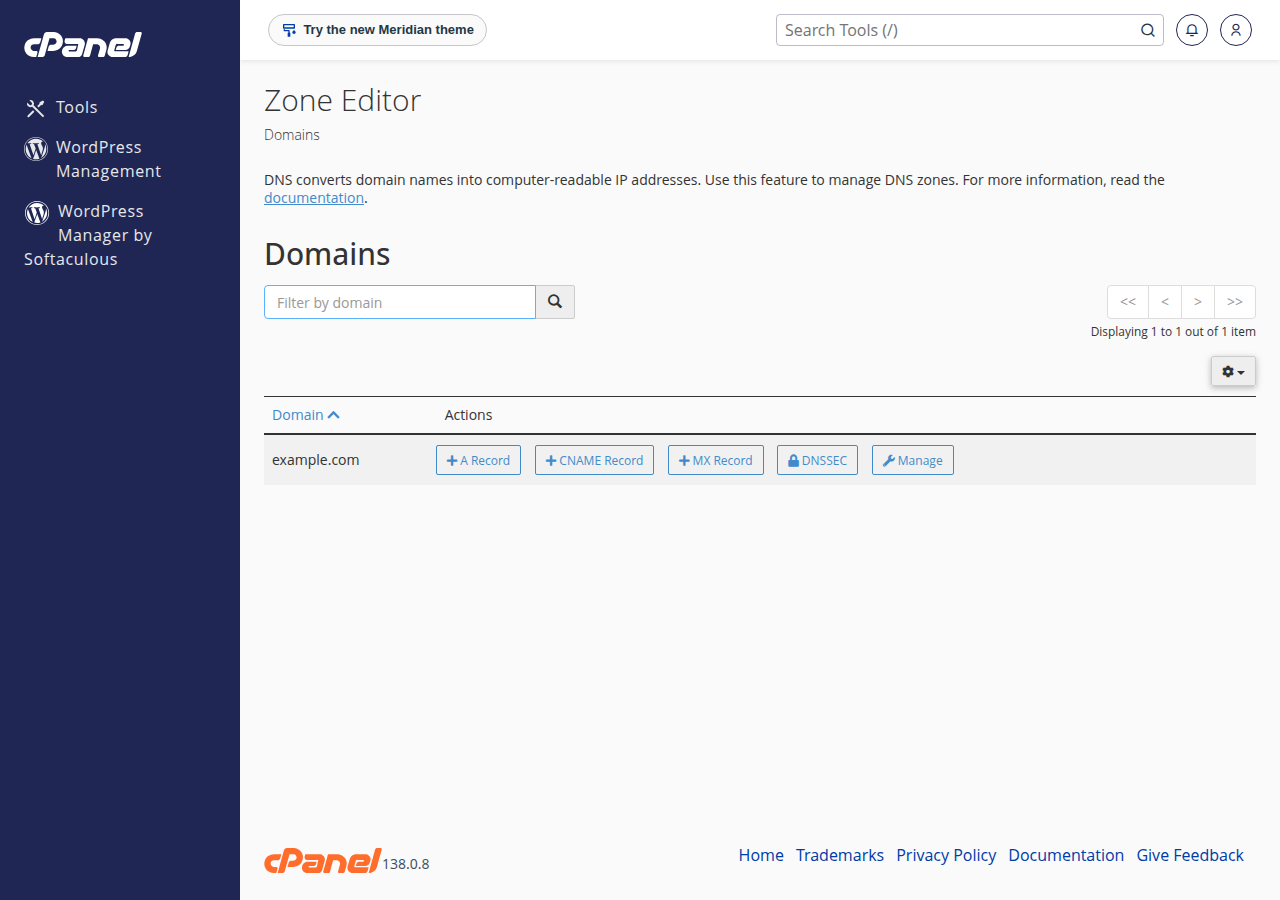
For DirectAdmin, see managing DNS records in DirectAdmin. For a website, you rarely need to type A records: the Point a domain to this hosting card on your hosting service gives the nameservers and the server IP.
The domain's DNS tab may offer Activate Free DNS or Switch to Free DNS. It changes your nameservers without copying your existing records, so your website and email can stop working. Point the domain to your hosting nameservers, or add A records at your current DNS provider, instead.
4. How long changes take
Record changes usually show within minutes to a few hours; other servers keep the old answer until its TTL (in seconds) runs out. Before a planned move, lower the TTL to 300 a day ahead. The client area's WHOIS & DNS Tools page lets you look up a domain's records and nameservers and check propagation.
Where do I edit DNS records for my Domain India domain?
At the provider your nameservers point to. On Domain India hosting nameservers, use your control panel's DNS editor, such as the Zone Editor in cPanel. On Cloudflare or another provider, use that provider's dashboard.
What is the WHOIS & DNS Tools page in the client area for?
Looking a domain up. It shows WHOIS information, DNS records, nameservers and propagation status. To change records, use the DNS editor at the provider your nameservers point to.
Should I click Activate Free DNS to fix my DNS?
No. It changes your nameservers without copying your existing records, so email and the website can stop working. Point the domain to your hosting nameservers or add A records at your current DNS provider.
How long does a DNS change take?
Usually minutes to a few hours. Other servers may keep the old record until its TTL expires.
Why can I not add a CNAME for my main domain?
DNS rules do not allow a CNAME at the root (@), because the root also holds records such as MX and NS. Use an A record for the root and a CNAME for subdomains such as www.
Ready to add your records? Open your hosting services to reach your control panel, read the full DNS records guide, or open a support ticket with your domain and the records you want to set.
Send us your domain name and the records you want to set, and we will tell you where to add them.
Ask our support team