Your Domain India client area is where you manage your domains, hosting, invoices and support tickets. You sign in to it at one address, with your email and password or with Google, plus a six-digit code if you have turned on two-factor authentication. This guide covers each way in, and what to do when a sign-in doesn't work.
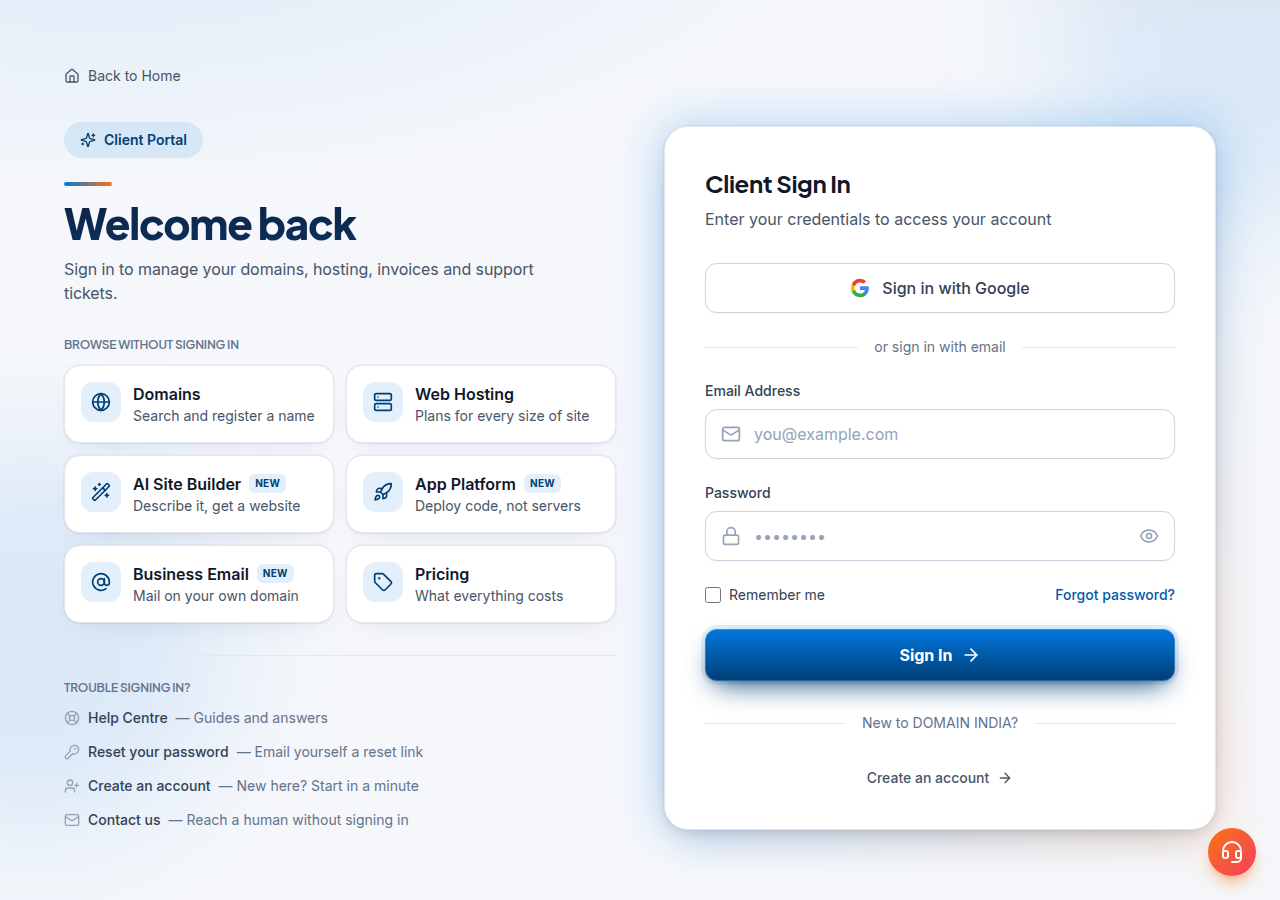
Go to domainindia.com/client/login, enter your Email Address and Password and click Sign In, or click Sign in with Google. If two-factor authentication is on, enter the six-digit code from your authenticator app. Forgot the password? Use Forgot password?; the reset link lasts one hour. After 10 failed sign-ins in 15 minutes, that email is locked for up to 15 minutes, and a password reset does not lift the lock, so wait it out.
1. Where to sign in
The sign-in page is domainindia.com/client/login, titled Client Sign In. Typing domainindia.com/login takes you to the same page. Bookmark it, and always check the address bar shows domainindia.com before you type your password: sign-in links in unexpected emails are a common phishing trick.
This is the login for your Domain India account. It is not the same as:
- your control panel login (cPanel, DirectAdmin, Webuzo or Plesk), which you open from the client area; see How to log in to cPanel;
- your webmail login, which uses a full email address and that mailbox's password; see How to log in to webmail.
Changing one of these passwords never changes the others.
2. Sign in with your email and password
- Open the sign-in pageat /client/login.
- Enter your Email Address.Use the email on your Domain India account, not a mailbox on your own domain unless that is the one you registered with.
- Enter your Password.Click the eye icon to check what you typed.
- Tick Remember meonly on a computer that nobody else uses.
- Click Sign In.You land in the client area, or on the page you were trying to open.
If you see "That email and password do not match", check the email for typos first, then use Forgot password? rather than guessing again; every wrong guess counts towards the lock described in section 6.
3. Sign in with Google
Below the password form, Sign in with Google signs you in with your Google account instead of a password. Google handles the password; Domain India never sees it.
Use the Google account whose email is the same as your Domain India account email. If you sign in with a different Google address, you won't see your services, because they belong to the account with the other email. If you normally sign in with Google and have never set a Domain India password, you can create one at any time with Forgot password?. You need a password to turn on two-factor authentication.
If the page says "Google sign-in was cancelled" or "Google sign-in failed", try again, and make sure your browser allows cookies for Google and Domain India. A Google Workspace account managed by your company may be blocked from third-party sign-ins by its administrator.
4. Enter your two-factor code
If you have turned on two-factor authentication, a second screen titled Two-Factor Authentication appears after your password or Google sign-in.
- Open your authenticator app(for example Google Authenticator, Authy or Microsoft Authenticator) and find the Domain India entry.
- Type the six-digit codeinto Authentication Code.
- Tick Remember this device for 30 dayson a private computer if you don't want to be asked again on that browser for 30 days.
- Click Verify Code.
"That code is not right" usually means the code changed while you were typing, or your phone's clock is wrong. Wait for the next code, and set the phone to automatic date and time. The code field accepts six-digit authenticator codes only; recovery codes can't be typed at sign-in at the moment. If you have lost the phone with your authenticator app, see How to enable two-factor authentication, section 7.
5. Forgot your password
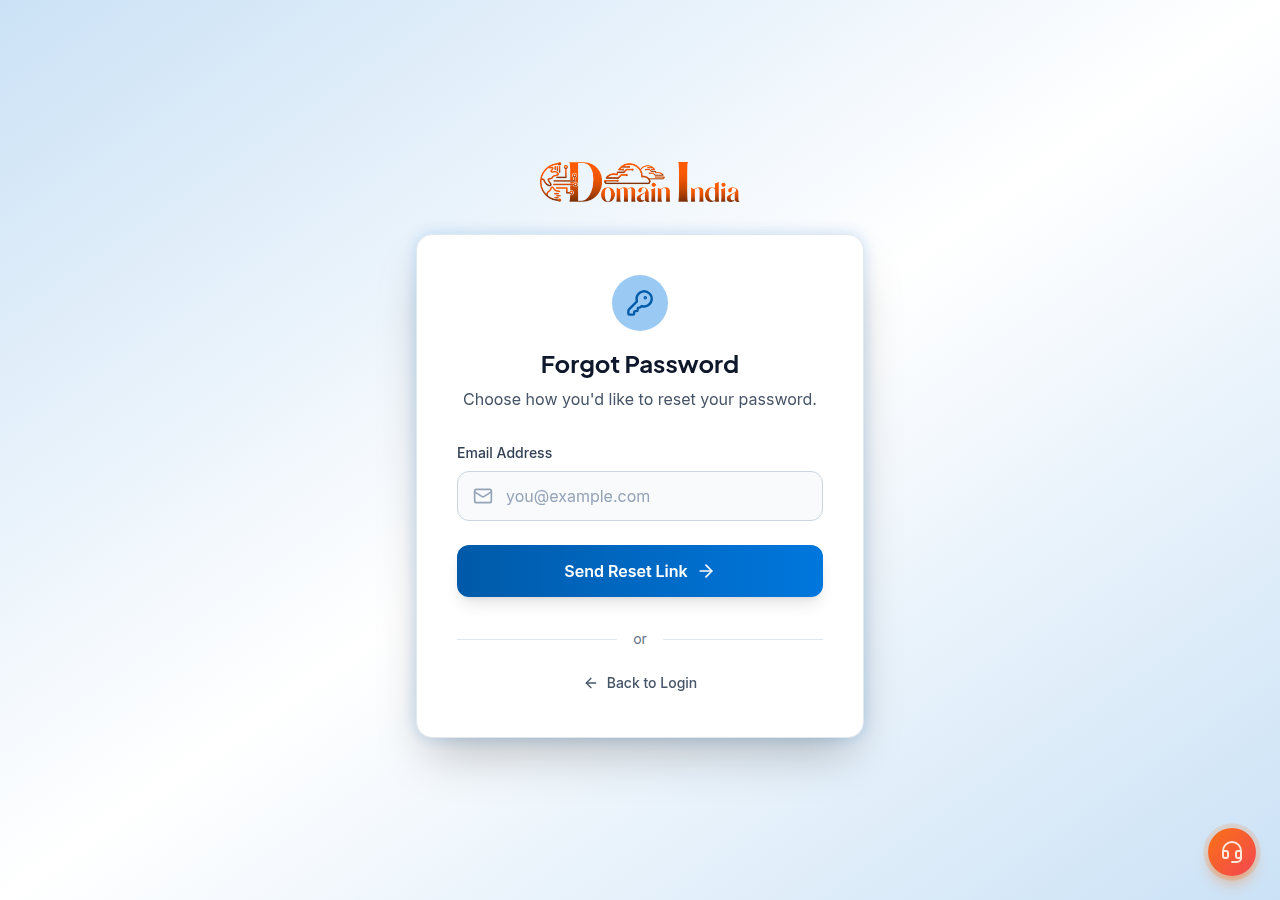
- Click Forgot password?on the sign-in page, or go to /client/forgot.
- Enter your Email Addressand click Send Reset Link.
- Open the emailand click the link. It expires in one hour.
- Choose a new passwordof at least 8 characters, enter it twice and click Reset Password.
- Sign inwith the new password.
No email? Check spam and junk, make sure you typed the address you registered with, and click Send another link. If the link says it is invalid or has expired, request a new one with Request New Link. Resetting your client-area password doesn't change your control panel or email passwords.
6. "Too many attempts" and locked sign-ins
Repeated failures lock sign-ins for your email address for a short time:
| What happens | What it means | What to do |
|---|---|---|
| 10 failed sign-ins in 15 minutes | Sign-ins for that email are locked for up to 15 minutes | Stop trying and wait; the lock lifts on its own |
| "Too many attempts. Please wait a few minutes and try again." | You hit the limit | Wait, then sign in once, carefully |
| You reset the password while locked | The reset works, but the lock stays | Wait for the lock to end, then use the new password |
The lock is per email address, so it can be triggered by an old saved password in a browser or password manager retrying in the background. Update the saved password after any change.
That is a different block. Repeated failed logins to your hosting (often from a phone or mail app with an old password) can make the hosting server's firewall block your internet connection's IP address. The client area still works. Contact support by live chat or a ticket with your public IP address; see I can't reach my server: have I been blocked?.
7. Other messages you may see
- "Your session has expired. Please sign in again to continue." Your sign-in has ended. Sign in again to carry on.
- "Password changed. Sign in again." Changing your password signs you out; use the new one.
- "Two-factor is on. Sign in again." You have just turned on two-factor authentication. Sign in with your password and a code.
8. Keep your account safe
- Turn on two-factor authentication under Account › Security. Whoever controls your client area controls your domains.
- Use a unique password stored in a password manager. You can change it while signed in at /client/security/password.
- Give staff or a developer their own access under Account › Team members instead of sharing your password; see A complete guide to the client area.
- Keep your account email up to date: password resets, invoices and registry notices go there.
9. Still can't get in?
If the reset email never arrives, you no longer have access to the account email, or you have lost your authenticator app with no other device, open a ticket from the public ticket form with your name and a domain on the account. Support will tell you what is needed to confirm the account is yours. Support is on 24/7 live chat, tickets get a first response within 15 minutes, and there is no phone support. Never put your password or recovery codes in a ticket or chat.
Frequently asked questions
Where do I log in to my Domain India account?
Go to domainindia.com/client/login and sign in with your account email and password, or click Sign in with Google. domainindia.com/login takes you to the same page.
I forgot my Domain India password. How do I reset it?
Click Forgot password? on the sign-in page or go to domainindia.com/client/forgot, enter your account email and click Send Reset Link. The link in the email expires in one hour, and the new password must be at least 8 characters.
Why does it say too many attempts?
After 10 failed sign-ins in 15 minutes, sign-ins for that email are locked for up to 15 minutes. Wait for the lock to lift; a password reset does not clear it.
Can I sign in with Google?
Yes. Click Sign in with Google on the sign-in page and choose the Google account with the same email as your Domain India account.
Does "Remember this device for 30 days" skip two-factor?
On that browser, yes, for 30 days. Use it only on a device nobody else uses, and leave it unticked on shared or office computers.
Is my client area password the same as my cPanel or email password?
No. The client area, your control panel and each mailbox have separate passwords, and changing one does not change the others.
I can sign in to the client area but not to cPanel or webmail. Why?
That is usually a hosting server firewall block after repeated failed logins from an old saved password. Contact support by live chat or a ticket with your public IP address.
Ready to sign in? Go to the client sign-in page, or reset your password if you can't remember it. Once you're in, turn on two-factor authentication.
Tell us your name, the email on your account and a domain you hold with us, and we will help you back in. Never include your password.
Open a support ticket