Every mailbox on your hosting account has a storage limit, called a quota. When a mailbox reaches it, new mail is refused and the sender gets a "mailbox full" bounce, so it's worth checking before it happens. This guide shows where to see how much space each mailbox uses in cPanel, DirectAdmin and webmail, and how to free space quickly.
In cPanel, open Email Accounts: each mailbox shows its storage used against its allocated space, and Email Disk Usage breaks it down by folder and lets you delete old or large messages. In DirectAdmin, the email accounts page shows usage per mailbox. In webmail (Roundcube), the quota appears in the folder pane. A full mailbox rejects incoming mail, so empty Trash and Spam and remove large attachments, or raise the quota if your account has space.
1. Mailbox quota and account disk space are two different limits
Two limits apply to your email:
- The mailbox quota: the space one address, such as [email protected], may use. You set it per mailbox, or leave it unlimited.
- Your hosting account's disk space: websites, databases and every mailbox share it. On cPanel, mail counts against both limits.
So a mailbox can refuse mail even though it is under its own quota, if the whole hosting account is full. Check both. For the account total, see Check hosting resource usage.
2. Check storage in cPanel
cPanel has two tools for this, both in the Email section.
Email Accounts: the quick view
- Sign in to cPanel.If you're not sure how, see How to log in to cPanel.
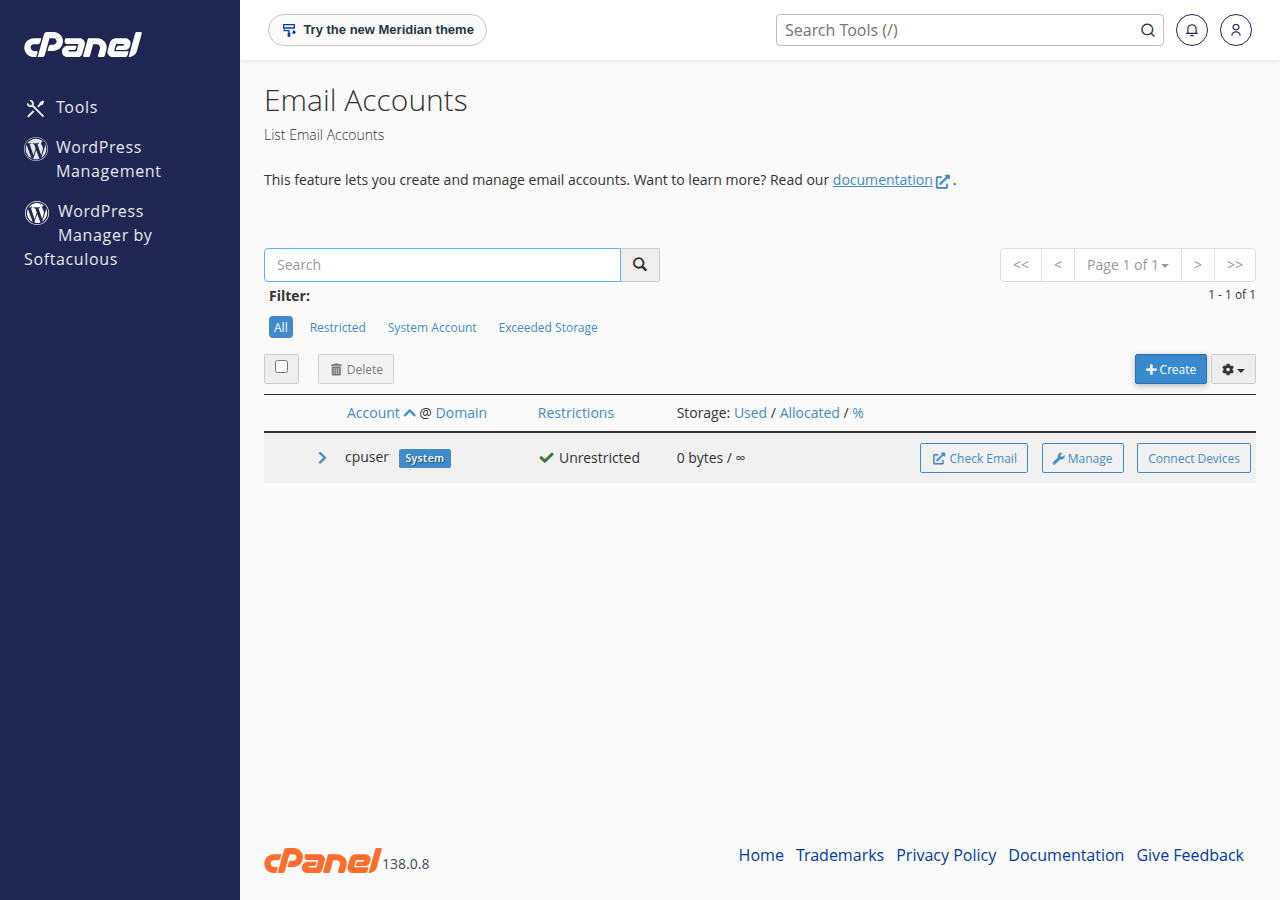
- Open Email Accounts.Each address shows its Storage: how much is used and how much is allocated.
- Sort or filter.Sort by Used or Percent Used to find the fullest mailboxes, or use the filter that shows accounts that have used all their storage space (Exceeded Storage).
- Click Managenext to a mailbox to see Current Storage Usage and change its Allocated Storage Space.
Email Disk Usage: see which folder is full, and clean it
Email Disk Usage shows the chosen mailbox folder by folder (Inbox, Sent, Trash, Spam and any folders you created), with the size and number of messages in each. Click Manage on a folder to delete messages in bulk: all messages, messages a year old or more, messages 30 MB or larger, or a custom query. Deletion is permanent, so check the folder first.
3. Check storage in DirectAdmin
- Sign in to DirectAdmin.
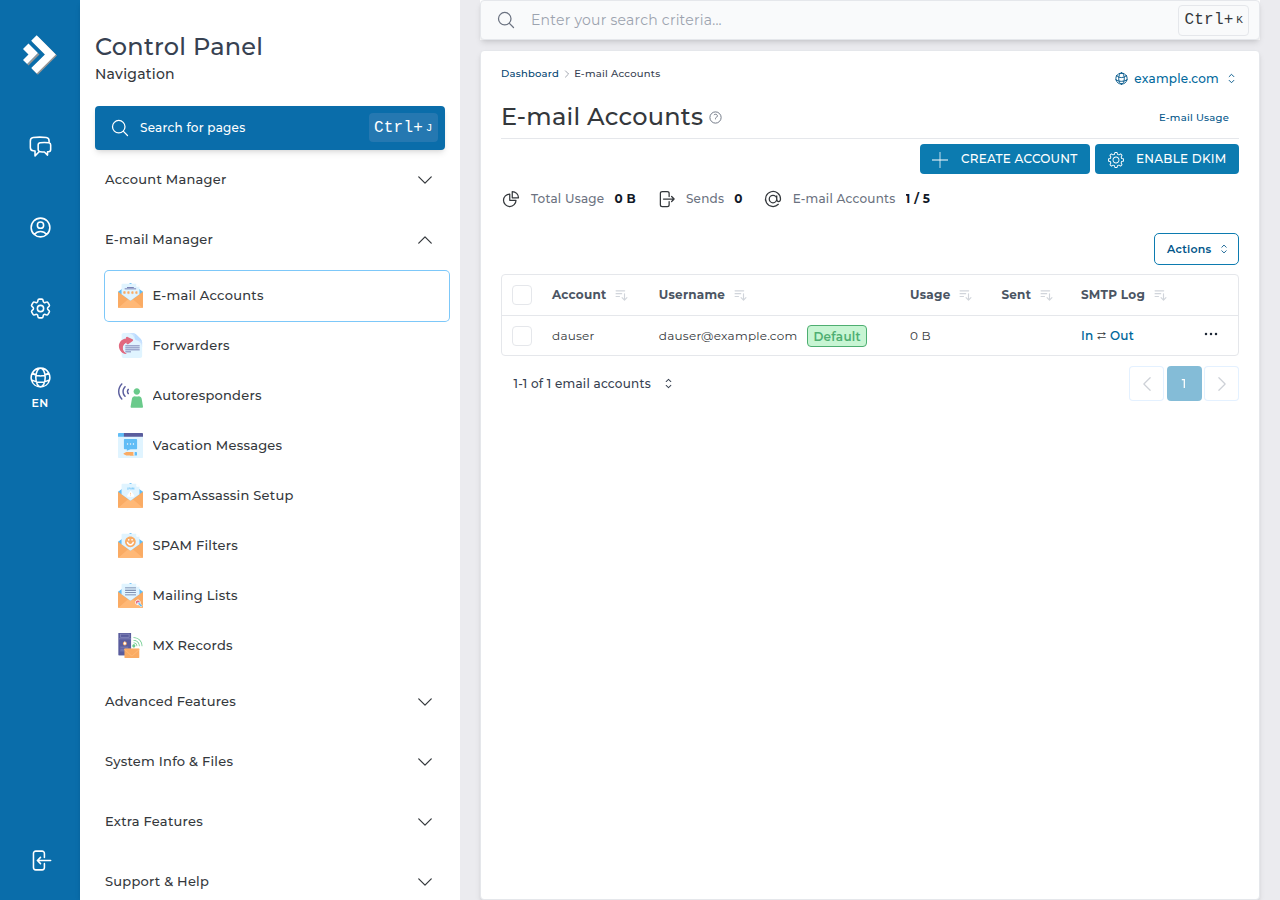
- Open E-mail Manager › E-mail Accounts.Each mailbox is listed with its usage and quota.
- Open a mailboxto change its quota.
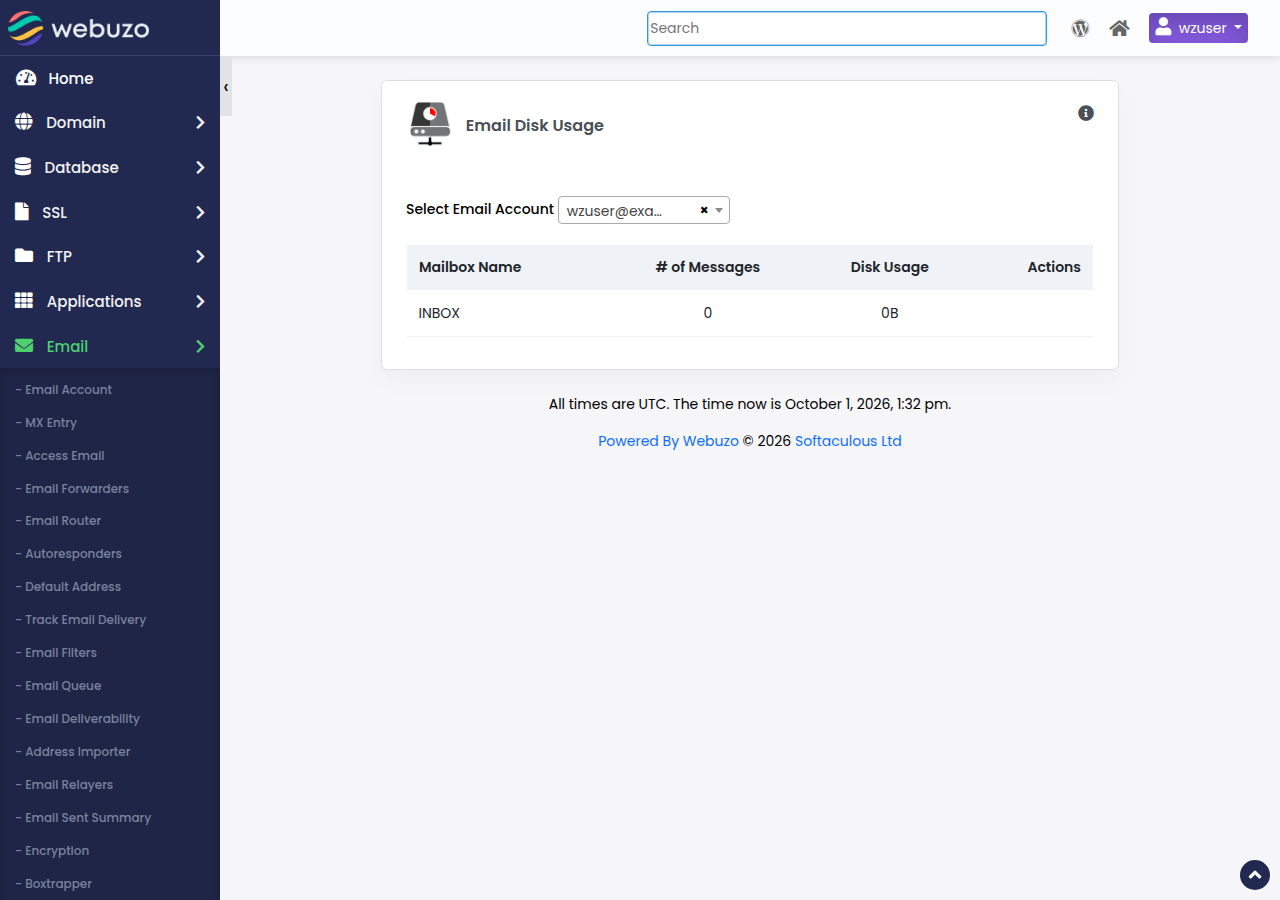
On Webuzo hosting: Email › Email Account shows each mailbox's storage used against its quota, and Email › Email Disk Usage breaks one mailbox down by folder, with the number of messages and the space each folder uses.
4. Check storage in webmail and mail apps
Webmail (Roundcube): on cPanel and DirectAdmin, open https://yourdomain.in/webmail and sign in with the email address and its password. The storage used and the quota appear at the bottom of the folder list. For all the webmail addresses, see How to log into webmail.
Mail apps using IMAP: most apps can show the server quota. In Thunderbird, right-click the account's Inbox, choose Properties and open the Quota tab. In classic Outlook, the folder size tools show what the app has downloaded, which may not match the server exactly; the cPanel or webmail figure is the one that counts.
If you use POP3, mail is downloaded and usually removed from the server, so the server quota is rarely the problem. Messages stay on the server only if your app is set to leave a copy there.
5. What happens when a mailbox is full
| What you notice | Why | What to do |
|---|---|---|
| Senders get a "Mailbox is full" bounce | Incoming mail is refused once the quota is reached | Free space (section 6) or raise the quota |
| Mail stops for every address at once | The hosting account's disk space is full | Check account usage; clear files, backups or old mail |
| Sent messages don't appear in Sent | Your app can't save a copy on a full mailbox | Free space, then check the app's Sent folder setting |
| Webmail feels slow | Very large folders take longer to load | Archive old mail and keep folders smaller |
Mail refused while the mailbox was full is not delivered later, so after you free space, ask important senders to resend. For other delivery problems, see Email not receiving: troubleshooting.
6. Free up space quickly
Bulk deletions in Email Disk Usage can't be undone from cPanel. If you delete something by mistake, JetBackup in your control panel keeps weekly backups and can restore email; see Backup and restore with JetBackup. Mail that arrived after the last weekly backup can't be recovered.
If a mailbox is genuinely busy rather than cluttered, raise its quota instead. To change quotas, see Managing email quotas.
7. Where Domain India fits
Email on cPanel and DirectAdmin hosting shares your plan's disk space. For example, the cPanel Starter plan includes 25 GB of NVMe storage and 10 email accounts, and DirectAdmin Starter includes 10 GB and 5 email accounts (Domain India catalogue, 19 September 2026). Compare plans on cPanel hosting and DirectAdmin hosting.
If your mail needs are growing separately from your website, Business Email is priced per mailbox, at ₹60 a month per mailbox (list price on 19 September 2026, excluding 18% GST), and doesn't share your website's disk space.
How do I check how much space my email account is using in cPanel?
Sign in to cPanel and open Email Accounts. Each address shows its storage used and the space allocated to it. For a folder-by-folder breakdown, open Email Disk Usage and choose the mailbox.
What happens when my mailbox is full?
New incoming mail is refused and the sender receives a bounce saying the mailbox is full. That mail is not delivered later, so after you free space, ask important senders to send again.
My mailbox is under its quota but I still can't receive mail. Why?
Your hosting account's total disk space may be full. Websites, databases and all mailboxes share it, so check your account's disk usage and free space there.
Does mail in Trash count towards my quota?
Yes. Deleted messages stay in Trash and use space until you empty it. The same applies to the Spam or Junk folder.
How can I delete old or large emails in bulk?
In cPanel, open Email Disk Usage, choose the mailbox, click Manage on a folder and pick messages a year old or more, messages 30 MB or larger, or a custom query. Deletion is permanent, so check first.
Can I get back emails I deleted by mistake?
Possibly. JetBackup takes weekly backups on cPanel and DirectAdmin and can restore email from them. Mail that arrived after the last backup can't be recovered.
Need more room? Compare plans on cPanel hosting, or see Business Email for separate mailboxes. If a mailbox is still refusing mail, open a ticket: support is on 24/7 live chat, and tickets get a first response within 15 minutes.
Tell us the email address and the bounce message. We will check the mailbox and the account's disk space with you.
Open a ticket