PHP on its own is a small language core. Almost everything a real website needs, from talking to MySQL to resizing images and handling Hindi or Tamil text correctly, comes from extensions. This guide explains what extensions are, which ones matter for common applications, how to check what your server has, and how to add one, both on shared hosting and on a server you manage yourself.
Extensions are compiled modules that add functions and classes to PHP, such as pdo_mysql, mbstring, intl, gd, curl and zip. Check what is loaded with php -m or extension_loaded(). On your own VPS you install them with the package manager (apt or dnf) and restart PHP-FPM. On Domain India shared hosting you can't install extensions yourself: pick the PHP version that has what you need, and ask support if something is missing.
1. What a PHP extension is
An extension is a module, usually written in C, that PHP loads at startup. It adds functions (mb_strlen()), classes (PDO, Imagick) or behaviour (OPcache). There are three kinds:
- Always built in. Some extensions can't be switched off, such as
json(always on since PHP 8.0),pcreandhash. - Bundled. Shipped with PHP's source and enabled when PHP is built or packaged, such as
mbstring,intl,gd,pdo_mysql,curlandzip. - Third-party. Maintained outside PHP and installed separately, such as
redis,imagick,mongodb,apcuandxdebug.
Extensions are different from libraries you install with Composer. A library is PHP code in your project; an extension is part of the PHP binary on the server. See PHP extensions vs PHP libraries.
2. The extensions most applications need
| Extension | What it does | Typically needed by |
|---|---|---|
pdo_mysql and mysqli | Connect to MySQL and MariaDB | WordPress, Laravel, almost every PHP app |
mbstring | Handles multibyte text (UTF-8) correctly | Laravel, WordPress, any site with Indian-language text |
intl | Formats numbers, dates and currencies by locale; Unicode normalisation | Laravel, Symfony, e-commerce |
curl | Makes HTTP requests to APIs and payment gateways | Payment integrations, plugins, updates |
openssl and sodium | Encryption, hashing and secure random numbers | Login systems, tokens, signed data |
gd or imagick | Resize, crop and convert images | WordPress media, thumbnails, CAPTCHAs |
zip | Read and write ZIP archives | Plugin installs, imports and exports |
xml, dom and simplexml | Parse and build XML | Feeds, sitemaps, SOAP and government APIs |
bcmath | Arbitrary-precision maths | Money calculations, some payment SDKs |
opcache | Caches compiled PHP code in memory | Performance on every production site |
Before you install an application, check its requirements page for the exact list; Laravel, WordPress and Magento each publish one.
A few extensions are for development only. Xdebug, for example, is excellent for step debugging and profiling, but it slows PHP down considerably and should never be loaded on a production site.
3. Check which extensions are loaded
On the command line:
php -m                 # list every loaded extension
php -m | grep -i intl  # check for one
php --ri intl          # show one extension's settings
In a web page, which is the more reliable test because the website and the command line can use different PHP versions or settings:
<?php
foreach (['pdo_mysql', 'mbstring', 'intl', 'gd', 'curl', 'zip', 'sodium'] as $ext) {
    echo $ext, ': ', extension_loaded($ext) ? 'loaded' : 'MISSING', "\n";
}
Upload it as check.php, open it in your browser, then delete it. A full phpinfo() page also works on a server you manage, but never leave one online: it tells attackers exactly what your server runs.
4. Installing an extension on your own server
This applies only to a VPS or server where you have root access. The short version:
- Find the package.On Ubuntu or Debian, extensions are packaged as
php-intl,php-mbstringand so on (or with the version, such asphp8.3-intl). On AlmaLinux or Rocky Linux, rundnf search php-to see the exact names. - Install it.For example
sudo apt install php-intlorsudo dnf install php-intl. The package normally enables the extension for you. - Restart PHP.Restart PHP-FPM, for example
sudo systemctl restart php8.3-fpmon Ubuntu or Debian, orsudo systemctl restart php-fpmon AlmaLinux and Rocky Linux. - Confirm.Check with
php -mand with the web test page above.
When no package exists, build the extension from PECL, which needs the PHP development headers and must be rebuilt after each PHP upgrade. The detailed steps for each operating system, including PECL, are in enabling PHP extensions on a VPS.
mcrypt and xmlrpc are no longer part of PHP, and the old mysql_* functions were removed in PHP 7. json no longer needs installing, because it is always on. If an application still asks for a removed extension, the application needs updating. Also ignore yum and CentOS instructions: CentOS Linux is end of life.
5. When an extension seems to be missing
- "Call to undefined function mb_strlen()" or "Class 'IntlDateFormatter' not found" means the extension is not loaded for the PHP version that ran the code.
- Command line and website disagree. They often use different PHP versions or
php.inifiles. Trust the web test page for website problems. - Wrong PHP version selected. Each PHP version has its own set of extensions. Switching the version can add or remove one.
- The extension loads but fails. Check the PHP error log; a missing system library or a version mismatch is the usual cause.
6. PHP extensions on Domain India shared hosting
On shared hosting, extensions are part of the server's PHP builds, which every account shares, so you can't add one yourself, and dl(), which loads an extension at runtime, is disabled. What you can do is choose the PHP version per domain: on cPanel in MultiPHP Manager (new accounts use PHP 8.3), and on DirectAdmin in the panel's PHP settings.
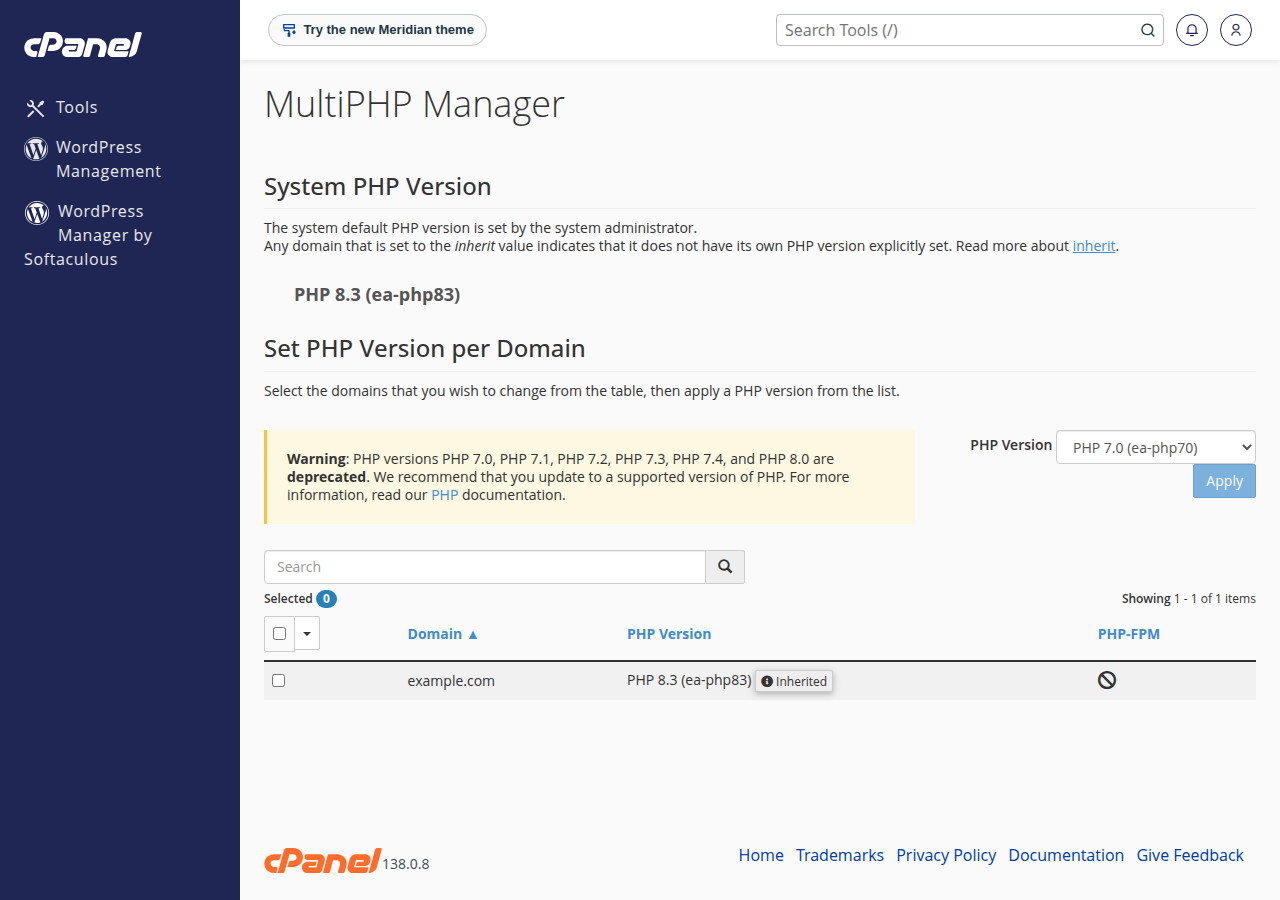
When we measured PHP 8.3 on our cPanel server (command-line PHP, 23 September 2026), it included pdo_mysql, mysqli, mbstring, intl, curl, gd, imagick, zip, bcmath, soap, xml, pgsql and OPcache. It did not include sodium, redis, memcached, apcu or mongodb. The DirectAdmin builds, version by version, are listed in installing and managing PHP extensions in DirectAdmin.
Two more things to know:
phpinfo()is disabled on our cPanel servers, so use theextension_loaded()test page from section 3 instead.- Some PHP functions are disabled on shared hosting for security, even when their extension is loaded. See PHP disabled functions on shared hosting.
If your application needs an extension that isn't there, open a ticket with the extension name and your PHP version before you build around it. If you need full control, a VPS lets you install anything; our VPS plans are self-managed.
Prices on the cards are Domain India list prices on 19 September 2026, excluding 18% GST.
- 25 GB NVMe SSD Storage
- 50 GB Monthly Bandwidth
- 1 Website
- 10 Email Accounts
- 1 vCPU
- 2 GB DDR4 RAM
- 64 GB NVMe SSD Storage
- 2 TB Monthly Bandwidth
What is a PHP extension?
A PHP extension is a compiled module that adds functions, classes or features to PHP, such as database drivers (pdo_mysql), text handling (mbstring) or image processing (gd). Extensions are installed on the server, unlike Composer libraries, which live in your project.
How do I check which PHP extensions are installed?
Run php -m on the command line, or upload a small page that calls extension_loaded('name') for each extension you need. The web page is the more reliable test for a website, because the command line can use a different PHP version.
Can I install PHP extensions on Domain India shared hosting?
No. Extensions are built into the server's PHP versions, which all accounts share. You can switch PHP version per domain, and you can ask support about a missing extension. On a VPS you can install any extension yourself.
How do I install a PHP extension on Ubuntu?
Run sudo apt install php-intl (replacing intl with the extension you need), restart PHP-FPM with sudo systemctl restart php8.3-fpm using your PHP version, and confirm with php -m.
Do I need to install the JSON extension?
No. Since PHP 8.0, JSON support is always built in and cannot be disabled.
Should Xdebug be enabled on a live website?
No. Xdebug is a development tool for debugging and profiling, and it slows PHP down considerably. Use it on your own computer or a staging server only.
Ready to host your PHP app? Compare cPanel hosting for the common extensions ready to go, or a VPS for full control. Questions about a specific extension? Chat with us 24/7.
Choose your PHP version per domain, with the common extensions for WordPress and Laravel already built in.
See cPanel plans