PHP extensions add abilities to PHP itself: image resizing with gd or imagick, international text with intl and mbstring, database drivers such as pdo_mysql. On Domain India's DirectAdmin shared hosting the extensions are installed at server level, so you can check what is available and ask for what is missing, but you cannot install one yourself. This guide shows what our DirectAdmin PHP builds include, how to check your own site, and what to do on a server you control.
On DirectAdmin shared hosting you can't install PHP extensions; they are built into each PHP version by our team. Most applications' needs are already covered: curl, gd, imagick, intl, mbstring, mysqli, pdo_mysql, soap, sodium, zip, ionCube and more. To check your site, upload a one-line extension_loaded() test. If something is missing, open a ticket with the extension name and your PHP version. On your own VPS with DirectAdmin, you add extensions with CustomBuild.
1. Why you can't install extensions on shared hosting
An extension is compiled into, or loaded by, the server's PHP build. Every account on the server shares those builds, so adding one needs root access and a rebuild. That is why:
- there is no "install extension" button in your DirectAdmin panel;
dl(), which would load an extension at runtime, is disabled on our servers;- a
php.inior.user.iniline such asextension=redis.sodoes nothing on shared hosting.
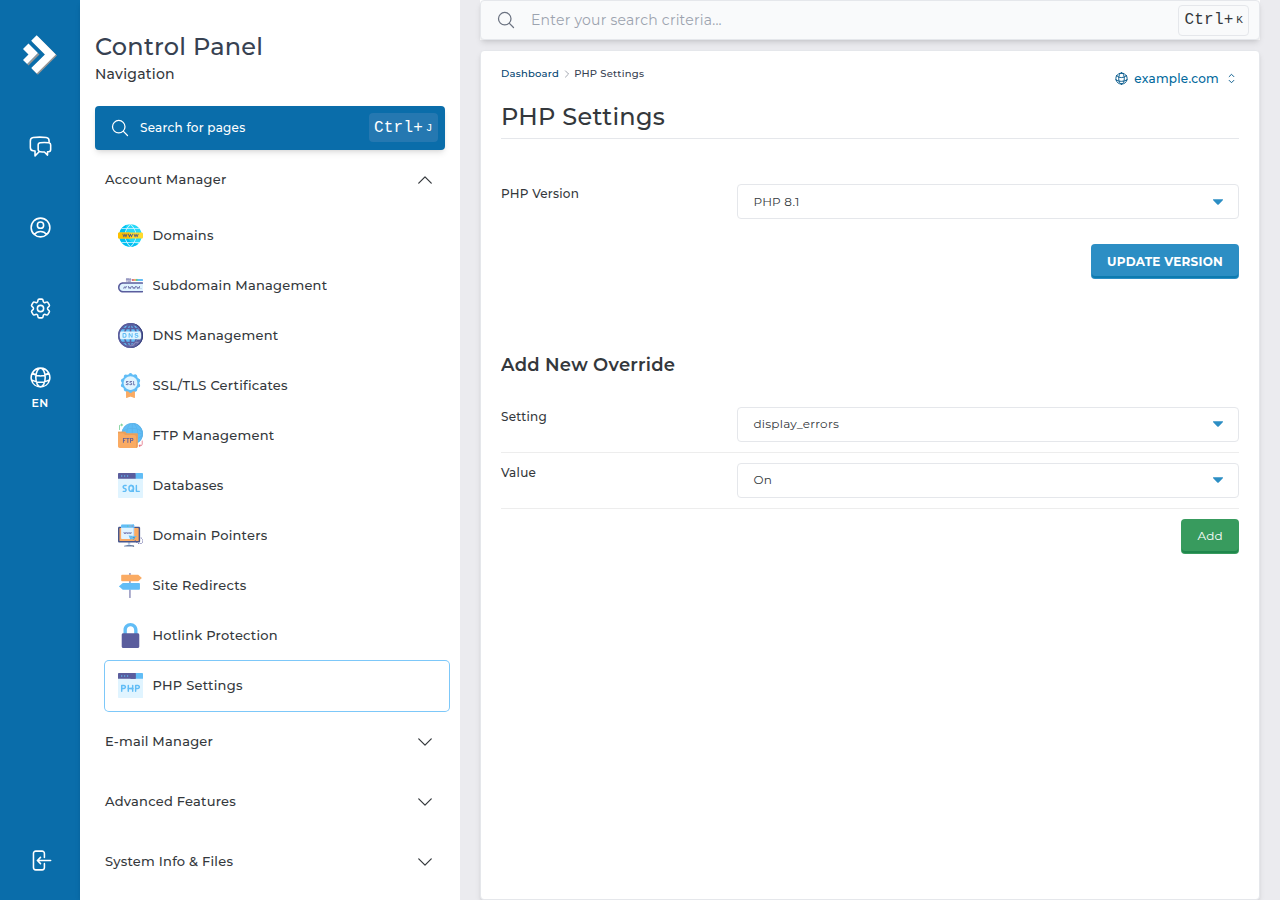
What you can do is choose the PHP version per domain, and each version has its own set of extensions. See Changing PHP version in DirectAdmin.
2. What our DirectAdmin PHP builds include
Measured on our DirectAdmin server on 23 September 2026, using each version's command-line PHP. Your website normally loads the same set; if a check on your site disagrees, trust the site check.
| Extension | 5.6 | 7.2 to 7.4 | 8.1 and 8.2 | 8.3 |
|---|---|---|---|---|
| mysqli, pdo_mysql, pdo_sqlite, sqlite3 | Yes | Yes | Yes | Yes |
| curl, openssl, soap, sockets, ftp | Yes | Yes | Yes | Yes |
| gd, exif, fileinfo | Yes | Yes | Yes | Yes |
| imagick | Yes | Yes | Yes | No |
| intl, mbstring, iconv, gettext | Yes | Yes | Yes | Yes |
| zip, zlib | Yes | Yes | Yes | Yes |
| sodium | No | Yes | Yes | Yes |
| bcmath, calendar, ctype, tokenizer, posix | Yes | Yes | Yes | Yes |
| xml, dom, SimpleXML, xmlreader, xmlwriter, xsl | Yes | Yes | Yes | Yes |
| imap, mcrypt | Yes | Yes | Yes | Yes |
| ionCube Loader | Yes | Yes | Yes | Yes |
| OPcache | On | On | On | Off |
Not present on any version when we measured: redis, memcached, apcu, mongodb, pgsql and pdo_pgsql, gmp, ldap and bz2. If your application needs one of these, ask support before you build around it.
PHP 8.3 is the version to choose for new sites. If you rely on imagick or OPcache, note the 8.3 column; for OPcache see the PHP OPcache guide.
3. Check which extensions your site has
Create a file with a hard-to-guess name, such as ext-7f3a9.php, in the domain's public_html folder:
<?php
foreach (['gd', 'imagick', 'intl', 'mbstring', 'pdo_mysql', 'zip', 'redis'] as $ext) {
    echo $ext, ': ', extension_loaded($ext) ? 'loaded' : 'missing', "\n";
}
echo 'PHP ', PHP_VERSION;
Open it in your browser, read the result, then delete the file. Change the list to the extensions your application asks for. To see every loaded extension, replace the loop with print_r(get_loaded_extensions());.
In WordPress, Tools › Site Health › Info › Server also lists key extensions, and Site Health warns when a recommended one is missing.
Extensions belong to each PHP version. If an application worked yesterday and reports a missing extension today, check whether the domain's PHP version changed. Switching back is the quickest fix while you ask support.
4. How to ask for an extension
- Confirm it is really missingwith the test file above, on the PHP version your domain uses.
- Check whether a built-in option works.For example
gdoften replacesimagickfor simple resizing, and file-based caching replacesredisfor small sites. - Open a ticketat /client/support/new with the domain, the PHP version, the extension name and the application that needs it.
- Wait for the answer.Support tells you whether it can be enabled on the shared server or whether it needs a VPS. Tickets get a first response within 15 minutes; the change itself may take longer.
Some extensions are not offered on shared hosting because they need a background service (Redis, Memcached, MongoDB) or are unsafe for a shared server.
5. PHP libraries are not extensions
Composer packages such as monolog/monolog or guzzlehttp/guzzle are plain PHP code in your project's vendor folder. You don't need the server's help for them. Composer isn't pre-installed, but with jailed SSH (on request) you can download composer.phar and run php composer.phar install; if it stops with a proc_open message, run it again with --no-scripts. Or:
- run
composer install --no-dev --optimize-autoloaderon your own computer or in CI, with the same PHP version as the site; - upload the project, including
vendor, with FTP or the DirectAdmin File Manager.
Check composer.json for lines such as "ext-intl": "*": those are extensions the server must have, so compare them with section 2. For the list of disabled functions, see PHP disabled functions on shared hosting.
6. On your own VPS with DirectAdmin
A Domain India VPS is self-managed and comes without a control panel. If you install DirectAdmin on it with your own licence, you have root access and manage PHP with CustomBuild:
cd /usr/local/directadmin/custombuild
./build update
./build set_php imap yes     # mark the extension for the build
./build php_imap             # compile and enable it
Replace imap with the extension you need, if CustomBuild supports it. Check the result with php -m for each PHP version, and restart PHP-FPM if the site does not see it yet. For extensions CustomBuild doesn't offer, follow DirectAdmin's own documentation rather than appending lines to php.ini by hand: a wrong extension= line can stop PHP from starting.
Good habits on your own server: enable only the extensions you use, rebuild after PHP updates, and test on a copy of the site before changing production.
7. Where Domain India hosting fits
Our DirectAdmin plans give you seven PHP versions per domain with the common extensions already built in, plus Softaculous, free Let's Encrypt SSL and weekly JetBackup backups. The price on the card is live and excludes 18% GST.
- 10 GB NVMe SSD Storage
- 50 GB Monthly Bandwidth
- 1 Website
- 5 Email Accounts
If your application needs Redis, MongoDB or an extension shared hosting doesn't offer, a VPS gives you full root access, and the App Platform runs apps in containers you define with a Dockerfile.
Can I install a PHP extension myself on DirectAdmin shared hosting?
No. Extensions are part of the server's PHP builds, which need root access to change. Check what is available, and if something is missing, open a ticket with the extension name and your PHP version.
Which PHP extensions are available on Domain India DirectAdmin hosting?
Measured in September 2026, every PHP version on our DirectAdmin server includes curl, gd, intl, mbstring, mysqli, pdo_mysql, soap, zip, xml, imap and ionCube Loader, among others. imagick is on every version except 8.3, and sodium on 7.2 and newer.
Is Redis, Memcached or MongoDB available on DirectAdmin shared hosting?
Their PHP extensions were not present on our DirectAdmin server when we measured in September 2026, and they need a background service. Ask support, or use a VPS if your application depends on them.
How do I check which extensions my site has?
Upload a small PHP file that prints extension_loaded() for each extension you need, open it in your browser, then delete it. In WordPress, Tools, Site Health, Info, Server also lists them.
Can I run Composer on DirectAdmin shared hosting?
Yes, over jailed SSH (on request). Composer isn't pre-installed, so download composer.phar and run php composer.phar install; if it stops with a proc_open message, run it again with --no-scripts. Or run Composer on your own computer or in CI and upload the project with its vendor folder.
Why did an extension disappear after I changed PHP version?
Each PHP version has its own set of extensions. For example, imagick is not built into PHP 8.3 on our DirectAdmin server. Switch back, or ask support whether the extension can be added to the newer version.
Ready to check your site? Upload the test file from section 3, then open a ticket with anything that is missing, or compare DirectAdmin hosting plans.
Tell us the domain, the PHP version and the extension your application needs, and we will confirm whether it can be enabled for you.
Ask our support team