DNSSEC is switched on in two places, not one. The server that answers DNS for your domain has to sign the zone, and a matching DS record has to be published at the registry through your registrar. cPanel's Zone Editor can only do the first part, and only for domains whose DNS is actually answered by that server. This short guide explains what the cPanel side does and how to finish the job safely.
How DNSSEC works, how to check it and how to fix a broken setup is covered in DNSSEC explained. For domains registered with Domain India, the DS record step is described in implementing DNSSEC on DomainIndia.com.
Signing a zone in cPanel does nothing on its own: DNSSEC only becomes active when a DS record that matches those keys is published at the registry. There is no DNSSEC or DS record page in the Domain India client area, so open a support ticket with the domain name and your DNS provider before you change anything. A DS record that doesn't match the zone's keys takes the domain offline.
1. What the cPanel DNSSEC option does
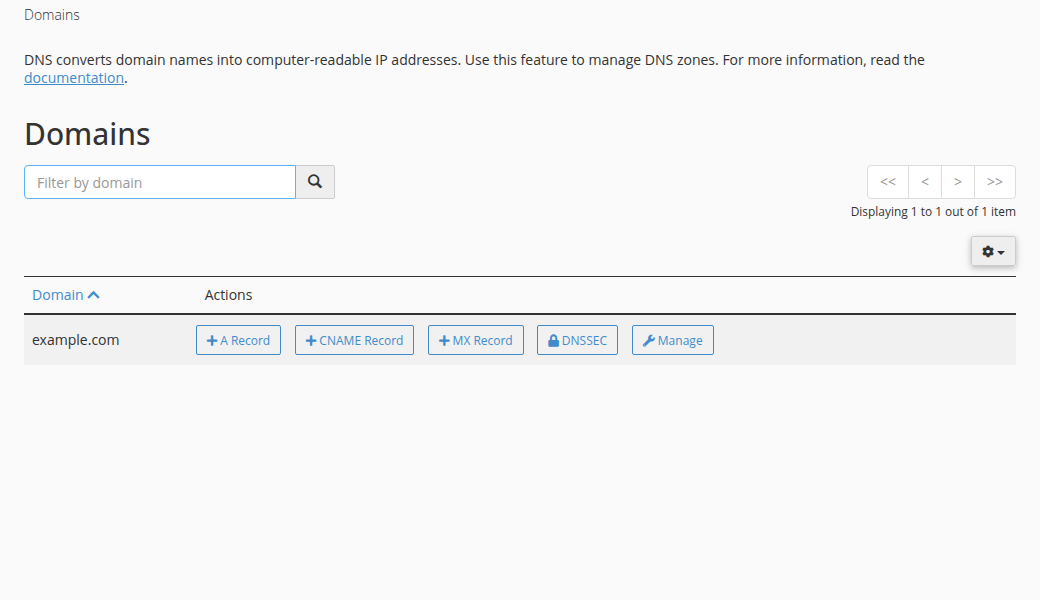
Where cPanel shows a DNSSEC option in Domains › Zone Editor, turning it on creates signing keys for that zone and signs the records stored on that server. cPanel then shows the DS record details: a key tag, an algorithm number, a digest type and a digest.
That only protects your domain if both of these are true:
- The domain's nameservers are that server's nameservers. If your domain uses Cloudflare, your registrar's DNS or any other provider, visitors never see the zone cPanel signed, and a DS record copied from cPanel would break the domain.
- The DS record is published at the registry. Until it is, resolvers treat the domain as unsigned. It still works, with no DNSSEC protection.
Whether the DNS on your hosting server can sign your zone for your account is not something to assume. Ask support in the same ticket, and we will tell you what is possible before anything is changed.
2. How to set up DNSSEC for a domain with Domain India
- Find out who answers DNS for the domain.Run
dig NS yourdomain.com +short. The nameservers it returns belong to your DNS host, and that is where the zone must be signed. - Sign the zone at that DNS host.If that is your Domain India hosting, ask support first. If it is a managed DNS provider, turn DNSSEC on in its dashboard.
- Copy the DS record detailsyour DNS host shows you: key tag, algorithm, digest type and digest.
- Open a support ticket.Go to open a ticket (or
/client/support/newwhen you are signed in) and send the domain name, your DNS provider and the DS record details. Support will confirm what can be done for that domain and extension. - Check the result.Once support confirms the change, run
dig DS yourdomain.com +short, and check the domain on DNSViz (dnsviz.net).
Only send a DS record that your current DNS host gave you, after the zone is signed. If the DS record at the registry doesn't match the keys the zone is signed with, validating resolvers reject every answer, and your website and email stop working for many users.
3. If your domain is registered somewhere else
The DS record always goes to the registrar that holds the domain, not to your hosting. Most registrars have a DNSSEC or DS record section in their domain settings: paste the key tag, algorithm, digest type and digest from your DNS host, and save. Menu names change often, so follow your registrar's own help pages.
If Cloudflare is your DNS provider and not your registrar, turn DNSSEC on in Cloudflare, then add the DS record Cloudflare shows you at your registrar.
4. Changing nameservers on a signed domain
Before you point a DNSSEC-signed domain at new nameservers, remove the DS record first (for a domain registered with us, ask support), wait a day or two for caches to expire, then change the nameservers. Set DNSSEC up again once the new DNS host is signing the zone. Moving nameservers while an old DS record is still published is the most common way a signed domain goes offline. Nameserver changes are covered in how do I change my nameservers.
Does enabling DNSSEC in cPanel protect my domain on its own?
No. cPanel can sign the zone stored on its server, but DNSSEC becomes active only when a matching DS record is published at the registry through your registrar, and only if the domain's nameservers are that server's.
Can I add a DS record from the Domain India client area?
No. There is no DNSSEC or DS record page in the client area. Open a support ticket with the domain name, your DNS provider and the DS record details, and support will tell you what is possible for that domain before anything is changed.
Where do I get the DS record details?
From whoever answers DNS for your domain. After that DNS host signs the zone, it shows the key tag, algorithm, digest type and digest for the DS record.
Do .in and .com domains support DNSSEC?
Yes. The .in zone, its second-level extensions such as .co.in, and .com are all signed at the registry. Your own domain is protected only after its DNS host signs the zone and a matching DS record is published.
How do I check whether DNSSEC is working?
Run dig DS yourdomain.com +short to see whether a DS record is published, and check the domain on DNSViz. A validating resolver sets the ad flag in dig +dnssec output when the answer validates.
Ready to set it up? Read DNSSEC explained, confirm who answers DNS for your domain, then open a support ticket with the DS record details.
Send us the domain name and your DNS provider, and we will tell you what is possible for that domain before anything is changed.
Open a ticket