A domain availability checker tells you whether a name can be registered right now. Most take a second, and most are right most of the time, but "available" on one site is not always "registrable" at checkout. This guide explains how availability checks work, where they go wrong, and how to check a name safely before you buy it.
The quickest reliable check is the search on the registrar you plan to buy from, because its checkout asks the registry directly. At Domain India that is the domain registration search, and a WHOIS lookup tells you who holds a name that is taken. Third-party checkers are useful for brainstorming, but treat their results as a hint, and register a name you want promptly rather than searching it on site after site.
1. What an availability checker does
Every extension (.in, .com, .org and so on) is run by a registry that keeps the master list of registered names. An availability checker asks, in one way or another, whether your name is on that list:
- Registrar searches ask the registry directly, through the same connection the registrar uses to register names. This is the most reliable answer.
- Registration data lookups (WHOIS, and its modern replacement RDAP) show the record for a name that is registered: who the registrar is, when it was created, when it expires and its status.
- Suggestion tools and generators combine words and extensions and then check the results, often in bulk. They are good for ideas and less precise for the final answer.
2. How to check a name at Domain India
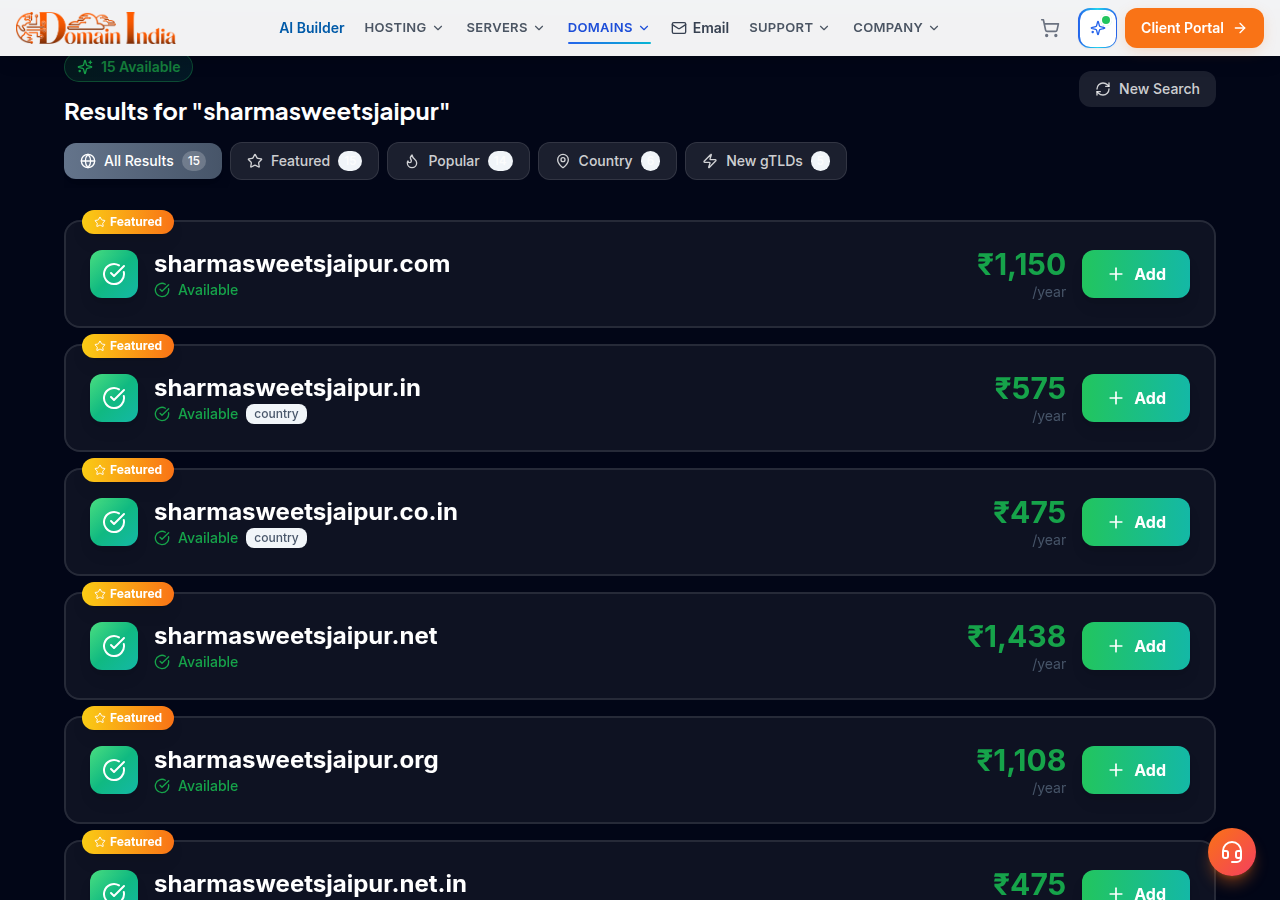
- Search the name.Type the name at domain registration. You see which extensions are free and the price of each.
- Compare the extensions you care about.For a business in India that usually means the .in and the .com together. Decide now whether you can live without the one that is taken.
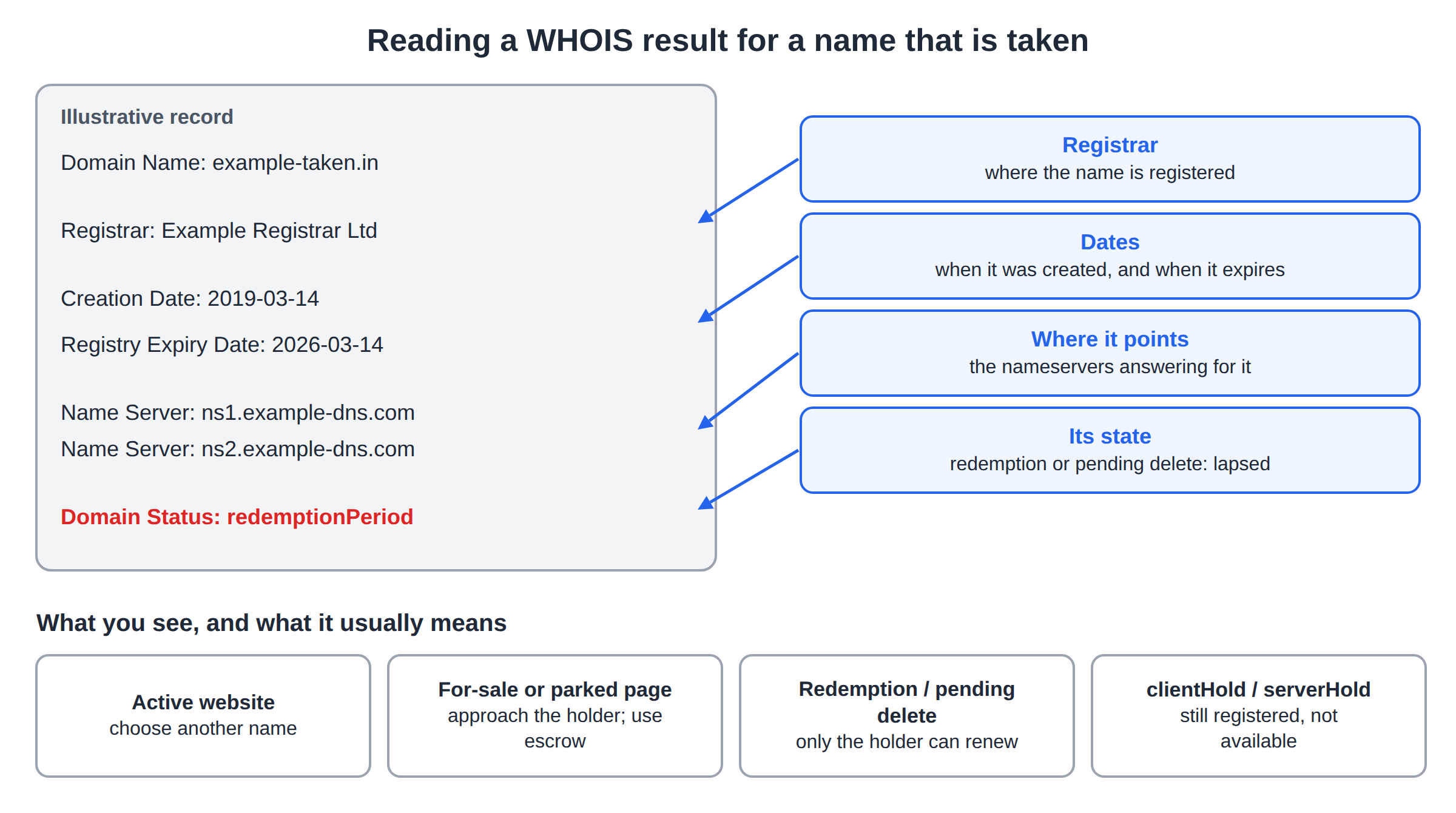
- Look up a name that is taken.Run a WHOIS lookup to see the registrar, the registration and expiry dates, the nameservers and the status.
- Out of ideas?Describe your business to the AI Domain Advisor, which is free, and it suggests names and checks them for availability.
- Register promptly.When you find a name that passes your checks, register it rather than coming back next week.
A free name can still be a bad name. Before you pay, search the Trade Marks Registry, Google the name and check your social handles. How to choose the right domain name for your business walks through each check.
3. Why "available" is sometimes wrong
The .in restrictions are covered in Reserved and prohibited domain names under NIXI and Who can register a .in domain.
4. Reading a WHOIS result for a taken name
If the name is registered, the lookup record tells you what you can realistically do next.
| What you see | What it usually means | What you can do |
|---|---|---|
| Active website on the name | The holder is using it | Choose a different name or extension |
| A parked or "for sale" page | The holder may sell | Approach the holder; use escrow if you buy |
| Expiry date in the past, status in redemption or pending delete | The name has lapsed and is being recovered or released | Watch it; only the current holder can renew during recovery |
| Status clientHold or serverHold | The name is registered but switched off | It is still registered; it is not available |
Buying a name from its holder is a separate process with its own risks; Buying and selling domains explains how to do it safely. For the meaning of each status code, read Guide to domain name status codes.
5. Third-party checkers: useful, with care
Plenty of independent sites check availability: search-as-you-type checkers, name generators, bulk checkers and the lookup tools that registries and ICANN run for registration data. They are handy for exploring ideas quickly. Use them with three habits:
- Confirm at the registrar before you decide. A third-party "available" is a hint. The registrar's checkout is the answer.
- Do not hunt the same valuable name across many sites for days. Searches are logged by many services. There are long-standing complaints about names being registered by someone else soon after they were searched. Whether or not a given site does this, the safe habit is to decide and register promptly.
- Type the address yourself. Look-alike sites imitate well-known registrars and lookup services to collect logins and payments. Check the address bar before you sign in or pay anywhere.
Messages saying that someone is trying to register your business name in another extension, and that you must buy it from them today, are a common sales tactic and sometimes a scam. Check the claim with a WHOIS lookup and your own registrar before you pay anyone.
6. Checking many names at once
When you have a shortlist, check it systematically rather than one name at a time:
- Write down every candidate with the two or three extensions you would actually use.
- Search each at domain registration and note which combinations are free, with their register and renew prices.
- Drop any name where the extension you need most is taken by an active business.
- Run the trademark, Google and social-handle checks on the survivors only.
7. Where Domain India fits
Domain India is a NIXI-accredited .IN registrar and registers .com, .org and hundreds of other extensions. The search, the WHOIS lookup and the AI Domain Advisor are free to use, and you register and manage every domain from one client area.
| Extension | Register (1 year) | Renew (per year) |
|---|---|---|
| .in | ₹575 | ₹625 |
| .co.in | ₹475 | ₹525 |
| .com | ₹1,150 | ₹1,150 |
Domain India list prices on 19 September 2026, excluding 18% GST. For .in and its second-level extensions (.co.in, .net.in, .org.in and others), personal registrant details are not shown in public WHOIS. This is free and automatic; there is nothing to switch on.
Frequently asked questions
How do I check whether a domain name is available?
Search the name on the registrar you plan to buy from. Its search asks the registry directly, so its answer is the one that counts at checkout. At Domain India, use the domain registration search, which shows every extension that is free and its price.
Why does one site say a domain is available when another says it is taken?
Some tools answer from a stored list instead of asking the registry live, and some do not show reserved, restricted or premium names correctly. Confirm with the registrar's own search before you decide.
What does a WHOIS lookup tell me about a taken domain?
It shows the registrar, the creation and expiry dates, the nameservers and the domain's status. That tells you whether the name is in use, parked, on hold or expired and being recovered.
Can someone register a domain because I searched for it?
There have long been complaints about names being registered soon after they were searched on some services. The safe habit is to search on the registrar you intend to use and register a name you want promptly.
Is a name showing as expired available to register?
Not straight away. An expired domain usually goes through a recovery period during which only the current holder can renew or restore it. It becomes available only after the registry deletes it.
Is the Domain India WHOIS lookup free?
Yes. The WHOIS lookup, the domain search and the AI Domain Advisor are free to use.
Ready to check your name?
Search your name on .in and .com together at domain registration, look up a taken name with the WHOIS lookup, or get suggestions from the AI Domain Advisor. If a result puzzles you, open a ticket: support is on 24/7 live chat, and tickets get a first response within 15 minutes.
See the Indian and global extensions side by side, with register and renewal prices, from a NIXI-accredited .IN registrar.
Search domains