On Domain India DirectAdmin hosting you do not need to create backups for them to exist: JetBackup 5 backs up your whole account automatically every week. What you cannot do is start a new JetBackup backup yourself, so this guide explains what the automatic backups cover and how to make your own copy before a big change.
JetBackup 5 takes a full backup of your DirectAdmin account every week, early on Sunday morning, and keeps the last 5. There is nothing to set up. JetBackup's Backup on Demand is not switched on for customer accounts on our servers, so to get a copy of today's state, download the latest weekly backup and export your database and files yourself, or ask support.
For restores, downloads and the full picture, read Backup and restore with JetBackup.
1. The automatic weekly backup
| Item | On Domain India DirectAdmin hosting |
|---|---|
| Tool | JetBackup 5, inside DirectAdmin |
| Schedule | Weekly, early on Sunday morning (India time) |
| Copies kept | The last 5 weekly backups |
| What each backup covers | Files, databases and database users, email, cron jobs, DNS zones, SSL certificates and FTP accounts |
| Price | Included with your hosting; there is no separate backup add-on |
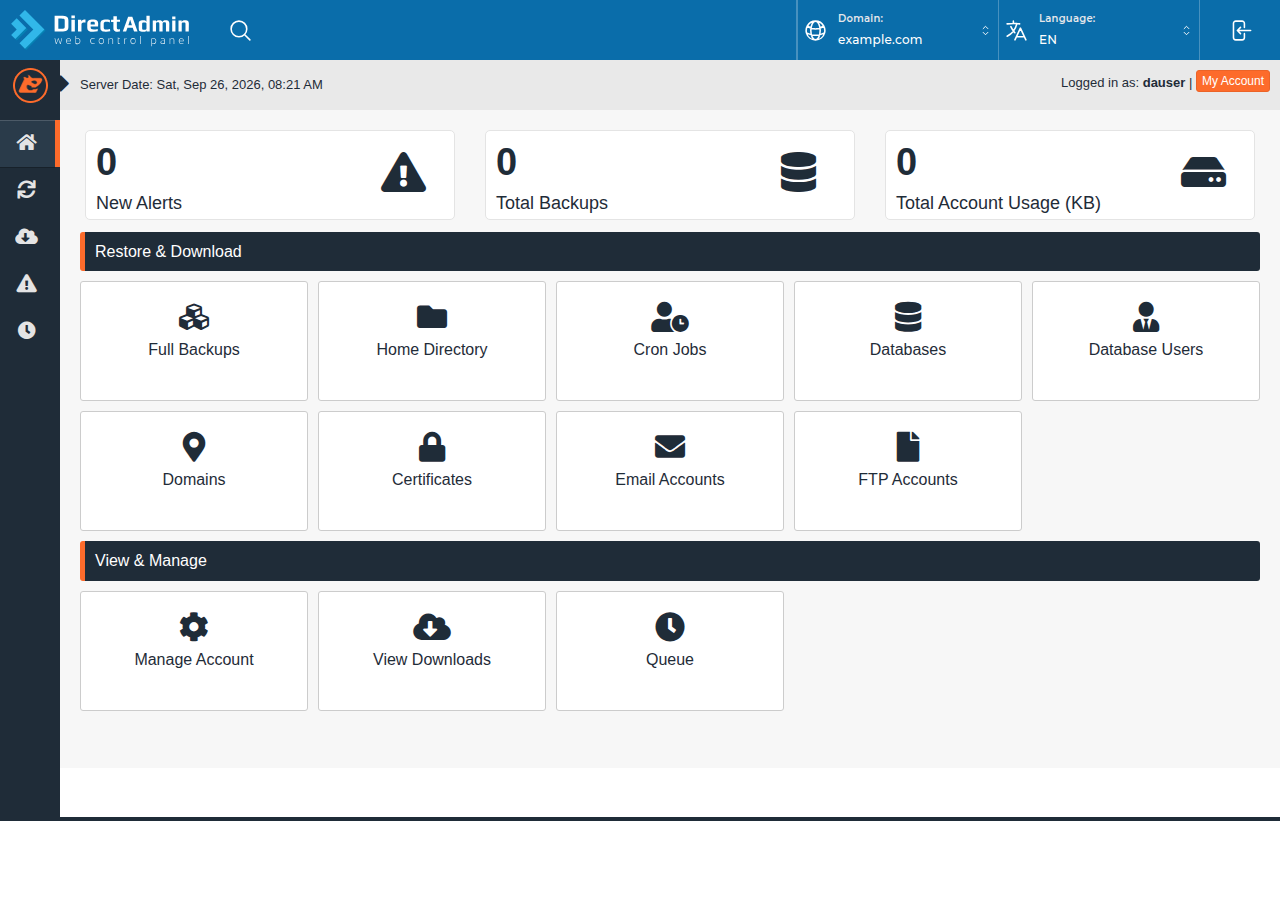
The backups run on their own. You do not choose the schedule or the destination, and you cannot switch them off. To see which backup dates you have, log in to DirectAdmin and open JetBackup 5 (use the search box if it is not on the first screen).
2. Can I create a backup on demand?
Not through JetBackup. JetBackup 5 has a feature called Backup on Demand that lets an account holder start a fresh backup, but it is not configured on our DirectAdmin or cPanel servers, so there is no button to create a new JetBackup backup from your panel.
That matters most just before a big change, because the newest weekly backup can be up to a week old. Make your own copy instead (section 3). If you need a server-side backup taken before a planned change, ask support.
3. Make your own copy before a big change
- Download the latest weekly backup.In JetBackup 5, open Full Account, pick the most recent date and choose Download. JetBackup prepares the file in the background; save it when it appears in the downloads list.
- Export your database.For anything that changed since Sunday, such as orders or posts, export the database in phpMyAdmin. See how to back up a MySQL database using phpMyAdmin.
- Copy changed files.Download your website folder with FTP, or with the DirectAdmin File Manager.
- Store the copies off the server.Keep them on your computer or your own cloud storage, with the date in the file name.
Take your own copy before updating WordPress, changing a theme, installing a plugin, running SQL by hand or migrating. If something breaks, you can go back to the exact state you had, not last Sunday's.
4. Download a backup for your records
Any of the 5 weekly backups can be downloaded:
- Pick the type and date.In JetBackup 5, open the section you need (Full Account, Home Directory, Databases or Email Accounts) and choose a date.
- Choose Download.The file is prepared in the background.
- Save itfrom JetBackup's downloads list when it is ready.
A full account download is usually a compressed .tar.gz archive. For the full walkthrough, see how can I download a backup of my site.
5. Troubleshooting
- JetBackup 5 is not in your DirectAdmin. Use the search box first; if it is still missing, ask support.
- A download is slow to appear. Large accounts take longer to prepare. Wait for the job to finish before trying again.
- You need a copy from more than five weeks ago. Older weekly backups have rolled out and cannot be recovered, which is why your own off-server copies matter.
To restore from a backup, see restoring from JetBackup in DirectAdmin.
Frequently asked questions
Does Domain India back up my DirectAdmin account automatically?
Yes. JetBackup 5 takes a full backup of your account every week, early on Sunday morning, and keeps the last 5 copies. There is nothing to set up.
Can I create a JetBackup backup myself whenever I want?
No. JetBackup's Backup on Demand feature is not configured on Domain India's shared hosting servers. Download the latest weekly backup and export your database and files yourself, or ask support if you need a server-side copy before a planned change.
Can I change the backup schedule or keep more copies?
No. The weekly schedule and the 5 copies kept are the same for every account, and Domain India does not sell a separate backup add-on. Keep your own copies for anything more frequent.
What does a JetBackup backup include?
Your files, databases and database users, email accounts, cron jobs, DNS zones, SSL certificates and FTP accounts. You can restore or download each part separately.
How do I keep a copy on my own computer?
In JetBackup 5, pick Full Account and a date, choose Download, and save the file from the downloads list when it is ready.
Planning a big change? Download a backup first, read the full JetBackup guide, or open a support ticket if you need help. Our team is on 24/7 live chat too.
Tell us the domain and what you are about to change, and we will help you make sure you have a copy to go back to.
Open a support ticket