To keep our IP addresses off spam blocklists, every new VPS has outbound ports 25 and 465 blocked. Port 587 works.
Send through a mail service with a login on port 587. To open port 25, complete eKYC, keep your account in good standing for 30 days, then open a ticket.
See your status: your VPS page › Network tab › Outbound mail (port 25 / 465).
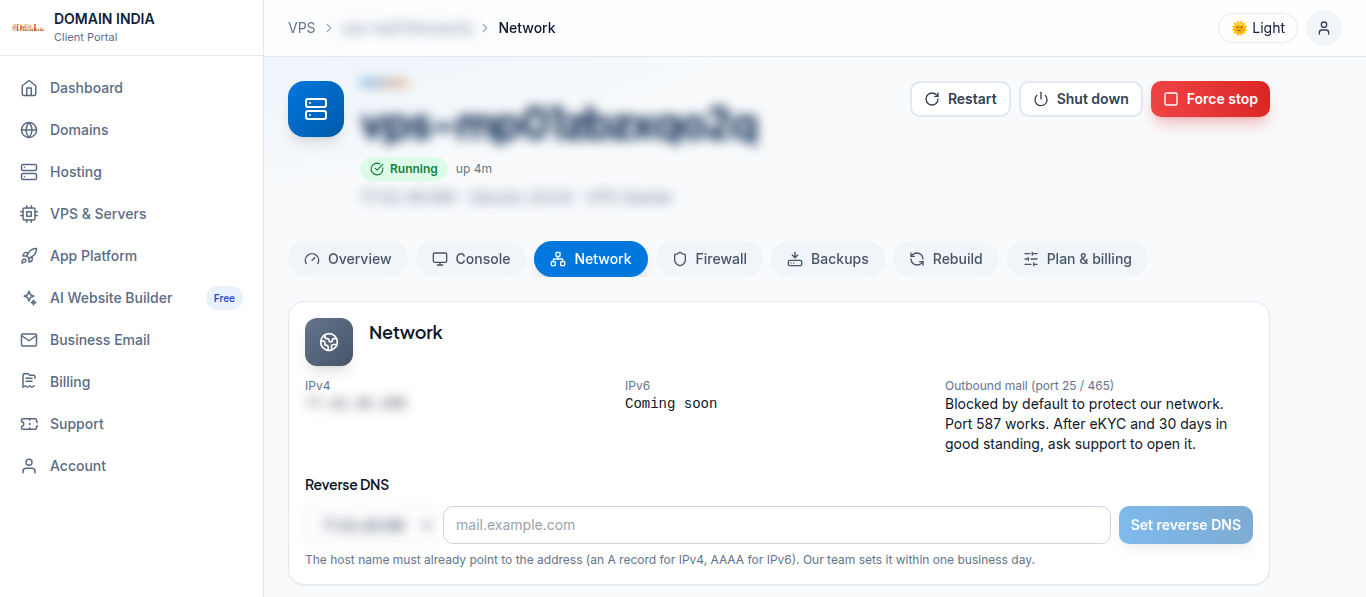
What you can do now
- Send through a mail service with a login on port 587 (STARTTLS). Most apps and plugins support this.
- Or use Domain India Business Email for your domain's mail.
To open port 25
- Complete your identity verification (eKYC).
- Keep your account in good standing for 30 days.
- Set reverse DNS first, plus SPF, DKIM and DMARC for your domain.
- Open a ticket asking to open port 25 for your VPS, with its IP address and what you will send.
We close it again if we receive abuse reports.
Test from the VPS: nc -vz gmail-smtp-in.l.google.com 25 times out while it is blocked.
Older VPS without a VPS page in your client area: open a ticket with the VPS IP address and our team will do this for you.
Frequently asked questions
Is port 25 blocked on my VPS?
Yes, outbound 25 and 465 are blocked on every new VPS. Port 587 works.
How do I get port 25 opened?
Complete eKYC, keep your account in good standing for 30 days, set reverse DNS, SPF, DKIM and DMARC, then open a ticket with the VPS IP and what you will send.
Can I send mail from my VPS today?
Yes, through a mail service with a login on port 587, or with Domain India Business Email.