You change a Domain India hosting plan from one page in the client area: Change plan on your hosting service. Moving up and moving down work differently. An upgrade applies as soon as you pay the difference; a downgrade is booked for your renewal date.
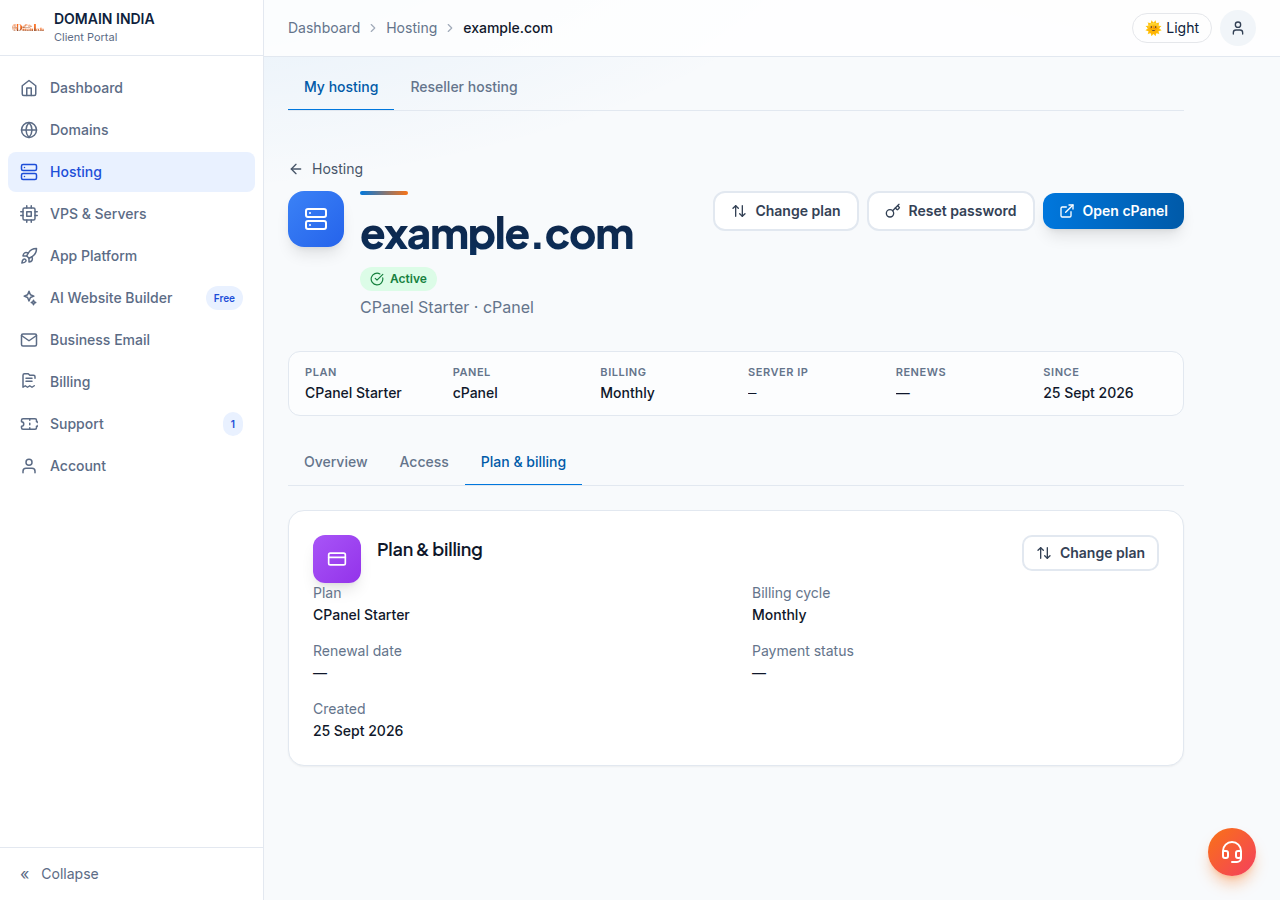
Open Hosting › My hosting, select your hosting service and choose Change plan. To move up, click Upgrade, pay the prorated difference plus 18% GST, and the new plan applies once payment is confirmed. To move down, choose Schedule downgrade: you keep your current plan until the renewal date, with no refund for the current term. Plan changes stay on the same control panel; Webuzo and Windows customers should contact support first.
Pricing examples, plan limits and every rule are in Can I upgrade my web hosting package at any time?. This page follows it exactly.
1. Upgrade or downgrade: how they differ
| Item | Upgrade | Downgrade |
|---|---|---|
| Where | Change plan page, Upgrade button | Change plan page, Schedule downgrade button |
| When it applies | As soon as the upgrade invoice is paid | On your renewal date |
| What you pay now | The difference for the time left to renewal, plus 18% GST | Nothing now; no refund or credit for the current term |
| Renewal date | Unchanged | Unchanged; the smaller plan starts on it |
Both need an active account and a plan on the same control panel. A suspended or cancelled account cannot change plan until the unpaid invoice or suspension is cleared.
2. Change your plan in the client area
- Sign inand open Hosting › My hosting, then select your hosting service.
- Choose Change plan.You see your current plan and billing cycle, and every plan on the same control panel, each with its monthly price and features.
- To upgrade,click Upgrade on a bigger plan. The page shows the exact amount due now, with tax shown separately. Confirm and pay the invoice.
- To downgrade,click Schedule downgrade on a smaller plan and confirm. A banner on the page then shows the scheduled change.
An unpaid upgrade invoice changes nothing: you stay on your current plan. Only one unpaid upgrade invoice is allowed per service at a time, and it is due 7 days after it is raised. It appears under Invoices.
3. Before you downgrade
- The change is booked for your renewal date. You keep your current plan until then.
- Changed your mind? The banner on the Change plan page has a Cancel downgrade button.
- Upgrading before the date cancels the scheduled downgrade automatically.
- There is no refund or credit for the rest of the current term.
- Your files, mailboxes and databases must fit the smaller plan's limits. Delete what you no longer need before the renewal date.
- Only one downgrade can be scheduled at a time.
4. What an upgrade costs
The client area credits the unused value of your current plan up to your renewal date, charges the new plan for the same days, and bills the difference plus 18% GST. The Due now figure is calculated for your own dates, so there is no need to work it out by hand. Your hosting account, login, files, databases and mailboxes stay exactly where they are.
5. Webuzo, Windows and switching control panel
Webuzo and Windows (ASP.NET) hosting: contact support before changing plan. We will confirm the options for your account and make the change with you.
A different control panel or operating system, such as DirectAdmin to cPanel, Linux to Windows, or shared hosting to a VPS, is not a plan change. You order the new service and move the website across. Open a ticket first so we can plan the move with you before you cancel anything.
Frequently asked questions
How do I change my Domain India hosting plan?
Sign in, open Hosting › My hosting, select your hosting service and choose Change plan. Click Upgrade on a bigger plan, or Schedule downgrade on a smaller one, on the same control panel.
When does a downgrade take effect?
On your renewal date. You keep your current plan until then, there is no refund for the current term, and you can cancel the scheduled downgrade from the Change plan page before that date.
When does an upgrade take effect?
As soon as the upgrade invoice is paid. If the invoice is not paid, you stay on your current plan.
Can I move from cPanel to Windows hosting by changing plan?
No. A plan change stays on the same control panel. Moving to a different panel or operating system means ordering the new service and migrating your website, so open a support ticket first.
Will changing plan affect my website or email?
No. Your hosting account, control panel login, files, databases and mailboxes stay the same. Before a downgrade, make sure your usage fits the smaller plan's limits.
Ready to change your plan? Open Hosting › My hosting and choose Change plan, read the full upgrade and downgrade guide, or open a ticket for help. Support is on 24/7 live chat, and tickets get a first response within 15 minutes; resolution can take longer depending on the issue. There is no phone support.
Open your hosting service and choose Change plan to see every option on your control panel, with the exact price before you confirm.
Go to My hosting