On Domain India cPanel hosting, backups live in JetBackup 5, inside cPanel. From there you can restore any part of your account to an earlier date, or download a copy to your own computer, without contacting support. This short guide shows both.
Log in to cPanel and open JetBackup 5 in the Files section. Pick the backup type (Full Account, Home Directory, Databases, Email Accounts and more) and a date, then choose Restore to put it back or Download to save a copy. Backups are taken weekly, on Sunday, and the last 5 are kept.
This is the quick version. For everything about JetBackup on Domain India hosting, read Backup and restore with JetBackup.
1. Open JetBackup 5 in cPanel
- Log in to cPanel.See how to log in to cPanel if you are not sure how.
- Find JetBackup 5.It is in the Files section, or type "JetBackup" in cPanel's search box.
cPanel's own Backup and Backup Wizard pages are switched off on our servers. Use JetBackup 5 instead.
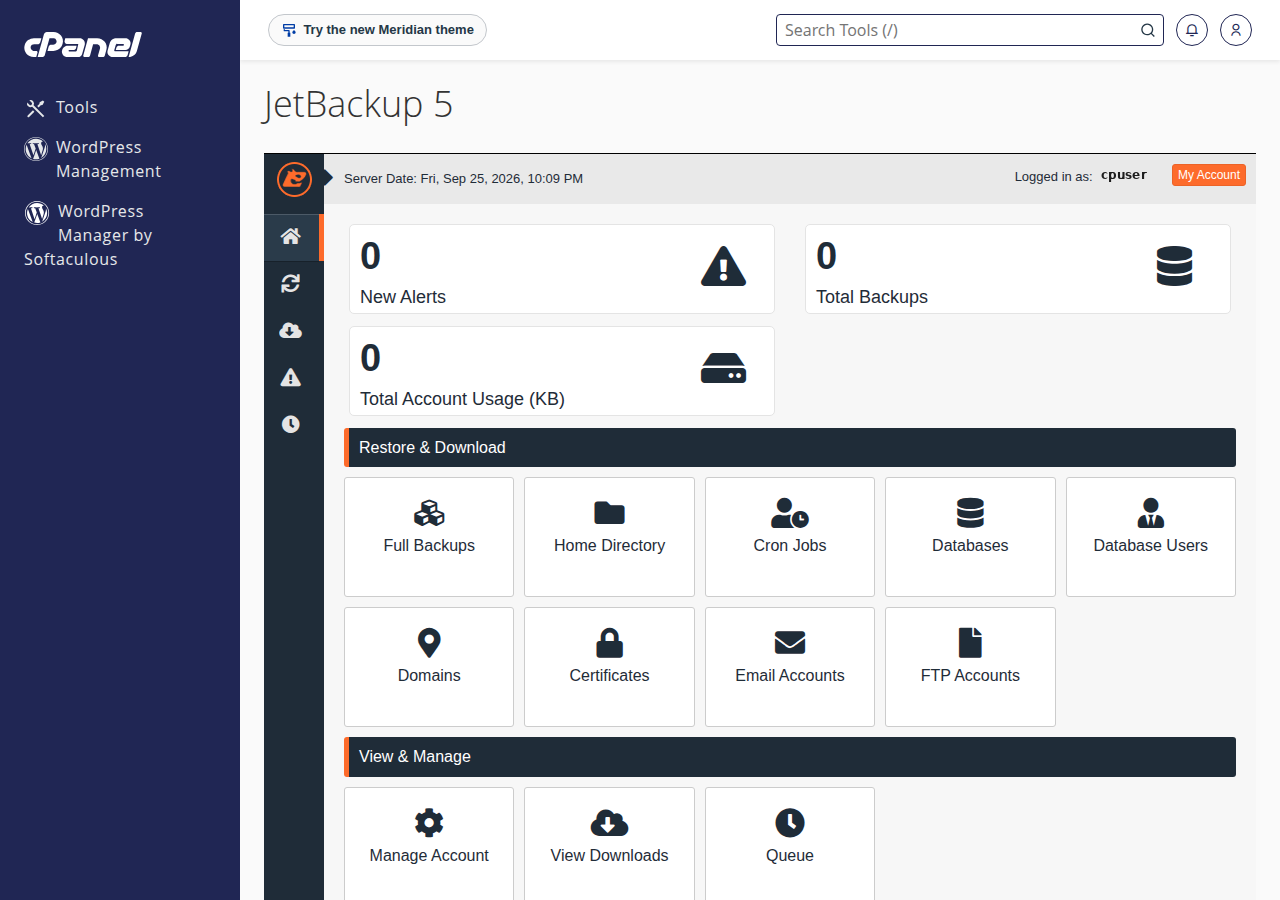
2. Restore a backup
- Pick the type.Open the section for what you need back: Full Account, Home Directory (your files), Databases, Email Accounts, or another type.
- Pick the date.Choose a backup from before the problem started.
- Select and restore.Tick the file, folder, database or mailbox, choose Restore, and confirm.
- Wait for the queue.JetBackup runs the job from its queue. Wait until it is marked complete, then test your site.
A restore replaces what is there now with the version from the backup date. Newer orders, posts or emails in that part can be lost, so download the current state first if you might need it.
For every restore type and what to do when a restore fails, see the JetBackup 5 restore guide.
3. Download a backup
- Pick the type and dateas for a restore, for example Full Account and the most recent date.
- Choose Download.JetBackup prepares the file in the background.
- Save it.When it is ready, save the file from JetBackup's downloads list to your computer or your own cloud storage.
A full account download is usually a .tar.gz archive. 7-Zip on Windows, or the built-in archive tools on macOS and Linux, can open it. More detail is in how can I download a backup of my site.
4. Keep your own copies
The weekly backups roll over after five weeks, and the newest one can be up to a week old. Before any big change, such as a WordPress update or a new theme, download a backup or export your database in phpMyAdmin. Keep a few dates off the server.
Frequently asked questions
Where is JetBackup in Domain India cPanel?
Log in to cPanel and open JetBackup 5 in the Files section, or type JetBackup in cPanel's search box.
How often are backups taken?
JetBackup 5 takes a weekly backup of your account every Sunday and keeps the last 5 copies.
Can I download a backup instead of restoring it?
Yes. Pick the backup type and date, choose Download, and save the file from JetBackup's downloads list when it is ready.
Do I have to restore the whole account?
No. You can restore just the files, one database, or one mailbox, which is safer than a full restore.
Need a hand? Read the full JetBackup guide or open a support ticket. Our team is on 24/7 live chat too.
Tell us the domain, what you need restored and the date it last worked.
Open a support ticket