Git records every change to your website's code, so you can see who changed what, undo a mistake in seconds and work on new features without touching the live site. This guide sets Git up from scratch on your own computer, covers the commands you will use every day, and shows how Git fits with Domain India hosting, including cPanel's Git Version Control tool.
Install Git, set your name and email, run git init in your project folder, add a .gitignore that keeps secrets such as .env and wp-config.php out, then commit and push to a private repository on GitHub, GitLab or Bitbucket. On Domain India cPanel hosting, the Git Version Control tool clones that repository into your account and deploys it with a .cpanel.yml file, no SSH needed for a public repository. Run build tools such as Composer on your own computer; on shared hosting Composer isn't pre-installed, but you can run composer.phar over jailed SSH.
1. Why use version control
A hosted remote (GitHub, GitLab or Bitbucket) also gives you an off-site copy of your code. It is not a backup of your database or uploaded files, so keep those separately.
2. Install Git on your computer
- Windows: download Git for Windows from git-scm.com and accept the defaults. It includes Git Bash and a credential manager for signing in to GitHub.
- macOS: open Terminal and run
git --version. If Git is missing, macOS offers to install the Command Line Tools. Homebrew users can runbrew install git. - Linux: use your package manager, for example
sudo apt install giton Ubuntu or Debian, orsudo dnf install giton AlmaLinux, Rocky Linux or Fedora.
Check it worked with git --version.
3. Tell Git who you are
git config --global user.name "Your Name"
git config --global user.email "[email protected]"
git config --global init.defaultBranch main
The name and email appear in every commit. The last line names the first branch main, which is what GitHub and GitLab expect.
4. Create a repository and a .gitignore
In your project folder:
cd ~/projects/mysite
git init
Before your first commit, create a .gitignore file so Git never records secrets, dependencies or junk. A good starting point for a PHP or WordPress site:
# Secrets and local settings
.env
.env.*
wp-config.php

# Dependencies (rebuilt from composer.json / package.json)
/vendor/
/node_modules/

# WordPress uploads and caches
/wp-content/uploads/
/wp-content/cache/

# Editor and system files
.vscode/
.idea/
.DS_Store
Thumbs.db
*.log
For an application, do commit composer.lock and package-lock.json: they pin the exact versions you tested. For WordPress, many developers keep only their own theme and plugins in Git and leave WordPress core out.
Database passwords, API keys and SMTP passwords belong in .env or wp-config.php, which are ignored above. If one reaches a commit, removing the file later does not remove it from history: change the password or key straight away.
5. First commit and your remote
git add .
git status
git commit -m "Initial commit"
Create an empty private repository on GitHub, GitLab or Bitbucket (without a README), then connect and push:
git remote add origin [email protected]:yourname/mysite.git
git push -u origin main
GitHub no longer accepts your account password for Git. Use an SSH key (the [email protected]: address above), or the HTTPS address with the credential manager or a personal access token. For creating a key, see generate SSH keys.
6. Everyday commands
| Task | Command |
|---|---|
| See what changed | git status and git diff |
| Stage and commit | git add file.php then git commit -m "Fix contact form" |
| Send and fetch | git push and git pull |
| View history | git log --oneline --graph |
| New branch | git switch -c feature/contact-form |
| Change branch | git switch main |
| Merge a finished branch | git switch main then git merge feature/contact-form |
| Discard an unstaged edit | git restore file.php |
| Unstage a file | git restore --staged file.php |
| Undo a pushed commit safely | git revert COMMIT_ID |
| Mark a release | git tag v1.0 then git push --tags |
A simple workflow for a website: keep main always deployable, make each change on a short feature/... branch, merge when tested, and delete the branch. Commit small, focused changes with messages that say why.
Merge conflicts: Git marks the clashing lines with <<<<<<<, ======= and >>>>>>>. Edit the file to keep the right version, delete the markers, then git add the file and commit.
7. Git with Domain India hosting
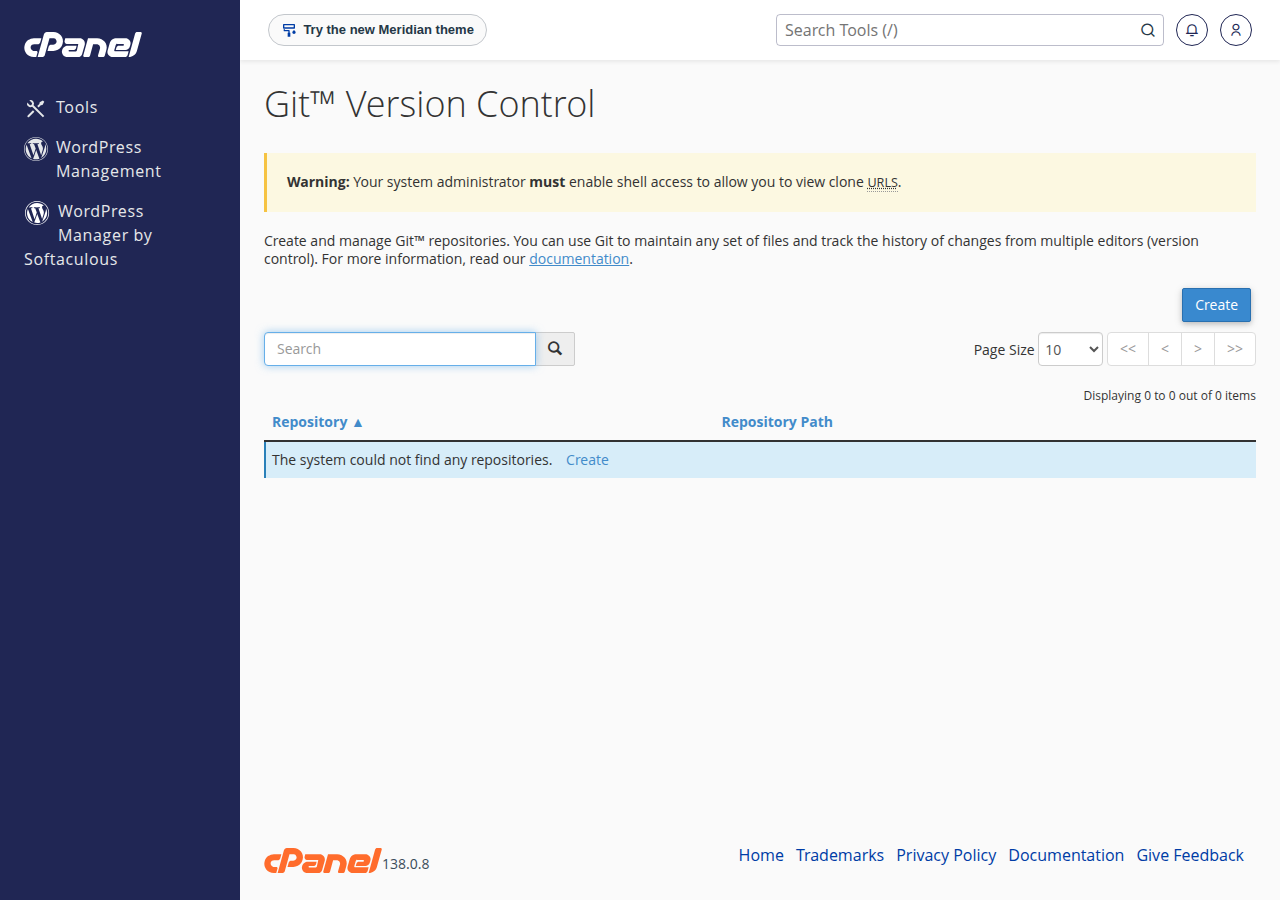
- Open Git Version Control in cPanel.It is in the Files section. We checked on 24 September 2026 that the tool is present on our cPanel server and enabled for the standard hosting plans.
- Clone your repository.Click Create, paste the clone URL and choose a path outside
public_html, such asrepositories/mysite, so nobody can download your.githistory from the web. - Add a
.cpanel.ymlfileto the root of the repository. It tells cPanel which files to copy into your website. - Deploy.Under Manage › Pull or Deploy, click Update from Remote, then Deploy HEAD Commit.
A minimal .cpanel.yml that publishes a public folder:
---
deployment:
  tasks:
    - export DEPLOYPATH=/home/USERNAME/public_html/
    - /bin/cp -R public/* $DEPLOYPATH
cPanel deploys only when the repository has this file and no uncommitted changes. A public repository clones with no extra setup; a private one needs an SSH key that your Git host trusts, so ask support to help set that up. The full walk-through is set up a GitHub repository for cPanel hosting.
Git from the command line. Jailed SSH access is available on every shared hosting plan (cPanel, DirectAdmin, Webuzo). It is off by default; ask support to enable it for your account. Login is by SSH key only. Git is available inside the jailed shell on our cPanel servers; on DirectAdmin and Webuzo, ask support what your account has. See enabling and accessing jailed SSH.
Composer isn't pre-installed on our shared servers, but over jailed SSH you can run php composer.phar install; if it stops with a proc_open message, run it again with --no-scripts. Or run Composer and npm run build on your own computer or in CI, then deploy the finished files including vendor/. See PHP disabled functions on shared hosting.
Windows (Plesk) hosting has no SSH, so upload built files with FTP there. Every deployment route, including push-to-deploy over SSH, is compared in deploying your website with Git.
8. When you want deploy-on-push
A GitHub webhook that runs git pull through a PHP script cannot work on our cPanel servers, because shell_exec is disabled. For automatic deploys, the App Platform deploys from GitHub with Deploy Now, or from your CI with a deploy token. Node.js apps are detected automatically and other languages run from your own Dockerfile. App Platform plans start at ₹100 a month (excluding 18% GST, Domain India list prices on 19 September 2026). For full control of any workflow, a VPS is self-managed with root access.
- 512 MB RAM per app
- 1 vCPU
- 5 GB NVMe SSD
- PostgreSQL Database
Prices on the cards exclude 18% GST.
Frequently asked questions
Do I need to install Git on my Domain India hosting?
No. Shared hosting has no root access, and Git is already available on our cPanel servers, both in the Git Version Control tool and inside the jailed SSH shell. You install Git only on your own computer.
Can I use Git on cPanel without SSH?
Yes. cPanel's Git Version Control tool, in the Files section, clones a public repository and deploys it with a .cpanel.yml file. A private repository needs an SSH key that your Git host trusts; ask support to help set it up.
Is SSH included with Domain India shared hosting?
Jailed SSH access is available on every shared hosting plan (cPanel, DirectAdmin and Webuzo). It is off by default; ask support by live chat or ticket to enable it, and log in with an SSH key.
Can I run composer install on shared hosting?
Yes, over jailed SSH (on request). Composer isn't pre-installed, so download composer.phar and run php composer.phar install; if it stops with a proc_open message, run it again with --no-scripts. Or run it on your own computer or in CI and upload the vendor folder with your code.
Should I commit composer.lock and package-lock.json?
Yes, for an application. Lock files record the exact dependency versions you tested, so every install builds the same code.
I committed a password by mistake. What do I do?
Change the password or key immediately, because it stays in the repository's history. Then run git rm --cached on the file, add it to .gitignore and commit.
Why does Deploy HEAD Commit do nothing in cPanel?
cPanel deploys only when the repository has a valid .cpanel.yml file in its root and no uncommitted changes. Check both, then deploy again.
Ready to put your site under version control? Read deploying your website with Git, ask for jailed SSH through a support ticket, or see the App Platform for deploy-on-push.
Connect a GitHub repository or use a deploy token, and your app is built and served over HTTPS.
See App Platform plans