Domain privacy protection keeps your name, home address, email and phone number out of the public record for your domain, which cuts down spam, sales calls and phishing attempts aimed at you. At Domain India you get it free and automatically on every .in domain, and you can add it for ₹300 a year on .com and most other extensions.
How to switch it on, what each status label means and how to remove it are covered in how to enable or disable privacy protection for your domain name.
For .in and its second-level extensions (.co.in, .net.in, .org.in and others), personal registrant details are not shown in public WHOIS. This is free and automatic; there is nothing to switch on. For .com, .net, .org and most other extensions, domain privacy is an optional add-on at ₹300 a year per domain (excluding 18% GST), enabled from the domain's page in the client area. There is no self-service switch to turn it off; ask support.
1. What domain privacy protects you from
Every registered domain has a public WHOIS record, and registrars must collect accurate contact details for it. Without privacy, those details can be looked up by anyone. With privacy, they are replaced in the public record by generic or proxy details.
Privacy does not change what always stays public: the domain name, the registrar, the dates, the nameservers and the status codes. It also does not let you register with false details, and registrars and registries can still disclose your data when the law requires it.
2. What it costs at Domain India
| Extension | Domain privacy | Price |
|---|---|---|
| .in, .co.in, .net.in, .org.in and the rest of the .in family | Personal details hidden automatically by the registry | Free, nothing to buy |
| .com, .net, .org and most other extensions | Optional add-on, enabled per domain | ₹300 a year per domain |
Prices are Domain India list prices on 19 September 2026, excluding 18% GST. On a .in domain, personal details are hidden; if the domain is registered to a company or organisation, that organisation's name may still appear. For other extensions, privacy options differ, and a few registries do not allow privacy services at all; ask support if you are unsure.
3. How to add privacy to a .com
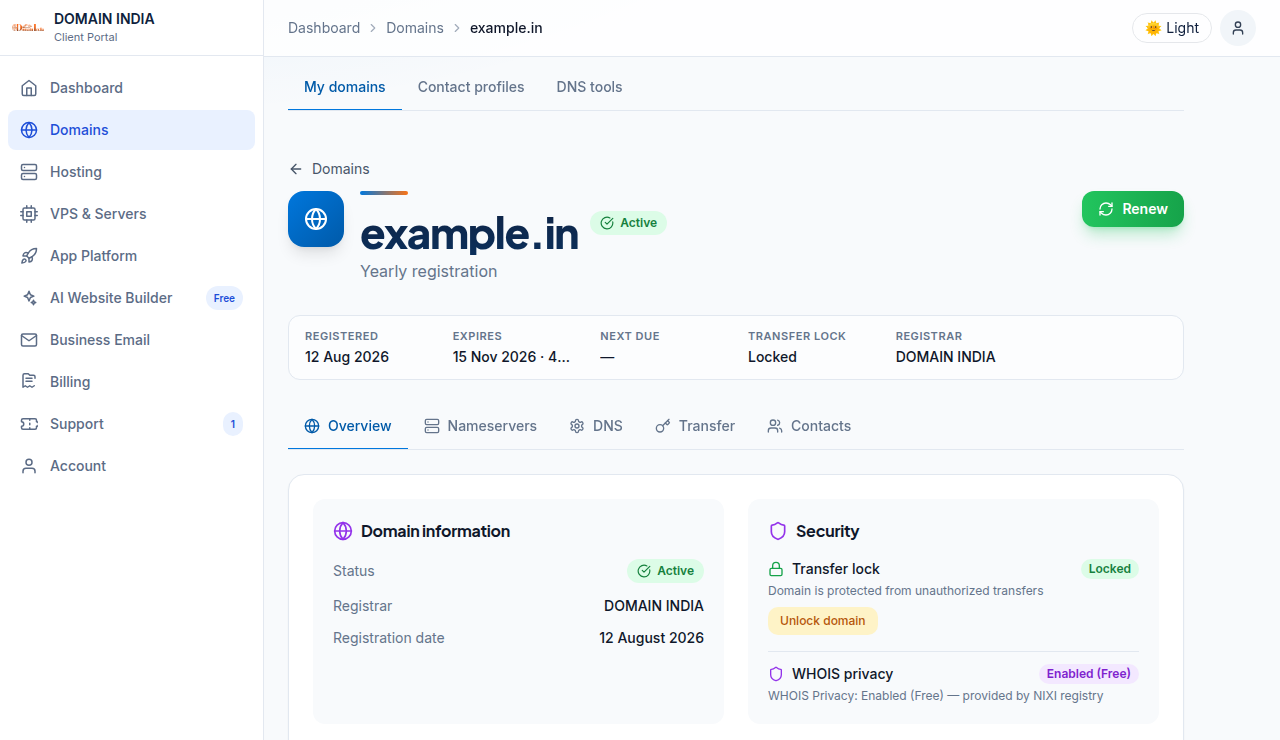
Log in, open your domains and click the domain. On the Overview tab, find the Security card and its WHOIS privacy row. If it reads "Not enabled", click Enable privacy protection and pay the invoice that opens; the row then reads "Enabled". The add-on is bought after the domain is registered, not at checkout.
If the row still reads "Not enabled" after you pay, open a ticket at /client/support/new with the domain name and invoice number. To remove privacy, there is no self-service switch; open a ticket.
4. Is it worth it?
For a .in domain the question does not arise: personal details are already hidden at no cost. For a .com, privacy is worth ₹300 a year if you registered with your own name, phone and home address. If the domain is registered to your business with a business address and a business email, or it only redirects to your main site, you may decide you don't need it.
What is domain privacy protection?
It is a service that hides a domain owner's personal contact details, such as name, address, email and phone number, from the public WHOIS record, replacing them with generic or proxy details.
Is domain privacy free on .in domains?
Yes. For .in and its second-level extensions such as .co.in, .net.in and .org.in, personal registrant details are not shown in public WHOIS. This is free and automatic, and there is nothing to switch on.
How much does domain privacy cost for a .com at Domain India?
₹300 a year per domain, excluding 18% GST, at Domain India list prices on 19 September 2026. You enable it from the domain's page in the client area after the domain is registered.
Does domain privacy hide everything about my domain?
No. The domain name, registrar, creation and expiry dates, nameservers and status codes stay public on every extension. Only personal contact details are hidden.
Can I turn domain privacy off myself?
No. There is no self-service switch in the client area. Open a support ticket with the domain name and the reason, and the support team will remove it.
Ready to keep your details private? Search for a .in or .com at domain registration, check what the public sees with the WHOIS lookup, or add privacy to a domain you already hold from your domains.
Search .in and .com side by side and register from a NIXI-accredited .IN registrar.
Search for your domain