If your ASP.NET site sits on an old Windows server, the question isn't really which version has the longest feature list. It is whether the server still gets security updates, whether it can run the .NET version your code needs, and whether it speaks the modern TLS and HTTP that browsers and payment gateways expect. This guide explains what changes between Windows Server versions for a hosted website, and what to check before you move.
For a website, a newer Windows Server matters for three reasons: security updates (older versions have reached, or are reaching, the end of Microsoft support), runtime support (whether the .NET version your app targets can be installed) and protocols (TLS 1.2 or later, and HTTP/2). Most other headline features, such as virtualisation and container tools, concern the people running the server, not your site. On shared hosting you don't choose the server version: check the .NET versions in Plesk and ask support if your app needs something specific.
1. Why the server version matters to a website
On shared hosting, the hosting provider installs, patches and runs Windows Server and IIS. You never log in to the server itself. So of everything Microsoft lists for a new Windows Server release, only a few things reach your website:
| What changes | Why it matters to your site |
|---|---|
| Security updates | An unsupported server gets no patches for newly found vulnerabilities |
| .NET runtimes | Your app can only run on a runtime installed on the server |
| TLS versions | Payment gateways and browsers refuse old, weak encryption |
| HTTP/2 | Pages with many files load faster over one connection |
| IIS features | New modules and settings you can use in web.config |
Features aimed at server administrators, such as Windows Admin Center, shielded virtual machines, Kubernetes and container hosts, storage replication or hybrid cloud links, don't change anything you can use on shared hosting. Upgrade checklists often list them; for a hosting customer they aren't reasons to move.
2. Security support: the reason that never goes away
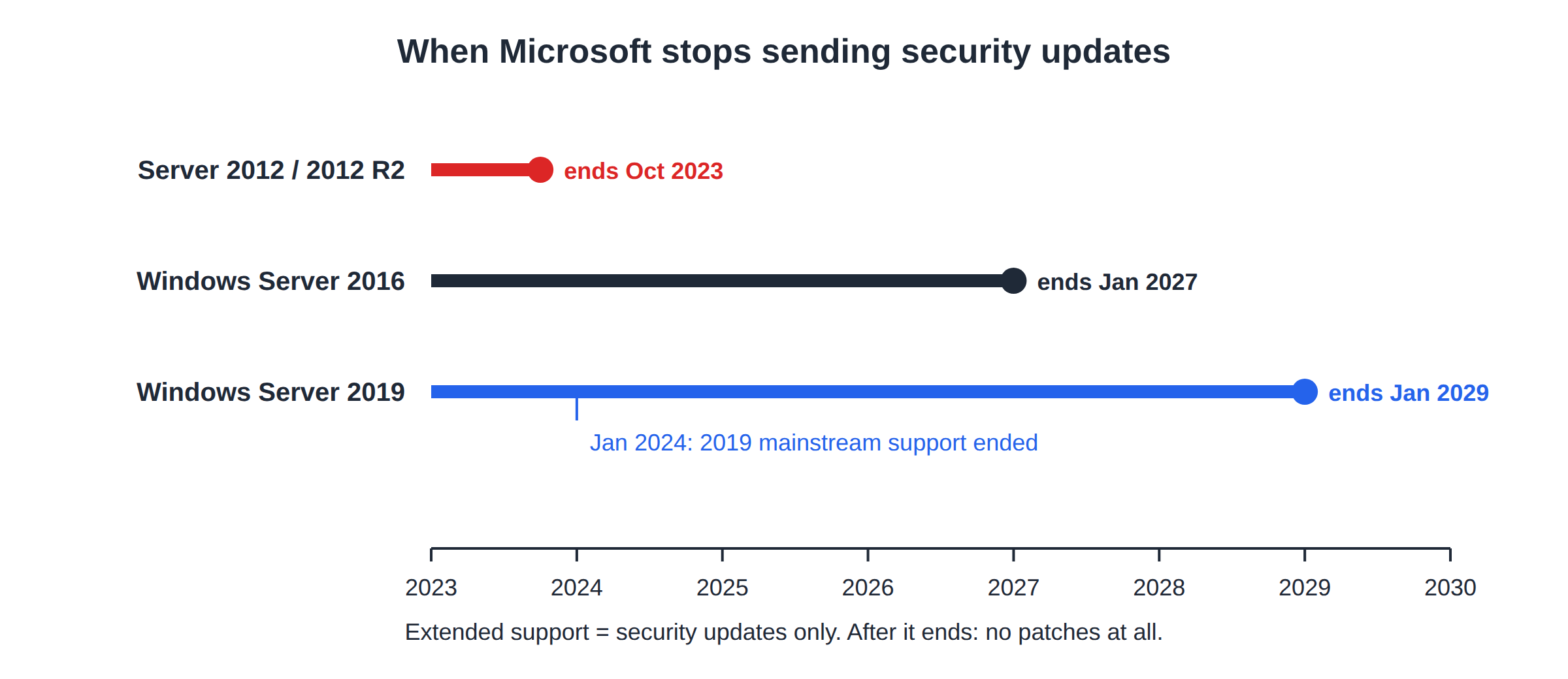
Microsoft supports each Windows Server release for a fixed period: first with feature and security updates, then with security updates only (extended support), and then not at all. Some milestones, as general background:
| Version | End of extended support |
|---|---|
| Windows Server 2012 and 2012 R2 | October 2023 |
| Windows Server 2016 | January 2027 |
| Windows Server 2019 | January 2029 |
Newer releases are supported for longer. A site on a server past its end of support is exposed to every vulnerability found after that date, however well its own code is written. If your current host can't tell you when its servers' support ends, treat that as a warning sign. Microsoft publishes the exact dates on its product lifecycle pages.
3. Runtime support: can your app run there?
The server version affects which .NET runtimes can be installed:
- Modern .NET (ASP.NET Core) runs on a range of Windows Server versions, but the host must install the matching ASP.NET Core Hosting Bundle for each version you want to use. What matters is which runtimes the host has installed, not the Windows version alone.
- .NET Framework 4.8.x is the final version of .NET Framework. Older 4.x apps generally run on it without changes.
- .NET support also ends. Each modern .NET release has its own support period. An app on an unsupported .NET version is a risk on any server, so plan to retarget to a supported release.
On Domain India Windows hosting, open your domain's hosting or ASP.NET settings in Plesk to see the versions offered. If your app targets one that isn't listed, retarget it, publish it self-contained, or ask support.
4. Protocols: TLS and HTTP/2
- TLS 1.2 is the minimum most payment gateways, APIs and browsers accept today. Old servers may need extra configuration for it, and old .NET Framework apps may need a setting to use it for outgoing connections.
- TLS 1.3 is supported by Windows Server 2022 and later.
- HTTP/2 is supported by IIS 10 and later, on HTTPS connections.
Two checks you can do yourself: test your site with an online SSL checker to see which TLS versions it offers, and, in a .NET Framework app, make sure outgoing calls don't force an old protocol in code. Targeting .NET Framework 4.7 or later and letting the operating system choose is the usual advice.
5. What to check before you move an old app
- Find the target frameworkin your project file.
- Check it is offeredin Plesk on the new hosting, or plan to retarget.
- Search your code for hard-coded protocols, such as a forced TLS 1.0 setting, and remove them.
- Check third-party components.Old reporting tools, PDF libraries and database drivers are the usual blockers, especially 32-bit-only ones; see the IIS application pools guide.
- Test on the new serverbefore you switch DNS; see migrating your ASP.NET website.
6. What you control on shared hosting
On shared hosting the server's version, patching and upgrades are the hosting provider's job. You control your code, the framework it targets, its dependencies and its web.config. Keeping those current protects you more than any server upgrade: many hacked sites are broken into through outdated application code or plugins rather than the operating system.
7. Where Domain India fits
Domain India Windows hosting runs ASP.NET, .NET Framework, classic ASP and MSSQL sites under IIS, managed in Plesk. The versions available to you are shown in Plesk; if your app needs a particular runtime, ask support before you order. New shared hosting purchases can be refunded in full within 30 days; renewals cannot. The live card shows today's price, excluding 18% GST.
- 30 GB Storage
- 150 GB Monthly Bandwidth
- 5 Websites
- 50 Email Accounts
For an overview of the platform, read the Plesk Windows hosting guide.
Why does the Windows Server version matter for my ASP.NET site?
Mainly for security updates, the .NET runtimes that can be installed, and support for modern TLS and HTTP/2. Most other new features are for server administrators and don't affect a site on shared hosting.
When does Windows Server 2019 support end?
Microsoft's extended support for Windows Server 2019, which provides security updates, ends in January 2029. Mainstream support ended in January 2024. Check Microsoft's product lifecycle pages for exact dates.
Can I choose the Windows Server version on shared hosting?
No. On shared hosting the provider runs and updates the server. You choose your app's target framework from the versions offered in Plesk, and can ask support if you need a specific runtime.
Will my old .NET Framework app run on a newer Windows Server?
Usually. .NET Framework 4.x apps generally run on 4.8.x without changes. The common blockers are hard-coded old TLS settings and old 32-bit or unsupported third-party components, so test before you switch DNS.
Does a newer server make my site faster?
Sometimes a little, for example through HTTP/2. Most speed comes from your own code, database queries and caching, which matter far more than the server version.
Ready to move your app to a supported platform? Compare the Windows hosting plans, or open a ticket with your app's target framework to check it will run.
Tell us your target framework and any third-party components, and we will help you check the fit before you move.
Ask support