For years, the usual way to add a feedback form to a website was a Perl "form mail" script in the cgi-bin folder: the form posted to a .pl file, and the script piped the fields to sendmail. Many old sites still have one. This guide explains why those scripts are now a liability, how to retire one safely, and what to use in its place in 2026.
Do not install a new Perl FormMail script, and replace any old one you still run. Most were written before modern spam and email-authentication rules, and many let anyone change the recipient or headers, which turns your site into a spam relay. Use a secure PHP form or a WordPress form plugin instead, send from a mailbox on your own domain, and set up SPF and DKIM so your enquiries reach the inbox.
1. How the old Perl form mail scripts worked
A classic setup had two parts:
- An HTML form that posted to something like
cgi-bin/formmail.pl, with hidden fields such asrecipient,subject,emailandredirect. - A Perl script that read those fields, opened
sendmail, wrote the headers and body, and redirected the visitor to a thank-you page.
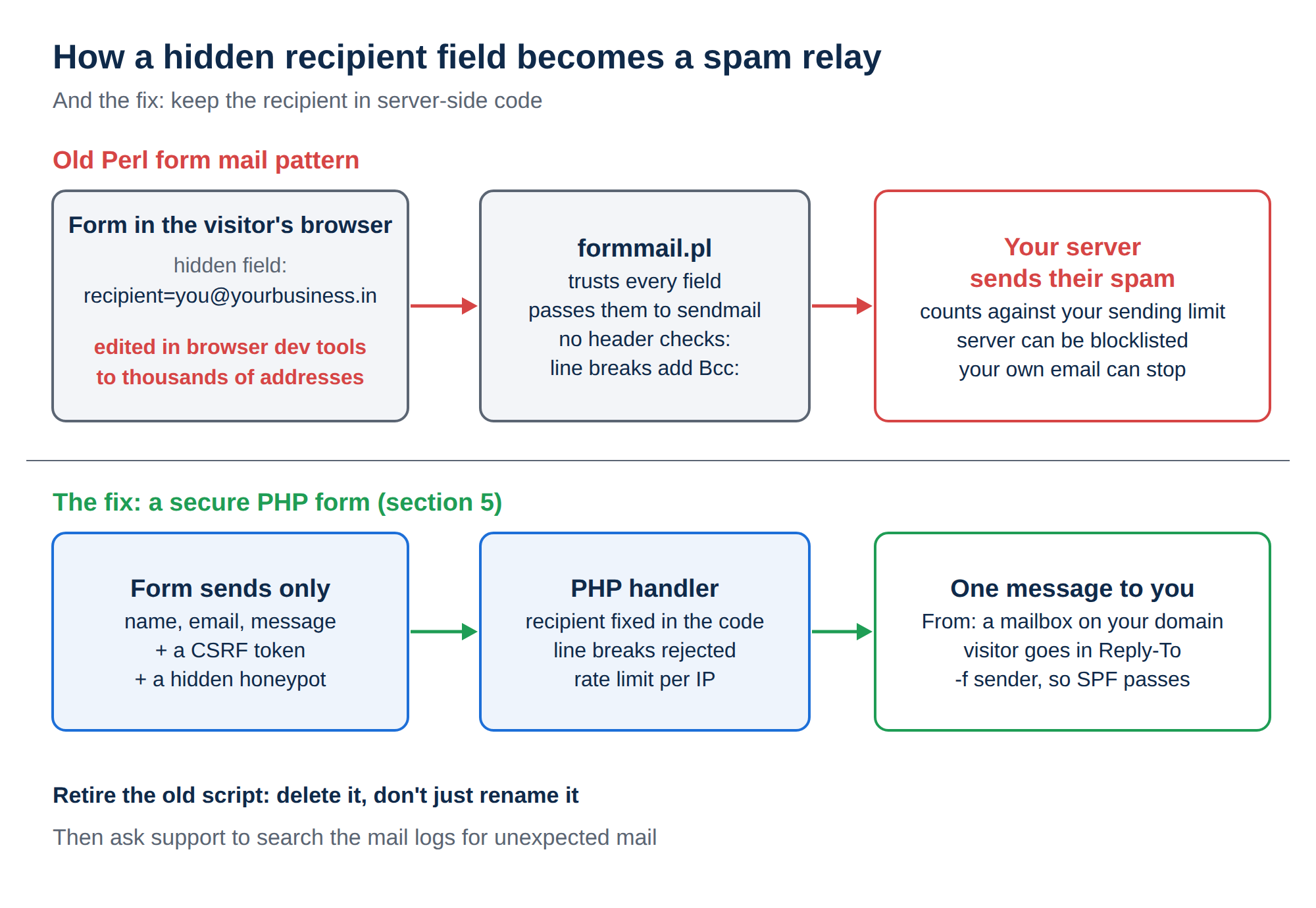
The weak point: the recipient and other settings lived in hidden fields in the visitor's browser, which anyone can edit.
2. Why FormMail scripts are a spam risk
The best-known form mail scripts from the late 1990s had widely published vulnerabilities, and spammers still scan websites for them today. Even home-made versions usually share the same design problems.
| Weakness | What an attacker does | Result for you |
|---|---|---|
| Recipient in a hidden field | Changes recipient to thousands of other addresses | Your server sends their spam |
| No header checks | Adds line breaks and a Bcc: header to a field such as email or subject | Hidden copies go to anyone they choose |
| Visitor address in From | Nothing, it fails by itself | SPF and DMARC fail, so real enquiries land in spam |
| No spam protection | Bots submit the form non-stop | Your inbox fills with junk |
| Open redirect field | Points redirect at a phishing site | Your domain is used to send visitors elsewhere |
When a form is abused, the messages go out under your hosting account. They count against your sending limit (section 7), they can get the server's address listed on spam blocklists, and your own legitimate email can stop going out until the problem is fixed.
Older versions of this article included a sample Perl script and a form with a hidden recipient field. We have removed them on purpose. Copying that pattern today puts your domain's email reputation at risk.
3. Signs your old form is being abused
- You receive bounce messages for email you never sent.
- Customers say your messages arrive in spam, or stop arriving.
- Your account hits its sending limit although you send little email yourself.
- Support finds many messages sent from your account to addresses you do not know when they search the server's mail logs for you.
If you see any of these, retire the script straight away (next section), then check the site for other signs of compromise with our security checklist for hacked websites.
4. How to retire an old Perl form
- Find it.In File Manager or over SFTP, look in
public_html/cgi-binand your site folders for.pland.cgifiles with names likeformmail,mail,feedbackorcontact. Search your HTML foraction="cgi-bin/. - Take it offline.Download a copy for your records, then delete the script from the server. Renaming it inside a web folder is not enough if it can still be run.
- Remove the form's action.Edit the page so it no longer posts to the old script, or take the form down until the replacement is ready.
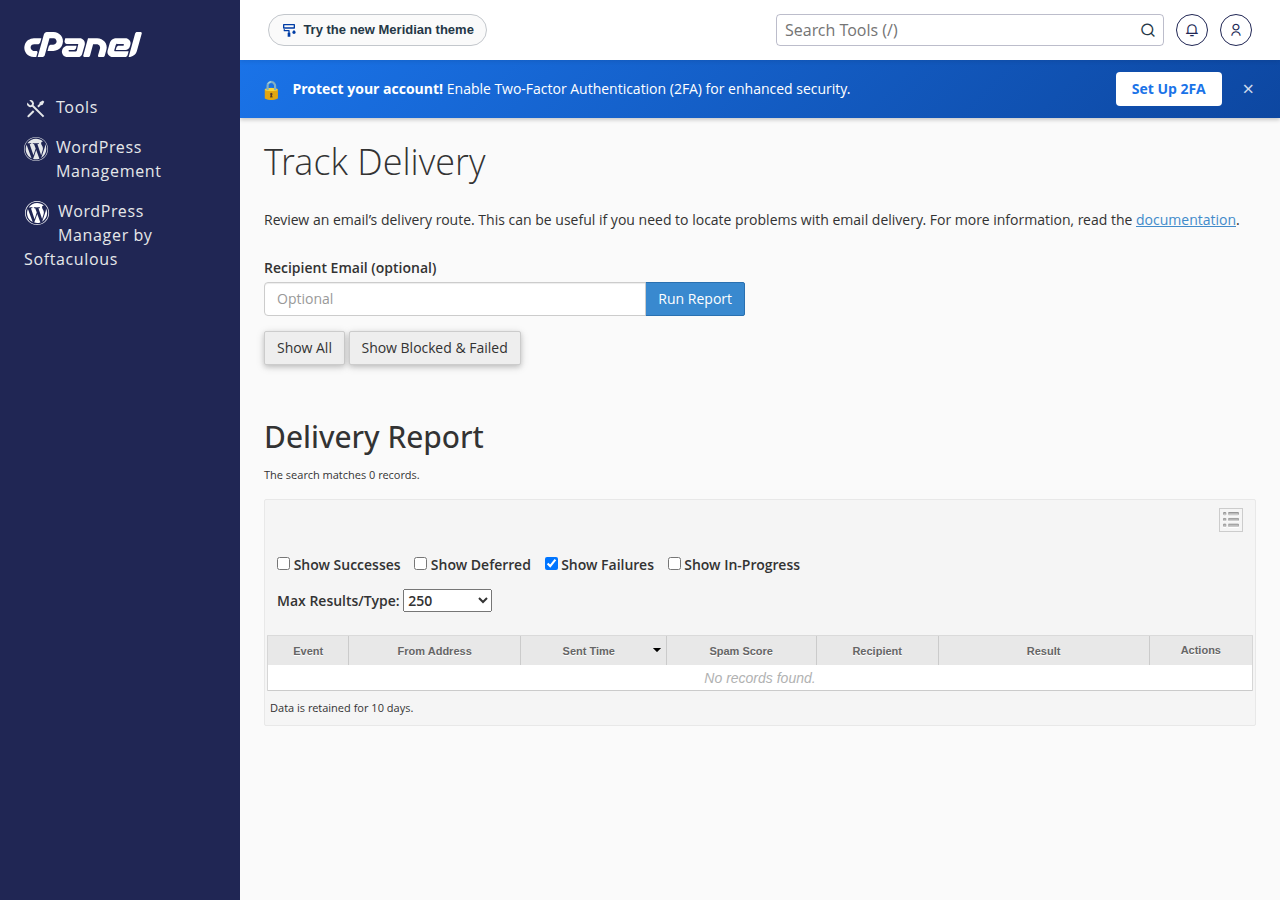
- Check your mail.Look through bounces for mail you did not send, and ask support to search the server's mail logs for anything sent from your account that you did not expect.
- Put a modern form in place.Use one of the options in the next sections.
- Test it.Send yourself a message and confirm SPF and DKIM pass in the received headers.
5. Option 1: a secure PHP contact form
For a normal website, a PHP form is the direct replacement. Our guide Secure PHP contact form: complete code and instructions gives you a copy-paste form and handler that fixes every weakness in the table above:
- the recipient is fixed in the server-side code, never in the form;
- name and email are checked for line breaks, so headers cannot be injected;
- From is a mailbox on your own domain, and the visitor goes in Reply-To;
- a CSRF token, a hidden honeypot field and a per-IP rate limit stop most bots;
- the message is sent with PHP
mail()and the-fenvelope sender, so SPF passes.
6. Option 2: a WordPress form plugin
On WordPress, do not add custom scripts. Use a long-established form plugin such as Contact Form 7 or WPForms, which handle validation and spam protection for you. Set the From address to a real mailbox on your domain, map the visitor's email to Reply-To, and turn on the plugin's anti-spam options or a CAPTCHA.
For a comparison of the main plugins, see Top WordPress plugins for contact forms.
What about SMTP plugins?
Authenticated SMTP works well on a VPS or the App Platform. On shared hosting, some servers disable the PHP socket functions SMTP needs, and on at least one of our cPanel servers they are disabled for every account. There, use mail() with -f, or a mail plugin that talks to an email service over its HTTPS API. PHP disabled functions on shared hosting and Sending email from PHP on shared hosting explain both routes.
7. Sending limits and email authentication
Every message a form sends counts against your hosting account's outgoing limit, together with webmail and email programs. The limits differ by control panel (measured on our servers, 22 September 2026):
| Hosting | Outgoing email limit |
|---|---|
| cPanel shared hosting | 200 per hour per account |
| DirectAdmin shared hosting | 1,000 per day per account (200 per mailbox by default) |
| Webuzo and Windows hosting | Ask support for your account's limit |
A contact form rarely comes near these numbers; if yours does, it is almost certainly being abused. For newsletters, use a dedicated email delivery service. See Do you limit the amount of mails I can send per hour.
For delivery, your domain needs SPF (which servers may send for it), DKIM (a signature proving the message was not altered) and ideally DMARC (what receivers do when those checks fail). In cPanel, Email → Email Deliverability checks and installs these records. For all panels, read Email authentication: SPF, DKIM, DMARC.
8. Where Domain India fits
Our cPanel, DirectAdmin and Webuzo shared hosting plans include email accounts on your own domain for the From mailbox, free SSL for a secure form page and PHP mail() for sending, which is everything the PHP form guide needs. WordPress installs in a few clicks with Softaculous.
- 25 GB NVMe SSD Storage
- 50 GB Monthly Bandwidth
- 1 Website
- 10 Email Accounts
If your old form was abused, or messages from a new form do not arrive, open a support ticket with the page address and the time you tested, and our team can check the mail log for your account.
Is Perl FormMail safe to use?
Old FormMail scripts are not safe. Many let anyone change the recipient through a hidden form field or inject extra headers, which turns the website into a spam relay. Replace them with a PHP form that fixes the recipient in server-side code, or a WordPress form plugin.
What should I use instead of a Perl feedback form?
For a normal website, use a secure PHP contact form that validates every field, sends from a mailbox on your own domain and puts the visitor in Reply-To. On WordPress, use an established form plugin such as Contact Form 7 or WPForms.
How do I know if my contact form is sending spam?
Look for bounce messages for email you never sent, a sending limit reached although you send little mail, or support finding many unknown recipients when they search the server's mail logs for you. If you see these, remove the form script and check the site for compromise.
How many emails can my contact form send?
Form messages count against your hosting account's outgoing limit. On Domain India cPanel hosting that is 200 per hour per account; on DirectAdmin it is 1,000 per day (200 per mailbox by default). For other hosting types, ask support.
Why do my form emails go to spam?
Usually because the form sends with the visitor's address in From, or your domain has no SPF and DKIM records. Send from a mailbox on your own domain, put the visitor in Reply-To, use the -f envelope sender with PHP mail(), and set up SPF, DKIM and DMARC.
Ready to replace an old form? Follow Secure PHP contact form: complete code and instructions, compare cPanel hosting, DirectAdmin hosting and Webuzo hosting, or open a support ticket if you think your form has been abused.
Email accounts on your own domain, free SSL and PHP mail() that works out of the box, so your enquiries reach your inbox.
See hosting plans