We never send passwords by email. Your welcome email has the VPS IP address and a link to its page. You choose how to log in from the Rebuild tab of that page.
For SSH, add your public key on the Rebuild tab under SSH keys, then run ssh root@YOUR-VPS-IP. SSH password login is off on our images. A root password you set on the same tab is shown once and signs you in on the Console tab.
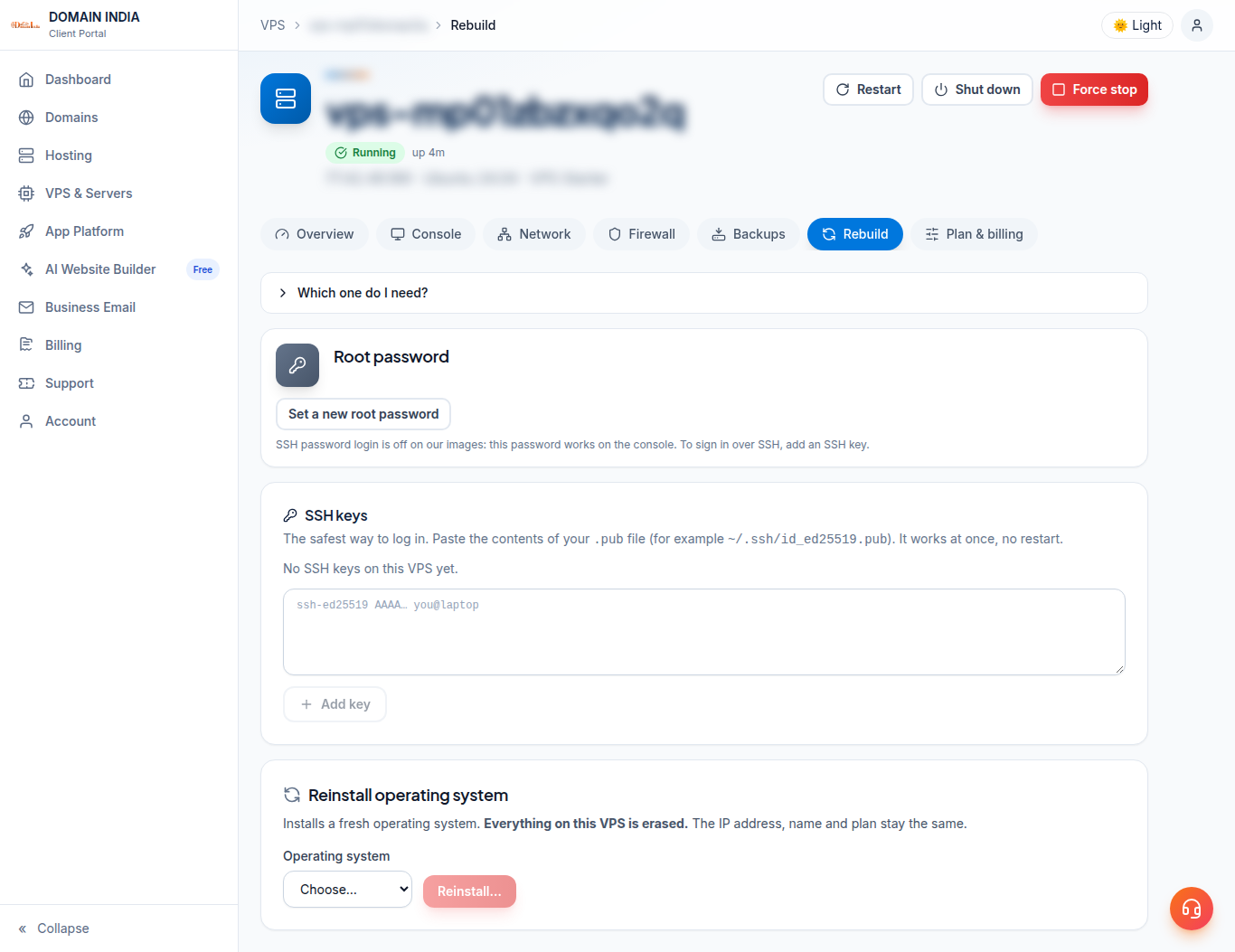
Log in over SSH with a key
- On your computer, make a key if you have none:
ssh-keygen -t ed25519. - Copy your public key, the single line in
~/.ssh/id_ed25519.pub(on WindowsC:\Users\YOU\.ssh\id_ed25519.pub). - Log in to the client area, open VPS & Servers and click your VPS. Go to the Rebuild tab.
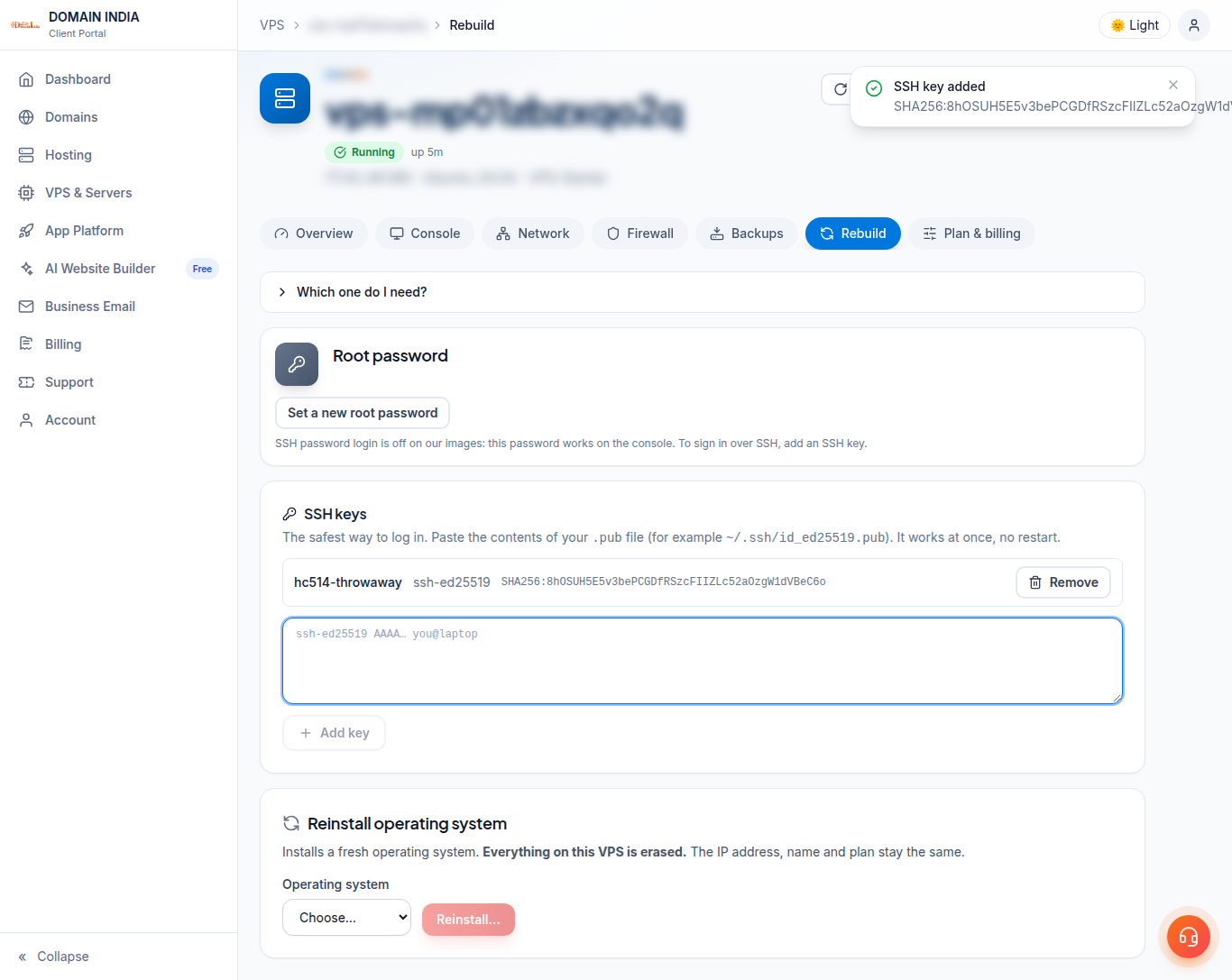
- Under SSH keys, paste it and click Add key. It works at once, with no restart.
- Connect:
ssh root@YOUR-VPS-IP. Typeyesthe first time to accept the server's fingerprint.
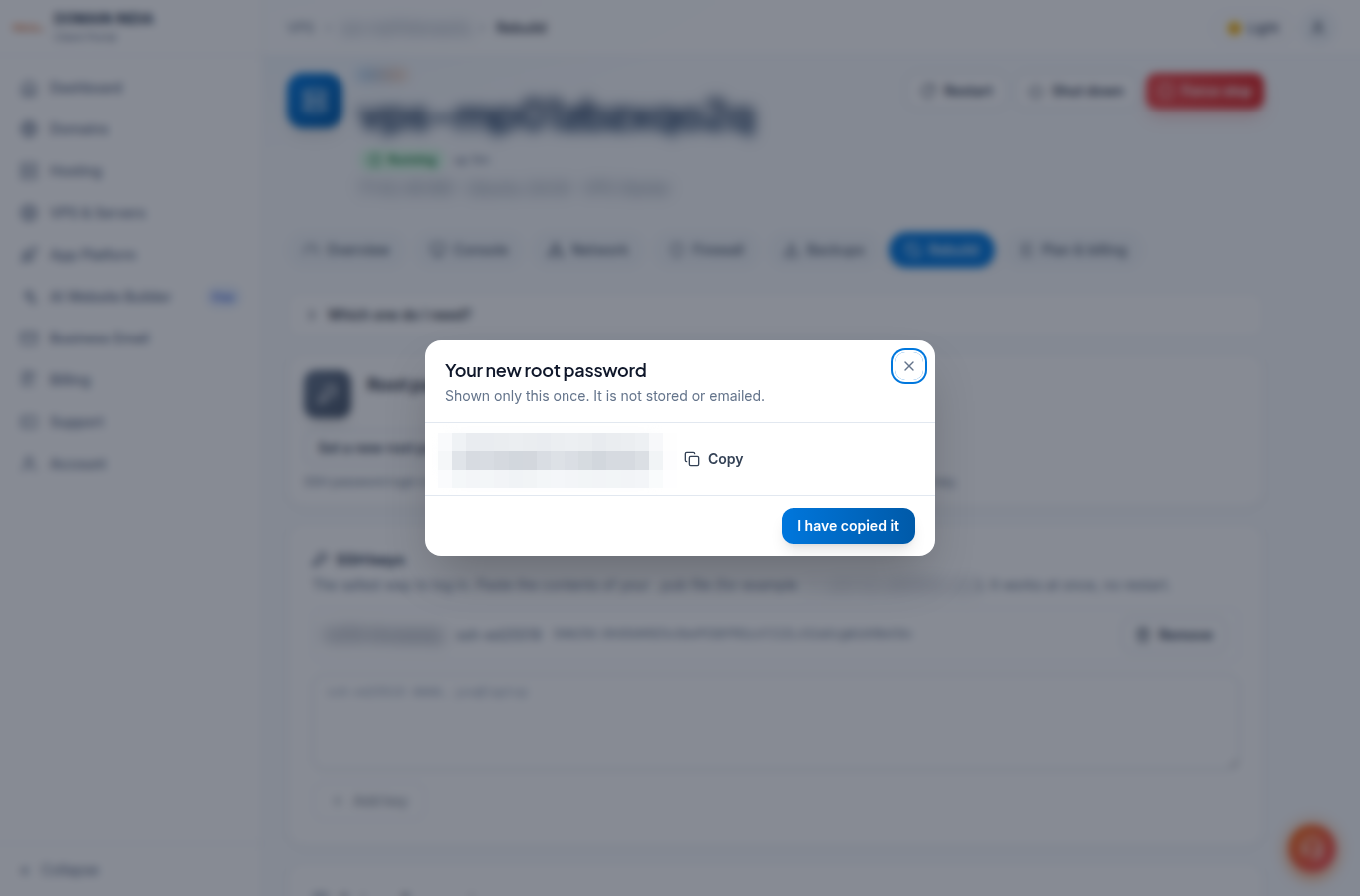
Set a root password (for the console)
- On the Rebuild tab, under Root password, click Set a new root password.
- Copy the password shown. It is shown only once and is not stored or emailed.
- Click I have copied it.
- Use it on the Console tab: type
root, press Enter, then paste the password. See use the browser console.
Servers on a public IP are probed for passwords within minutes, so our images ship with SSH password login off. Use a key for SSH. If you really need password logins over SSH, you can turn them on yourself in /etc/ssh/sshd_config, at your own risk.
Then, first steps on the server
- Update the system:
apt update && apt -y upgrade(Ubuntu, Debian) ordnf -y upgrade(AlmaLinux, Rocky Linux). - Create your own user with sudo, and add your key for it.
- Keep the panel firewall open only for ports you use.
If it does not work
- The VPS must be running to set a password or add a key. Click Start first.
- You can set a new root password up to 3 times an hour.
- Locked out of SSH? Use the Console tab.
Older VPS without a VPS page in your client area: open a ticket with the VPS IP address and our team will do this for you.
Frequently asked questions
Do you email my VPS root password?
No. We never email passwords. Set a root password on the Rebuild tab of your VPS page (it is shown once), or add your SSH key there.
Can I log in over SSH with the root password?
Not on our images: SSH password login is off. Add your SSH public key on the Rebuild tab and connect with ssh root@YOUR-VPS-IP. The root password works on the Console tab.
Do I need to restart the VPS after adding a key?
No. A key added on the Rebuild tab works at once.
I am locked out of SSH. What now?
Open the Console tab on your VPS page, log in as root with a root password you set on the Rebuild tab, and fix the SSH or firewall setting.