bind-address is the MySQL and MariaDB setting that decides which network addresses the database server listens on. It is the first thing to check when a remote connection is refused, and the first thing to get right when you secure a database on your own server. This guide explains the setting, how to change it safely on a VPS, and what applies on shared hosting, where you can't change it.
bind-address = 127.0.0.1 means only programs on the same server can connect; 0.0.0.0 means every IPv4 address on the server listens. On a VPS, keep it on 127.0.0.1 and reach the database through an SSH tunnel whenever you can. Open it only with a firewall rule for specific IPs, a database user limited to those IPs, and TLS. On Domain India shared hosting the setting is managed for you and port 3306 is closed from outside, so use phpMyAdmin or an SSH tunnel.
1. What bind-address does
A database server listens for connections on a network address and a port, 3306 by default. bind-address sets the address:
- If it listens on 127.0.0.1 (localhost), only software running on the same machine, such as your website, can connect.
- If it listens on a public address, anyone on the internet who can reach the port can try to log in, unless a firewall stops them.
bind-address is not access control by itself. It decides whether the port is reachable at all. Who may log in is decided by the database users and their allowed hosts, and who can reach the port is decided by the firewall. A safe set-up uses all three.
2. Common values
| Value | What listens | Typical use |
|---|---|---|
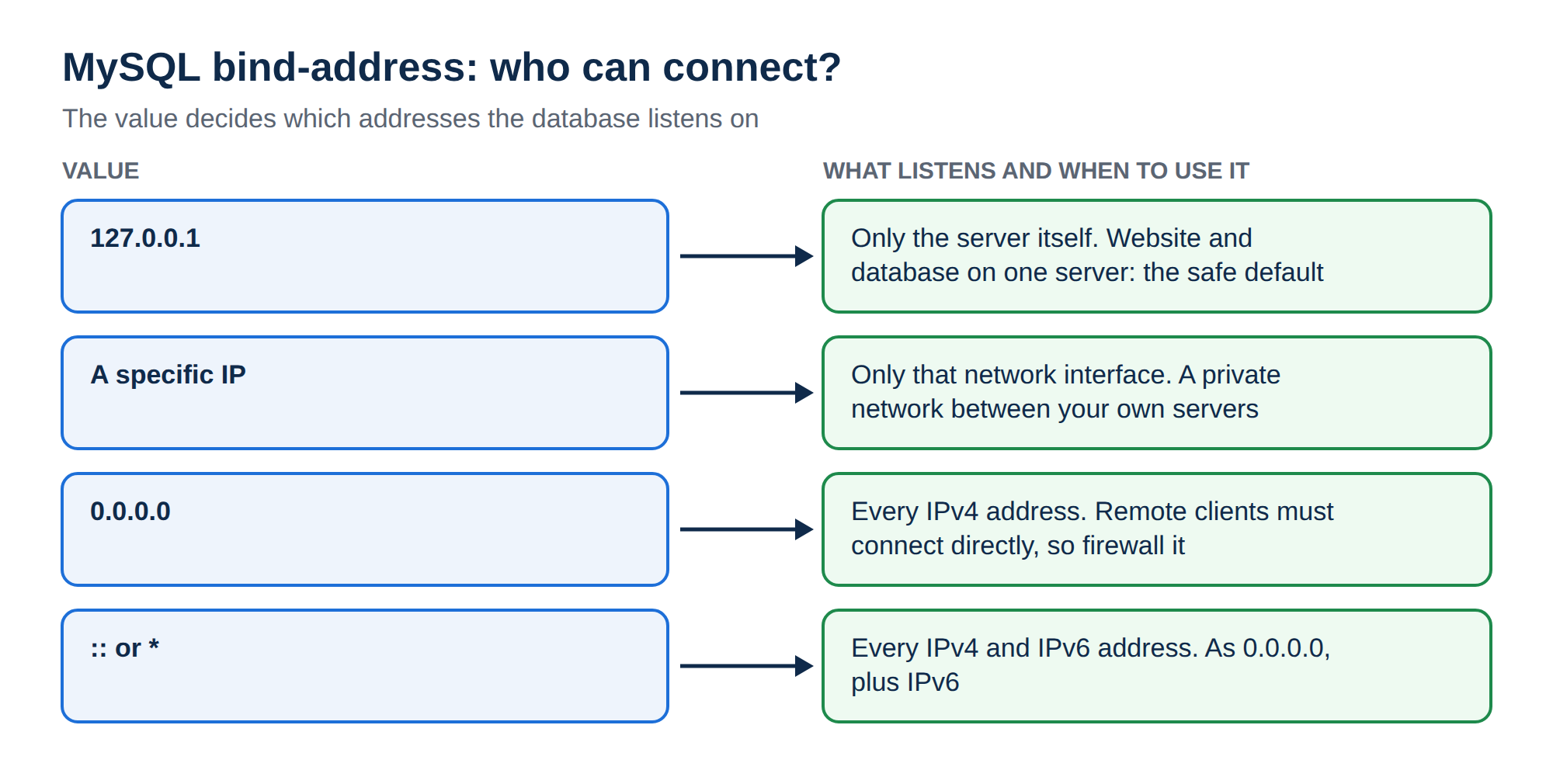
| 127.0.0.1 | Only the server itself | Website and database on the same server; the safe default |
| 0.0.0.0 | Every IPv4 address on the server | Remote clients or other servers must connect directly |
| A specific IP | Only that network interface | A private network between your own servers |
| :: or * | Every IPv4 and IPv6 address | As 0.0.0.0, plus IPv6 |
MySQL 8.0.13 and later also accept a comma-separated list, such as 127.0.0.1,10.0.0.5, to listen on localhost and a private address together. The option skip-networking switches TCP off completely, so only local socket connections work.
Defaults differ. Many Linux packages, including those on Ubuntu and Debian, ship with 127.0.0.1. Upstream MySQL listens on all addresses when the option is not set. Always check rather than assume (section 4).
3. Where the setting lives on a VPS
The option goes in the [mysqld] section of the server configuration. The file depends on the operating system and on whether you installed MySQL or MariaDB:
| System | Usual file |
|---|---|
| Ubuntu or Debian, MySQL | /etc/mysql/mysql.conf.d/mysqld.cnf |
| Ubuntu or Debian, MariaDB | /etc/mysql/mariadb.conf.d/50-server.cnf |
| AlmaLinux or Rocky Linux, MariaDB | /etc/my.cnf.d/mariadb-server.cnf |
| AlmaLinux or Rocky Linux, MySQL | /etc/my.cnf.d/mysql-server.cnf |
If you are not sure which file wins, search them all with grep -rn bind-address /etc/mysql /etc/my.cnf /etc/my.cnf.d 2>/dev/null. The last value read is the one that applies.
4. Check what your server listens on
Two quick checks tell you the truth, whatever the files say:
sudo ss -ltnp | grep -E ':3306|mysqld|mariadbd'127.0.0.1:3306 means local only; 0.0.0.0:3306 or *:3306 means every address. From inside the database:
SHOW VARIABLES LIKE 'bind_address';On MySQL 8 you may also see port 33060. That is the X Protocol, used by MySQL Shell and document-store clients, and it has its own mysqlx-bind-address setting. If you don't use it, keep it on localhost too.
5. Allow remote connections safely on a VPS
First ask whether you need to. For managing the database from your own computer, an SSH tunnel is safer and needs no change to bind-address (section 6). Open the port only when another server or an application you can't tunnel must connect directly.
- Change the address.Edit the file from section 3 and set
bind-addressto the server address that clients will use, or0.0.0.0if you need all of them. - Restart the database.Use
sudo systemctl restart mysqlon Ubuntu and Debian with MySQL,sudo systemctl restart mariadbfor MariaDB, orsudo systemctl restart mysqldfor MySQL on AlmaLinux and Rocky Linux. Check again withss -ltnp. - Create a user for the remote host only.For example
CREATE USER 'app'@'203.0.113.25' IDENTIFIED BY 'a-long-random-password';and grant it only the database it needs. Never use'%'for a user with wide privileges, and never allowrootfrom outside. - Open the firewall for that IP only.On Ubuntu with UFW:
sudo ufw allow from 203.0.113.25 to any port 3306 proto tcp. On AlmaLinux or Rocky Linux with firewalld, add a rich rule for the same source address and port, then reload. - Require encryption.Add
REQUIRE SSLto the remote user, or setrequire_secure_transport = ONon MySQL, so passwords and data never cross the internet in plain text. - Test from the client,then from an address that should be refused, to prove the firewall works.
Bots scan every public address for open database ports and try common passwords around the clock. bind-address = 0.0.0.0 without a firewall rule means anyone can try. If you open the port, limit it by source IP in the firewall and by host in the database user.
6. The safer option: an SSH tunnel
An SSH tunnel carries the database connection inside an encrypted SSH login, so MySQL can stay on 127.0.0.1. From your computer:
ssh -N -L 3307:localhost:3306 user@your-server-ipLeave it running, then point MySQL Workbench, DBeaver or HeidiSQL at host 127.0.0.1, port 3307. Many of these tools can open the tunnel themselves. The full walkthrough, including Windows and PuTTY, is in securing MySQL access with SSH tunnels.
7. On Domain India shared hosting
On shared hosting the database server is shared by every account and managed by us, so you can't change bind-address or any other server setting, and you don't need to. Your website connects to the database as localhost.
Port 3306 is closed to outside connections on our shared servers (measured September 2026). So:
- Use phpMyAdmin in your control panel for day-to-day work.
- Use an SSH tunnel for desktop tools. Jailed SSH access is available on every shared hosting plan (cPanel, DirectAdmin, Webuzo). It is off by default; ask support to enable it for your account, and see enabling and accessing jailed SSH. SSH login uses a key, not a password.
- Adding your IP under Remote Database Access doesn't open the port. cPanel's Remote Database Access page and DirectAdmin's access hosts only tell the database which addresses may log in; the firewall still blocks port 3306.
For connection details, see how to connect to the MySQL database.
8. Troubleshooting remote connections
| Symptom | Likely cause | Fix |
|---|---|---|
| Connection refused | Database listens on 127.0.0.1 only, or is not running | Check ss -ltnp and bind-address, then restart |
| Connection timed out | A firewall blocks port 3306 | Allow the client IP in the firewall, or use an SSH tunnel |
| Host is not allowed to connect | No database user exists for the client's host | Create the user for that IP |
| Access denied for user | Wrong password, or the user exists only for another host | Check the user and host with SELECT user, host FROM mysql.user |
| Works on the server, not remotely | Tool uses localhost instead of the tunnel | Use host 127.0.0.1 and the tunnel's local port |
9. Where Domain India fits
For most websites, shared hosting with the database on the same server is the simplest and safest set-up: nothing is exposed and you manage data in phpMyAdmin. If you need MySQL reachable by other servers, your own bind-address, firewall and database configuration, a VPS gives you full root access. Domain India VPS plans are self-managed by default, so you set up and secure the database yourself.
- 1 vCPU
- 2 GB DDR4 RAM
- 64 GB NVMe SSD Storage
- 2 TB Monthly Bandwidth
The card shows the live list price, excluding 18% GST.
What is bind-address in MySQL?
bind-address is the server option that sets which network address MySQL or MariaDB listens on. 127.0.0.1 allows only local connections, 0.0.0.0 listens on every IPv4 address, and a specific IP listens only on that interface.
Is bind-address 0.0.0.0 safe?
Only with a firewall that allows port 3306 from specific IP addresses, database users limited to those hosts, strong passwords and encrypted connections. Without a firewall rule, anyone on the internet can try to log in. An SSH tunnel is safer for most remote access.
Where do I change bind-address?
In the [mysqld] section of the server configuration, usually /etc/mysql/mysql.conf.d/mysqld.cnf for MySQL on Ubuntu, /etc/mysql/mariadb.conf.d/50-server.cnf for MariaDB on Debian or Ubuntu, and /etc/my.cnf.d/ on AlmaLinux or Rocky Linux. Restart the database service afterwards.
Can I change bind-address on shared hosting?
No. On Domain India shared hosting the database server is shared and managed by us, and port 3306 is closed to outside connections. Use phpMyAdmin, or an SSH tunnel once support has enabled jailed SSH on your account.
Why does adding my IP in Remote Database Access not work?
The Remote Database Access list only tells the database which addresses may log in. It does not open port 3306 in the server firewall, so direct connections to Domain India shared servers still fail. An SSH tunnel goes through port 22 instead.
How do I check which address MySQL is listening on?
Run sudo ss -ltnp and look for port 3306: 127.0.0.1:3306 means local only, while 0.0.0.0:3306 or *:3306 means all addresses. Inside MySQL, SHOW VARIABLES LIKE 'bind_address' shows the configured value.
Ready to connect? On shared hosting, ask support to enable jailed SSH and follow the SSH tunnel guide; for your own database server, compare VPS plans.
Tell us the tool you are using, the exact error and whether you are on shared hosting or a VPS, and we will help you connect.
Open a support ticket