Many businesses want their website "as an app" so customers can open it from their home screen and get notifications. There are four honest ways to do it, from free and quick to expensive and powerful, and the app stores reject some shortcuts outright. This guide explains each option, what it costs, and how to choose.
Start with a fast, mobile-friendly website, then turn it into a Progressive Web App (PWA): it installs to the home screen on Android and iPhone and costs nothing extra. To be listed on Google Play, wrap the PWA as a Trusted Web Activity. A plain WebView wrapper is quick but Apple usually rejects apps that only repackage a website. For real device features and the best experience, build a cross-platform or native app. Publishing costs US$25 once for Google Play and US$99 a year for Apple.
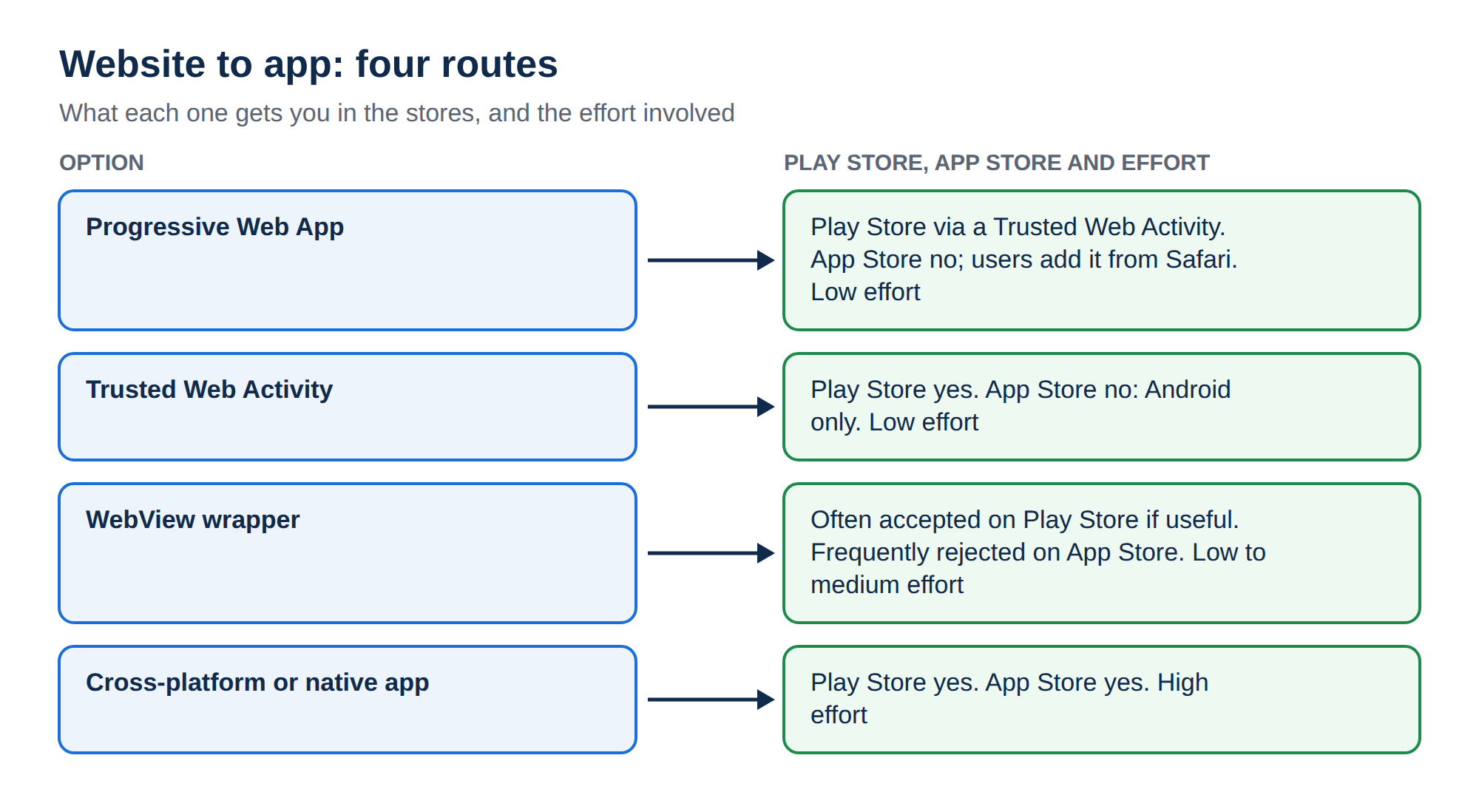
1. The four options at a glance
| Option | What it is | Play Store | App Store | Effort |
|---|---|---|---|---|
| Progressive Web App | Your website, installable from the browser | Via a Trusted Web Activity | No; users add it from Safari | Low |
| Trusted Web Activity | A thin Android app that opens your PWA full-screen in Chrome | Yes | No (Android only) | Low |
| WebView wrapper | A small app that shows your website inside a built-in browser view | Often accepted if useful | Frequently rejected | Low to medium |
| Cross-platform or native app | A real app built with Flutter, React Native, Kotlin or Swift | Yes | Yes | High |
2. First, fix the website
Every option shows your website inside an app frame, so the app is only as good as the site. Before anything else:
- make the layout fully responsive, with buttons large enough to tap;
- serve every page over HTTPS;
- make pages load quickly on a mid-range phone and a mobile connection;
- remove pop-ups and elements that only work with a mouse.
Many businesses find that a fast mobile website is all they needed, and skip the app.
3. Option 1: make it a Progressive Web App
A PWA is a normal website with two extra files: a web app manifest (the name, icons and colours) and a service worker (a script that caches files and can receive push notifications). Browsers then offer to install it, and it opens full-screen from the home screen like an app.
A minimal manifest, saved as manifest.webmanifest and linked from every page's head section:
{
  "name": "Sharma Sweets",
  "short_name": "Sharma",
  "start_url": "/",
  "display": "standalone",
  "background_color": "#ffffff",
  "theme_color": "#b91c1c",
  "icons": [
    { "src": "/icons/icon-192.png", "sizes": "192x192", "type": "image/png" },
    { "src": "/icons/icon-512.png", "sizes": "512x512", "type": "image/png" }
  ]
}
On Android, Chrome shows an install prompt and PWAs support push notifications. On iPhone and iPad, users install from Safari with Share › Add to Home Screen; web push works for PWAs added to the home screen on recent iOS versions, but there is no automatic install prompt. WordPress sites can add PWA support with a plugin.
- No app store fees or reviews; updates go live when you update the site
- One codebase for Android, iPhone and desktop
- Works for shops, booking sites, news and service businesses
- Not listed in Apple's App Store
- Limited access to some device features, especially on iPhone
- Users must know to "Add to Home Screen" on iPhone
4. Option 2: publish your PWA on Google Play
A Trusted Web Activity (TWA) is a small Android app that opens your PWA full-screen in Chrome, with no browser address bar. Google's Bubblewrap command-line tool and the free PWABuilder website generate the Android project from your PWA's address.
To prove you own the website, you publish a Digital Asset Links file at https://yourbusiness.in/.well-known/assetlinks.json, containing your app's package name and signing-key fingerprint:
[{
  "relation": ["delegate_permission/common.handle_all_urls"],
  "target": {
    "namespace": "android_app",
    "package_name": "in.yourbusiness.app",
    "sha256_cert_fingerprints": ["AB:CD:...:EF"]
  }
}]
If the file is missing or wrong, the app still opens but shows a browser bar at the top. Use the fingerprint of the key Google Play signs with, shown in Play Console under app integrity.
5. Option 3: a WebView wrapper
A wrapper is a small native app whose only screen is a WebView showing your site. Frameworks such as Capacitor make this straightforward, and paid conversion services build one from your URL.
Apple's App Review Guidelines reject apps that are just a repackaged website without app-like features (guideline 4.2, minimum functionality). Google Play also restricts apps whose main purpose is showing someone else's website. If you wrap your site, add genuine value: offline content, push notifications, native navigation, or device features your site cannot use.
If you build a wrapper yourself, keep it secure:
- load only your own HTTPS domain, and open other links in the system browser;
- never disable Apple's App Transport Security or allow plain-HTTP traffic to fix a loading problem; switch the site to HTTPS instead;
- only expose native functions to JavaScript that your own pages need.
6. Option 4: a cross-platform or native app
A real app gives the best performance, full device access (camera, location, background tasks, payments through the stores) and the strongest store listing.
- Cross-platform: Flutter or React Native build Android and iOS apps from one codebase.
- Native: Kotlin with Android Studio, and Swift with Xcode on a Mac.
Your website's data then reaches the app through an API. If your site runs on WordPress, its REST API can feed a simple app; a custom site needs its own API. Backend APIs for mobile apps explains the options. This route costs the most in development time and needs ongoing updates for new Android and iOS versions.
7. Publishing to the stores
| Step | Google Play | Apple App Store |
|---|---|---|
| Developer account | US$25, one time | US$99 a year (Apple Developer Program) |
| Build tool | Android Studio or Bubblewrap; upload an Android App Bundle (.aab) | Xcode on a Mac |
| Before release | New personal accounts must run a closed test with testers before going to production | TestFlight testing is optional |
| Review | Automated and manual review | Manual review against the App Review Guidelines |
| Required | Privacy policy, content rating, data safety form | Privacy policy, privacy "nutrition label", screenshots |
Store rules and fees change; check the current Play Console and App Store Connect requirements when you start.
8. Which option should you choose?
9. Running the website side on Domain India
Whichever option you choose, the website behind it is what matters, and it can run on any Domain India hosting:
- HTTPS: PWAs and service workers need HTTPS. Domain India hosting includes free SSL certificates.
- The
.well-knownfiles: uploadassetlinks.json, the manifest and icons with the control panel's File Manager. See How do I use the File Manager. - An API for a native app: a Node.js backend can run on the App Platform, where Node.js is detected automatically and other languages deploy with a Dockerfile. App Platform: getting started shows how.
- No website yet? The AI Website Builder creates a website you can check in a live mobile preview before you publish.
- 25 GB NVMe SSD Storage
- 50 GB Monthly Bandwidth
- 1 Website
- 10 Email Accounts
Frequently asked questions
What is the cheapest way to turn a website into an app?
Make it a Progressive Web App. You add a web app manifest and a service worker to your existing HTTPS website, and visitors can install it to their home screen on Android and iPhone at no extra cost.
Can I put my website on the Google Play Store?
Yes. Turn it into a Progressive Web App, then package it as a Trusted Web Activity with a tool such as Bubblewrap or PWABuilder, verify your domain with an assetlinks.json file and publish it with a Google Play developer account, which costs US$25 once.
Will Apple accept a website wrapped as an iPhone app?
Often not. Apple's App Review Guidelines reject apps that only repackage a website without app-like features. To be accepted, an app needs genuine value such as offline content, push notifications or native features.
Do Progressive Web Apps work on iPhone?
Yes. Users install a PWA from Safari with Share and Add to Home Screen, and recent iOS versions support push notifications for PWAs added to the home screen. There is no automatic install prompt, and PWAs cannot be listed in Apple's App Store.
How much does it cost to publish an app?
Google Play charges a one-time US$25 registration fee, and Apple's Developer Program costs US$99 a year. Development costs are separate and range from almost nothing for a PWA to much more for a native app.
Does my website need HTTPS to become an app?
Yes. Service workers, which PWAs depend on, only run on HTTPS, and app stores expect secure connections. Domain India hosting includes free SSL certificates.
What can Domain India host for my app?
The website or API behind it. Domain India hosting includes free SSL for a Progressive Web App and its assetlinks.json file, and the App Platform runs Node.js backends, with other languages deployed from a Dockerfile.
Ready to prepare your website? Compare cPanel hosting, deploy an API on the App Platform, or open a support ticket if you need help uploading your PWA files.
Shared hosting with free SSL, so your site is ready to become a Progressive Web App.
See hosting plans