On Domain India cPanel hosting, SSH is not a switch you turn on inside cPanel. Jailed SSH access is available on every shared hosting plan (cPanel, DirectAdmin, Webuzo). It is off by default; ask support to enable it for your account. Once it is on, you log in on port 22 with your cPanel username and an SSH key, which you add in cPanel yourself. Password login is not accepted over SSH.
This page covers the cPanel steps only. For connecting from Windows, macOS and Linux, PuTTY and SFTP, what the jail allows and troubleshooting, see Enabling and accessing jailed SSH on Domain India hosting.
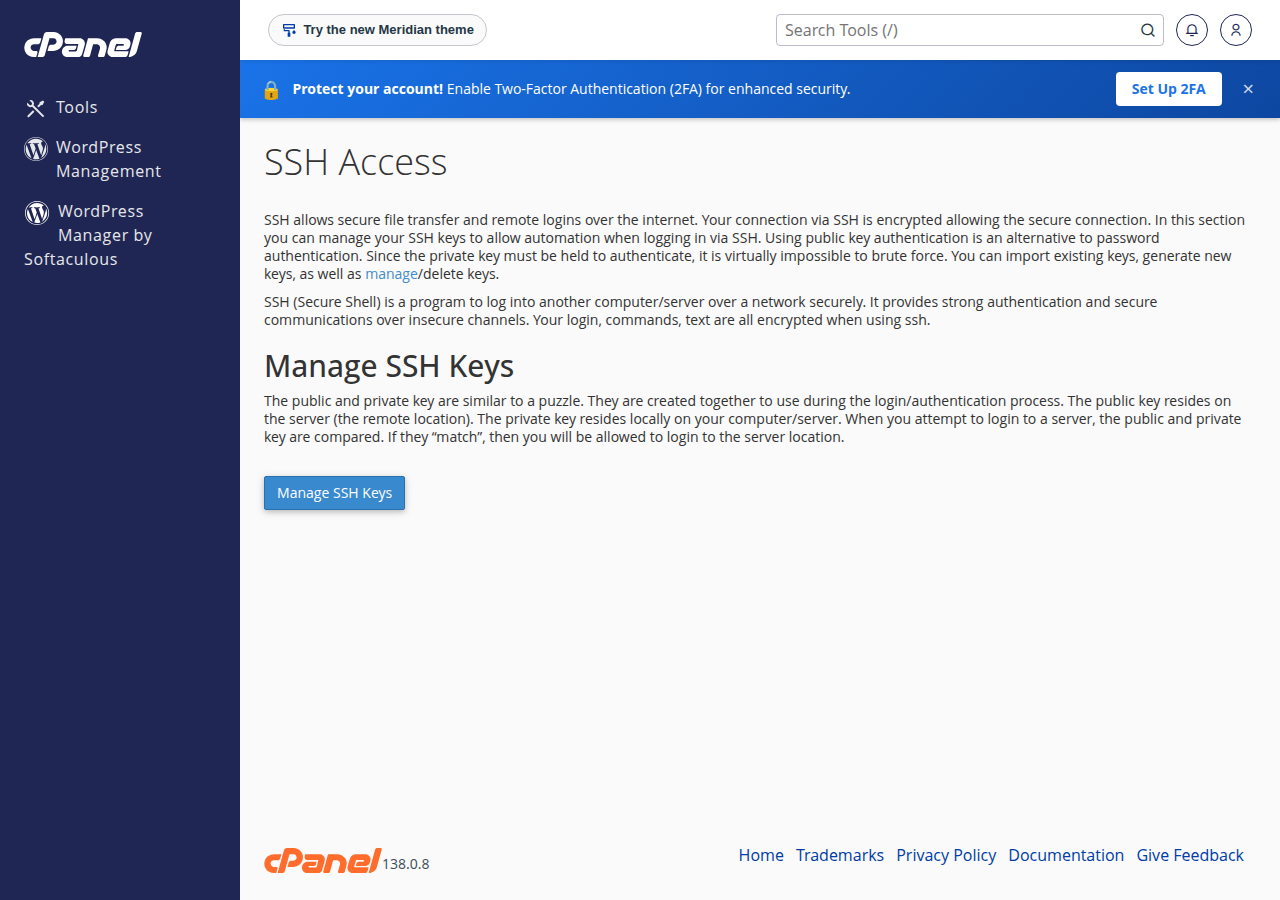
Ask support by live chat or a ticket to enable jailed SSH on your cPanel account; there is no cPanel button that does it for you. Import your public key under Security › SSH Access › Manage SSH Keys and click Authorize, because SSH accepts keys only, not your cPanel password. Then connect to your domain or server IP on port 22 with your cPanel username.
1. Get SSH enabled
- Ask support.Use 24/7 live chat, or open a ticket at /client/support/new. Give your domain and what you need SSH for.
- Wait for confirmation.Support tells you when jailed SSH is on for your account.
- Find your details.In the client area open Hosting › My hosting, click Manage and open the Access tab. It shows your cPanel username and server IP.
It is a jailed (restricted) shell: you see only your own account, with no root access and no sudo. Git is available inside the jail on our cPanel servers; other tools vary, so ask support if you need a particular one.
2. Connection details
| Setting | Value |
|---|---|
| Host | Your domain once it points to Domain India, or the server IP from the Access tab |
| Port | 22 |
| Username | Your cPanel username |
| Login | An SSH key only. Your cPanel password is not accepted for SSH |
Password authentication is switched off for SSH on our cPanel servers (measured 23 September 2026), so add your key (section 3) before you connect.
3. Add an SSH key in cPanel
Create the key on your own computer, so the private key never leaves it:
ssh-keygen -t ed25519- Open the keys page.In cPanel, go to Security › SSH Access and click Manage SSH Keys.
- Import your public key.Click Import Key, give it a name and paste the contents of your
.pubfile, for example~/.ssh/id_ed25519.pub. Leave the private key box empty. - Authorize it.Back on the list, click Manage next to the key, then Authorize. An imported key that is not authorised will not let you in.
- Connect.Run the command below in Terminal on macOS or Linux, or PowerShell on Windows.
ssh -i ~/.ssh/id_ed25519 -p 22 [email protected]If you would rather not use the cPanel page, send support your public key and ask them to add it. To stop a key working, open Manage and choose Deauthorize, or delete it.
4. Useful paths in your cPanel account
| Path | What it holds |
|---|---|
/home/cpanelusername/ | Your home folder, where SSH starts |
public_html/ | The website for your main domain |
mail/ | Your email accounts' mail |
.ssh/authorized_keys | The public keys allowed to log in |
Commands you run over SSH count towards your account's resource limits, and PHP functions disabled on our cPanel servers also apply on the command line. See PHP disabled functions on shared hosting.
How do I enable SSH in cPanel?
On Domain India cPanel hosting you cannot switch SSH on from inside cPanel. Jailed SSH access is available on every shared hosting plan but is off by default; ask support by live chat or a ticket to enable it for your account.
What port and username do I use for SSH on cPanel hosting?
Port 22, with your cPanel username. The username and server IP are on the Access tab: open Hosting, My hosting, click Manage and open Access.
Can I log in to SSH with my cPanel password?
No. Password login is switched off for SSH on our cPanel servers. Create an SSH key on your computer, import the public key under Security, SSH Access, Manage SSH Keys, then click Manage and Authorize. The key does not work until it is authorised.
Do I get root access with SSH on cPanel hosting?
No. It is a jailed shell that shows only your own account. For root access, use a Domain India VPS.
Ready to start? Open a ticket to have SSH enabled, then copy your username from My Hosting. The full SSH guide covers PuTTY, SFTP and troubleshooting.
Open a ticket with your domain and what you need SSH for. Support switches on jailed SSH and confirms when it is ready.
Ask support to enable it