ConfigServer Security & Firewall (CSF) is a firewall and login-failure daemon widely used on Linux servers with cPanel or DirectAdmin. It can soften small floods and connection abuse on a server you run, but it can't stop a large DDoS attack that fills your network link. This guide explains what CSF can realistically do, the settings that matter, safe starting values, and when you need protection upstream instead.
This applies to your own VPS or server, not to shared hosting. In CSF, use connection tracking (CT_LIMIT), per-port connection limits (CONNLIMIT) and port flood limits (PORTFLOOD) to slow down connection floods, and keep SYNFLOOD off unless you are actually under a SYN flood. Test with TESTING = "1" first, and allow your own IP so you don't lock yourself out. CSF runs on the server, so traffic that saturates the network link must be filtered before it reaches you, by the provider's network protection or a proxy such as Cloudflare.
1. Who this guide is for
CSF settings need root access. This guide is for a VPS or dedicated server you manage. On Domain India shared hosting, the firewall is run by us for every account on the server and you can't change it. If you are blocked from a shared server, see how to diagnose and resolve CSF IP blocks.
A note on CSF's status. The original developer released CSF under the GPLv3 licence in 2025 (version 15.00) and stopped developing it. The CSF line that continues after that, from version 15.01, removed support for DirectAdmin, CyberPanel and plain Linux servers and runs on cPanel servers only. On any other server, check that the version you install is maintained and supports your operating system. For a fresh AlmaLinux, Rocky Linux or Ubuntu server, the built-in firewalls (firewalld, nftables or UFW) plus Fail2ban are a supported alternative; see firewall management with nftables.
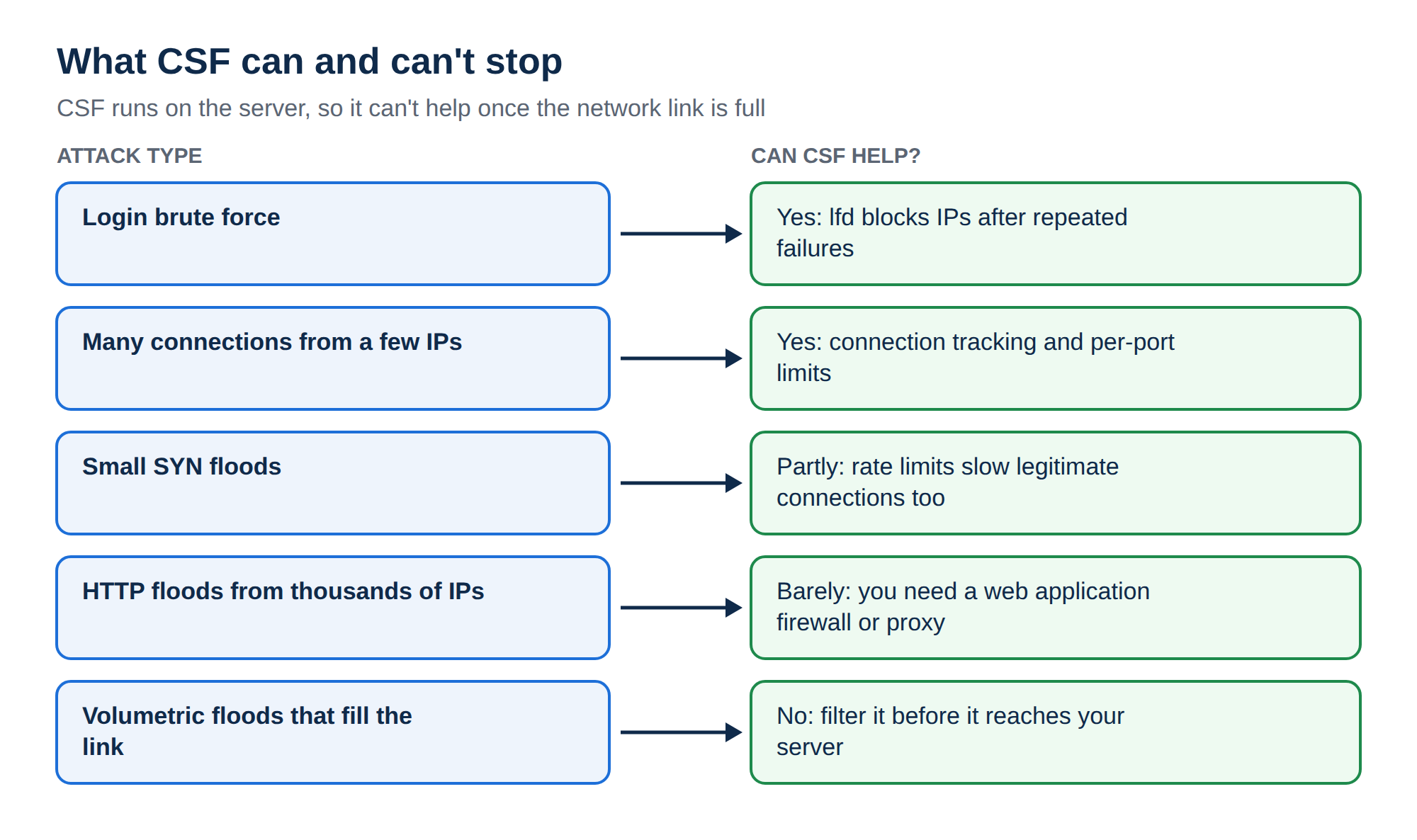
2. What CSF can and can't stop
| Attack type | Can CSF help? | Why |
|---|---|---|
| Login brute force (SSH, mail, panel) | Yes | lfd reads login logs and blocks IPs after repeated failures |
| Many connections from a few IPs | Yes | Connection tracking and per-port limits block the heaviest sources |
| Small SYN floods | Partly | SYN rate limits help, but slow down legitimate connections too |
| HTTP floods from thousands of IPs | Barely | Each IP looks normal; you need a web application firewall or proxy |
| Volumetric floods that fill the link | No | Traffic is already lost before it reaches the server |
The key point: CSF works on packets that have already reached your server. If an attack sends more traffic than your connection can carry, the server never gets a chance to filter it.
3. Before you change anything
- Install CSF from a maintained source. CSF is not in the standard AlmaLinux, Rocky Linux or Ubuntu package repositories, so
yum install csforapt install csfdoes not work. It is installed with its own installer script, and on a cPanel server the maintained version is the one to use. - Disable other firewalls first. CSF manages iptables rules itself; running firewalld or UFW at the same time causes conflicting rules.
- Allow your own IP. Run
csf -a 203.0.113.25 "my office"with your real IP, so a limit you set can't block you. - Keep testing mode on while you tune. With
TESTING = "1"in/etc/csf/csf.conf, CSF clears its rules automatically after a few minutes, so a mistake can't lock you out for good. Set it to"0"only when everything works.
4. Connection tracking: CT_LIMIT
Connection tracking counts how many connections each IP has open and blocks IPs above a limit. It is the most useful CSF setting against connection floods.
CT_LIMIT = "300"
CT_INTERVAL = "30"
CT_PERMANENT = "0"
CT_BLOCK_TIME = "1800"
CT_PORTS = "80,443"CT_LIMIT: connections per IP before blocking.0switches the feature off.CT_INTERVAL: how often, in seconds, CSF checks.CT_PERMANENT = "0"withCT_BLOCK_TIME: block temporarily (here for 30 minutes) rather than forever.CT_PORTS: count only these ports; leave empty to count all.
Start high (a few hundred) and lower it slowly while you watch for false blocks. Many visitors can share one IP address behind mobile networks, offices and proxies, so a low limit blocks real customers.
5. Per-port limits: CONNLIMIT and PORTFLOOD
CONNLIMIT caps concurrent connections per IP on specific ports. The format is port;limit, separated by commas:
CONNLIMIT = "22;5,80;50,443;50"PORTFLOOD limits how many new connections an IP can make to a port within a time window. The format is port;protocol;hits;seconds:
PORTFLOOD = "22;tcp;5;300"This example blocks an IP that opens more than 5 new SSH connections in 300 seconds. Be careful with PORTFLOOD on ports 80 and 443: browsers open several connections per page, so a tight limit there blocks ordinary visitors.
6. SYN flood protection
SYNFLOOD = "0"
SYNFLOOD_RATE = "100/s"
SYNFLOOD_BURST = "150"
SYNFLOOD = "1" rate-limits new TCP connections for the whole server. It slows every new connection from every IP, so leave it off normally and switch it on only while a SYN flood is actually happening. The Linux kernel's SYN cookies (net.ipv4.tcp_syncookies = 1, on by default in current distributions) already handle many SYN floods without CSF.
7. Login protection in lfd
lfd, CSF's login failure daemon, blocks IPs that fail to log in repeatedly. The settings are per service:
LF_SSHD = "5"
LF_SSHD_PERM = "3600"
LF_FTPD = "10"
LF_SMTPAUTH = "10"
LF_POP3D = "10"
LF_IMAPD = "10"
A number of failures triggers a block; a _PERM value of 1 makes the block permanent, and a larger number is the block time in seconds. Temporary blocks are kinder to customers who mistype a password.
Leave LF_TRIGGER at "0". Setting it to another value replaces all the per-service limits with one shared count, and older guides that set it to "1" block an IP after a single failed login of any kind.
8. Apply, check and undo
# Check the configuration and restart CSF and lfd
csf -ra

# Is an IP blocked? Which rule matched?
csf -g 198.51.100.7

# Remove a block
csf -dr 198.51.100.7

# Temporarily block an IP for one hour
csf -td 198.51.100.7 3600
Blocks and their reasons are logged to /var/log/lfd.log. Read it after any change to see who is being blocked and why. To see which IPs hold the most connections right now, run ss -Htn state established | awk '{print $4}' | sed 's/:[0-9]*$//' | sort | uniq -c | sort -rn | head. For SSH-specific protection, see the SSH hardening checklist for VPS.
9. When CSF isn't enough
For an attack larger than your server can absorb:
- Put a proxy or CDN in front of your website, such as Cloudflare. It absorbs HTTP floods and hides your server's IP; see the Cloudflare setup guide. Then allow only the proxy's IP ranges to reach ports 80 and 443.
- Use a web application firewall for HTTP floods and application attacks; see understanding web application firewalls.
- Contact your provider. Network-level filtering happens before traffic reaches your server, and only the network operator can do it.
10. Where Domain India fits
On Domain India shared hosting, protection runs server-wide for every account. Measured on our servers on 20 September 2026, our cPanel and DirectAdmin servers run the CSF firewall, and the cPanel servers also have Imunify360's denial-of-service protection switched on. You don't need to configure anything.
On a Domain India VPS you manage the firewall yourself. The VPS page lists free DDoS protection with every VPS plan; CSF or another firewall on the server adds per-IP limits on top of it.
Frequently asked questions
Can CSF stop a DDoS attack?
Only small ones. CSF can block individual IPs that open too many connections or fail logins, and can rate-limit SYN floods. It cannot stop an attack that fills your network link, because that traffic is lost before it reaches the server. Large attacks need network-level filtering or a proxy such as Cloudflare.
What is a good CT_LIMIT value in CSF?
Start high, around 300 connections per IP, with a temporary block rather than a permanent one, then lower it slowly while watching /var/log/lfd.log. Many real visitors can share one IP behind mobile networks and offices, so a low limit blocks customers.
Should I turn on SYNFLOOD in CSF?
Only while you are under a SYN flood. SYNFLOOD rate-limits every new connection to the server, which slows normal visitors. The kernel's SYN cookies, on by default in current Linux distributions, already handle many SYN floods.
Can I install CSF with yum or apt?
No. CSF is not in the standard AlmaLinux, Rocky Linux, Ubuntu or Debian repositories. It is installed with its own installer script. The original developer stopped development in 2025, and the version that continues supports cPanel servers only, so on other servers check that your version is maintained.
How do I unblock an IP in CSF?
Run csf -g followed by the IP to see which rule blocked it, then csf -dr followed by the IP to remove a permanent block. On a DirectAdmin server with brute-force monitoring, clear that IP's failure count as well, or it can be blocked again.
Can I change the CSF firewall on Domain India shared hosting?
No. On shared hosting the firewall is managed by Domain India for every account on the server. If your IP is blocked, follow the CSF IP blocks guide or contact support by live chat or ticket.
Ready to protect your server? Turn on TESTING mode, allow your own IP, and add connection tracking first. Compare VPS plans if you need your own firewall, or open a ticket if you are blocked from a Domain India server.
Full root access and DDoS protection listed on every plan.
See VPS plans